 experience6 years
Dmitriy R.
PC and laptop diagnostics technician
A technician arrives within 60 minutes anywhere in the city. Free diagnostics.
Our own technicians4 to 20 years of experience




Repair prices
The symptoms that most often bring people to a technician, and the likely causes. Diagnostics pinpoint the exact cause.
Power, button, or board failure
from10 000 ₸
Dust, old thermal paste, worn cooler
from4 500 ₸
Damaged cable or matrix
from6 500 ₸
Sticking, worn contacts, broken cable
from6 500 ₸
Worn cells or controller failure
from7 000 ₸
Loose jack or corrosion
from10 000 ₸
Damaged power circuits or traces
from10 000 ₸
Overheating, power or board failure
from10 000 ₸
1–2 hourstime
from 10 000 ₸cost
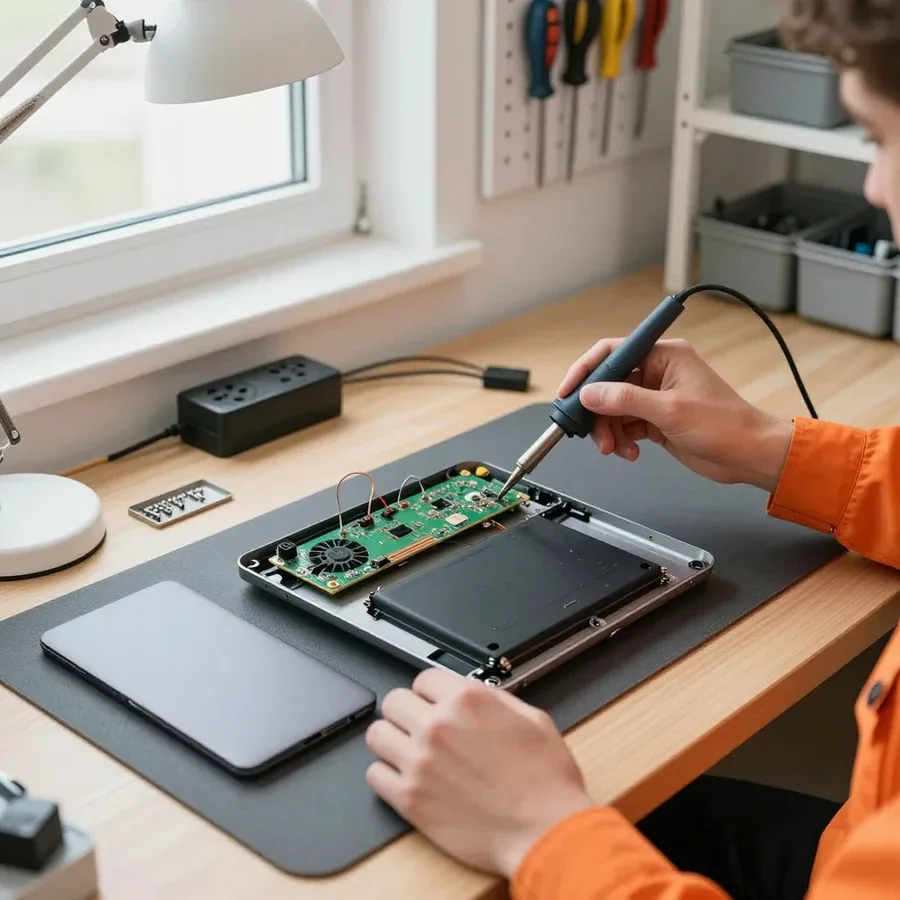 BeforeAfter

From request to check — five steps, free diagnostics.
Have your laptop model, symptoms, and when they appeared ready for the request — this speeds up parts selection.
What the technician uses on site: standard equipment and parts they bring for the described symptoms.
After diagnostics you get a list of the causes found and options for fixing them.
Work is done after you approve the scope and cost.
How to accept the work: what to look for in the report and which tests to run in the first minutes after turning it on.
The computer and laptop repair department in Almaty has 7 technicians with 6 to 15 years of experience.

The department has 7 specializations — they are listed on the technicians' cards.
experience6 yearsPC and laptop diagnostics technician
 experience8 years
Laptop repair engineer
 experience7 years
PC and laptop repair technician
 experience10 years
Graphics card repair technician
 experience10 years
Software installation specialist
We reply during working hours
Describe the fault and give a convenient address — the technician will agree on a visit time and bring the right tools. Ask them about diagnostics and payment terms.

Warranty question? Call us
+7 (778) 746 01 65
Author: Dmitriy R.,PC and laptop diagnostics technician
Published
Updated
Tech Service repairs Fujitsu Siemens laptops in Almaty as a direct provider: our technician comes to your home within 60 minutes or the work is done at our service center. Diagnostics are free, there's a 1-year warranty on labor and parts, and our technicians have 4 to 20 years of experience. The technician gives you the price after diagnostics.
Fujitsu Siemens is mostly laptops from years past, and they have their own age-related breakdowns. Let's look at what owners actually face and why the brand isn't hopeless.
Most often we see Fujitsu Siemens laptops from years past — Amilo, Lifebook, and Esprimo — whose age is measured in years of active use. The Amilo line is home and student machines with plastic cases and one of the brand's most widespread platforms; Lifebook was built as a corporate laptop with reinforced hinges and metal inserts; Esprimo is closer to the office class with easy disassembly. All three series share one trait — thoughtful layout: access to the hard drive and memory opens without full disassembly, which makes servicing easier. Age alone isn't a death sentence: these models have a predictable set of wear parts, so the technician knows in advance what to check first.
We service Fujitsu Siemens laptops from years past and give a 1-year warranty on labor and parts, regardless of the equipment's age. Our technicians have 4 to 20 years of experience, and over that time they've taken apart hundreds of machines of this brand: the typical disassembly schemes for Amilo and Lifebook are familiar to them down to the screw. We do diagnostics for free so the owner sees the real cause, not a guess. For an old brand, what matters more is not the year of manufacture but the condition of the board and cooling — they determine whether servicing makes sense. In my view, cleaning the cooling system and replacing thermal paste on such equipment often brings back the stability the owner thought was lost.
The behavior of a Fujitsu Siemens laptop almost always points to a specific component. Below we break down what each symptom means and where the technician looks first.
If a Fujitsu Siemens laptop won't turn on, the cause is usually in the power supply, the jack, or the motherboard, while a black screen with a running fan more often points to the display matrix or the video chip. The power jack on these models gets loose from frequent plugging — contact disappears and the device doesn't respond to the button. The matrix and its cable show themselves differently: the backlight doesn't come on, but the fan and indicators work. The video chip on old boards detaches from heat, and then the image disappears after warm-up. You can't check this by eye — you need diagnostics, because the same symptom can come from a cheap or an expensive breakdown. Fujitsu laptop repair in Almaty in such cases starts with free diagnostics: our technicians name the cause before any work begins.
| Symptom | What we check | What is usually replaced |
|---|---|---|
| Won't turn on | Power supply, connector, board | Connector or power supply |
| Black screen | Matrix, video chip, cable | Matrix or cable |
| Not charging | Power supply, battery | Battery or connector |
| Indicator blinking | Power, memory, board | Contacts, memory module |
| Keyboard not working | Cable, contacts, keys | Keyboard or cable |
Our technicians decode Fujitsu Siemens error codes and blinking indicators to narrow down the components to check before even opening the device. With this brand, the blinking sequence of the power indicator encodes a specific unit: the number of flashes and pauses point to power, memory, or the board. The diagnostician matches this sequence against a code table and immediately rules out some possibilities. A recorded blinking sequence helps the technician find the cause faster, so it's worth capturing before the visit—film the blinking or count the flashes between pauses. Accurate recording is also important because when you turn the device on again, the blinking pattern may change and the original picture is lost. Moreover, the number of flashes makes it easier to predict which component will need checking and to prepare the necessary parts. In our experience, a recording often saves the technician an extra trip.
We explain what Fujitsu Siemens laptop work we perform and what exactly we check in each case, so that fixing the issue addresses the cause, not the symptom.
We restore the Fujitsu Siemens laptop motherboard instead of immediately suggesting a full replacement, and we handle the video chip separately. Fujitsu Siemens laptop repair in Almaty most often involves power circuits and trace integrity after overheating: on old boards, contacts separate, connectors oxidize, PWM controllers and capacitors fail. We test the video chip for detachment and solder degradation, reball if necessary, and restore heat dissipation. First, we locate the faulty component using the schematic, then fix it locally—by soldering, replacing a single component, not the entire board. Replacing the whole board is often more expensive and complicated: you have to find a rare part for a specific chassis, whereas local intervention preserves compatibility with the old chassis and other components.
| Component | What we do | Result check |
|---|---|---|
| Matrix | Replace screen and cable | Image and backlight |
| Keyboard | Replace or repair contacts | All keys and cable |
| Battery | Install new battery | Charge and retention |
| Power supply | Repair connector and unit | Power stability |
| Cooling | Clean and replace thermal paste | Temperature and noise |
| Storage | Install SSD instead of HDD | Boot and speed |
We clean the cooling system of dust, replace the thermal paste, and restore Fujitsu Siemens laptops after liquid spills. Dust and dried-out paste raise the temperature, the device starts making noise and throttling, and a clogged radiator speeds up wear on the board and brings expensive repairs closer. In case of a spill, we disassemble the case, wash the board in an ultrasonic bath, remove oxidation, and check the traces under a microscope — water under the keyboard and in the connectors stays invisible from the outside and keeps eating away at the metal. Around the city, a technician comes to you to pick up the device or inspect it on site. After a spill, every hour counts: the sooner the laptop reaches the technician, the better the chances of saving the board and avoiding contact corrosion.
We show the work order step by step — from free inspection and approval to warranty, so you understand how things are progressing at each stage.
Diagnostics are free with us, and the technician quotes the price after them and agrees on the work with you before service begins. First, the engineer opens the case, checks the power circuit, the condition of the motherboard and video chip, tests the RAM and storage — on Amilo and Lifebook models these are different components with different failure logic. Based on the inspection, you get a list of faults and an action plan: which part we replace, where we solder, where we clean. In our practice, half of the requests end not with replacing hardware but with restoring a contact or resoldering a single component — and the owner learns about this before the laptop reaches the workbench. Approval before work starts protects you from surprises: you know in advance what operations will be done and why.
We provide a 1-year warranty on labor and parts, and our technicians have 4 to 20 years of experience. This range is not a formality: on old Fujitsu Siemens boards, half the time is spent finding micro-damage that standard tests don't show, and here hands-on experience with specific series makes the difference. One engineer handles each laptop from inspection to pickup — they are also responsible for the result if the case turns out to be more complex than expected. The terms are fixed in the warranty document, so if you come back you won't have to prove that the service took place. A warranty on parts is just as important as on labor: it covers both the part itself and the quality of its installation — if it fails again, you won't have to figure out who is to blame.
Some faults are fixed right at your place, others require workshop conditions. We explain how to choose the format and how each option ends.
A technician arrives at your home within 60 minutes anywhere in the city and performs diagnostics and the work that doesn't require service equipment right on the spot. On arrival, we remove the cover, check the power, the condition of the connectors and the cooling system, and test the RAM and hard drive. Typical tasks of this format include replacing the drive, installing a memory module, cleaning dust from the heatsink, and restoring contact in the charging connector. Diagnostics are free: the technician identifies the cause and immediately tells you which operations can be done on site and which will require the service center. A home visit saves the owner time — you don't need to haul the laptop in and leave it, and a number of issues are resolved in a single visit. Before calling, have the model ready and describe the symptom over the phone: based on that description, we'll bring the right parts and won't show up empty-handed.
We handle the board, liquid damage recovery, and complex video chip work at the service center, where we have the conditions for precise soldering and testing. A Fujitsu Siemens motherboard requires a temperature-controlled soldering station, a microscope, and board cleaning after contact with liquid — you can't do that on a kitchen table without risking damage to the traces. Liquid damage is especially dangerous because oxidation continues to destroy contacts even after drying, so the board needs ultrasonic cleaning and trace inspection under magnification. The video chip and power circuits are tested under load on a bench to make sure the laptop can handle work, not just boot once. The split between formats isn't accidental: some operations simply can't be done well at home, and it's more honest to say so upfront than to attempt soldering in unsuitable conditions.
Owners of older Fujitsu Siemens laptops often wonder whether to restore the device or buy a new one. We break down what the decision depends on and when investing in repair makes sense.
Restoration makes sense when the failure is local — cooling, drive, battery, or connector — and the board and screen are fine. The cooling system gets clogged with dust after two or three years of use, which makes the fan noisy and the case hot near the keyboard. The drive is replaced with a modern SSD, the battery with a compatible one, and the power connector is resoldered if the contact has loosened. With such failures, the motherboard remains intact, and the device keeps doing its job for several more years. Local intervention preserves a working machine and extends its life, whereas buying a new one for the sake of a single part is often unnecessary. Assess what resources you're lacking right now: if it's about speed or overheating, replacing the component solves the problem without buying a new device. Cleaning dust from the cooling system and replacing the thermal paste bring temperatures back to normal.
You should think about replacement when the board is damaged along with the video chip and the matrix, and the device itself no longer covers your needs. A crack on the screen combined with a faulty video chip means two expensive components at once, and restoration stops being an obvious solution. This also includes cases where liquid damage has caused oxidation of several board circuits. Matrices for older diagonals are harder to find, and a compatible part may be inferior in brightness. Even then, the decision is made based on the inspection results: sometimes repairing several components costs less than it seems at first glance. Compare what you get from restoration versus what a new model offers for your daily programs — that makes the choice concrete. Free diagnostics show the real condition of the components: the technician quotes the cost of work, and you decide without pressure.
Here are the key things to keep in mind before contacting us about an old Fujitsu Siemens laptop: what determines whether it can be restored and how to avoid wasting time.
Tech Service technicians repair other appliances too — with the same 1-year warranty on labour and parts.
 Refrigerator Repair in Almatyfrom 3 000 ₸
 Washing Machine Repair in Almatyfrom 3 000 ₸
 Dishwasher Repair in Almatyfrom 3 500 ₸
 Oven Repair in Almatyfrom 3 000 ₸
 Cooktop Repair in Almatyfrom 3 500 ₸
 Air Conditioner Repair in Almatyfrom 3 500 ₸
 Boiler and Water Heater Repair in Almatyfrom 2 500 ₸
 Freezer Repair in Almatyfrom 6 000 ₸
 Tumble Dryer Repair in Almatyfrom 5 000 ₸
 Coffee Machine Repair in Almatyfrom 2 500 ₸
 Robot Vacuum Cleaner Repair in Almatyfrom 3 500 ₸
 Vacuum Cleaner Repair in Almatyfrom 1 500 ₸
 Microwave Oven Repair in Almatyfrom 2 000 ₸
 Hair Dryer Repair in Almatyfrom 1 500 ₸
 Iron Repair in Almatyfrom 3 000 ₸
 Electric Kettle Repair in Almatyfrom 2 500 ₸
 Mixer Repair in Almatyfrom 2 500 ₸
 Multicooker Repair in Almatyfrom 500 ₸

If your laptop screen is broken, turn the device off first, don't press on the display, and check the picture through an external monitor.
12 March 2026 · 11 minutes read
If your laptop freezes, the first thing to do is restart it and check Task Manager to see what's loading the CPU and memory.
25 January 2026 · 12 minutes read
If your laptop won't boot, first determine which of two states you're in: the device doesn't respond to the power button at all…
13 December 2025 · 12 minutes read
If your computer won't turn on, start simple: check the outlet, power cable, switch on the power supply, and the power button.
19 January 2026 · 13 minutes read








