 experience6 years
Dmitriy R.
PC and laptop diagnostics technician
A technician arrives within 60 minutes anywhere in the city. Free diagnostics, 1-year warranty on labor and parts.
Our own technicians4 to 20 years of experience




Repair prices
The most frequent symptoms customers report. The technician will pinpoint the exact cause during diagnostics.
discharged battery, power failure, board issues
from10 000 ₸
driver failure, damaged cable, wear
from6 500 ₸
contact oxidation, short circuit
from11 500 ₸
driver failure, damaged cable
from6 500 ₸
dust on blades, bearing wear
from4 500 ₸
driver failure, memory or file errors
from5 000 ₸
mechanical pressure, impact, drop
from10 500 ₸
damaged cable, drive wear
from6 500 ₸
1 daytime
from 5 500 ₸cost
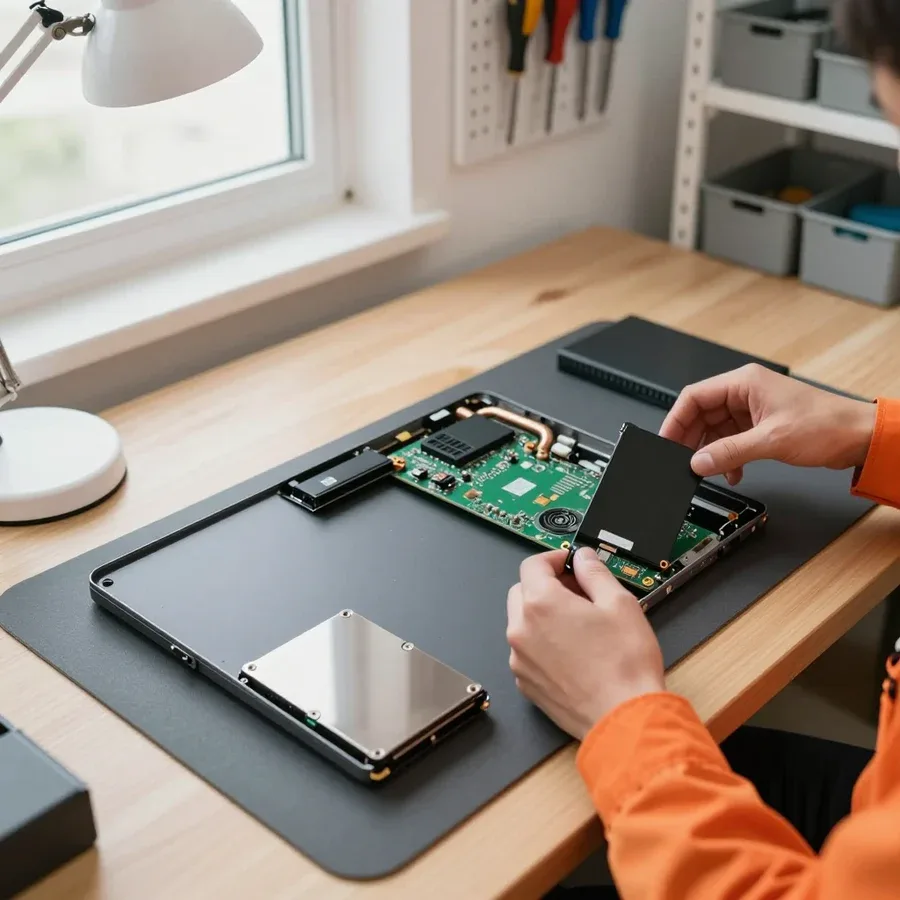 BeforeAfter

From request to check — five steps.
Describe the problem, the technician will clarify details and arrange a visit.
The technician arrives anywhere in the city within an hour after your request.
The technician records the list of issues and discusses repair priorities with you.
The technician quotes the cost of labor and parts, and you decide.
Check the result on the spot: turn on the laptop, test the keyboard and ports.
The computer and laptop repair department in Almaty has 7 technicians with 6 to 15 years of experience.

The department has 7 specializations — they are listed on the technicians' cards.
experience6 yearsPC and laptop diagnostics technician
 experience8 years
Laptop repair engineer
 experience7 years
PC and laptop repair technician
 experience10 years
Graphics card repair technician
 experience10 years
Software installation specialist
We reply during working hours
Leave a request — the technician will arrive within 60 minutes anywhere in the city. Diagnostics are free, 1-year warranty on labor and parts. Ask the technician about payment methods.

Warranty question? Call us
+7 (778) 021 50 18
Author: Dmitriy R.,PC and laptop diagnostics technician
Published
Updated
Tech Service repairs Lenovo laptops in Almaty as a direct provider: our technician comes to your home within 60 minutes or the work is done at our service center. Diagnostics are free, the technician quotes the price after diagnostics, and there is a 1-year warranty on labor and parts. We service IdeaPad, ThinkPad, Legion, Yoga, and LOQ.
Lenovo laptops come to us with various symptoms, but the causes often repeat. Here's what we look at first and why free diagnostics is not a formality but a working step.
We work with all mainstream Lenovo lines — IdeaPad, ThinkPad, Legion, Yoga, and LOQ — and each has its own typical weak spots. In budget IdeaPad models, the power delivery unit and chassis hinges are more prone to issues; in gaming Legion and LOQ, the cooling system and charging circuit take the load under gaming stress. ThinkPads come in with liquid damage and worn cables, while Yoga models raise questions about the touchscreen and convertible hinge. As a direct provider, we work with these lines without intermediaries: the technician disassembles the device and handles the repair. It's important for the technician to know the line before disassembly: Legion has a different cooling design, Yoga requires separate touchscreen testing, and ThinkPad has its own scenarios for liquid exposure. This preparation is about knowing the line, not about replacing parts at random.
Our diagnostics are free: the technician disassembles the laptop, checks the components, and identifies the cause of the failure before any work. The inspection includes checking the board and power delivery chain, testing connectors and cables, testing RAM, and a S.M.A.R.T. check of the storage drive — it shows SSD or HDD wear and the risk of sudden data loss. As a result, the technician explains what exactly failed and what repair options are available. Approval after disassembly is a mandatory step: the client sees what's broken and decides whether to proceed. This removes the fear of 'they'll take it apart and overcharge' — the technician quotes the price based on the free diagnostics, before any work begins. Our inspection never turns into imposed work: you have the right to take the device back without any work done.
Lenovo has characteristic symptoms that let the technician suspect the cause right away. Here are the most common error codes and failures: what they mean and why the line determines the check priority.
'Plugged in, not charging' points to the charging circuit or the battery, while 'Fan error' indicates a cooling system that isn't spinning the fan. In the first case, the laptop sees the adapter but power doesn't reach the battery: the culprit is the connector, charging controller, or the battery cell itself that has lost capacity. In the second, the fan is clogged with dust, the bearing is stuck, or the RPM sensor is triggered, and heat stops being dissipated from the processor. Neither error is a death sentence: the charging circuit is often restored with component-level repair, and 'Fan error' is frequently solved by cleaning and replacing thermal paste. But you shouldn't delay — overheating gradually damages the board, and then repair becomes more expensive. For Lenovo laptop repair in Almaty with such codes, the technician starts with on-site diagnostics to immediately identify the cause and work plan.
| Lineup | Common symptom | What we check |
|---|---|---|
| IdeaPad | Cracks in the chassis, lid hinges | Hinges, mounts, lid |
| ThinkPad | Won't turn on after liquid damage | Motherboard, power circuits |
| Legion | Overheating and noise under load | Cooling system, thermal paste |
| Yoga | Touchscreen not working | Touchscreen, display cable |
| LOQ | Fan noise, overheating | Cooling system |
Power surges often damage power circuits and the motherboard, while drops affect the display cable, connectors, and storage drive. A voltage spike can fry stabilizers and board traces, leaving the laptop unable to turn on or causing it to charge intermittently. Impacts put stress on hinges, chassis corners, and internal cables, and the drive connector can come loose from the board—the device powers on but doesn't detect the disk. If the laptop doesn't see the SSD, the drive itself isn't always the culprit: we first check the cable and connector, and only then conclude a replacement is needed. Component-level repair in such cases involves the motherboard and power circuits, not just external parts. Lenovo laptop repair in Almaty in these cases starts with checking the circuits, not replacing modules. The technician first tests traces and connectors and only suggests replacing a module when the fault is confirmed.
Our process is the same whether we come to you or you bring the laptop in: at every step, you know what's happening with your laptop and what makes up the final price.
A specialist arrives at your home within 60 minutes anywhere in the city, runs diagnostics on site, and then decides whether to fix it right away or take the laptop to the service center. The visiting technician is from our Lenovo laptop service center, not a middleman's courier: they inspect the device right away. At your address, they check power, cooling, keyboard and screen condition, and read error codes from the log. Some work can be done on site, while component-level board repair is done at the service center. Component-level motherboard repair is performed at the service center, and the technician tells you this honestly after diagnostics instead of taking the laptop "just in case." In my view, this is exactly what shows whether you're working with a direct contractor or an intermediary who just wants to haul the device away.
A 1-year warranty on labor and parts is our standard for any Lenovo repair. This period covers both the procedure and the installed parts, so you don't have to figure out on your own what exactly failed. A separate warranty on parts matters: if a part behaves unexpectedly, that's our responsibility, not yours. The warranty covers both labor and the installed part. Payment method doesn't affect the warranty period—it's the same for cash and bank transfer. If the same issue reappears after repair, the technician will investigate the cause again and fix it under warranty, without shifting the task to you. Practical tip: keep the repair intake document—it makes it easier to confirm the date and terms of your claim.
While the technician is on the way, a few simple steps can help you avoid making the damage worse and keep the chances of a quick recovery. Let's look at three common scenarios: liquid damage, overheating, and failure to turn on.
Turn off the laptop immediately, unplug the charger, and don't try to turn it on again until it's been diagnosed. Turn the case upside down with the keyboard facing down so the liquid doesn't seep deeper, and blot visible drops with a napkin — but don't shake the device or tilt the screen. If the keyboard or touchpad area is wet, don't take the device apart yourself: removing the cover incorrectly can shift the cables and add mechanical damage to the liquid damage. Recovery after liquid damage requires working on the board, and every minute counts: the sooner the liquid is removed from the contacts, the less corrosion on the motherboard traces. Sweet tea or coffee is more dangerous than water — sugar crystallizes and conducts current between nearby contacts. The main mistake is checking "maybe it works now" every few minutes: moisture under power finishes off the board and makes recovery after liquid damage more difficult.
If the fan sounds like an airplane and the case gets hot, most often you need to clean the cooling system and replace the thermal paste. Check that the radiator grilles aren't blocked by fabric or a stand, and lift the back of the case a couple of centimeters — airflow from below drops noticeably when the device is on a soft surface. On the Lenovo Legion, the case gets noticeably hotter under gaming load, but if the cooler doesn't slow down even at idle, that's a sign of a clogged radiator. A clogged radiator and dried-out thermal paste accelerate board wear, and maintenance costs less than recovery. Cleaning the cooling system includes removing the radiator, blowing out the fins, and replacing the thermal paste, and on models with a shared heat pipe — also the thermal pads on the video memory. Don't speed up the fan with software while there's dust inside: the RPMs increase but heat dissipation doesn't improve.
There are many intermediaries and aggregators in the service market, and it's important for the owner to understand who actually handles the laptop. We explain the difference between a direct contractor and an intermediary, and our terms of service.
Tech Service is a direct contractor: the technician comes to your home or the work is done in the service center, without a chain of intermediaries. The technician comes to your home or the work is done in the service center, performs diagnostics and does the work himself — our Lenovo laptop service is built without intermediate links. With an intermediary scheme, the client submits a request on the side, and then the device goes to an unknown contractor, and it's impossible to track its path. With a direct contractor, the person who performed the diagnostics is also responsible for the work, so there's someone to hold accountable for the result. Ask directly who will work on the device — the answer immediately shows the scheme. With a direct contractor, the technician arrives at your home within 60 minutes anywhere in the city, and diagnostics are free, so the owner sees the whole process and understands who they're trusting their laptop to.
Our technicians work on devices from 4 to 20 years old, and that experience shows during Lenovo diagnostics. A specialist with that kind of background can guess the lineup and typical failure from the symptoms before even opening the laptop, instead of blindly checking every component. The Ideapad, ThinkPad, and Legion have different layouts: on some, the cooling system comes off after the keyboard; on others, the bottom cover comes off first. Knowing the disassembly order saves time and reduces the risk of damaging cables. During free diagnostics, the specialist shows which component is failing and explains why that's the diagnosis. As a practical person, what matters more to me is this: an experienced technician doesn't just replace everything in sight but first rules out simple causes. When they name the likely failure before opening the case, that's a good sign—it means they've seen that model before.
The specialist gives you the price after free diagnostics, once the cause is clear, and you can pay via Kaspi QR, Kaspi Red, card, cash or bank transfer. Quoting a sum before opening the laptop means guessing: the same symptom can be caused by a power connector or by the board, and the scope of work differs dramatically. Our diagnostics are free, so you can get your Lenovo laptop fixed without paying for the check itself: first the technician figures out the cause, shows it to you, and only then quotes the price for the work. This approach protects you from surprises at the end—the sum comes after the facts, not before. We accept Kaspi QR, Kaspi Red, card, cash or bank transfer so you're not tied to one way of paying. Ask for the cause of the failure before the price—that's the honest order, and it's a good way to check any service.
Laptop repair comes down to three decisions: correctly identifying the cause, agreeing on the work before disassembly begins, and getting a warranty on the result. Below are the takeaways that help you make these decisions without rushing.
Tech Service technicians repair other appliances too — with the same 1-year warranty on labour and parts.
 Refrigerator Repair in Almatyfrom 3 000 ₸
 Washing Machine Repair in Almatyfrom 3 000 ₸
 Dishwasher Repair in Almatyfrom 3 500 ₸
 Oven Repair in Almatyfrom 3 000 ₸
 Cooktop Repair in Almatyfrom 3 500 ₸
 Air Conditioner Repair in Almatyfrom 3 500 ₸
 Boiler and Water Heater Repair in Almatyfrom 2 500 ₸
 Freezer Repair in Almatyfrom 6 000 ₸
 Tumble Dryer Repair in Almatyfrom 5 000 ₸
 Coffee Machine Repair in Almatyfrom 2 500 ₸
 Robot Vacuum Cleaner Repair in Almatyfrom 3 500 ₸
 Vacuum Cleaner Repair in Almatyfrom 1 500 ₸
 Microwave Oven Repair in Almatyfrom 2 000 ₸
 Hair Dryer Repair in Almatyfrom 1 500 ₸
 Iron Repair in Almatyfrom 3 000 ₸
 Electric Kettle Repair in Almatyfrom 2 500 ₸
 Mixer Repair in Almatyfrom 2 500 ₸
 Multicooker Repair in Almatyfrom 500 ₸

If your laptop screen is broken, turn the device off first, don't press on the display, and check the picture through an external monitor.
12 March 2026 · 11 minutes read
If your laptop freezes, the first thing to do is restart it and check Task Manager to see what's loading the CPU and memory.
25 January 2026 · 12 minutes read
If your laptop won't boot, first determine which of two states you're in: the device doesn't respond to the power button at all…
13 December 2025 · 12 minutes read
If your computer won't turn on, start simple: check the outlet, power cable, switch on the power supply, and the power button.
19 January 2026 · 13 minutes read








