experience10 years
Vasiliy Z.
Senior TV repair technician

We fix Apple earbuds on a home visit. 1-year warranty on labor and parts.
Our own technicians4 to 20 years of experience




Repair prices
Below are the typical symptoms AirPods owners come to us with, and their likely causes.
oxidized contacts, worn battery
from5 000 ₸
damaged speaker or flex cable
from3 500 ₸
lost pairing, Bluetooth module fault
from2 500 ₸
dirty port, worn contacts
from5 500 ₸
oxidized contacts, speaker corrosion
from3 500 ₸
damaged membrane, earwax, moisture
from6 000 ₸
dirty microphones, worn ear tip
from5 000 ₸
clogged mesh, faulty speaker
from3 500 ₸
1–2 hourstime
from 3 500 ₸cost
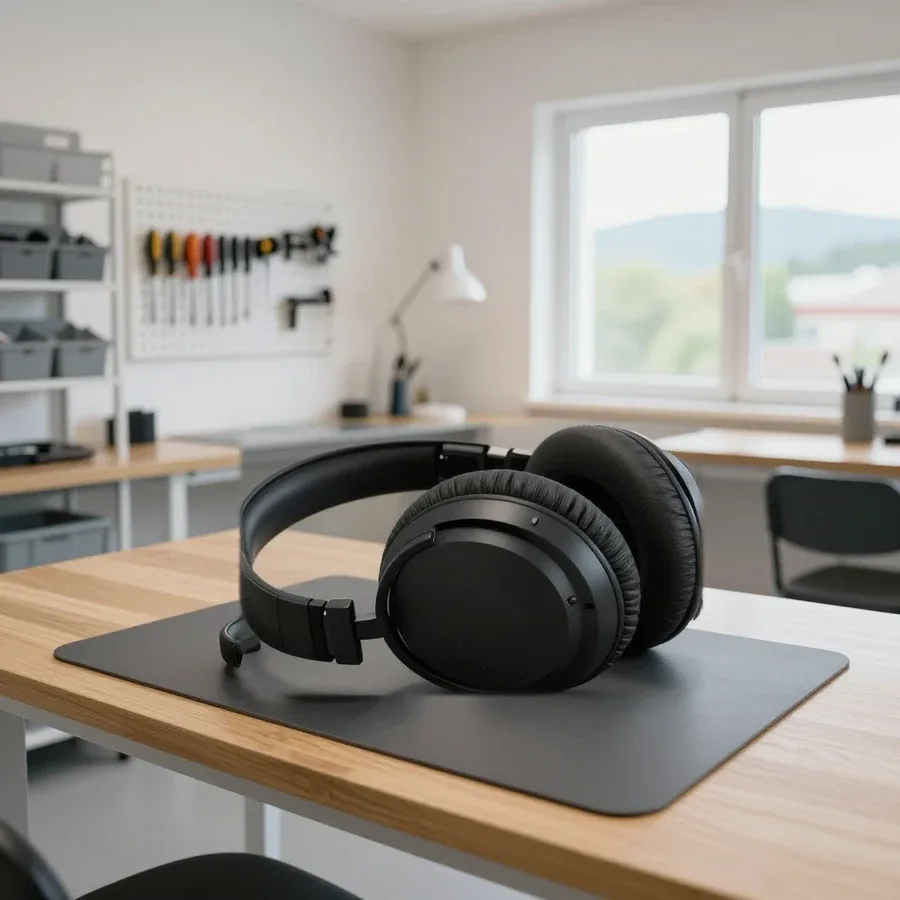 BeforeAfter

Five steps from request to final check.
You leave a request, and the technician asks about the model and symptoms.
A technician arrives in 60 minutes anywhere in the city.
The technician records the symptoms and agrees on the timing of the work.
You discuss the scope of work and the type of part, then the technician gets started.
You check the sound, charging and connection together with the technician.
The digital device repair department in Almaty has 7 technicians with 7 to 18 years of experience.

The department has 7 specializations — they are listed on the technicians' cards.
experience10 yearsSenior TV repair technician
 experience10 years
TV board repair technician
 experience10 years
Electromechanical technician
 experience13 years
Audio and DVD repair technician
 experience18 years
Smartphone repair technician
 experience8 years
Screen and battery replacement technician
 experience7 years
Game console repair technician
We reply during working hours
Describe the fault and the earbud model so the technician can prepare the right parts. Let us know a convenient visit time and how to reach you.

Warranty question? Call us
+7 (778) 021 13 16Tech Service fixes AirPods, AirPods Pro, AirPods Max and charging cases on a home visit or at our service point. Our own technician arrives in 60 minutes anywhere in the city, diagnostics is free, and you get a 1-year warranty on labor and parts. We check each earbud and the case separately, clean the meshes and contacts, replace the case battery, and quote the cost after diagnostics.
A set of Apple wireless earbuds is made up of three independent devices. Before fixing anything, you need to know which one has failed, otherwise it is easy to waste time on a part that works fine.
An AirPods set is three separate devices, each with its own battery: the left earbud, the right earbud and the charging case. Each earbud contains a speaker, several microphones, an ear sensor, a wireless module and charging contacts at the bottom tip of the stem. The case is essentially a portable battery with a circuit board, a cable port, spring contacts in the wells and a status light, and some versions also have a wireless charging coil inside. The weak spots of the earbuds are the protective meshes, which get clogged with earwax, and the contacts, which lose conductivity because of dirt. In the case, the port, the lid hinge and its own battery suffer most. Tech Service technicians with 4 to 20 years of experience check all three devices, because one fault often disguises itself as another. Show the technician the whole set, even if only one earbud has failed: without the case and the other half of the pair, the real cause cannot be found.
| Symptom | Where to look | What the technician checks |
|---|---|---|
| One earbud does not charge | Stem contacts, case well | Clean contacts, charging by the status light |
| Case does not charge from the cable | Port, case board | Port, charging without a cable |
| Case drains quickly | Case battery | How the case holds a charge |
| One side plays quietly | Speaker mesh | Dirty mesh, sound balance |
| Crackling with noise cancellation | Microphones, vents | Sound in different modes |
| The other person hears you poorly | Voice microphone mesh | A call with each side |
| No response to presses | Force sensor, settings | Control settings, sensor operation |
The status light on the case shows the charge level and the connection state, and its color helps narrow down the causes in advance. Green with the earbuds inside means they are charged, and without the earbuds it means the case itself is charged. Amber means the charge is not full, while flashing amber signals a pairing error, which usually calls for a reset and reconnecting to the phone. Flashing white means the set is ready to connect. If the light responds when you open the lid but the earbuds do not appear in the Bluetooth menu, the suspicion falls on the earbuds themselves and their contacts. If the light does not come on at all, even while the case is on the charger, the problem is almost certainly in the case, in the port, the board or a deeply discharged battery, rather than in the earbuds.
Lost charge is the most common complaint from owners of Apple wireless earbuds. Below are three scenarios: one earbud failing, case problems and natural battery wear, and each has its own cause.
When only one earbud does not charge in the case, the usual culprits are dirty contacts on the stem or the spring contacts in the case well. Earwax, skin oil and pocket dust build up on the contacts, oxidation appears over time, and the charging circuit simply does not close. Less often the cause is in the earbud itself: its battery, board or a thin flex cable inside the housing. We start by inspecting and carefully cleaning both pairs of contacts, and then see whether the earbud takes a charge and holds it. If it charges after cleaning but drains again soon after, the problem is in the battery, and that changes the whole repair plan. Put the problem earbud in its well and watch the battery widget on your iPhone: if the percentage does not rise, current is not reaching the earbud.
A case that no longer charges from the cable usually suffers from dirt and wear in its Lightning or USB-C port, while a fast-draining case points to an aging battery. Dust and lint get into the port, especially when the case is carried in a pocket, the plug does not go all the way in, and contact is lost. A port loosened by frequent plugging in also causes intermittent charging. AirPods repair in this situation often comes down to cleaning or replacing the port, and we replace a worn case battery after opening the housing. Diagnostics is free with us, so even before work starts it is clear what exactly has failed: the cable, the adapter, the port, the battery or the board. If the case supports wireless charging, put it on the pad: if it charges without a cable, the problem is the port, not the battery.
The earbud battery is a small lithium-ion cell, and with every charge cycle it loses some capacity, so music plays for less and less time. Wear speeds up with heat, for example in a car in the sun, and with storage at a fully drained level. Earbuds usually age unevenly: the one used more for calls consumes more energy, because the voice microphones run on it. iOS offers optimized charging for Apple earbuds, which holds the earbuds' charge in the case below full if the set routinely sits on the charger, and this slows aging a little. Battery condition is easy to track in the battery widget on the iPhone by comparing the left and right sides after the same amount of use. If one earbud drains noticeably sooner than the other, check whether the microphone is fixed to it: in the settings you can choose automatic switching.
Weak sound, crackling and complaints from the person on the other end are more often caused by dirt than by an electronics fault. Here is how to tell dirt on the meshes from a faulty speaker or microphone.
Quiet sound in one earbud is most often caused by earwax and dust on the protective speaker mesh rather than a broken driver. The mesh is very fine: a thin layer of earwax covers it almost invisibly, the volume drops gradually, and the owner notices the difference only by comparing the two sides. On Pro models, buildup also collects under the silicone ear tip. We remove the dirt with a soft brush and mesh-safe products, then compare the volume of the left and right sides and check the sound balance in the iPhone settings. If the sound stays quiet and distorted after cleaning, the problem is in the speaker or in moisture that got inside. Do not poke the mesh with a needle or pour alcohol inside: a punctured mesh and liquid in the housing turn simple cleaning into an earbud replacement.
Crackling that appears only in noise cancellation or transparency mode is usually linked to the microphones and vents rather than the speaker. Pro models listen to the surroundings through outward-facing microphones, while an inward-facing microphone monitors the sound in the ear and adjusts the cancellation. When a microphone or vent mesh is clogged, the system receives a distorted signal and produces clicks, hissing and a feeling of pressure. A loose or torn ear tip also gets in the way: sound leaks out of the ear, and the algorithm makes errors. It is worth starting with the ear tip fit test in the iPhone settings and trying a different size. Crackling while walking and talking that does not go away in any mode points to the speaker. Turn noise cancellation off: if the crackling stops, the microphones and meshes are to blame, and cleaning is very likely to help.
Below is the path from request to final check: how the technician works with the set, which jobs are done on each part and what happens after reassembly.
A Tech Service technician arrives in 60 minutes anywhere in the city and starts with free diagnostics of the case and both earbuds. First the technician clarifies the model and symptoms, then checks each device in turn: charging, clean contacts and meshes, sound, microphones and pairing with the phone. On Pro models the noise cancellation and transparency modes are checked separately, and on the over-ear Max the ear cushions, buttons and headband. Our technicians, with 4 to 20 years of experience, explain after the check which part has failed, what can be restored and what is better replaced, and name the cost. The work is done on site or at our service point, depending on its scope. Before the visit, charge the case at least a little and keep the iPhone the earbuds are linked to at hand: without it the connection cannot be checked.
| Part | Typical work | Check afterwards |
|---|---|---|
| Speaker and microphone meshes | Cleaning off earwax and dust | Volume, voice recording |
| Earbud and well contacts | Cleaning, removing oxidation | Charging of each side |
| Case port | Cleaning or replacement | Charging from the cable |
| Case battery | Replacement | Holding a charge |
| Case lid and hinge | Restoration or replacement | Closing, magnets working |
| Pro model ear tips | Sizing and replacement | Fit test |
| Max model ear cushions | Replacement | Fit, noise cancellation |
| Failed earbud | Replacement and pairing | Connection, sound, charging |
After the repair we check the sound, microphone, charging and connection, and the completed work comes with a 1-year warranty on labor and parts. The check is done on the owner's phone: the earbuds are reconnected, the technician plays music, makes a test call, switches noise cancellation modes on Pro models and watches how each side and the case take a charge. If a single earbud was replaced, the technician makes sure it is correctly recognized together with the other one in the iPhone settings. You can pay in a convenient way, as we accept Kaspi QR, Kaspi Red, bank card, cash, or bank transfer for companies. The technician will also explain how to care for the restored part so the fault does not come back. Check the earbuds in your usual scenarios right in front of the technician: a call outdoors, music in a noisy place and the fit in your ear while moving.
Different parts of the set differ in how repairable they are. We explain where restoration helps, where it makes more sense to replace a single part, and how the over-ear Max differs from the in-ear models in this respect.
The AirPods earbud housing is glued together, and opening it without leaving marks or risking the tiny components is very difficult. There is almost no free space inside: the battery, board, speaker, microphones and thin flex cables are packed tightly, and some components are joined so that they cannot be separated without damage. That is why cleaning the contacts and meshes, drying after moisture and setup are done without opening the earbud, and work inside the housing is justified only in some cases. The case is simpler: it is glued as well, but there is more room inside, and the port, battery and hinge can be replaced. This is why the usual fix for an earbud with a failed battery is not resoldering but replacement with a compatible one. Before an earbud is opened, always ask whether the job can be solved by cleaning or by replacing one side: an opened housing will never be as tight as the factory one.
A failed or lost earbud is replaced with a separate compatible earbud of the same model, which is then paired with the case and the iPhone. A case that cannot be restored after a drop or water is handled the same way: a new case fits only its own generation of earbuds. At Tech Service we match the part to the exact model of the set, place the new earbud in the case together with the old one and pair them, after which both sides work as a single pair. The firmware updates when connected to the iPhone, and on Pro models the technician checks that noise cancellation sounds the same on both sides. The replaced part is covered by the 1-year warranty on labor and parts. Before buying a single earbud, check the model in the iPhone settings: different generations are not compatible with each other, and a Pro earbud will not fit the case of a standard model.
AirPods Max are built differently: the ear cushions are held on by magnets, and the ear cups are joined to the headband by a moving mechanism that wears over time. The cushions come off without tools, so a flattened or torn cushion is replaced without disassembly, and noise cancellation works at full strength again. The mesh canopy of the headband stretches, and the cup hinges start to wobble and creak. Condensation can build up inside the cups during long wear in warm conditions, which harms the contacts, and then the sound drops out on one side. On the over-ear model we check the Digital Crown, the noise control button, charging, both speakers and the fit on the head, and after the work, noise cancellation. Store the headphones in the Smart Case, and after a workout or a hot day, remove the cushions and let the cups air-dry.
Owners can check some problems themselves, and after water exposure it is important not to cause more harm. Plus a few habits that noticeably extend the life of the earbuds and the case.
Connection problems are best tackled with simple steps that need no disassembly: remove the earbuds from the Bluetooth list on the iPhone, put them in the case and do a reset. On cases with a button on the back, hold it with the lid open until the status light flashes amber and then white, after which the set is connected again. Before that, make sure both earbuds and the case have at least some charge and the phone runs a current version of iOS: the earbuds' own firmware updates automatically while they charge near the iPhone. It also helps to test the connection with another device, and if it is stable there, the cause is in the phone settings. If after a reset the earbuds keep dropping, one side is not detected or the sound cuts out next to the phone, the cause is in the hardware, and it is better to stop trying on your own.
We have gathered the key points that help you understand why Apple wireless earbuds fail, avoid harming them with do-it-yourself attempts and calmly decide what to do with the set next.
Tech Service technicians repair other appliances too — with the same 1-year warranty on labour and parts.
 Refrigerator Repair in Almatyfrom 3 000 ₸
 Washing Machine Repair in Almatyfrom 3 000 ₸
 Dishwasher Repair in Almatyfrom 3 500 ₸
 Oven Repair in Almatyfrom 3 000 ₸
 Cooktop Repair in Almatyfrom 3 500 ₸
 Air Conditioner Repair in Almatyfrom 3 500 ₸
 Boiler and Water Heater Repair in Almatyfrom 2 500 ₸
 Freezer Repair in Almatyfrom 6 000 ₸
 Tumble Dryer Repair in Almatyfrom 5 000 ₸
 Coffee Machine Repair in Almatyfrom 2 500 ₸
 Robot Vacuum Cleaner Repair in Almatyfrom 3 500 ₸
 Vacuum Cleaner Repair in Almatyfrom 1 500 ₸
 Microwave Oven Repair in Almatyfrom 2 000 ₸
 Hair Dryer Repair in Almatyfrom 1 500 ₸
 Iron Repair in Almatyfrom 3 000 ₸
 Electric Kettle Repair in Almatyfrom 2 500 ₸
 Mixer Repair in Almatyfrom 2 500 ₸
 Multicooker Repair in Almatyfrom 500 ₸

If your laptop screen is broken, turn the device off first, don't press on the display, and check the picture through an external monitor.
12 March 2026 · 11 minutes read
If your phone won't charge, start by checking the adapter, cable, and port, then the charging settings.
16 February 2026 · 12 minutes read
If your laptop freezes, the first thing to do is restart it and check Task Manager to see what's loading the CPU and memory.
25 January 2026 · 12 minutes read
If your phone falls in water, take it out right away, turn it off, and don't charge it.
19 January 2026 · 12 minutes read
If your phone camera isn't working, first check app permissions, clear the cache, and restart your phone — this fixes some software glitches.
24 December 2025 · 13 minutes read
If your laptop won't boot, first determine which of two states you're in: the device doesn't respond to the power button at all…
13 December 2025 · 12 minutes read