Original
Manufacturer part
- Availability
- Selected by part number or gamepad model
- Compatibility
- Exact fit for the controller's mounting points
- Price
- Quoted after free diagnostics
- What to check
- Whether the required part is available for your model
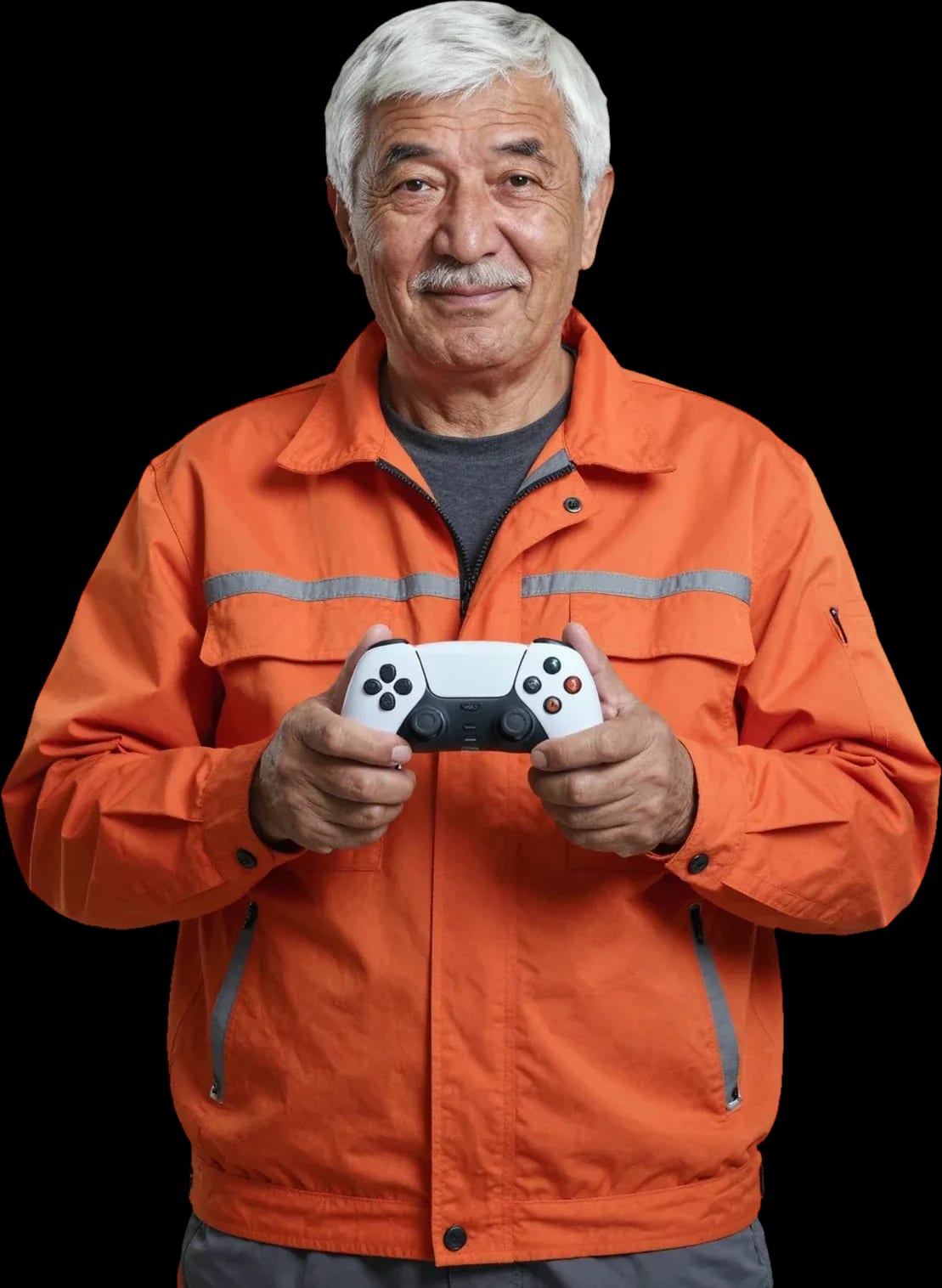
We fix Xbox 360 controllers with a technician visit: diagnostics, cleaning, part replacement, and board soldering.
Our own technicians4 to 20 years of experience




1 yearwarranty on labor and parts
60 minutestechnician visit across the city
freediagnostics before repair
5
Five common symptoms are most often related to power, syncing, or mechanical wear. Diagnostics pinpoint the cause: they are free and take minutes on-site.
Connects intermittently
The connection to the console is unstable due to interference, dead batteries, or a loose contact in the connector.
Button triggers twice
One press gives a double signal: the button triggers on a light touch or after release.
Cursor drifts on its own
After releasing the stick, the cursor in the console menu keeps moving in one direction.
Not charging
Damaged connector, oxidized battery compartment contacts, or a faulty charging circuit.
Turns off by itself
Poor battery contact, a dead rechargeable battery, or a control board failure.
Note when and how often the issue occurs and what you did beforehand — these details will help the technician find the cause faster.
Describe the symptoms1–2 hourstime
from 5 000 ₸cost
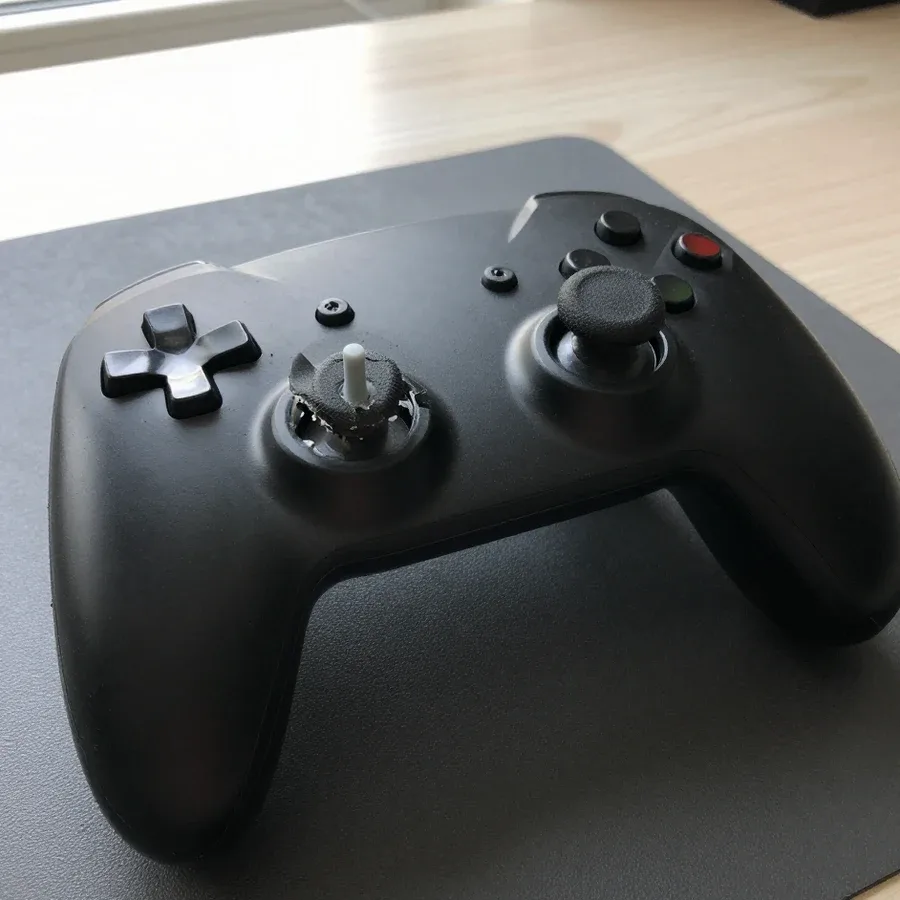
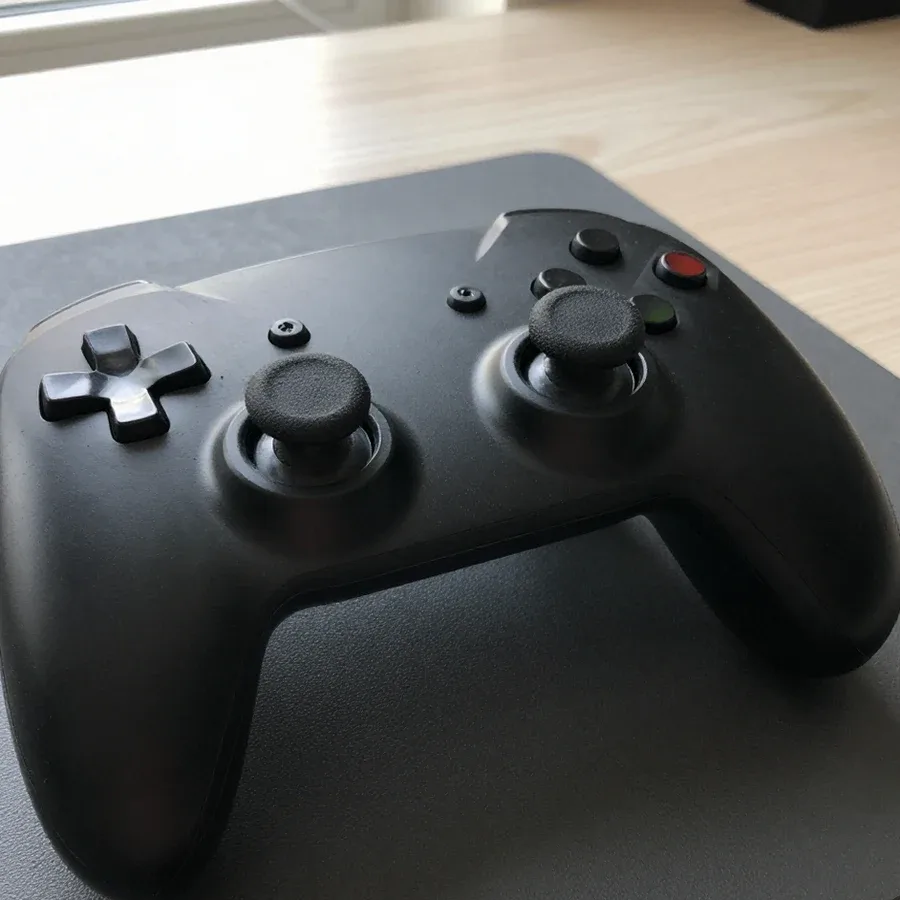 BeforeAfter
The digital device repair department in Almaty has 7 technicians with 7 to 18 years of experience.

The department has 7 specializations — they are listed on the technicians' cards.
 experience7 years
Game console repair technician
 experience10 years
Senior TV repair technician
 experience10 years
TV board repair technician
 experience10 years
Electromechanical technician
 experience13 years
Audio and DVD repair technician
We reply during working hours
Leave a request with your gamepad model, the issue, and a convenient time. The technician will clarify the details and arrange the visit.

Warranty question? Call us
+7 (778) 021 13 16
Author: Bakdaulet E.,Game console repair technician
Published
Updated
Tech Service repairs wireless and wired Xbox 360 controllers in Almaty: a technician arrives at your home within 60 minutes anywhere in the city or you can drop off the controller at our service center. Diagnostics are free, there's a 1-year warranty on labor and parts, and you can pay via Kaspi QR, Kaspi Red, bank card, cash or bank transfer for companies. The technician gives you the price after diagnostics.
The 360 controller is built differently from modern ones: a battery compartment, separate stick modules, a sync button. So it has its own set of issues, and they're fixed in different ways.
We fix analog stick drift and sticky ABXY buttons, bumpers, and triggers — these are the most common issues with 360 controllers. Drift shows up like this: your character moves on its own even though you've released the stick, and the cursor creeps across the menu. The cause is wear on the potentiometer inside the stick module, and on 360 models the module itself can be replaced separately without soldering the whole board. Sticky ABXY buttons and bumpers are usually caused by dirty contacts and a worn membrane: the button presses but doesn't come back, or only works intermittently. We check the triggers for smooth travel and signal range. We start Xbox 360 controller repair in Almaty with free diagnostics to pinpoint the cause. Drift is almost always fixed by replacing the stick module, not the whole controller; a sticky button is more often caused by dirty contacts, and cleaning sometimes solves the problem without installing a new part.
We restore the sync button, battery compartment, Play & Charge port, and vibration motors — so the controller connects to the console again and holds a charge. The sync button on the 360 is a separate unit with a spring-loaded contact: after drops and disassembly it gets stuck, and the controller stops finding the console even with fresh batteries. The battery compartment suffers from oxidized spring contacts and loose latches — the controller turns off when you shake it. The Play & Charge port is responsible for charging the battery pack, and if the socket is damaged, charging stops completely. Vibration motors fail one at a time: the feedback becomes one-sided or disappears. If the controller drains quickly, the cause could be either the battery compartment or the board — so there's no point in replacing parts at random without diagnostics.
| Issue | What we check | Repair or new part |
|---|---|---|
| Stick drift | stick module, contacts | install a new module |
| Sticky buttons | contacts, springs | cleaning or new part |
| Won't hold a charge | battery compartment, board | restore the compartment |
| Won't connect | sync button, board | restore the contact |
| No vibration | motors, ribbon cable | install a motor |
| Won't turn on after a drop | board, ribbon cables | board diagnostics |
We're the direct provider, so we describe the process from our own perspective: from request to warranty — no middlemen and no passing your order to another specialist.
After you submit a request, our mobile technician arrives within 60 minutes anywhere in the city — you don't have to take the controller anywhere. The specialist works with Xbox 360 controllers all the time: opens the case, checks the sticks for play and drift, tests the buttons and triggers, inspects the board and battery compartment contacts. Home visits cover most requests — stick replacement, contact cleaning, soldering connectors, and restoring traces. This format is convenient when you have just one controller and don't want to part with it for long: everything is done right in front of you. If the issue doesn't require a home visit, you can drop off the controller at our service center — you choose the format, not the provider. In Almaty, home visits work regardless of district, so we accept requests from residential areas and the city center alike.
Diagnostics are free with us: a technician checks the sticks, buttons, board, and battery compartment, then agrees the scope of work with you. During the check, it's clear what exactly has failed — stick drift, worn contacts, damaged board trace — and which parts need replacing and which just need cleaning. Approval happens before work starts: you know the list in advance and what exactly will be changed in the controller. The technician quotes the price after diagnostics — you pay for a confirmed fault, not a guess over the phone. If a second issue is found during disassembly, it's also shown and discussed separately, without adding to the list without your consent. This approach saves time: you don't overpay for work the controller doesn't need.
We provide a 1-year warranty on labor and parts — it covers the entire process from request to result. The condition applies both for home visits and in-service repairs: it doesn't matter where you dropped off the controller, the obligations are the same. The warranty covers replaced parts and soldering work, so if the same fault reappears, the case is reviewed again. For the owner, this means the decision on the fault isn't revisited a month later at their expense. In my view, a year is enough time to check the quality of sticks and contacts in real gameplay, not just during diagnostics. Keep the description of completed work — it makes it easier to match a request with a previous repair.
Controller owners have two options: have a technician come to you or drop the gamepad off at the service center. Let's look at how the formats differ, which is more convenient, and how the result relates to the warranty.
We repair Xbox 360 gamepads at home across the city — a mobile technician reaches the client within 60 minutes and brings their own tools. Fixing an Xbox 360 gamepad at home in Almaty is realistic for typical faults: stick replacement, contact cleaning, button adjustment, ribbon cable repair. The technician opens the case, checks the board, and names the cause right away. Home service is more convenient if the fault doesn't require lengthy soldering: work happens in front of you, you see every step, and you don't part with the controller for days. If the defect is deep in the board, the mobile specialist will honestly say it's better to take the device to the service center — and that's not an attempt to upsell, but an assessment based on the inspection. Our experience of 4 to 20 years lets us identify such cases on the spot.
At the service center, we accept the controller and repair it on-site, and you can pay with Kaspi QR, Kaspi Red, card, cash, or bank transfer. The service format helps if you need a bench to test the board or don't have conditions at home to wait for a technician. Intake takes minutes: a specialist records the fault, opens the case, and checks the contacts, sticks, and ribbon cable. Repair at Tech Service follows the same scheme as the mobile service — with free diagnostics and approval of work before soldering begins. The technician quotes the price after inspection, once the cause is clear. The 1-year warranty on labor and parts applies in both cases, so choosing between home and service center is a matter of convenience, not quality. It's best to bring the controller without a case and battery compartment — that speeds up the inspection.
Getting a warranty from classified ads and private individuals is difficult: a month later, no one is responsible for the result. Let's look at what exactly our warranty covers and why a direct provider is accountable for the work differently than an intermediary.
We give a 1-year warranty on labor and parts — if the problem comes back after service, we fix it under warranty. It covers both the work itself and the installed parts: the stick module, vibration motor, board ribbon cable. For stick drift, we replace the entire module rather than adjusting the dead zone in software — that solution lasts longer because it eliminates wear on the mechanism instead of masking it. The commitment to parts matters no less than to the work itself: a new stick module or vibration motor is a component that can also fail, and its replacement shouldn't fall on the owner. In our experience, most repeat visits happen in the first few weeks — that's when you can see whether the part is quality. So keep the date of service noted: our specialist will use it to determine whether the case is covered by warranty.
Tech Service is a direct provider: your controller is repaired by our specialist with 4 to 20 years of experience, not by a third-party contractor found through an aggregator. The same service that takes your request does the work, so no one shifts responsibility to a third party. With a direct provider, one person is accountable for the result — meaning both the warranty and any repeat visit go to the same service, not to a middleman. An aggregator just passes the order to an available contractor: in a dispute over quality, it's hard to prove anything, and warranty obligations get blurred between the platform and the contractor. Our specialist arrives anywhere in the city within 60 minutes and is personally accountable to you for the result. In my view, it's this combination — a specific person and a 1-year warranty — that sets direct service apart from a middleman scheme.
For the discontinued 360 model, the question of whether to repair or replace is especially pressing. Let's look at the criteria for deciding, without numbers or promises.
Restoring a controller makes sense when the fault is local — stick drift, a stuck button, the battery compartment, or the vibration motor. Analog sticks with drift are replaced separately: the potentiometer itself wears out faster than the rest of the internals, while the shell and controller board remain intact. A stuck button is usually fixed by cleaning the contact group or replacing the rubber pad, not the whole assembly. A loose battery compartment is also repairable — the contacts are bent back or replaced, and power is restored without replacing the board. If diagnostics show that only one unit needs replacing while the board and shell are intact, restoration keeps the controller you're used to, with its familiar response. In my view, that tactile habit — the weight, the stick travel, the button feel — is the main argument for restoring an old controller.
Replacing the controller makes sense when the board is damaged after a drop or the fault affects several units at once. A cracked controller board along with a drifting stick and stuck buttons is no longer a local case but a set of faults where restoration loses its point. The Xbox 360 controller runs on a battery compartment or a Play & Charge pack, and on a used unit both are already partly worn. A new Xbox 360 controller gives you guaranteed stick and button life from scratch, but costs more than a local repair. From experience, buying used without checking is a gamble: a joystick that looks fine may arrive with the same drift as yours. So when choosing used, check the sticks for drift and the battery compartment for play before you buy.
Here are the key things to keep in mind before bringing in your gamepad for repair: from common failures to choosing between fixing and replacing.
If you ask, the technician will check other parts during the same visit.

If your laptop screen is broken, turn the device off first, don't press on the display, and check the picture through an external monitor.
12 March 2026 · 11 minutes read
If your phone won't charge, start by checking the adapter, cable, and port, then the charging settings.
16 February 2026 · 12 minutes read
If your laptop freezes, the first thing to do is restart it and check Task Manager to see what's loading the CPU and memory.
25 January 2026 · 12 minutes read
If your phone falls in water, take it out right away, turn it off, and don't charge it.
19 January 2026 · 12 minutes read
If your phone camera isn't working, first check app permissions, clear the cache, and restart your phone — this fixes some software glitches.
24 December 2025 · 13 minutes read
If your laptop won't boot, first determine which of two states you're in: the device doesn't respond to the power button at all…
13 December 2025 · 12 minutes read


