 experience6 years
Dmitriy R.
PC and laptop diagnostics technician

We come to you for diagnostics and netbook repair. 1-year warranty on labor and parts.
Our own technicians4 to 20 years of experience




Repair prices
Below are typical symptoms and likely causes. The technician will pinpoint the exact cause during free diagnostics.
dead battery, faulty power button
from10 000 ₸
faulty charger, port, or battery
from10 000 ₸
dust in cooling system, dried thermal paste
from6 000 ₸
damaged matrix, cable, or case
from10 500 ₸
worn keyboard, liquid damage
from8 500 ₸
worn drive, insufficient memory
from5 500 ₸
worn fan, dust, loose fasteners
from4 500 ₸
driver failure, faulty module
from8 500 ₸
1–2 daystime
from 5,500 ₸cost
 BeforeAfter

From request to check — five steps, free diagnostics.
Leave a request, describe the symptom and your netbook model — the technician will prepare for the visit.
The technician arrives anywhere in the city within 60 minutes after the request is confirmed.
The technician finds the cause of the issue and gives you the repair cost.
You approve the scope of work and the price, then the technician starts the repair.
Together with the technician, you check power-on, charging, keyboard, and Wi-Fi.
The computer and laptop repair department in Almaty has 7 technicians with 6 to 15 years of experience.

The department has 7 specializations — they are listed on the technicians' cards.
experience6 yearsPC and laptop diagnostics technician
 experience8 years
Laptop repair engineer
 experience7 years
PC and laptop repair technician
 experience10 years
Graphics card repair technician
 experience10 years
Software installation specialist
We reply during working hours
Leave a request at a convenient time — we'll schedule the visit and clarify details for your netbook model.

Warranty question? Call us
+7 (778) 046 88 53
Author: Dmitriy R.,PC and laptop diagnostics technician
Published
Updated
Tech Service repairs netbooks in Almaty as a direct provider: our technician comes to your home within 60 minutes or you can drop off the device at our service center. Diagnostics are free, and we quote the price after diagnostics. You get a 1-year warranty on labor and parts. We also take older models, including discontinued ones.
A netbook is not just a smaller laptop: it has its own layout and its own repair logic. Let's look at how this class differs from full-size machines and why it changes the approach to repair.
A netbook is more compact and simpler in design, so some components are wired differently than in a full-size laptop, and disassembly requires a different sequence. The screen diagonal on these machines is from 7 to 12 inches, the body is thinner, and the motherboard is shrunk to the size of a palm: memory and storage are often soldered onto the board rather than placed in separate slots. The hinges here are shorter and bear less load, but the screen and keyboard cables are routed right against the edges of the case. Because of the dense layout, careless opening of the case more often damages cables and hinges than in a regular laptop, so it's better to let a technician do the first inspection — a torn connector on such a board costs more than the original fault.
We accept netbooks from previous generations and discontinued models for repair, and during free diagnostics we tell you what can realistically be done with the device. Our technicians have been working with this equipment for 4 to 20 years, including models long out of production. During free diagnostics we check the power supply, charging circuit, storage, and cooling, and only then name the likely cause. For discontinued models, some parts are sourced from compatible devices, so the final decision depends on the diagnostic results, not on the age of the netbook: sometimes replacing the storage or cleaning the cooling is enough to get the machine working again. One warning: some of these models no longer receive firmware and driver updates, so after repair we check that the device holds a charge reliably and doesn't overheat during normal tasks.
We repair netbooks with Atom, Celeron, and older AMD just like any others, because the fault is more often in the power supply, cooling, or storage rather than in the processor itself. These platforms were designed for low power consumption, so they have a modest heatsink and one small fan — when the fins are clogged, the temperature rises quickly, and the case starts to make noise and heat up. The bottleneck on such platforms is heat and thermal paste wear, so cleaning the cooling system and replacing the thermal paste often restore functionality without replacing expensive components. If after maintenance the cooling system is fine but the netbook still shuts down under load, the technician checks the power circuit and storage — the cause is more common there than in the chip itself.
We break down the most common netbook complaints and show what usually lies behind them and how it's checked during free diagnostics.
If a netbook won't turn on or turns on with a black screen, the cause is usually the power adapter, a discharged battery, the connector, or the motherboard, and they can only be distinguished through diagnostics. First, the technician checks whether voltage comes from the adapter and reaches the jack, then examines the battery condition and the circuit on the board. A black screen with working indicators more often points to the matrix or cable, while a complete lack of response points to the circuit, so don't write off the device right away. We start the check exactly there: we diagnose both hardware and software failures rather than replacing parts at random. During diagnostics, the technician separately inspects the cables and matrix contacts — an oxidized connector on the cable sometimes looks like a dead board.
Overheating and fan noise on a netbook are usually caused by a dust-clogged cooling system and dried thermal paste, and this is fixed by maintenance, not by replacing the device. Dust compacts in the radiator and on the fan blades, airflow drops, and the CPU and chipset run at higher temperatures. During maintenance, the technician disassembles the case, blows dust out of the radiator, and applies fresh thermal paste to the CPU. If heating persists after cleaning and replacing the thermal paste, the technician checks the load and fan operation to avoid replacing parts at random. We clean the cooling system of dust in front of you at the service center or on-site. In netbooks with weak processors, the radiator clogs faster due to the dense case layout, so cooling maintenance noticeably reduces heating.
If the netbook won't charge, the culprit is the connector, battery, or controller, and in case of liquid damage it's important to show the device to a technician as soon as possible without turning it on again. The socket loosens over time, contacts oxidize, and charging stops reaching the board; after hundreds of cycles, the battery loses capacity and can't hold a charge. With liquid damage, the liquid penetrates under the chips and causes corrosion of the motherboard traces — a dry exterior doesn't mean it's clean inside. Trying to charge and turn on a liquid-damaged netbook increases corrosion on the board, so it's best to keep it off until inspection. We restore netbook power connectors and circuits after liquid damage; a technician on-site within 60 minutes anywhere in the city will inspect the device and tell you whether the issue can be fixed on the spot or if service center repair is needed.
We offer two ways to get your device fixed: a technician comes to you or the device is accepted at the service center. Let's walk through what happens at each stage — from free diagnostics to approving the work.
A Tech Service technician arrives at your home within 60 minutes anywhere in the city and performs free diagnostics on-site to identify the cause of the breakdown. The visit service covers the entire city — the technician comes to you, and the cause of the breakdown becomes clear on-site. At home, some tasks can be handled without transporting the netbook: checking power and charging, removing and installing the keyboard, cleaning the cooling system of dust, replacing the storage drive or memory module if the case opens standardly. Some work is done right on-site, and if board repair or component replacement is needed, the technician explains what will be done at the service center and coordinates it with you. When choosing the on-site format, check in advance whether your model can be opened without a removable bottom cover — on some netbooks, access to the internals requires fully disassembling the case.
During free diagnostics, we check power, cooling, storage, and the board, and afterward we state the cause and cost of work so you can decide whether to proceed. First we check the power adapter and charging connector: voltage drop and oxidized contacts produce the same symptoms as a dead battery. Next is the cooling system: a clogged radiator and dried thermal paste explain overheating and spontaneous shutdown under load. Then we check the storage drive for errors and the motherboard for bulging capacitors and signs of liquid damage. The technician quotes the cost after diagnostics, so the decision is based on the actual inspection, not on a guess about the breakdown. In my opinion, this is the main advantage of this approach: you don't pay for work that may turn out to be unnecessary, and you see the real cause, not a generic diagnosis over the phone.
If the issue can't be fixed on-site, the netbook is taken in for service, and the timeline depends on the nature of the fault and the work required, not on a fixed schedule. Replacing the keyboard, cleaning the cooling system, or installing a new drive fits into a short cycle because no soldering is needed. Complex cases involving the board and finding compatible parts for discontinued models take longer: connectors, cables, and fasteners for a specific chassis aren't always in stock and have to be sourced separately. Netbooks with older Atom and Celeron processors and non-standard layouts take more time — access to the board is blocked by layers of the chassis. When the device is ready, you get it back with a 1-year warranty on labor and parts.
Here's a look at which components most often need repair or replacement and how a technician determines what's needed in your case.
We replace the screen and keyboard, and the keyboard is usually replaced as a whole unit because fixing individual keys on a compact membrane is harder than swapping the assembly. We match the matrix to the diagonal and connector of the specific model — netbooks from past years have thin cables and proprietary mounts, so a universal part won't fit. The chassis and hinges suffer from drops: cracked screen mounting posts cause play, so we replace the hinges or restore the mounting points, otherwise a new matrix will quickly get damaged when the lid is closed. We replace the keyboard when groups of keys stick or stop responding after a liquid spill. Before replacing, the technician checks the cable and connector — sometimes the problem isn't the matrix or keyboard itself but the contact, and then replacing the unit isn't necessary.
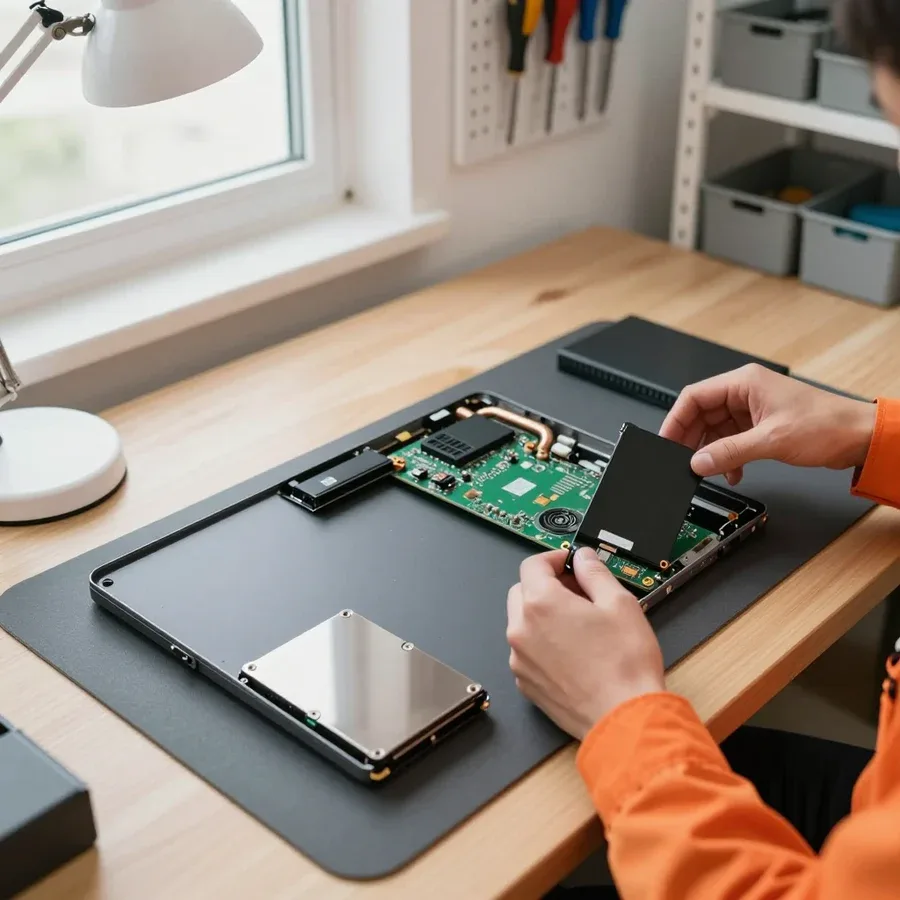
In an old netbook, we replace the hard drive with an SSD, add RAM, and service the cooling system, and this often noticeably speeds up the device. A 2.5-inch drive is swapped for a solid-state one without modifying the chassis, and we select the memory module by type and board soldering — on some models the slot is occupied or absent, making an upgrade impossible. Cleaning dust from the netbook restores proper heat dissipation: a clogged heatsink and dried thermal paste cause overheating and fan noise even under light tasks. Replacing the drive with an SSD only helps if the other components are in good shape, so the technician first checks heating and power, then suggests an upgrade. If the memory slot is occupied or soldered, we discuss only a drive replacement — that way the upgrade doesn't turn into extra costs.
| Work | What we check beforehand | When it's needed |
|---|---|---|
| Motherboard repair | power, circuits, signs of liquid damage | no response when turning on |
| Battery replacement | charge, power controller | doesn't hold a charge |
| Power jack repair | contact, soldering | not charging |
| Screen (matrix) replacement | cable, connector | black screen, cracks |
| Keyboard replacement | cable, contacts | keys not working |
| HDD to SSD replacement | board condition, heating | slow performance |
| Cooling cleaning and thermal paste replacement | fan, heatsink | overheating, noise |
We explain what exactly the netbook repair warranty covers and how to tell a direct provider from a middleman so you don't pay twice for the same job.
We give a 1-year warranty on labor and parts, which covers both the work performed and the installed components. For netbooks this is essential: many models are discontinued, and parts are sourced from compatible devices. The parts warranty covers this scenario too — if a sourced component fails early, it's handled within the same year. The labor warranty applies whether we repaired the board, replaced the screen, or resoldered the power connector. It's worth checking the warranty period in advance: it shows how willing the provider is to stand behind the result. Ask upfront whether the warranty covers the part separately from the labor — with us, these two go together, with no separation.
Tech Service is a direct provider with its own technicians, not an aggregator or intermediary, so the work is done by the person who diagnosed it. In practice, this shows in a simple way: you know right away who will handle your device. The technician comes to your home or takes the netbook at the service center, opens the case themselves, and names the cause of the failure after free diagnostics. When a device is passed between an intermediary and a subcontractor, it's harder to tell who's responsible for the result — with a direct provider, the answer is the same at every stage. Before you reach out, check who exactly will handle the device: with a direct provider, it's a specific technician, not a dispatcher. With us, you discuss the problem with the same person who will later have the tools in hand.
Our technicians have 4 to 20 years of experience, and you can pay for the work in any convenient way — via Kaspi QR, Kaspi Red, bank card, cash, or bank transfer for companies. Experience matters specifically with netbooks: compact models have non-standard disassembly, tight layouts, and fragile ribbons that are easy to tear when opening the case. An experienced technician knows where to pry the clips and how not to damage the screen hinges on thin plastic. The cost of work is quoted after free diagnostics, once the cause is clear — so you pay for a specific fault, not a guess. Within the city, the technician arrives in 60 minutes. Ask in advance whether diagnostics is paid: with us it's free, and the technician quotes the price only after it.
We help you decide when restoring an old netbook is justified and when it makes more sense to think about replacing the device: we look at the nature of the fault, the condition of the components, and the tasks you need to handle.
Restoration is justified when the fault is local — battery, power connector, keyboard, cooling, or storage — and the other components are working. The battery loses capacity with age, the power connector loosens from frequent plugging, the keyboard sticks after a liquid spill, the cooling system gets clogged with dust, and the hard drive starts throwing errors — each of these faults is fixed individually. We disassemble the netbook, check the power circuits, test the storage, and monitor temperature under load to separate a single failed component from a chain of related ones. If free diagnostics shows the issue is in one component and the board and screen are intact, restoration gets the device back to work without replacing the whole netbook. The technician quotes the price after free diagnostics, once the cause is clear. Bring the device with a description of the symptoms: it speeds up finding the cause.
Replacement makes more sense when the fault affects several key components at once or the board is damaged in a way that repairs don't give a lasting result. Cracks in the motherboard traces after liquid damage, burnt power circuits, and a dead battery at the same time add up to a set where each new failure leads to another. The cooling system in a worn-out case works worse than intended, and even after cleaning temperatures stay high. A netbook in this condition requires an assessment of the whole set of components, not just one part. In old netbooks, the combination of a worn battery, weak cooling, and a slow drive sometimes makes an upgrade pointless compared to a newer device. If the work promises to fix one symptom while two more are brewing nearby, it's more honest to say so right away and not spend money twice.
Sometimes instead of replacing a netbook, an upgrade is enough — install an SSD and add RAM, and the device becomes noticeably more responsive. A hard disk drive is the main bottleneck in old models: the system boots slowly, programs open with a delay, files copy slowly. Replacing the hard drive with an SSD removes this load, and an added memory stick eliminates freezes when several tabs are open. At Tech Service, we replace hard drives with SSDs in old netbooks and check how the board works with the new drive. An upgrade makes sense when the processor and board still handle the tasks and the bottleneck is mainly the drive — this is what the technician checks during diagnostics. During diagnostics, the technician will tell you which memory and drive are suitable for your model: netbooks from past years sometimes have interface limitations.
The causes of breakdowns and repair options collected in this article come down to a few practical conclusions that will help you decide what to do with a broken device.
Tech Service technicians repair other appliances too — with the same 1-year warranty on labour and parts.
 Refrigerator Repair in Almatyfrom 3 000 ₸
 Washing Machine Repair in Almatyfrom 3 000 ₸
 Dishwasher Repair in Almatyfrom 3 500 ₸
 Oven Repair in Almatyfrom 3 000 ₸
 Cooktop Repair in Almatyfrom 3 500 ₸
 Air Conditioner Repair in Almatyfrom 3 500 ₸
 Boiler and Water Heater Repair in Almatyfrom 2 500 ₸
 Freezer Repair in Almatyfrom 6 000 ₸
 Tumble Dryer Repair in Almatyfrom 5 000 ₸
 Coffee Machine Repair in Almatyfrom 2 500 ₸
 Robot Vacuum Cleaner Repair in Almatyfrom 3 500 ₸
 Vacuum Cleaner Repair in Almatyfrom 1 500 ₸
 Microwave Oven Repair in Almatyfrom 2 000 ₸
 Hair Dryer Repair in Almatyfrom 1 500 ₸
 Iron Repair in Almatyfrom 3 000 ₸
 Electric Kettle Repair in Almatyfrom 2 500 ₸
 Mixer Repair in Almatyfrom 2 500 ₸
 Multicooker Repair in Almatyfrom 500 ₸

If your laptop screen is broken, turn the device off first, don't press on the display, and check the picture through an external monitor.
12 March 2026 · 11 minutes read
If your laptop freezes, the first thing to do is restart it and check Task Manager to see what's loading the CPU and memory.
25 January 2026 · 12 minutes read
If your laptop won't boot, first determine which of two states you're in: the device doesn't respond to the power button at all…
13 December 2025 · 12 minutes read
If your computer won't turn on, start simple: check the outlet, power cable, switch on the power supply, and the power button.
19 January 2026 · 13 minutes read








