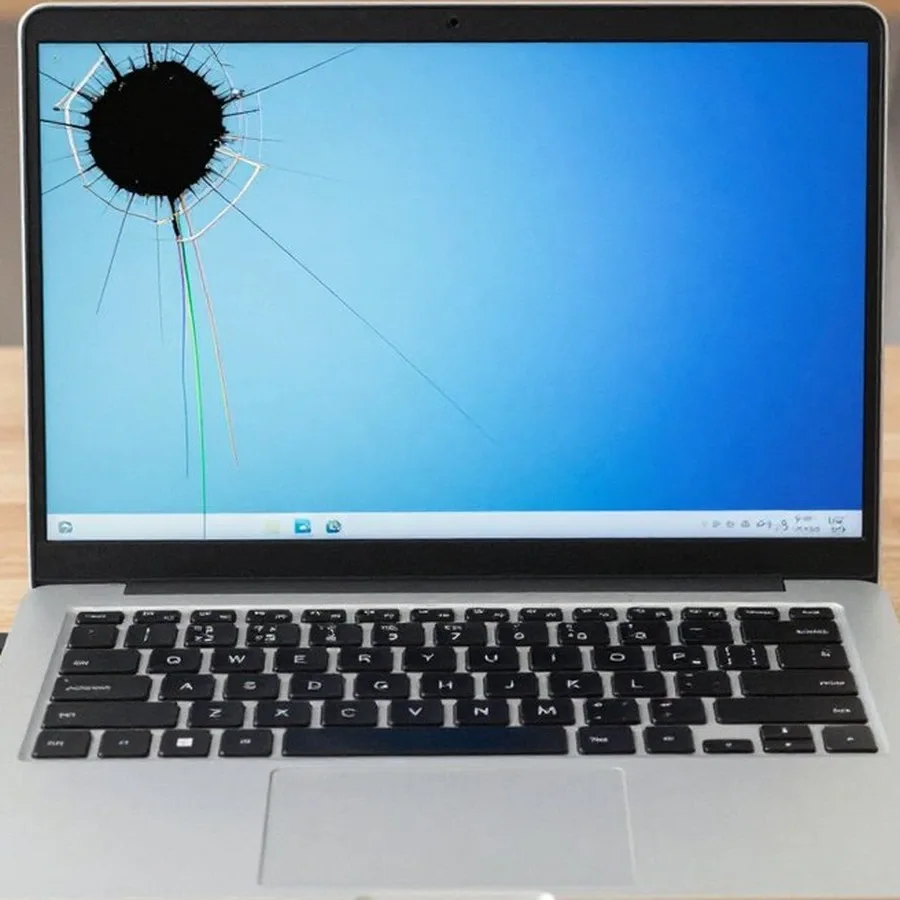
Laptop cleaning means disassembly, removing dust from the heatsink and fan blades, replacing thermal paste, and checking temperatures. The technician gives you the exact scope of work and the price after free diagnostics. There's a 1-year warranty on labor and parts.
01
Step 1per the model's manual
Disassembly according to the model's service manual
We remove the bottom cover, disconnect the ribbon cables, and reach the cooling system without damaging the clips.
02
Step 2after disassembly
Cleaning the fan and heatsink
We blow out the fan blades and heatsink fins, clearing the thick layer of dust that's blocking airflow.
03
Step 3after cleaning
Replacing thermal paste
We remove the old paste from the CPU and GPU die, apply a fresh layer, and check that the contact is even.
04
Step 4during inspection
Checking thermal pads
We inspect the pads on the memory chips and power delivery circuits: if they're dried out or torn, we offer a replacement.
05
Step 5at the end of the job
Reassembly and temperature test
We put the laptop back together and run a stress test to make sure temperatures are normal and the fan runs smoothly.
Signs of a faultSigns of a faultTECH SERVICE03
When you need laptop cleaning in Almaty
5
Every overheating symptom damages the hardware: noise wears out the fan bearing, throttling shortens the CPU's lifespan, and chip overheating can cause solder joints to fail. The sooner you notice the signs, the cheaper the repair.
The type of fan noise
A bearing hum is a steady low tone, air whistling is a high pitch when the fins are clogged, and rattling means the blades are hitting something. Describe the sound to the technician.
Hot chassis and hot exhaust
A hot chassis speeds up the aging of thermal paste and plastic parts, and hot exhaust means the heatsink isn't dissipating heat.
Spontaneous shutdowns
A sudden shutdown is emergency protection: repeated temperature spikes damage the power delivery circuit and the storage drive.
Lag in games and during rendering
Throttling shows up as frame drops in games and longer export times when rendering — the laptop can't handle the load.
Clogged exhaust vent
Weak airflow from the vent with a quiet fan points to a clogged heatsink, while jerky movement and humming with weak airflow point to the fan.
It's easy to tell dust-related overheating from a software issue: open Task Manager.
Техника на гарантии уже не была, так что выбор был свободный. Честно говоря, доверяю больше тем, кто говорит по делу. Симптом был очевидный: шумит вентилятор. Ни копейки сверху, как и обещали. Починили и дали гарантию на месяц.
Repair: laptop
ЕК
Елдос К.Order No. ZK-6786 · 28 July 2025
ours
Laptop
Больше всего напрягало: перегрев под нагрузкой. Сергей Москоленко помог выбрать, без навязывания. Уже полгода — ни одного сбоя!!
Repair: laptop
ДИ
Дамир И.Order No. 2025-2356 · 11 April 2025
ours
Laptop
Проблема — артефакты на экране. Отдельно скажу про мастера: Сергей Архипов — спокойный, без лишней суеты. Сделали аккуратно, следов разборки не видно.
Repair: laptop
АТ
Аида Т.Order No. ZK-2022/401 · 23 March 2022
ours
Laptop
Дмитрий Радионов принял, посмотрел и сразу сказал, что делать. Назвали 10 500 сразу, в конце сумма не изменилась. Ребёнок уже проверил на прочность, держиться.
Repair: laptop
АД
Алмас Д.Order No. TS-6241 · 17 September 2020
ours
Laptop
Друг посоветовал, у него похожая история была. Утром работало, днём сломалось, вечером я уже искал сервис. Проблема — не включается. Сергей Архипов подсказал, как продлить жизнь технике. Пользуюсь ежедневно, вопросов нет
Repair: laptop
БЖ
Бакыт Ж.Order No. 22431 · 29 November 2019
ours
Laptop
Бірнеше жерге қоңырау шалдым, осында ғана нақты айтты. Кепілдік берді, бұл мен үшін маңызды. Тексеру кезінде бәрін өзі көрсетті. Ұсынамын, текке ақша алмайды.
Repair: laptop
ФК
Фарида К.Order No. 2019-1883 · 28 August 2019
ours
Laptop
До этого обращался в другой сервис, там только развели руками. Приехал из командировки, а дома — перегрев под нагрузкой. Заодно поменяли: система охлаждения. Включил, проверил, работает.
Repair: laptop
НБ
Нурлан Б.Order No. ZK-5778 · 6 March 2019
ours
Laptop
Цена имела значение, но и горонтия тоже. Сначала сказали одно, потом уточнили, но в итоге всё совпало. Включил, проверил, работает.
Repair: laptop
СК
Станислав К.Order No. ZK-2018/685 · 12 February 2018
ours
Laptop
Было подозрение, что дело в плате, хотелось услышать второе мнение. С чем пришёл: не работает клавиатура. Второй месяц — полёт нормальный)
Repair: laptop
ГН
Гаухар Н.Order No. 2017-4123 · 19 June 2017
ours
Laptop
Больше всего напрягало: не включается. Дмитрий Радионов возился с этим дольше, чем планировал, но довёл до конца. Вернули в тот же день, всё функционирует
How can I tell when my laptop needs a dust cleaning?
The first sign is that the fan has gotten louder and runs almost constantly, and the case heats up noticeably under load. If you also get stuttering in games and hot air blowing out, it's time to have a technician look at your laptop.
Do you clean laptops at home in Almaty?
Yes, a Tech Service technician comes to your home anywhere in the city and does the cleaning on site. The visit takes about 60 minutes, and before starting work the specialist runs free diagnostics.
My laptop gets very hot and the fan is noisy — is it definitely because of dust?
Not necessarily: dried-out thermal paste or a worn cooler can show the same symptoms. Only diagnostics can tell for sure, so the technician first checks the cooling system and only then tells you what needs to be done.
Can I clean my laptop myself if I have no experience taking it apart?
You can, but there's a high risk of breaking the case clips, ribbon cables, or cooler mounts. Without experience it's easy to damage the board or strip a screw thread, so it's better to leave disassembly to a technician.
Do you clean gaming laptops and MacBooks?
Yes, we service gaming models and MacBooks, but they come apart differently depending on the model. The technician chooses the cleaning method for each specific device to avoid damaging mounts and ribbon cables.
If my laptop is still under the store's warranty, can I have it cleaned at a third-party service?
It depends on the store's terms: some sellers consider third-party intervention grounds to void the warranty. Check this in advance — we provide a 1-year warranty on the cleaning itself and the work done.
Repair guideArticleTECH SERVICE10
Laptop cleaning in Almaty with a technician visit from Tech Service
Author: Dmitriy R.,PC and laptop diagnostics technician
Published Updated
Tech Service performs laptop cleaning in Almaty as a direct provider, without intermediaries. A technician comes to your home within 60 minutes anywhere in the city, or the work is done at the service center. Diagnostics are free, the technician quotes the price after them, and we provide a 1-year warranty on labor and parts.
When your laptop really needs cleaning
Overheating and noise are the most common complaints from laptop owners, but dust isn't always to blame. Let's look at the signs that it's time for a cleaning, and when you actually need diagnostics.
Signs that the cooling system is clogged
Fan noise: the cooler hums steadily and loudly even in the browser, though it used to run almost silently on the same tasks.
Hot chassis: the bottom cover and the area above the keyboard get noticeably hot, and it's uncomfortable to work with the laptop on your lap.
Throttling: the processor drops its clock speeds under load, so tabs lag and video stutters.
Sudden slowdown: the laptop loses speed after 10–15 minutes of gaming or video editing, then cools down and speeds up again.
Dust from the vents: gray dust blows out of the side exhaust during operation, and the radiator fins are visibly clogged with lint.
Temperature spikes: sensors show a 15–20 degree difference between cores under the same load.
When it's no longer a cleaning but a reason for diagnostics
If the laptop won't turn on, shows artifacts on the screen, or shuts down under load, we first run free diagnostics, because the cause may not be dust. The technician checks the power circuit, the condition of the video chip and controllers, and only then it becomes clear whether a teardown with servicing is needed or if it's a repair at the service center. Overheating by itself rarely causes stripes on the matrix or a complete failure to start — such symptoms point to a chip detachment or a power surge. Preventive maintenance doesn't fix a faulty power circuit or a detached chip — trying to 'just clean it' in that case only delays the repair, and in our practice, diagnostics before work saves the owner time and money. If you need laptop cleaning in Almaty, the technician first checks the cooling system and quotes the cost after free diagnostics. The technician gives the price after free diagnostics. Laptop cleaning cost is discussed in advance — the technician quotes it after free diagnostics.
What professional laptop cleaning includes
Professional laptop cleaning isn't just blowing out the cooler. Let's break down what the service includes and how the options differ by the depth of disassembly.
What the service includes
Dust and lint: we remove the accumulated layer of dust, pet hair, and lint from the radiator, cooler, and fan blades.
Thermal paste: we remove the old dried layer from the die and heatsink cover and apply a new one.
Thermal pads: we replace hardened pads on memory chips and power circuits with new ones.
Fan: we lubricate the bearing, eliminate squeaking and sticking, and check that the impeller spins freely.
Testing: after reassembly, we put the system under load and measure CPU and GPU temperatures.
Result check: we compare readings before and after the procedure to make sure overheating is gone.
How the service options differ
Option
What we do
When it's suitable
Partial disassembly
Remove the bottom cover, clean the cooler
Light dust, thin chassis
Full disassembly
Take out the board, heatsink, replace thermal paste
Thick layer of dust, overheating
Cleaning without disassembly
Blow out the ventilation grilles
Preventive maintenance every few months
How cleaning goes from request to result
After submitting a request, the client wants to know what happens next. Below are two ways to receive the equipment and the sequence of steps common to both scenarios.
Laptop cleaning at home or at the service center
On-site service is convenient when you don't want to part with your device: a technician arrives within 60 minutes anywhere in the city. If a complex disassembly is required, we perform the work at our service center. Both scenarios are handled by the same team of specialists with 4 to 20 years of experience, so the procedure remains the same: opening the case, removing the cooling system, cleaning out dust, replacing thermal paste, reassembling, and measuring temperatures. On-site, the procedure takes the same time as at our facility—the technician performs the same operations as in the workshop. For most devices, an on-site visit solves the same problem as a service center visit: the only difference is where the case is opened, and you should choose based on convenience, not on perceived quality.
Work stages and how long it takes
Request and arrival: a specialist reaches you within 60 minutes anywhere in the city and starts at your location.
Free diagnostics: we measure temperatures and assess the condition of the cooling system to understand the actual scope of work.
Approval: we discuss the list of operations and the cost of the procedure before disassembly begins.
Main stage: we remove the cooler and radiator, clean out dust, apply thermal paste, and reassemble the case.
Test and warranty: we check heating under load and return the device with a 1-year warranty on labor and parts.
How often to clean your laptop and what it depends on
There is no single "once every N years" rule—frequency depends on how and where the laptop is used. Here are some guidelines by type of use.
Guidelines by type of use
Type of use
What affects it
Frequency guideline
Gaming laptop
High load, hot radiator
Every six months
Work laptop with heavy tasks
Prolonged load, dust in the room
Every 8–12 months
Office laptop
Moderate load, clean room
Every 1–2 years
Home laptop with pets
Fur and lint on the fan
Every 6–9 months
MacBook with a thin case
Dense layout, small radiator
Once a year
Why your laptop runs quieter and faster after cleaning
Once maintenance is complete, the fan doesn't have to spin at maximum speed to push air through a clogged radiator, so noise drops and the processor throttles less often. Dust and lint settle on the radiator fins and fan blades, blocking airflow—the device heats up and throttles under load. A clogged radiator acts as a thermal insulator: hot air doesn't escape, temperature rises, and the fan has to run at its limit. We get the cooling system in order during a technician visit and check how the fan behaves after blowing it out. After this procedure, gaming models usually run noticeably quieter. If the noise persists, the cause may be a worn fan bearing—then the cooler needs to be replaced, not just blown out again.
Why you should let a technician handle the disassembly
Doing it yourself seems easy until a ribbon cable is torn or the cooler is damaged. Let's look at typical mistakes and how a technician's approach to the cooling system differs.
Common mistakes when cleaning it yourself
Torn ribbon cables: thin fan and touchpad wires break from careless removal of the cover, and replacement requires soldering and finding the part.
Damaged case mounts: plastic clips and screws strip from over-tightening, after which the cover doesn't fit tightly and creaks.
Excess thermal paste: a layer that's too thick squeezes onto the contacts around the die and doesn't improve heat dissipation—it hinders it.
Dusting without disassembly: blowing air without access to the radiator pushes dust deeper into the fins, and the temperature rises even faster.
Lost screws: fasteners of different lengths get mixed up during reassembly, and a long screw can pierce the case or the board.
How laptop cleaning differs from PC cleaning
Laptop cooling systems are compact, and disassembly is more complex than on a desktop PC: the heatsink and fan are connected to the chassis with thin cables, and thermal paste is applied to small areas on the CPU and GPU. The laptop cooling system is put together with very tight tolerances — the gap between the fan and the chassis is measured in millimeters, so the wrong angle when removing the cover can crack the plastic. Tech Service technicians with 4 to 20 years of experience know the disassembly specifics of different models — this reduces the risk of damaging mounts and cables. We disassemble after free diagnostics, once the source of noise and overheating is clear. On thin ultrabooks the mounts are more fragile than on gaming models — there it's especially important not to press on the cover during removal.
Warranty, diagnostics, and payment
After the work, it's important to understand what the device owner gets. Let's go over how the warranty works, why free diagnostics are needed, and how payment is handled.
What the 1-year warranty covers
We provide a 1-year warranty on labor and parts — if a problem related to the work performed arises after service, we'll resolve it under warranty. This covers the thermal paste and thermal pads replaced during cooling system disassembly, and the fact that the operations were performed: removing the cover, blowing out the heatsink, reassembling with temperature checks. Our specialists have 4 to 20 years of experience, so the cooling system service procedure has been refined across different laptop models. The warranty applies specifically to the work performed and the parts installed, so it's important to remember which procedures were done — this speeds up any claim and eliminates disputes about what exactly the technician did. A clear statement of "what was fixed" saves time on any warranty request.
Free diagnostics and payment procedure
Diagnostics are free with us, the technician quotes the price after them, and you can pay with Kaspi QR, Kaspi Red, card, cash, or bank transfer. Before disassembly, only the external condition of the case and the temperature under load are visible; the actual amount of dust in the heatsink and the condition of the thermal paste become clear when the cover is removed. How much a laptop cleaning costs depends on the model and scope of work, so quoting a price in advance would be guesswork. After the check, the client sees what they're paying for: where blowing out is needed, whether thermal pads need replacing, and whether there are any related notes about the fan. The technician comes to your home, or the work is done at the service center. Many owners in Almaty want to know the laptop cleaning price in advance, but the technician quotes the exact amount after free diagnostics — this removes the main question when choosing a provider.
Why regular laptop cleaning matters
We've gathered the key guidelines to help you decide when service is justified, what work it includes, and what terms to look at when choosing a provider.
Signs of clogging: overheating, fan noise, and performance drops point to a clogged heatsink, but shutdowns and screen artifacts require diagnostics, not just maintenance.
Scope of work: professional service combines dust removal, thermal paste and thermal pad replacement, fan bearing lubrication, and temperature measurement under load.
Frequency: gaming and work laptops get dusty faster than office ones, so the interval between procedures is shorter for them.
Risks of DIY disassembly: torn cables and incorrectly applied thermal paste are typical consequences, while an experienced technician reduces these risks.
Terms before work starts: clarify the warranty on labor and parts, as well as free diagnostics, in advance — this is the basis for a confident decision.
Other servicesOther servicesTECH SERVICE11
Other services besides laptop cleaning in Almaty
If you ask, the technician will check other parts during the same visit.