 experience10 years
Maksim S.
Graphics card repair technician
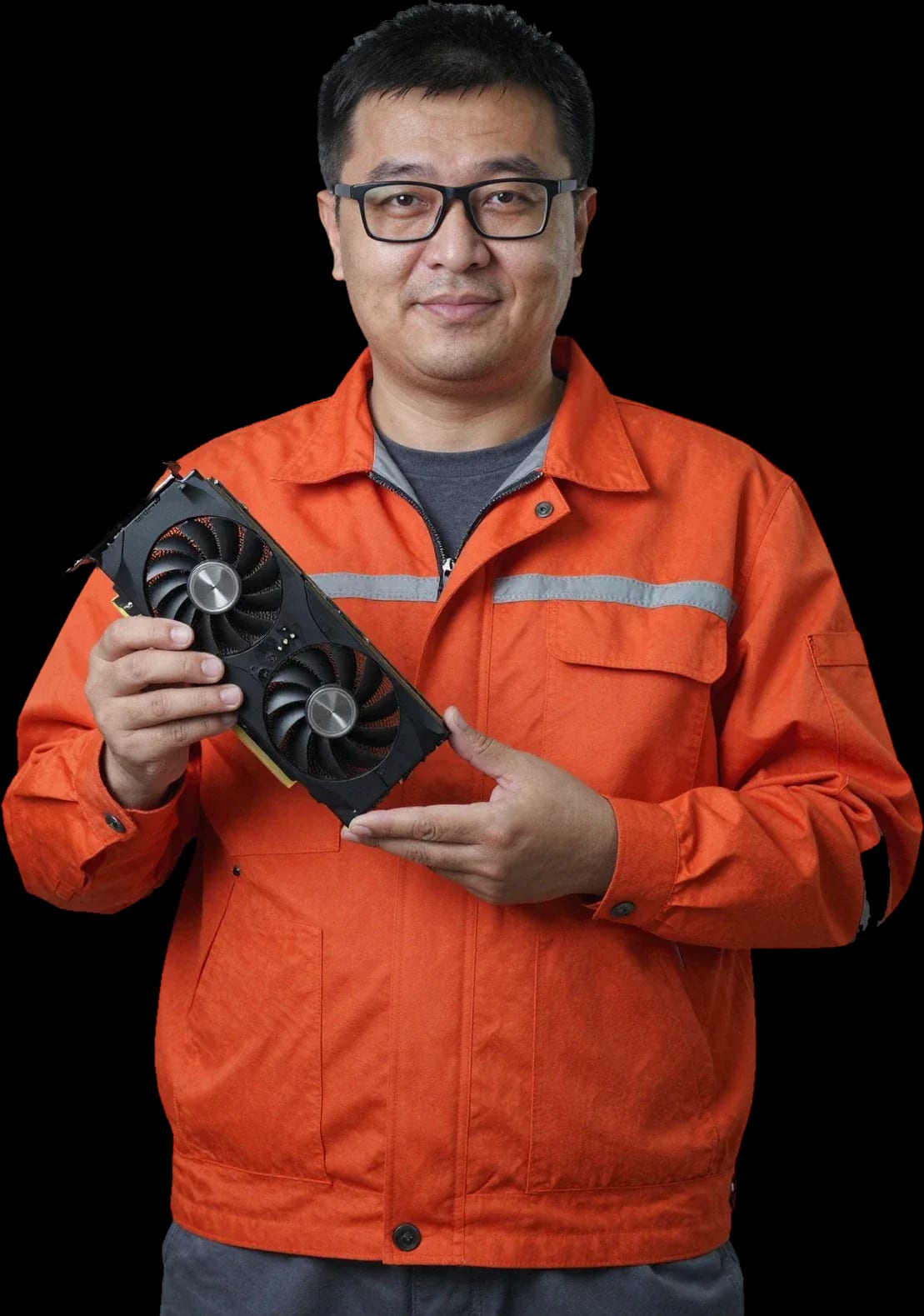
A technician arrives within 60 minutes anywhere in the city. Diagnostics are free.
Our own technicians4 to 20 years of experience




Repair prices
Symptoms that most often lead to graphics card repair in Almaty.
blown fuse, shorted transistor
from10 500 ₸
dried thermal paste, clogged heatsink
from6 500 ₸
video memory degradation, GPU chip detachment
from23 500 ₸
worn bearing, dust on blades
from11 000 ₸
poor slot contact, power failure
from10 500 ₸
voltage drop, overheating
from8 500 ₸
no signal from GPU, damaged video output
from10 500 ₸
memory issues, poor contact
from11 000 ₸

From request to checking the graphics card after repair.
Describe the symptom and graphics card model so the technician can prepare.
The technician comes anywhere in the city to inspect the board on site.
The final estimate is fixed before work begins so you know the amount in advance.
The technician helps you choose between repairing the component and replacing it for your needs.
The technician explains what was replaced and how to use the board going forward.
The computer and laptop repair department in Almaty has 7 technicians with 6 to 15 years of experience.

The department has 7 specializations — they are listed on the technicians' cards.
experience10 yearsGraphics card repair technician
 experience6 years
PC and laptop diagnostics technician
 experience8 years
Laptop repair engineer
 experience10 years
Software installation specialist
 experience7 years
PC and laptop repair technician
We reply during working hours
Specify a convenient visit time and your district — the technician will plan the visit and arrive prepared.

Warranty question? Call us
+7 (778) 746 01 65Tech Service repairs discrete video cards for PCs and laptop GPUs in Almaty. A technician arrives at your home within 60 minutes or you can bring the card to the service center. Diagnostics are free, and you get a 1-year warranty on labor and parts. The technician gives you the price after diagnostics.
A video card almost always signals a problem with a specific symptom. Here's what's behind no image, artifacts, overheating, noise, and shutdowns under load.
No image usually points to a broken GPU chip, a short in the power circuits, or a faulty video output. The GPU chip connects to the board with hundreds of solder balls, and with repeated heating and cooling they crack — the signal stops reaching the monitor. The VRM circuits are responsible for stable voltage to the chip and memory: a blown PWM controller or a burnt inductor gives the same picture — a black screen with fans spinning. HDMI and DisplayPort connectors also fail, especially when cables are pulled without securing them. During diagnostics, the technician first tests the card in a known-good computer to separate a GPU failure from motherboard or driver issues. Diagnostics and video card repair in such cases start with checking the power circuits and the condition of the GPU chip. The cost of video card repair depends on the type of fault, and the technician gives you the exact amount after free diagnostics. Before bringing the card to the service center, it's worth trying another cable and monitor — that rules out half of false alarms when the signal source is at fault, not the device itself.
Artifacts and lines are almost always linked to video memory degradation or poor contact between the chip and the board. VRAM stores the frames and textures the GPU works with, and its wear shows up as colored squares, flickering, and vertical lines over the image. On older cards, memory goes first: VRAM chips run at high frequencies and heat up more than the logic. The second source is microcracks in the GPU's solder balls: defects then appear and disappear when the board bends or the temperature changes. The PCB may look intact, so a visual inspection without testing the circuits shows nothing. If artifacts appear only under load and the card runs clean at idle, that narrows the search to memory and temperature conditions.
Overheating and noise usually mean dried-out thermal paste, while shutdowns under load point to problems with the VRM circuits or the PC's power supply. Thermal paste between the chip and the heatsink loses its properties over the years and turns into a dry crust; thermal pads on the memory harden and stop transferring heat. The heatsink stays cool, the chip heats up, fans spin at maximum — hence the noise and clock throttling. Shutdowns under load indicate voltage drops: the card's VRM circuits or the PC's power supply that lacks power at peak may be to blame. Dust is another thing to rule out: a clogged heatsink reduces airflow and raises temperatures without any electronics failure. Loud fans at high RPM aren't always a sign of card failure; sometimes it's just a dust-clogged heatsink, and cleaning solves the issue instead of replacing parts.
Every symptom has a specific technical cause. Here are the four main ones — chip failure, memory degradation, power short, and dried thermal paste — so you understand what the technician checks.
Chip detachment is a loss of contact between the GPU chip and the PCB due to heating and cooling cycles, while memory degradation is the loss of VRAM cells. The GPU chip performs all calculations and generates heat, the PCB expands and contracts, and the solder underneath gradually cracks. Video memory works differently: its cells wear out from constant write and read cycles, and the banks that fail first are those most often used in gaming and rendering. Both defects show up as artifacts, stripes, or freezes when the card is under load, but they are fixed differently — the chip requires soldering with strict temperature control, while memory is replaced in whole modules. Repairing graphics cards with these symptoms starts with checking the chip contacts and testing the memory. Detachment and degradation develop gradually, so early artifacts are a reason to check the card before it fails completely.
Power circuits and the PWM controller fail under overloads and voltage spikes, and then the card won't start or shuts down under load. The PWM controller manages the graphics card's power: it distributes voltage across the VRM phases, and if one switch fails, the load falls on the neighboring ones. Overheating, unstable power from the PSU, and short circuits in the 6-pin or 8-pin connectors accelerate the wear of these components. The symptoms are typical: the system won't turn on with the card, the image disappears at peak power consumption, or the card goes into protection mode. A separate trap is a cheap power supply with an inflated wattage on the label: it sags the lines under load and finishes off the switches that are still holding on. Power failures often take neighboring components with them, so the technician checks the whole chain, not just the burnt part.
Thermal paste and thermal pads dry out over time and stop dissipating heat, and baking in the oven is a risky folk method that doesn't fix the cause. The paste between the chip and the heatsink loses its elasticity, heat transfer drops, and the card starts making noise and throttling. The pads on the memory and VRM harden and stop making contact, so the components that handle overheating worst are the ones that get hot. The oven softens the solder unevenly and can damage plastic parts — connectors, mounts, capacitors with sleeves — so this "repair" often ends with replacing the card. Replacing the thermal interface is routine maintenance, and it's worth doing before overheating has a chance to degrade the chip and memory. The technician removes the heatsink, cleans the old paste off the chip and memory, applies a new layer, and selects pads of the right thickness so the pressure is even across the entire area.
The choice between restoring and buying a new card is determined by the type of failure, the age of the board, and the availability of parts, not just the price. Let's break down the decision logic for each scenario.
We consider restoration justified when the defect is local — video memory, power circuits, or cooling — and the card is otherwise functional. Our technicians with 4 to 20 years of experience work with discrete graphics cards for PCs and first check whether the GPU chip and PCB are affected: if they are intact, replacing individual components brings the board back to life. The cost of graphics card repair in Almaty is determined after free diagnostics, and in such cases restoration costs less than buying a new board. Cooling maintenance — cleaning the heatsink, replacing the thermal interface — falls into the same category of work and is done without touching the circuitry. Local repair preserves the working part of the card and extends its lifespan, whereas buying a new board wipes out the money previously invested — so for a local defect, restoration wins both in cost and in device service life. We provide diagnostics before such work for free so the decision is based on facts, not guesswork, and we give a 1-year warranty on labor and parts.
A new card makes more sense when the PCB itself is damaged, the chip has lost contact across its entire area, or the board is so outdated that parts are no longer available. Burn marks on multiple layers of the board make repair riskier than buying a working device: traces inside a multilayer structure can't be restored by soldering from the outside. When the graphics chip has detached across its entire contact area on older models, the availability of a donor chip becomes the limiting factor — if such chips are no longer produced, repair loses its purpose. If the card is still under the store's warranty, it's better to go there first — third-party intervention may void that warranty. In borderline cases, the decision is made after disassembly and board testing, not by appearance: the same artifact symptom can be caused by both memory degradation and chip detachment.
| Type of failure | What's affected | Scenario |
|---|---|---|
| Memory degradation | Video memory | Repair |
| Power failure | Power circuits, PWM | Repair |
| Dried thermal paste | Cooling | Maintenance |
| Chip detachment | Graphics chip | Repair or replacement |
| PCB burn | Board | Usually replacement |
A discrete PC card and a laptop GPU are built differently, and their repair differs: in one case the module can be removed, in the other the technician works with the entire motherboard. Let's look at both scenarios.
A discrete PC card is a separate module that's easy to remove and bring to the service center or hand to a technician who comes to you. In a desktop build, the device connects via a PCIe slot and gets power through separate power connectors, so it can be removed without fully disassembling the case. Repairing this type of graphics card starts with inspecting the PCB, checking the power circuits, and testing the video memory. The technician assesses whether there are signs of overheating, chip degradation, or a blown PWM controller. The card's removable nature simplifies diagnostics — the technician can test it separately from the rest of the build. In our experience, this speeds up finding the cause: if the card is fine, we look for the problem in the power supply or motherboard. Remove the card carefully — the PCIe slot latch breaks on older boards, and the wrong removal angle can bend the power connector pins.
A laptop GPU is a video chip soldered onto the motherboard, so repairing it is more complex and requires BGA soldering. The GPU core and video memory are connected to the board by hundreds of contacts, and replacing or re-soldering the chip must strictly follow temperature profiles: overheating leads to trace delamination, while insufficient heat causes cold joints. We start laptop graphics card repair in Almaty by disassembling the case and removing the cooling system to reach the board. You can't just 'take it out and bring it in' — the technician works with the entire motherboard, which increases time and skill requirements. If the laptop heats up and shuts down under load, we first check the thermal interface: often that's the cause, not the chip itself. On compact models, dense layout adds to this — cables and heatsinks must be removed in a specific order, or nearby components can easily be damaged.
| Parameter | Discrete PC card | Laptop GPU |
|---|---|---|
| Access to the chip | Direct | Through the motherboard |
| Removability | Removed separately | Soldered to the board |
| Soldering complexity | Medium | High (BGA) |
| What we check | Chip, memory, power | Chip, memory, power, board |
The work is done step by step — from the initial check to stress tests. Here's what the technician does at each stage, how the scope of work is agreed upon, and what happens to the card after service.
Our inspection is free, and the technician examines the GPU, video memory, power circuits, and temperature conditions. Graphics card diagnostics starts with a visual inspection of the board under magnification: looking for signs of overheating, bulging capacitors, oxidation, and microcracks in the solder. Next, voltages are measured along the power lines, and video memory is tested with patterns that detect bad cells without disassembling the card. The GPU is checked for contact with the PCB and for even heating under load, while the cooler and thermal pads are inspected for wear. The technician also notes exactly when the card fails: at idle, in games, or during rendering — this narrows down the suspect components. Such a check eliminates the risk of being upsold — the scope of work is discussed after it, not before.
After inspection, we restore power circuits, replace video memory or the PWM controller, and service the cooling system. Diagnostics and graphics card repair are directly linked: every operation is based on measurement results, not guesses. Restoring power circuits includes replacing burned-out MOSFETs, inductors, and fuses — without this, the card either won't start or goes into protection under load. Video memory is replaced when tests confirm errors, and the PWM controller when voltage stabilization is disrupted. Cooling maintenance means cleaning dust from the heatsink and replacing thermal paste and thermal pads with ones of the correct thickness. Soldering with proper temperature control is more important than speed: overheating the tip or hot air gun damages neighboring components, adding a new fault to the original one. The technician sets the temperature for each type of board and component, rather than using one setting for everything.
After restoration, we run the card through stress tests for stability and temperature to make sure the fault doesn't return. The technician runs load scenarios on the GPU and video memory, monitoring artifacts, frame rates, and sensor readings over time. Temperature is compared with the norm for the specific model: overheating under load usually indicates poor heatsink mounting or an uneven layer of thermal paste. The check lasts as long as needed to catch an intermittent defect that doesn't show up at idle — a short run would miss such an error. Stress tests reveal hidden defects that are invisible without load, so they can't be skipped even after a quick repair. Only after a stable run is the card returned to its owner with a 1-year warranty on labor and parts.
On-site visits, warranty, and dealing directly with the technician — three things that distinguish a real service from a middleman. We break down each one: what it gives the card owner and how to verify it before handing over the device.
We arrange a technician visit within 60 minutes across the city — you don't need to bring the card to the service; the technician accepts it at your home. This scenario covers graphics card repair at home: the technician removes the device, inspects the board, checks power and memory, and clarifies the symptoms. Diagnostics are free, so the initial on-site inspection costs the owner nothing. If the fault involves chip detachment, memory degradation, or power circuits, the card is taken to the service center — where soldering and stress tests are available. An on-site visit is convenient when the card is easy to remove; for complex soldering, it's taken to the service center. When you call, ask whether your model can be removed without disassembling the case — this will help the technician prepare for the visit.
We give a 1-year warranty on labor and parts so the work doesn't have to be redone. This covers recovering from a chip that has come off, memory replacement, and servicing power circuits with a PWM controller. The terms are the same for on-site visits and in-shop service — our commitments don't depend on where the technician removed the device. Our people have 4 to 20 years of experience, so typical faults are recognized by symptoms before disassembly. The cost is quoted after free diagnostics — when the cause is already known, not guessed over the phone. Commitments on parts are just as important as on labor: if a part fails, replacing it won't become a new problem for the owner.
A direct provider is a service with its own technicians, not an aggregator or middleman who passes the device to a third party. A sign of a direct graphics card service is that the person names their qualifications and experience rather than redirecting the conversation to 'our partners.' We employ people with 4 to 20 years of experience, and each technician is responsible for their own area of work. A middleman often can't say who exactly will get the card working again — that's the first signal to look for another service. The second sign is vague commitments: if they promise 'verbally' without a timeframe, there's no way to verify it. Before handing over the device, it's worth clarifying who does the soldering and what the warranty covers — the answer shows the level of service.
We've gathered the key guidelines to help you decide what to do with a failed graphics card and avoid wasting time on unnecessary steps.
Tech Service technicians repair other appliances too — with the same 1-year warranty on labour and parts.
 Refrigerator Repair in Almatyfrom 3 000 ₸
 Washing Machine Repair in Almatyfrom 3 000 ₸
 Dishwasher Repair in Almatyfrom 3 500 ₸
 Oven Repair in Almatyfrom 3 000 ₸
 Cooktop Repair in Almatyfrom 3 500 ₸
 Air Conditioner Repair in Almatyfrom 3 500 ₸
 Boiler and Water Heater Repair in Almatyfrom 2 500 ₸
 Freezer Repair in Almatyfrom 6 000 ₸
 Tumble Dryer Repair in Almatyfrom 5 000 ₸
 Coffee Machine Repair in Almatyfrom 2 500 ₸
 Robot Vacuum Cleaner Repair in Almatyfrom 3 500 ₸
 Vacuum Cleaner Repair in Almatyfrom 1 500 ₸
 Microwave Oven Repair in Almatyfrom 2 000 ₸
 Hair Dryer Repair in Almatyfrom 1 500 ₸
 Iron Repair in Almatyfrom 3 000 ₸
 Electric Kettle Repair in Almatyfrom 2 500 ₸
 Mixer Repair in Almatyfrom 2 500 ₸
 Multicooker Repair in Almatyfrom 500 ₸

If your laptop screen is broken, turn the device off first, don't press on the display, and check the picture through an external monitor.
12 March 2026 · 11 minutes read
If your laptop freezes, the first thing to do is restart it and check Task Manager to see what's loading the CPU and memory.
25 January 2026 · 12 minutes read
If your computer won't turn on, start simple: check the outlet, power cable, switch on the power supply, and the power button.
19 January 2026 · 13 minutes read
If your laptop won't boot, first determine which of two states you're in: the device doesn't respond to the power button at all…
13 December 2025 · 12 minutes read








