 experience6 years
Dmitriy R.
PC and laptop diagnostics technician

A technician arrives within 60 minutes anywhere in the city. Free diagnostics.
Our own technicians4 to 20 years of experience




Repair prices
The symptoms we see most often and their likely causes. The technician will pinpoint the exact cause after diagnostics.
Dead battery or power failure
from10 000 ₸
Dust on the heatsink and worn thermal paste
from6 000 ₸
Worn battery or loose connector
from7 000 ₸
Cracked panel or damaged ribbon cable
from6 500 ₸
Stuck keys or liquid damage
from8 500 ₸
Overheating or power supply failure
from10 000 ₸
Loose connector or oxidized contacts
from10 000 ₸
Worn fan bearing
from12 000 ₸
1–2 hourstime
from 10 000 ₸cost
 BeforeAfter

From your request to a final check — five steps.
Describe the symptom and your laptop model so the technician brings the right tools.
The technician confirms the model and symptom by phone to bring the right tools and parts.
The technician agrees the cause and price with you before any work starts.
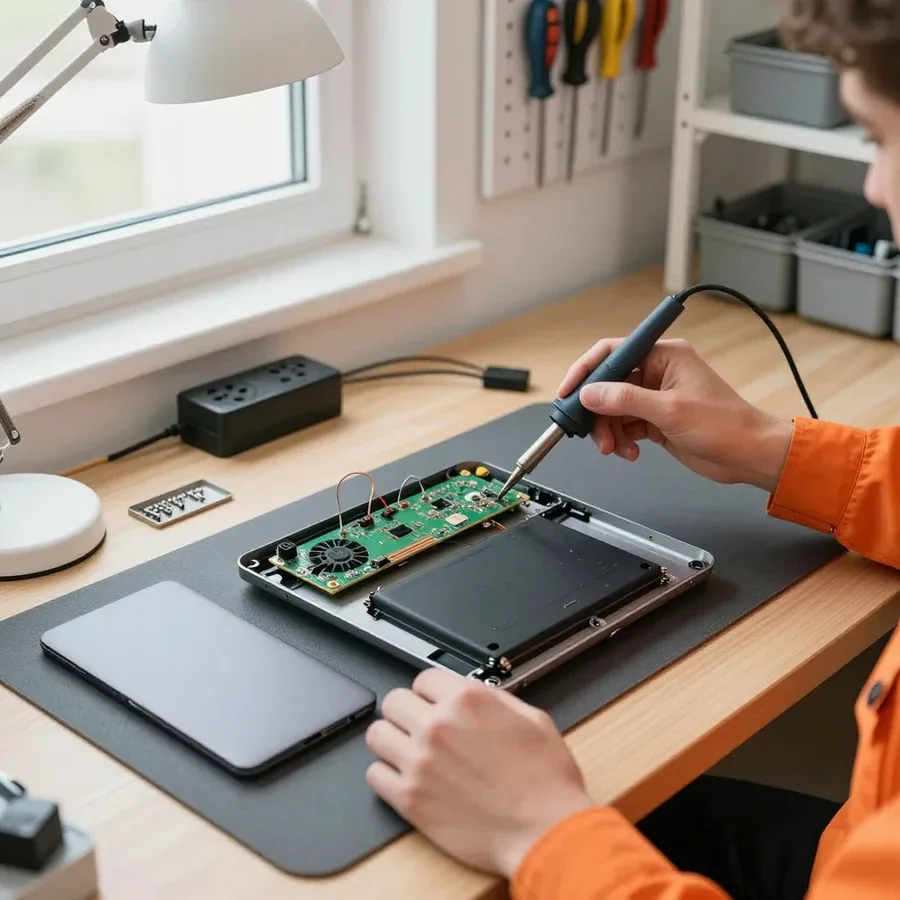
The technician takes the laptop apart on site or at the bench and does the available work right away.
Together with the owner, the technician checks power-on, charging, heat, and the keyboard after reassembly.
The computer and laptop repair department in Almaty has 7 technicians with 6 to 15 years of experience.

The department has 7 specializations — they are listed on the technicians' cards.
experience6 yearsPC and laptop diagnostics technician
 experience8 years
Laptop repair engineer
 experience7 years
PC and laptop repair technician
 experience10 years
Graphics card repair technician
 experience10 years
Software installation specialist
We reply during working hours
Leave a request and a technician will arrive within 60 minutes anywhere in the city. Book your Asus laptop repair today.

Warranty question? Call us
+7 (778) 021 50 18
Author: Dmitriy R.,PC and laptop diagnostics technician
Published
Updated
Tech Service repairs Asus laptops in Almaty as a direct provider, with no middlemen. Our technician comes to your home within 60 minutes anywhere in the city or accepts your device at the service center. Diagnostics are free, and there is a 1-year warranty on labor and parts. The technician gives you the price after diagnostics.
A laptop that won't turn on or acts strangely isn't necessarily dead. Let's go over typical Asus symptoms, beep codes, and overheating so you understand what's causing the behavior.
When the device doesn't respond to the power button, first check the power adapter and charging port, and only then suspect the motherboard. On ZenBook, the port often gets loose after rough handling of the cable—contact is lost and the device seems dead. Test the adapter on another laptop, inspect the port for play and corrosion, and try holding the power button for 15–20 seconds with the battery disconnected. If there's still no response, you'll need a multimeter and to take it apart. The charge indicator on the case often shows whether power reaches the board—if it doesn't light up when the adapter is connected, the problem is in the power circuit, not the button. If Asus laptop repair is needed, the technician gives you the price after a free check. During the free check, we go through the entire chain and identify the cause.
We start with cleaning the cooling system and replacing the thermal paste, because on most Asus laptops overheating and noise in the browser are caused by a clogged heatsink and dried-out paste, not a burnt chip. The fan on a VivoBook gets clogged with dust after a year to a year and a half of active use, and the thermal paste loses its properties even earlier—the fan starts whining on simple tabs and the case gets hot near the keyboard. ASUS ROG gaming laptops run hotter by design: two or three heat pipes work at their limit, and any dust in the heatsink immediately raises the temperature. If a ROG still throttles under load after cleaning, it's worth checking the thermal pads and heatsink mounting—they wear out faster than you'd think.
Each Asus line has its own failure profile: thin cases suffer from hinges, gaming ones from overheating. Here's which components fail most often in ZenBook, VivoBook, TUF, and ROG, and which parts we replace.
| Line | Common failures | What we check |
|---|---|---|
| ZenBook | Hinges, thin case, display cable | Hinge mounts, lid, cable |
| VivoBook | Keyboard, power port, hinges | Keyboard contacts, charging port |
| TUF Gaming | Overheating, cooling system, fans | Thermal paste, thermal pads, heatsink |
| ROG and ROG Strix | Overheating, GPU power, fans | Cooling system, power circuit |
| ExpertBook | Power port, battery, case | Charging port, battery, mounts |
Data from an Asus laptop can often be saved if the drive is intact — it is removed and connected separately, even when the laptop itself won't start. The SSD or hard drive is taken out, checked separately from the laptop, and files are copied if the controller is working. When the problem is in the motherboard and the disk is readable, data is extracted before working on the board — this prevents loss during soldering. If the disk contains important files, don't try to turn the laptop on repeatedly: repeated startups with faulty power increase the risk of damaging the drive. Bring the device for free diagnostics — the technician will assess the drive's condition and tell you whether data recovery is realistic. If you need Asus laptop repair in Almaty, data recovery is combined with diagnostics of the board and power.
We'll show you the steps — from free inspection to approval and pickup — so it's clear what the scope of work consists of and what the owner pays for.
Before starting work, we agree with the owner on the list of tasks and parts so the cost doesn't change along the way and there are no unexpected extra charges. The technician shows exactly which component has failed, explains whether the unit can be repaired or must be replaced entirely, and fixes the list before disassembly. We install a part with a clear origin, and we provide a 1-year warranty on labor and parts. If a hidden fault is found during disassembly, we stop and re-approve the scope — we don't continue work without that. We separately specify which components will be replaced and which will remain untouched, so the list matches the final estimate. Ask which part will be installed and what unit the warranty covers — this makes it easier to compare the scope with the list given during diagnostics.
The time depends on whether the board is repaired or replaced entirely, and on which part is needed — the technician gives the exact time after inspection. Soldering power circuits, replacing the controller, or restoring traces takes more time than installing a ready unit, and the complexity depends on the model: thin ZenBook models have dense mounting, while TUF and ROG have large power components. Motherboard repair is usually more complex than replacing a separate unit, so don't expect the same timeframes for different tasks — clarify this at the approval stage. Around the city, the technician arrives for an on-site visit within 60 minutes, and if the fault requires workshop conditions, the work is done at the service center. Ask for an estimated time along with the list of parts: this way you can plan when to pick up the laptop.
Some Asus issues can be fixed right at your home, while others require a service center. We'll explain when it makes sense to have a technician come to you and when it's better to bring the laptop in.
Liquid damage, motherboard repair, and screen replacement require a service center with conditions for disassembly, drying, and soldering. If you need Asus laptop repair, choose a service center based on whether they work with boards and screens, not just cleaning and part replacement. Recovery after liquid starts with complete disassembly and cleaning of the board, followed by drying and checking power circuits. Screen replacement involves working with a fragile cable and precise mounting geometry that can't be done on the fly. Working with the board includes finding burned components, resoldering controllers, and checking traces. After liquid damage, unplug the laptop as soon as possible and don't turn it on — attempts to start wet electronics usually turn a minor issue into replacing an expensive component, so it's best to bring it to a service center right away instead of checking "maybe it'll work."
An Asus technician is distinguished by knowledge of the model lines and typical failures — they immediately ask for the model and symptoms instead of starting with a generic "bring it in, we'll take a look." Our specialists have 4 to 20 years of experience, and from a single phrase like "VivoBook is flooded" or "TUF overheats in games" they already know where to start. Then they clarify how the backlight behaves, whether clicks are heard, what the indicator shows when the charger is connected. Ask if the technician has worked with your model line and how they'll handle the warranty if the problem recurs — the answers to these two questions say more about them than advertising. Remember: a 1-year warranty on labor and parts is the minimum you should clarify before work begins.
A warranty is valuable not in itself but for what it covers. Let's break down what our 1-year warranty covers, what to do if the same issue recurs, and how a manufacturer's obligation differs from the work of an independent repair shop.
We provide a 1-year warranty on labor and parts, meaning we're responsible for both the quality of work and the installed part. If a failure occurs again due to our fault after parts replacement, the fix is done under warranty at no extra charge. In practice, this applies to the motherboard after soldering, the power connector, and the cooling module replaced due to overheating. The warranty covers the work performed and the part supplied. The obligation for the part and for the work are not the same; clarify both points before work begins. As an Asus laptop service center, we document both the work and the installed part in the warranty so that if a failure recurs, you don't have to prove the cause again.
If the same issue comes back after service, we handle it under warranty — we run diagnostics again and fix the cause at no charge for labor. The first step is to contact us and describe exactly how the problem shows up: the laptop won't turn on at all, shuts down under load, or gives the same error code. From your description, the technician can tell in advance whether the original cause has returned or a new one has appeared, and plans the follow-up check. Then comes the re-check: we inspect the unit we repaired and the related ones — power, cooling, cable contacts. If the issue is intermittent and doesn't show up right away, the technician tests the laptop in different modes to catch it before handover. When you come back, it helps to describe the conditions under which the failure appeared — this speeds up finding the cause and confirms it's not a random glitch.
If your Asus laptop is still under the manufacturer's warranty, choosing between brand service and an independent technician depends on your priority — keeping the manufacturer's obligation or getting it fixed faster. Brand service follows its own rules and timelines, while an independent shop takes on the job based on the actual fault. At the same time, doing it yourself or having work done outside brand service may become grounds for denying the manufacturer's warranty. We work as the direct provider, not an aggregator or middleman: the technician comes himself and is responsible for the result. Before going to an independent service, check the manufacturer's warranty terms: some work outside brand service may affect it. Ask the manufacturer what warranty terms apply in your case — that makes it easier to understand whether third-party repair will affect the brand's obligation.
Here's the key information about Asus laptop failures and how to fix them — a short list for those deciding where to start and what to look for when choosing a technician.
Tech Service technicians repair other appliances too — with the same 1-year warranty on labour and parts.
 Refrigerator Repair in Almatyfrom 3 000 ₸
 Washing Machine Repair in Almatyfrom 3 000 ₸
 Dishwasher Repair in Almatyfrom 3 500 ₸
 Oven Repair in Almatyfrom 3 000 ₸
 Cooktop Repair in Almatyfrom 3 500 ₸
 Air Conditioner Repair in Almatyfrom 3 500 ₸
 Boiler and Water Heater Repair in Almatyfrom 2 500 ₸
 Freezer Repair in Almatyfrom 6 000 ₸
 Tumble Dryer Repair in Almatyfrom 5 000 ₸
 Coffee Machine Repair in Almatyfrom 2 500 ₸
 Robot Vacuum Cleaner Repair in Almatyfrom 3 500 ₸
 Vacuum Cleaner Repair in Almatyfrom 1 500 ₸
 Microwave Oven Repair in Almatyfrom 2 000 ₸
 Hair Dryer Repair in Almatyfrom 1 500 ₸
 Iron Repair in Almatyfrom 3 000 ₸
 Electric Kettle Repair in Almatyfrom 2 500 ₸
 Mixer Repair in Almatyfrom 2 500 ₸
 Multicooker Repair in Almatyfrom 500 ₸

If your laptop screen is broken, turn the device off first, don't press on the display, and check the picture through an external monitor.
12 March 2026 · 11 minutes read
If your laptop freezes, the first thing to do is restart it and check Task Manager to see what's loading the CPU and memory.
25 January 2026 · 12 minutes read
If your laptop won't boot, first determine which of two states you're in: the device doesn't respond to the power button at all…
13 December 2025 · 12 minutes read
If your computer won't turn on, start simple: check the outlet, power cable, switch on the power supply, and the power button.
19 January 2026 · 13 minutes read








