 experience10 years
Maksim S.
Graphics card repair technician

We restore e-readers after drops, water damage, or battery wear. 1-year warranty on labor and parts.
Our own technicians4 to 20 years of experience




Repair prices
Below are typical symptoms and likely causes. The technician will determine the exact cause after free diagnostics.
physical damage, crack
from6 500 ₸
deep discharge, firmware failure, board issue
from5 000 ₸
worn connector, battery fault
from4 500 ₸
damaged USB port, driver failure
from5 000 ₸
damaged ribbon cable, calibration failure
from5 500 ₸
firmware failure, board fault
from5 000 ₸
damaged ribbon cable, controller failure
from6 500 ₸
LED fault, broken ribbon cable
from4 000 ₸
1 visittime
from 5,000 ₸cost
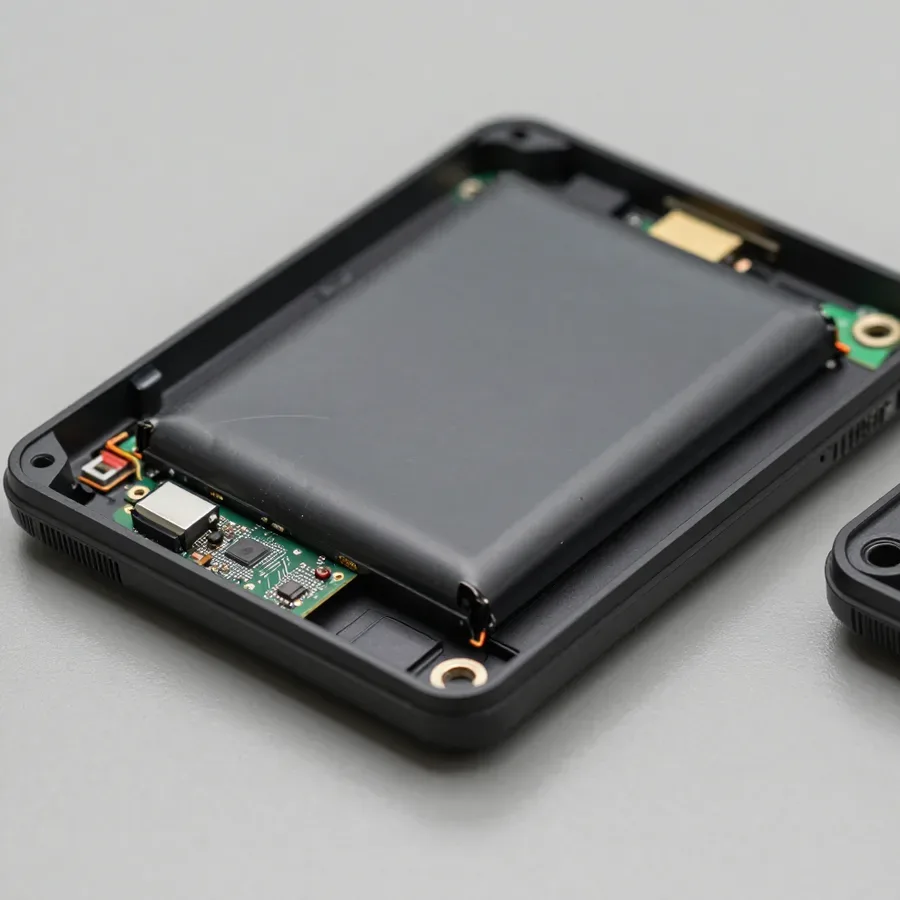
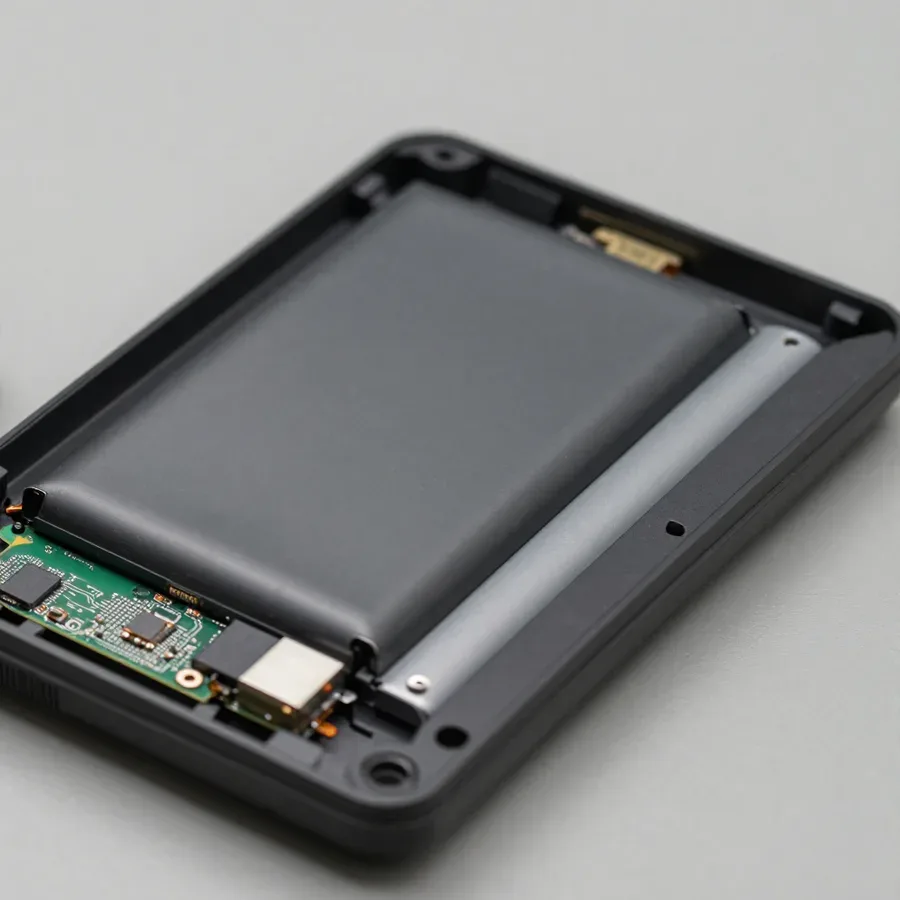 BeforeAfter

Five steps from request to post-repair check.
Submit a request, describe the symptom and device model.
A technician will arrive anywhere in the city within 60 minutes of your request.
The technician records the symptom and model in the request.
You approve the scope of work and parts replacement.
The device is checked, and you receive a 1-year warranty on labor and parts.
The computer and laptop repair department in Almaty has 7 technicians with 6 to 15 years of experience.

The department has 7 specializations — they are listed on the technicians' cards.
experience10 yearsGraphics card repair technician
 experience6 years
PC and laptop diagnostics technician
 experience8 years
Laptop repair engineer
 experience10 years
Software installation specialist
 experience7 years
PC and laptop repair technician
 experience13 years
Diagnostics and virus removal specialist
 experience15 years
Consultant
We reply during working hours
Leave a request — a technician will arrive within 60 minutes anywhere in the city, run free diagnostics, and identify the cause of the issue. You can pay via Kaspi QR, Kaspi Red, bank card, cash, or bank transfer for companies.

Warranty question? Call us
+7 (778) 046 86 56Tech Service repairs E-Ink e-readers in Almaty: our technician comes to your home within 60 minutes or you can drop off the device at our service center. Diagnostics are free, you get a 1-year warranty on labor and parts, and the technician gives you the price after diagnostics. We work with PocketBook, Onyx, Digma, Amazon Kindle, and other models.
An e-reader breaks in a few typical ways—from a drop or a deep discharge to a worn-out port. Let's go through the causes of each symptom and how a technician identifies them during free diagnostics.
When an e-reader won't turn on, it's most often related to the board, the ribbon cable, or a deeply discharged battery, and the technician determines which of the three is the cause during free diagnostics. After a drop, there may be no crack on the case, but inside a ribbon cable contact can come loose or a microcrack can run along the board traces—the device stays silent and doesn't respond to the button. If the e-reader has just been sitting turned off for a long time, the controller puts the battery into protection mode, and a regular charger won't wake it up. E-reader repair in Almaty starts with exactly this kind of check, because the right cause determines what the technician will repair. We open the case, test the power circuit, and check the voltage on the battery to separate a discharge from a hardware failure. If the device shows no signs of life after a drop, don't press the power button repeatedly—this can make the contact on the board worse, so it's better to hand the e-reader to a technician right away.
Lines and black spots on the screen almost always indicate damage to the E-Ink matrix or the ribbon cable, not a firmware glitch, and require replacing the screen module. The matrix here is fragile: even a pinpoint pressure or a drop on the edge causes a crack in the glass substrate, and the ink capsules stop switching—leaving a gray or black mark in that spot. By the nature of the defect, the technician distinguishes two patterns: a straight vertical line usually comes from the ribbon cable, while a blurry spot with an uneven edge comes from the matrix itself. We start the check by reconnecting the ribbon cable and only then conclude whether the display needs replacement. Even if the lines cover only a small part of the screen, the damaged area expands over time—putting off a matrix replacement isn't worth it, because reading will become impossible.
The screen is the most vulnerable and most expensive part of an e-reader. Let's look at how the e-ink matrix is built and why an impact damages more than just the glass.
The E-Ink screen consists of a thin electronic ink matrix and protective glass. The matrix is physically more fragile than a regular LCD because there is no backlight substrate underneath to absorb impact. In a liquid crystal display, the layer of liquid and diffusers absorbs some of the energy when dropped, while in electronic ink the pigment capsules lie almost directly under the glass. The matrix itself is a film with millions of microcapsules, and it cannot withstand point pressure: pressing on one spot is enough to damage a whole group of capsules. Repairing e-readers with a cracked matrix is one of the most common reasons for service, because the outer case often remains flat while the crack runs through the inner layer. As a result, when dropped, the glass may stay intact but the matrix underneath already cracks — visually this appears as lines or a "frozen" image with no visible chips.
When the screen is broken, we replace the entire screen module, because the E-Ink matrix and glass are bonded into a single unit, and replacing only the glass does not restore the image. Manufacturers supply the screen as one component: technically you can remove the top layer and leave the old matrix, but the pigment capsules are already displaced after impact, and the lines do not go away. Moreover, when separating the layers, it is easy to damage the ribbon cable that connects the screen to the board. In our practice, we have seen e-readers after such "partial" restoration in other repair shops — the image still had spots, even though the glass was new. If a technician suggests "replacing only the glass," it is worth clarifying the scope of work — otherwise, after the intervention, lines and spots will remain.
| What is damaged | What the technician checks | What we do |
|---|---|---|
| Cracked glass, matrix intact | Response to touch and buttons | Replace screen module |
| Lines and spots on the matrix | Integrity of ribbon cable and contacts | Replace E-Ink matrix |
| Screen is black, device works | Power and signal on ribbon cable | Diagnose ribbon cable and board |
Not every breakdown is convenient to fix at home. Let's go over how a technician visit works, what they do on site, and when it's still better to bring the e-reader to the service center.
Our on-site technician arrives within 60 minutes anywhere in the city, performs free diagnostics on the spot, and if the issue can be fixed at home, starts work right away. The technician opens the back cover, inspects the contacts, and checks how the board behaves when connected to power. If a battery replacement or connector cleaning is needed, the work is done right at your table — no trips or queues. If the case requires workshop conditions, the technician will advise how to transfer the device to the e-reader service center. Based on the diagnostics, the technician quotes the price, explains which part has failed, and shows the area of intervention. If the case is complex, they say so honestly before starting work, not after disassembly. Before the visit, it's worth charging the e-reader at least partially and recalling the circumstances under which it stopped working — this noticeably speeds up finding the cause.
The fear of losing your library and notes often stops people from getting a repair. Let's break down how the technician handles data for different types of work and what you should prepare in advance.
For battery replacement, charging port repair, and firmware restoration, we keep your library and notes intact. But motherboard replacement requires a separate disclaimer: the technician will warn you in advance that data may not transfer. The bulk of your books and personal notes are stored in the internal memory, which these procedures don't affect — only the power source or port is changed, and the content stays put. Firmware is reinstalled over the current system without wiping the user partition: the interface is updated, but reading files and bookmarks remain in their original folders. If you're deciding where to repair an e-reader, ask the technician how they handle data. Motherboard replacement is different: the memory chip is soldered onto it, and transfer depends on whether the old chip can be read with a programmer. If you have important notes on the device, sync them with your computer or cloud beforehand — it's cheaper and faster than recovering data after the work.
When books don't show up after service, it's usually not data loss but a firmware reset or account change, and the technician can help restore access to your library. After a system reinstall, the device reverts to factory settings, so the linked store account is disconnected, and purchased or downloaded books await you to sign in again. Notes and bookmarks synced with your account are restored automatically; locally stored files loaded manually can be recovered from a backup. When restoring firmware on a device stuck on the splash screen, our technicians specifically discuss with the owner which account was linked and whether a backup exists. Keep your e-book store login handy — it speeds up library recovery after a firmware reset.
For motherboard replacement, our technician first checks whether data can be transferred and only then starts the work; if transfer isn't possible, they inform you before service begins. The memory chip from the old board is read with a programmer, and if the chip is intact, its contents are transferred to the new one; with a damaged chip, only the factory firmware remains without user files. In that case, your library and notes are restored from the store account and backup, but local files without sync can't be recovered — they simply aren't in the cloud. That's why before such work the technician clarifies the owner's priorities: purchased books, handwritten notes, or third-party documents in memory. Motherboard replacement is the only scenario where data is at risk, so it's especially important to discuss with the technician beforehand what exactly needs to be preserved.
Warranty and clear pricing are what aggregators don't offer: our technician comes to you, and you pay only for the work that's actually needed. Here's how warranty, diagnostics, and payment work.
We offer a 1-year warranty on labor and parts, and it also covers E-Ink screen replacement and battery replacement. One year is the period during which we stand behind the result: if a defect in the work itself or in the installed part shows up during this time, we'll take care of it without adding new conditions for the owner. A warranty on parts means that if a new battery or screen fails early, the repeat work won't become a new problem for you — you won't have to look for a technician again and explain the device's history. In my view, this is the point owners check most often before handing in their e-reader for service — and rightly so: the term for labor and for the part should be fixed before disassembly begins. Ask the technician exactly which operation the warranty covers.
Diagnostics are free, and the technician gives you the price after them — once the cause of the fault and the list of work are clear. First, they inspect the case and screen, check how the device holds a charge and responds to buttons, then take the e-reader apart and look at the board and ribbon cables. Based on the results, they explain the cause of the fault and list the operations that will fix it. This protects you from a situation where you're quoted one sum over the phone and then find out on site that different work is needed — you pay for what's actually required. In our practice, a common reason for the discrepancy is that the external symptom points to the screen, but after opening the device a loose ribbon cable is found. That's why it matters that the price is based on the actual inspection, not on a description.
You can pay via Kaspi QR, Kaspi Red, card, cash or bank transfer, and the time depends on the fault and on the work needed — the technician gives you an estimate after diagnostics. Battery replacement and most case work are done at the owner's home, while complex board issues require the service center, and then the e-reader stays with the technician. The time depends on the operation: removing and installing a new part is one thing, tracing a fault on the board is another. If your case requires the service center, ask the technician when it's convenient to pick up the e-reader — that way you won't make a wasted trip. In our experience, it's calmer to agree on a specific time right away than to wait for a call: the technician has several visits around the city, and an extra trip without coordination wastes everyone's time.
E-readers from different brands are built similarly, but each device has its own quirks. Here's what devices we work with and what we take into account during diagnostics.
We service devices from PocketBook, Onyx, Digma, Amazon Kindle, Ritmix, Texet, and Citizen — both button-based models and those with touchscreens and built-in lights. Repair starts with free diagnostics: the technician checks the power, display, and board, then names the likely cause. Brands with Android firmware more often have software glitches, while button versions show wear on the keys and charging port, so the check starts with these components. Our technicians have worked with these lines for 4 to 20 years and know the typical weak spots of the case, ribbon cables, and screen mounting for each. We also take the model generation into account: earlier Kindle and PocketBook versions have thinner case plastic, while newer Onyx models have a tighter-fitting frame. Bring in your device with any symptoms — we'll figure out the cause of the fault.
Models with backlight and touchscreen have a more complex screen design, so replacing the matrix on them requires more attention, while button versions more often suffer from worn keys and connector. An E-Ink screen is more fragile than a regular LCD under mechanical stress: the thin glass substrate doesn't tolerate pressure in a bag or a fall from desk height. The touch layer adds a touchscreen film to the display, and models with an LED frame have a diffuser layer on top of the matrix — it gets damaged along with the glass upon impact. Button phones are structurally simpler, but their weak point is mechanics: contacts under the keys wear out, and the charging port loosens from frequent connections. If you have a model with backlight, when you see stripes on the screen, check whether they are related to the backlight layer — this affects the choice of work.
| Model type | Common repairs | What we check first |
|---|---|---|
| Button | Buttons, charging port | Button response and charging |
| Touchscreen | Matrix, flex cable | Touch and image |
| With backlight | Matrix, backlight layer | Stripes and light uniformity |
| With Android firmware | Firmware, board | Boot and software failures |
We've gathered practical experience with e-readers into a short summary: typical breakdowns, repair locations, and the risks that diagnostics eliminates.
Tech Service technicians repair other appliances too — with the same 1-year warranty on labour and parts.
 Refrigerator Repair in Almatyfrom 3 000 ₸
 Washing Machine Repair in Almatyfrom 3 000 ₸
 Dishwasher Repair in Almatyfrom 3 500 ₸
 Oven Repair in Almatyfrom 3 000 ₸
 Cooktop Repair in Almatyfrom 3 500 ₸
 Air Conditioner Repair in Almatyfrom 3 500 ₸
 Boiler and Water Heater Repair in Almatyfrom 2 500 ₸
 Freezer Repair in Almatyfrom 6 000 ₸
 Tumble Dryer Repair in Almatyfrom 5 000 ₸
 Coffee Machine Repair in Almatyfrom 2 500 ₸
 Robot Vacuum Cleaner Repair in Almatyfrom 3 500 ₸
 Vacuum Cleaner Repair in Almatyfrom 1 500 ₸
 Microwave Oven Repair in Almatyfrom 2 000 ₸
 Hair Dryer Repair in Almatyfrom 1 500 ₸
 Iron Repair in Almatyfrom 3 000 ₸
 Electric Kettle Repair in Almatyfrom 2 500 ₸
 Mixer Repair in Almatyfrom 2 500 ₸
 Multicooker Repair in Almatyfrom 500 ₸

If your laptop screen is broken, turn the device off first, don't press on the display, and check the picture through an external monitor.
12 March 2026 · 11 minutes read
If your laptop freezes, the first thing to do is restart it and check Task Manager to see what's loading the CPU and memory.
25 January 2026 · 12 minutes read
If your computer won't turn on, start simple: check the outlet, power cable, switch on the power supply, and the power button.
19 January 2026 · 13 minutes read
If your laptop won't boot, first determine which of two states you're in: the device doesn't respond to the power button at all…
13 December 2025 · 12 minutes read








