 experience10 years
Maksim S.
Graphics card repair technician
A technician arrives within 60 minutes anywhere in the city. Diagnostics are free.
Our own technicians4 to 20 years of experience




Repair prices
The symptoms customers most often report. The cause is identified during free diagnostics.
worn rollers, a foreign object
from3 500 ₸
worn feed rollers, dirt
from3 500 ₸
dirty roller, worn drum
from5 000 ₸
low toner, worn cartridge
from5 000 ₸
paper jam, fuser overheating
from8 000 ₸
worn bearings, dried lubricant
from5 000 ₸
burnt-out heating element, faulty thermistor
from8 000 ₸
faulty power supply, broken cord
from8 500 ₸
1–2 daystime
from 8 500 ₸cost
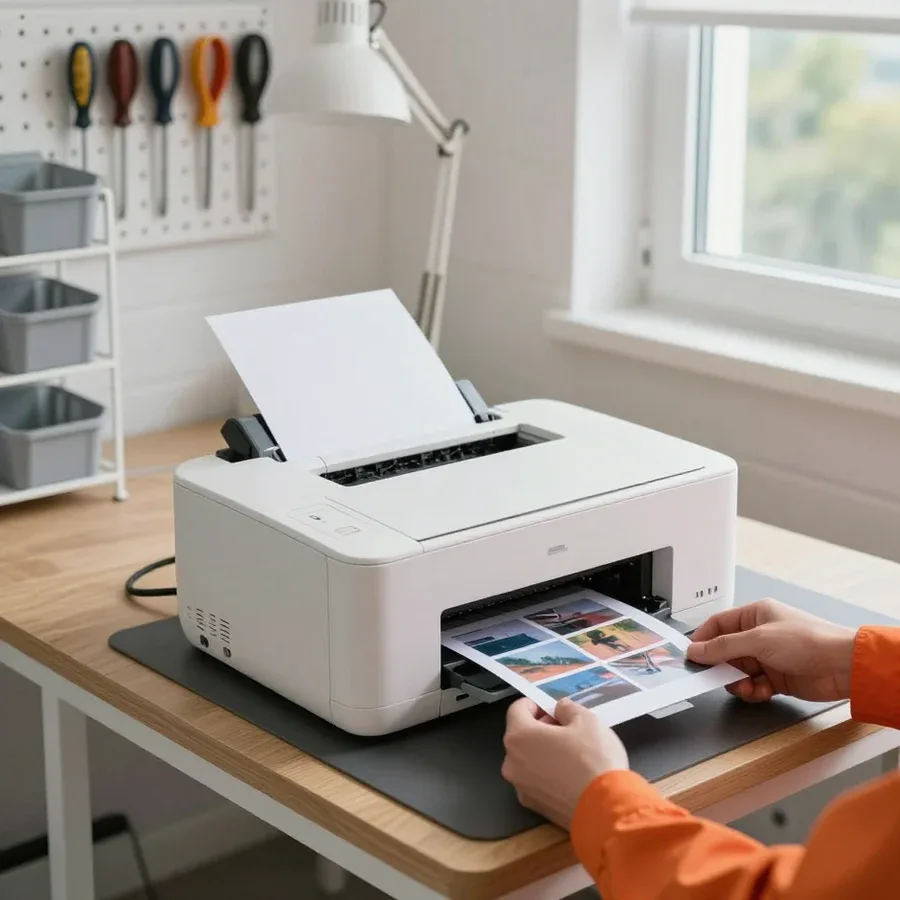 BeforeAfter

Five steps from request to checking the printer's performance.
Describe the problem and your printer model so the technician brings the right tools.
The technician arrives anywhere in the city within an hour after your request is confirmed.
Clear the area around the printer and remove any clutter so the technician can start right away.
Note the model and error code so the technician can prepare compatible parts.
The technician explains the cause of the breakdown and what to watch for during further use.
The computer and laptop repair department in Almaty has 7 technicians with 6 to 15 years of experience.

The department has 7 specializations — they are listed on the technicians' cards.
experience10 yearsGraphics card repair technician
 experience6 years
PC and laptop diagnostics technician
 experience8 years
Laptop repair engineer
 experience10 years
Software installation specialist
 experience7 years
PC and laptop repair technician
 experience13 years
Diagnostics and virus removal specialist
 experience15 years
Consultant
We reply during working hours
Provide your printer model and error code — this speeds up the technician's work and helps pinpoint the cause faster.

Warranty question? Call us
+7 (778) 096 59 70Tech Service repairs printers and multifunction devices in Almaty as a direct provider: our technician arrives at your home within 60 minutes anywhere in the city, or the device is repaired at our service center. Diagnostics are free, we agree on the price after diagnostics, and we provide a 1-year warranty on labor and parts.
The printer is silent, the indicator is blinking, or it shows a code — this signals a specific malfunction, not a death sentence for the device. Let's go over typical symptoms and when you can't do without a technician.
If the device doesn't turn on at all, the power supply or the motherboard is usually to blame, and during diagnostics we check both components. The power supply is responsible for supplying voltage to all components of the device, while the motherboard distributes commands between the printing mechanism and the control panel. Failure of either results in complete silence when you press the button. A separate case is when the equipment doesn't start after a power surge: then we check the protective elements of the board and the integrity of the power cord. A blinking indicator by itself is not a diagnosis — what matters is how exactly it blinks and what the panel shows, so before calling a technician, it's worth taking a photo of the sequence. We take the photo as a starting point and compare it on site with the behavior of the specific model. If you need printer repair in Almaty, the technician will check the power and board on site. The technician clarifies the estimated cost of work after inspection.
Constant paper jams are usually caused by worn feed rollers or a foreign object in the paper path, and we eliminate the cause, not just pull out the sheet. Rubber rollers lose grip over time, start slipping, and grab two sheets at once. A staple, paper clip, or a scrap in the path produces the same effect — the sheet gets stuck and crumples at the exit. During diagnostics, we check the feed mechanism along the entire path and the condition of the rollers, as well as the cleanliness of the sensors that detect paper passage. If the failure repeats with the same paper weight, the issue may be in the tray settings rather than the mechanics — it's worth checking before replacing parts. For thin paper, simply changing the tray is enough to understand the cause.
We analyze stripes during printing and error codes on the panel by symptom: in inkjet printers, it's more often a dried-out print head; in laser printers, it's the fuser or cartridge. In an inkjet model, stripes and gaps in text appear when the head nozzles get clogged with dried ink after inactivity. In a laser printer, vertical stripes and background indicate fuser wear or a used-up cartridge. The error code on the panel narrows the search to a specific component — each series has its own decoding. It's useful to write down the error code completely — based on it, the technician understands which components to check first before even arriving and brings the necessary parts. The more accurately you record it character by character, the fewer unnecessary disassemblies on site.
Some requests to our service turn out to be not a malfunction but a problem with consumables. We'll show you how to quickly figure out what exactly happened and avoid paying for unnecessary work.
If your inkjet printer has been sitting idle for a long time and has stopped printing, we clean the dried-out print head and restore printing without streaks. During downtime, the ink in the nozzles thickens and clogs the channels: gaps appear on the page, some lines disappear entirely, and the nozzle check shows breaks. In our experience, restoration starts with flushing and priming — we remove the dried print head, soak the nozzles in cleaning fluid, and prime the channels, then check the result with a test print and repeat the cycle if necessary. If you need printer repair in Almaty, we arrange a technician visit to your home after confirming the request. The longer the equipment has been idle, the lower the chance that cleaning alone will be enough: dried ink gradually crystallizes and clogs the nozzles permanently, and sometimes the head has to be replaced, so it's better not to delay.
Refilling helps when the device itself is working and the only issue is an empty cartridge, but intervention is needed if the defect persists with a new consumable. We combine refilling with a check of the cartridge and the feed mechanism: we see whether it holds ink, whether it leaks, and whether the nozzles are misaligned. If streaks remain after refilling, the cause is already in the printing units — then disassembly and cleaning are needed. The decision to repair or replace the equipment depends on how many units have failed: with a single breakdown, restoration is usually justified; with several at once, it's worth considering replacement. Refilling costs less but is pointless if the consumable is fine and the breakdown is in the mechanism — that's why we diagnose before any work.
It's not always obvious whether to call a specialist to your home or take the device to the workshop. Let's break down which option suits your case, what is checked during a home visit, and how quickly our technician arrives.
On-site service is convenient for most common breakdowns, and our technician arrives within 60 minutes anywhere in the city. This format covers cases where the device jams sheets, prints with streaks, or shows an error code on the panel — such issues are often resolved without transportation. Printer repair in Almaty near you: the technician comes to your home and brings tools and common consumables, checks the cartridge, feed rollers, and print head, and if necessary disassembles the unit right at your place. Diagnostics are free, and the 60-minute technician visit is available throughout the city. At home, it's easier to check the device together with your computer and the paper you usually print on — that way the cause is visible faster. The technician will also assess how the device is positioned on the desk and whether it has enough ventilation — overheating and a tilted case often produce the same symptoms as a unit failure.
If the breakdown requires disassembling units or replacing the fuser and board, the in-shop option is faster than at home. The printer's motherboard and thermal unit are replaced only at the stationary facility, where the device is run through test prints after assembly. This scenario suits mechanism jams, worn gears, and situations where a unit needs calibration after part replacement. The on-site specialist will honestly tell you if the case isn't suitable for home repair — then the device is fixed in the workshop rather than wasting time at your place. We provide a 1-year warranty on labor and parts, so a repeat visit for the same issue won't surprise you. You can pay with Kaspi QR, Kaspi Red, card, cash, or bank transfer, and the technician will quote the price after free diagnostics, before work begins.
| Format | When it fits | What we check on site | Response time |
|---|---|---|---|
| On-site visit | typical breakdowns, paper jams, print defects | cartridge, rollers, printhead | technician within 60 minutes |
| Repair at the service center | complex disassembly, board and fuser replacement | all components after disassembly | by arrangement |
| Diagnostics | any case before repair | the cause of the breakdown | free |
We'll walk you through the steps of your request — from booking to warranty — so you understand what happens at each stage and what you're paying for.
Diagnostics are free, and the specialist gives you the price based on the results — you agree to the work knowing the cause and scope. The specialist comes to your home or accepts the device at the service center, checks the paper feed mechanism, the condition of the printhead, the fuser unit, and the board electronics. Based on the results, they explain which component failed and what parts are needed. Approval happens before work begins: you hear the amount and decide whether to proceed. If you decline the service after the check, you don't pay for it — this removes the risk of paying for an "inspection" with no result. In our practice, a request often ends with a conversation about whether restoration is worthwhile, not with an invoice. Printer repair service follows a single scheme: first the check, then approval, and only then the work.
The cost of printer work depends on the type of breakdown, the parts needed, and the format of the work, and the specialist gives the exact amount after free diagnostics. Replacing the feed roller and cleaning the paper path is one category of work; restoring the printhead or replacing the fuser film is quite another in terms of labor and parts. The format also changes the picture: an on-site visit doesn't require transporting the device, while work at the service center adds logistics for the unit. We accept Kaspi QR, Kaspi Red, card, cash or bank transfer for companies, so the payment method doesn't affect the total. Don't rely only on the minimum figure from an ad: printer repair prices don't reflect the final cost, which depends on which components actually failed and is only clear after disassembly and inspection.
A warranty and a direct technician are what set a service apart from an intermediary. We'll explain exactly what we guarantee, who comes to your home, and why this kind of accountability matters when servicing printers.
We provide a 1-year warranty on labor and parts — if the defect returns, we handle it under warranty. The year covers both the procedure itself and the installed part: hidden defects in the board, feed unit, or roller that aren't visible at pickup show up within that time. The specialist who handled your case knows what was replaced and why — a repeat visit is faster, without blind disassembly. Coverage for parts matters no less than for labor: a faulty part shows up later, and without it, its replacement falls on you again. So at pickup, ask exactly what's covered by the warranty — labor, the part, or both: it's easier to prove the defect relates to the same operation. If you prefer the technician to come to you, we offer printer repair at home — with the same warranty on labor and parts.
Tech Service is a direct service provider: our technician comes to you, not an aggregator's employee, so we are responsible for the result. Your request is not passed to a third party: the specialist who takes the call performs free diagnostics, agrees on the scope of work, and handles the device until it is returned. Technicians with 4 to 20 years of experience know how specific components behave and don't just repeat symptoms over the phone. With a middleman between you and the service provider, information about the breakdown gets lost, while with a direct company the specialist personally manages the case from diagnostics to warranty. Ask who exactly will come and who is responsible for the warranty — with a direct service provider, the answer is always the same and is clear from the first call.
Our technicians have been working with printers for 4 to 20 years, and we accept devices even if they are still under manufacturer warranty. Experience shows in diagnostics: by the error code and how a component behaves, a specialist can tell roller wear from a board failure without disassembling the entire machine. A printer that won't turn on is handled like any other request — free diagnostics first, then agreement on the scope of work. If the device is under manufacturer warranty, it's worth checking the terms in advance — sometimes using a third-party service affects it, and it's better to find that out before the repair. Call the manufacturer's support and ask whether the warranty will remain before bringing the device in — a few minutes can save the warranty itself.
We work with devices of various types and manufacturers. Below is what devices we accept requests for and what we check in each case.
We service inkjet and laser printers as well as MFPs — both on-site and in our service center. With inkjet models, customers more often come because of a dried-out printhead after a period of disuse, streaks on the printout, and ink supply failure. With laser printers — because of print defects, background on the page, and paper jams caused by the fuser and rollers. In MFPs, a scanning module is added to printing: failures can occur in both paper paths at once, and a malfunction in one unit can mask itself as a breakdown in another. Each type has its own weak points: inkjet models more often suffer from printhead issues due to disuse, laser ones — from fuser and cartridge problems, so diagnostics start with the device type — this way the technician immediately narrows down the likely causes and brings the necessary parts for the visit. Restoring inkjet printers requires flushing the ink path, laser printers — checking the fuser unit, and MFPs — also testing the scanner. Printer repair cost depends on the device type and the nature of the breakdown, so the technician gives the exact amount after free diagnostics.
We service equipment from popular manufacturers, including Epson, HP, Canon, and Brother, and tailor our approach to each specific model. Epson and Canon inkjet lines differ in printhead and ink system design: with the former, the printhead is often built into the cartridge, while with the latter it is a separate unit. HP and Brother have strong laser series with a different cartridge and fuser design, so disassembly is also different. Error codes are unique to each manufacturer: the same symptom on the panel of two devices points to different components, and a code table for one brand won't help you find the cause on another. Our practice is to ask for the exact model when you call, because an approach for one series doesn't carry over to another. Different brands have different error codes and component designs, so it's helpful to provide the exact model when requesting service — the technician will prepare in advance and bring the right tools.
| Device type | Common breakdowns | What we check |
|---|---|---|
| Inkjet printer | dried printhead, streaks | printhead, cartridge |
| Laser printer | print defects, paper jams | fuser, feed rollers |
| MFP | printing and scanning failure | feed mechanism, board |
We've put together the key points that determine the outcome of equipment restoration: how to read a symptom, when cleaning the cartridge is enough, and what to look for when choosing a technician.
Tech Service technicians repair other appliances too — with the same 1-year warranty on labour and parts.
 Refrigerator Repair in Almatyfrom 3 000 ₸
 Washing Machine Repair in Almatyfrom 3 000 ₸
 Dishwasher Repair in Almatyfrom 3 500 ₸
 Oven Repair in Almatyfrom 3 000 ₸
 Cooktop Repair in Almatyfrom 3 500 ₸
 Air Conditioner Repair in Almatyfrom 3 500 ₸
 Boiler and Water Heater Repair in Almatyfrom 2 500 ₸
 Freezer Repair in Almatyfrom 6 000 ₸
 Tumble Dryer Repair in Almatyfrom 5 000 ₸
 Coffee Machine Repair in Almatyfrom 2 500 ₸
 Robot Vacuum Cleaner Repair in Almatyfrom 3 500 ₸
 Vacuum Cleaner Repair in Almatyfrom 1 500 ₸
 Microwave Oven Repair in Almatyfrom 2 000 ₸
 Hair Dryer Repair in Almatyfrom 1 500 ₸
 Iron Repair in Almatyfrom 3 000 ₸
 Electric Kettle Repair in Almatyfrom 2 500 ₸
 Mixer Repair in Almatyfrom 2 500 ₸
 Multicooker Repair in Almatyfrom 500 ₸

If your laptop screen is broken, turn the device off first, don't press on the display, and check the picture through an external monitor.
12 March 2026 · 11 minutes read
If your laptop freezes, the first thing to do is restart it and check Task Manager to see what's loading the CPU and memory.
25 January 2026 · 12 minutes read
If your computer won't turn on, start simple: check the outlet, power cable, switch on the power supply, and the power button.
19 January 2026 · 13 minutes read
If your laptop won't boot, first determine which of two states you're in: the device doesn't respond to the power button at all…
13 December 2025 · 12 minutes read








