 experience10 years
Maksim S.
Graphics card repair technician
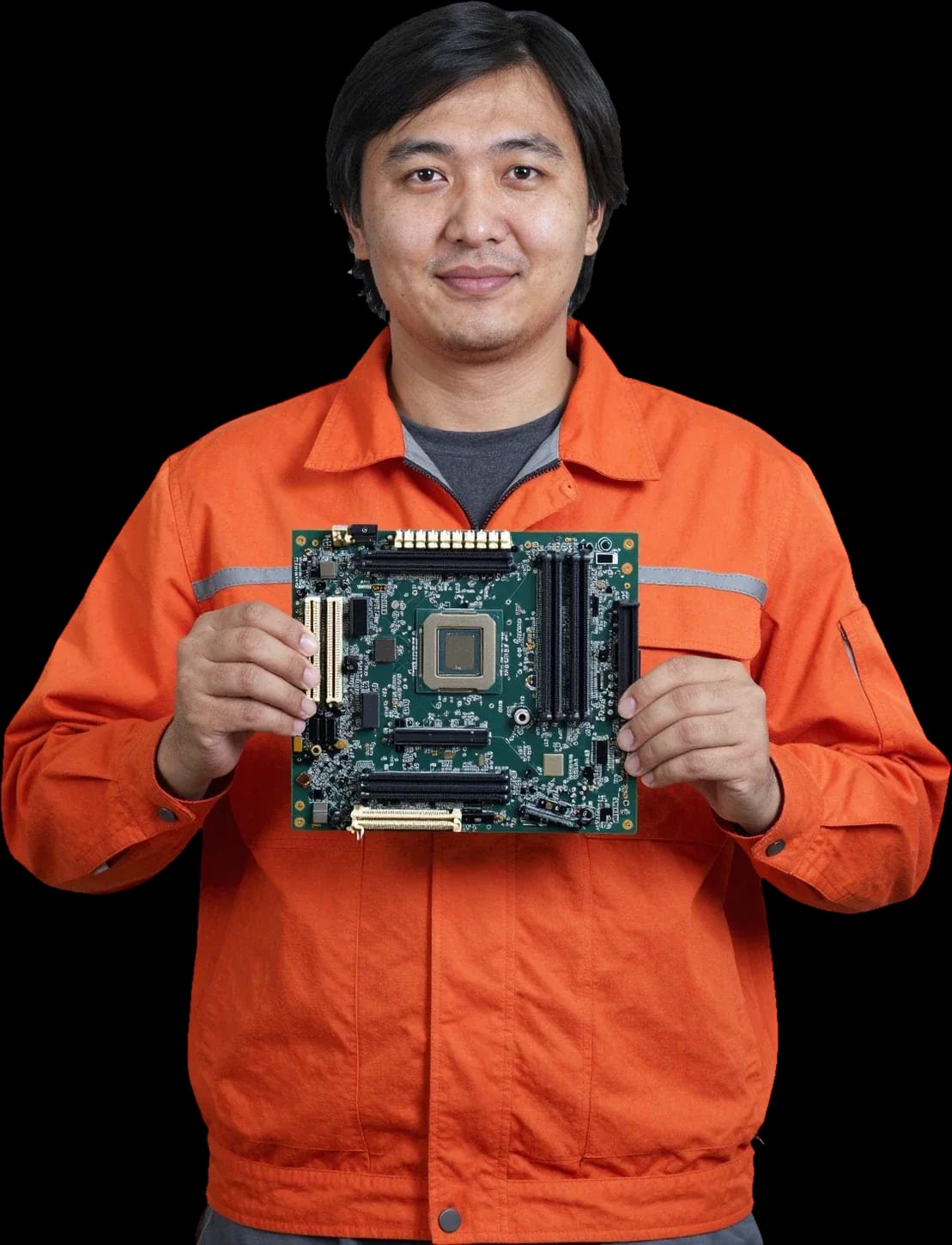
A technician arrives within 60 minutes anywhere in the city. Free diagnostics.
Our own technicians4 to 20 years of experience




Repair prices
Below are typical symptoms and likely causes. The technician will determine the exact cause after diagnostics.
open circuit or blown fuse
from4 500 ₸
firmware failure or video chip failure
from6 000 ₸
overheating, voltage spike, aging
from4 500 ₸
clogged heatsink or dried thermal paste
from2 500 ₸
corroded traces and oxidized contacts
from10 000 ₸
burnt charge controller or connector
from7 500 ₸
overheating or a faulty chip
from11 000 ₸
faulty inductor or capacitor
from4 500 ₸
1–2 daystime
from 11,000 ₸cost
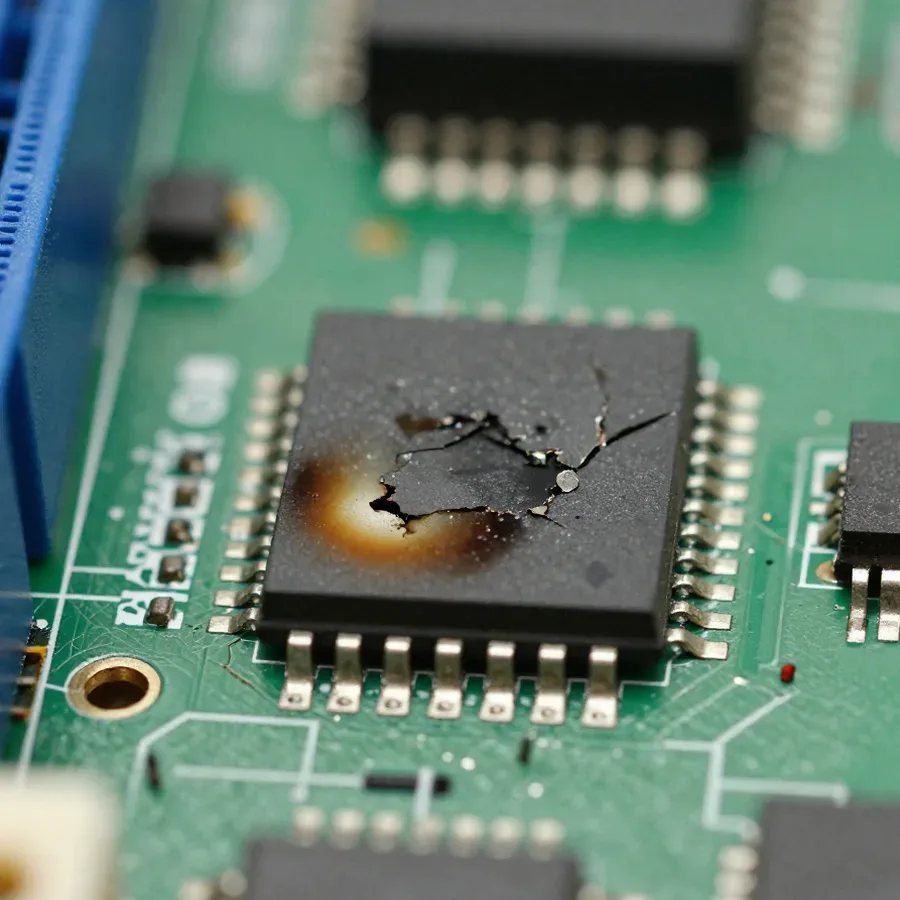
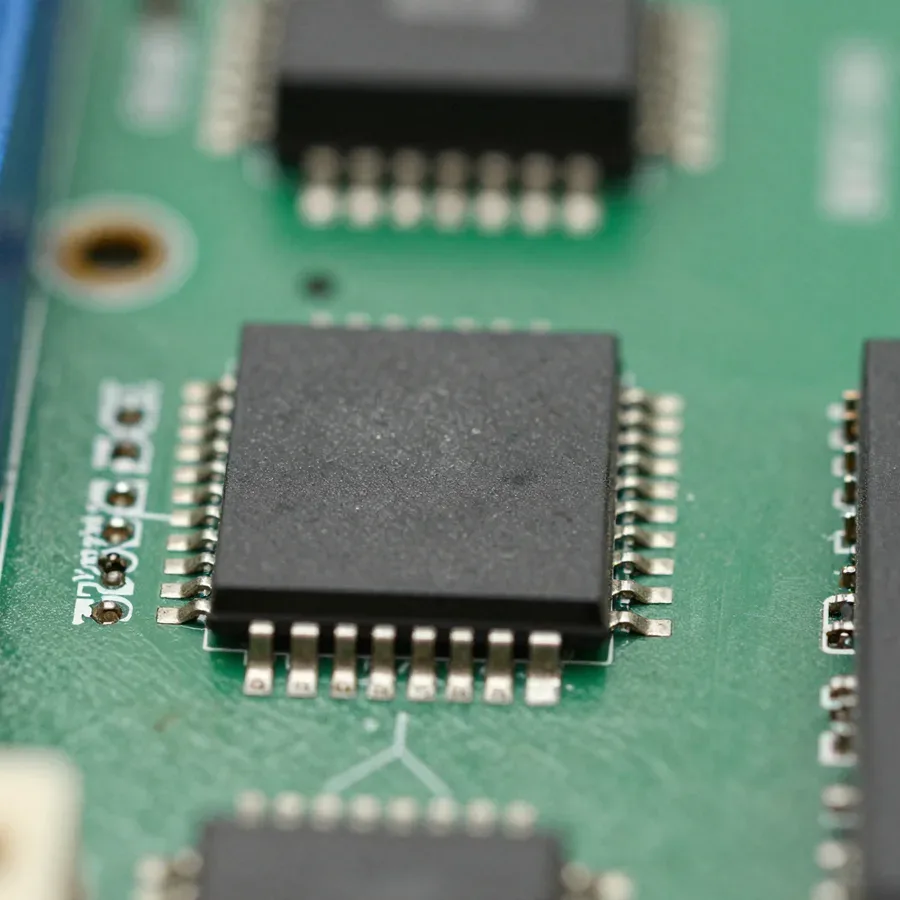 BeforeAfter

From request to check — five steps. Diagnostics are free.
You submit a request, and the technician clarifies the symptom and device model.
The technician asks about symptoms to bring the right tools.
The technician confirms the address and a convenient visit time.
After your approval, the technician performs the repair and replaces components.
The technician turns on the device and checks that the unit works before finishing the visit.
The computer and laptop repair department in Almaty has 7 technicians with 6 to 15 years of experience.

The department has 7 specializations — they are listed on the technicians' cards.
experience10 yearsGraphics card repair technician
 experience6 years
PC and laptop diagnostics technician
 experience8 years
Laptop repair engineer
 experience10 years
Software installation specialist
 experience7 years
PC and laptop repair technician
 experience13 years
Diagnostics and virus removal specialist
 experience15 years
Consultant
We reply during working hours
Describe the symptom and device model — the technician will clarify details and arrange a convenient visit time.

Warranty question? Call us
+7 (778) 746 01 65Tech Service repairs motherboards in laptops, desktop PCs, and TVs in Almaty. Our technicians come to your home within 60 minutes or fix it at our service center. Diagnostics are free, the technician gives you the price after diagnostics, and we provide a 1-year warranty on labor and parts.
The board won't turn on, won't charge, overheats, or shows an error code — each symptom has its own likely cause. We explain what each one means and what you can do yourself without making the problem worse.
Most often, this symptom is caused by power and charging circuits on the board, not the power button itself — we start diagnostics with those. We check the charging port for mechanical wear and oxidation, the charger for output voltage, and the battery for its ability to hold a charge: even with good external power, a dead battery can prevent the laptop from starting. Then we examine the charging circuits on the motherboard — that's where power components often fail, and the power button simply doesn't get a signal. Motherboard repair in Almaty starts with this step-by-step check, and the job isn't just about replacing one connector. A technician arrives at your home within 60 minutes anywhere in the city, and diagnostics are free — this lets us immediately separate a connector issue from a board fault without sending you from one service to another. Before the technician arrives, unplug the charger and remove the battery if it's removable — this way you prevent a short circuit in the power circuit from damaging nearby components.
Overheating and an error code on the board usually point to a problem in the power circuits or a failed component that the technician finds during diagnostics. A hum under load often comes from an inductor in the voltage converter, and local heating at one spot on the board is a sign of a blown transistor or capacitor in the processor power circuit. The device shows an error code when the controller detects a voltage or temperature deviation, and the technician uses it to narrow down the search to a specific unit. We don't guess based on symptoms: circuit testing and measurements under load show exactly which component has failed — and only after that do we plan component-level repair. Don't keep running the device with overheating — repeated heating cycles expand the damage area and increase the scope of work.
Not turning on doesn't mean the board is burned out. The technician first rules out the adapter, processor, and charger, and only then concludes about the board itself.
During diagnostics, we check the adapter, chip, and charger one by one using known-good components — this confirms or rules out a board fault. First, we connect a working external module and see if there's a response to the power button and charge indicator. Then we remove the computing chip and inspect the socket contacts for dirt and oxidation, and test the chip itself on another compatible motherboard. We also check the charging port separately: test contacts for continuity and measure input voltage. Our motherboard diagnostics are free, so the client doesn't pay for checking these units. If the device comes to life after replacing the external module, we don't touch the board — this saves the customer both time and scope of work. It's worth starting repair only after external units are ruled out — otherwise it's easy to work on a good component.
Bulging capacitors and signs of previous soldering aren't a death sentence — we take on such boards and first assess the nature of the damage. Electrolyte bulging in power circuits is visible to the eye: the top of the case is domed or there's a brownish leak. Signs of soldering after third-party intervention narrow the search: the technician immediately looks at areas where someone already tried to replace something. Broken traces, overheated pads, and mismatched component ratings are typical findings in such places. We start component-level repair by testing the replaced parts and restoring contact, not by installing a new board. We also check the ratings of components near the soldering area: a wrongly selected part causes unstable power and a repeat failure shortly after. If the device has already been soldered, show the technicians a list of replaced parts — this will speed up the diagnosis.
| Symptom | What we check first | What it could be |
|---|---|---|
| Won't turn on at all | adapter, power connector | power supply, connector, power circuits |
| Not charging | charging connector, charging circuits | connector, charge controller |
| Heats up without load | power circuits, capacitors | component breakdown, overheating |
| Error code on screen | processor, memory, board | component failure, board damage |
| Turns on and off | processor, power circuits | unstable power |
Board repair isn't a full replacement but work on specific components. Here's what technicians actually fix and how laptops, desktop PCs, and TVs differ.
On the board, we restore the power circuitry and charging, the north and south bridges, the processor socket, and the charging port — these are the main components that fail. The circuitry maintains stable voltage for the processor and memory: if a key transistor breaks down, the device won't turn on or shuts down under load. Bridges connect the chip to peripherals, and their failure causes freezes, loss of USB and sound. The processor socket suffers from overheating and careless chip installation — contacts bend, and the device won't start. The connector wears out from frequent plugging and becomes loose in its seat. If a laptop won't hold a charge or gets hot near the port, start by checking the charging circuit, not by replacing the battery — this will save you unnecessary expense. Motherboard repair preserves the base itself and the data on it, whereas a full replacement means transferring all parts to a new base. Motherboard repair cost depends on which component failed, and the technician quotes it after free diagnostics.
Laptop boards are more compact and denser, PC boards are larger and easier to solder, and TVs are often linked to the backlight unit — each type requires its own approach. In portable machines, the layout is dense, components are close together, so the technician works under a microscope and carefully heats the area. Working on desktop PC motherboards is mechanically simpler: large capacitors and the socket are accessible, soldering is faster. With TVs, everything starts with checking the connection between the main board and the power supply and backlight — often the culprit isn't the board itself but the power supply circuit or the LEDs. On dense layouts, there's a higher risk of touching neighboring components, so such work requires more time and care. Ask the technician which component was checked — this helps understand what was changed during the repair.
| Board type | Common repair areas | Work specifics |
|---|---|---|
| Laptop | charging circuits, connector, bridges | dense layout, careful soldering |
| Desktop PC | power circuits, socket, capacitors | large components, accessible layout |
| TV | power circuits, video chip, backlight | linked to power supply and backlight |
Work is done at your home or in the service center. Here's how a visit works, what the technician does on site, and when they tell you the price.
We come to you within 60 minutes anywhere in the city and run diagnostics on site; if component-level repair is needed, you can leave the board at the service center or arrange everything at home. A visit is convenient when the device won't turn on, doesn't respond to charging, or shows an error code: the technician sees the device right away, checks the power supply, processor, and charger without wasting time on transport. Diagnostics and motherboard repair at home cover simple cases — connectors, power circuits, replacing individual elements. Component-level repair with BGA soldering, bridges, and the socket is more often done at the service center, where there are conditions for precise work with small components and temperature control. For a quick check, a visit saves time, but for complex soldering it's better to hand the board over to a place where it can be disassembled on a workbench. If you're unsure about the format, the technician on site will tell you where the work can realistically be done at home and where a workshop is required.
Diagnostics are free with us, and the technician gives the price after them — when it's clear which component is damaged and how much work is needed. First, they rule out related causes: check the power supply, processor, and charger, and only then draw a conclusion about the board itself. This order matters because some symptoms — no response to charging or sudden shutdowns — come from peripherals, not the board. The price for motherboard repair is discussed after the technician has identified the cause: they explain the scope of work, list what will be replaced, and only then name the sum. How much motherboard repair costs is known before work begins, not after — this protects you from surprises at the end. If the quoted amount doesn't work for you, you can decline: diagnostics remain free, and you lose nothing.
Liquid damage and a failed repair by someone else are common fears for device owners. Here's whether we take such boards in and what's important to do right after liquid gets inside the case.
When a board comes in after liquid damage, we start by assessing the corrosion: it can often be restored if the liquid hasn't had time to eat through the traces and components. Diagnostics and repair of motherboards after liquid damage begin with a corrosion assessment and checking the power circuits. Signs of moisture exposure vary: a greenish film on contacts, darkened chip legs, oxidized ribbon cable connectors on laptop and TV boards. Sugary drinks and coffee leave a sticky layer that conducts current and causes short circuits between adjacent traces, while sugar-free water more often causes uniform corrosion across the entire area. A separate challenge is hidden cavities under shields and connectors: moisture stays there the longest and continues to eat away at metal even after external drying. Component-level repair in such cases starts with cleaning and drying, then the technician checks the power circuits and replaces only the elements that have actually failed. The sooner the de-energized board is brought in for diagnostics, the higher the chance of repairing the motherboard without replacing components.
We accept boards after another service and after unsuccessful DIY soldering — first the technician assesses the extent of previous modifications and whether neighboring components are damaged. Signs of third-party intervention are visible in uneven solder, shifted contacts, pads darkened from overheating, and flux residue around chips. Component-level repair in such a situation is more difficult: we have to fix not only the original fault but also the damage done before us — torn pads, overheated traces, incorrectly installed elements. Diagnostics shows which parts have already been touched and which remain untouched, and the technician builds a work plan based on that picture. Be honest with the technician about what and where has already been soldered — this saves time and helps avoid damaging the part again.
A warranty and a clear process distinguish a proper repair from a 'we tried and see what happens' job. Here's what commitments we take on and how to tell that the board will last.
We provide a 1-year warranty on labor and parts — it covers both the technician's work and the installed components. If after a few months the board stops turning on again for the same reason, we sort it out without additional charge: we check the same part we repaired and the component we installed. The technician quotes the cost of motherboard repair after free diagnostics — the final amount depends on the part and components. Our technicians have 4 to 20 years of experience with boards and know the typical weak spots of power circuits, bridges, and connectors — they use these areas to assess which part will withstand the load and which won't. The warranty is valid only if operating conditions are met, so the technician explains on site which actions can void it: signs of liquid damage after intervention, DIY re-soldering, overheating due to dust-clogged cooling. Note down exactly which parts the specialist mentioned for your specific part — this information will be useful if repeat diagnostics are needed.
How long the fix lasts depends on whether the cause is addressed, not just the symptom—so we repair the component instead of masking the fault. When a board overheats due to a blown capacitor, replacing one part without checking the neighboring components in the circuit gives only a temporary effect: over time, the next one burns out. A component-level approach starts with finding the root cause—overvoltage, a short in the power circuit, or a dead bridge—and only then does the technician replace parts. Repeat visits for the same area are often linked to overheating that returned because cooling wasn't working. If the board heats up or shuts down again after the repair, it's better to come back for diagnostics right away rather than wait for the damage to spread: an early inspection costs less than restoring a burned-out section.
To sum up: briefly about which faults are most common and what signs to use when choosing a contractor so the work doesn't have to be redone.
Tech Service technicians repair other appliances too — with the same 1-year warranty on labour and parts.
 Refrigerator Repair in Almatyfrom 3 000 ₸
 Washing Machine Repair in Almatyfrom 3 000 ₸
 Dishwasher Repair in Almatyfrom 3 500 ₸
 Oven Repair in Almatyfrom 3 000 ₸
 Cooktop Repair in Almatyfrom 3 500 ₸
 Air Conditioner Repair in Almatyfrom 3 500 ₸
 Boiler and Water Heater Repair in Almatyfrom 2 500 ₸
 Freezer Repair in Almatyfrom 6 000 ₸
 Tumble Dryer Repair in Almatyfrom 5 000 ₸
 Coffee Machine Repair in Almatyfrom 2 500 ₸
 Robot Vacuum Cleaner Repair in Almatyfrom 3 500 ₸
 Vacuum Cleaner Repair in Almatyfrom 1 500 ₸
 Microwave Oven Repair in Almatyfrom 2 000 ₸
 Hair Dryer Repair in Almatyfrom 1 500 ₸
 Iron Repair in Almatyfrom 3 000 ₸
 Electric Kettle Repair in Almatyfrom 2 500 ₸
 Mixer Repair in Almatyfrom 2 500 ₸
 Multicooker Repair in Almatyfrom 500 ₸

If your laptop screen is broken, turn the device off first, don't press on the display, and check the picture through an external monitor.
12 March 2026 · 11 minutes read
If your laptop freezes, the first thing to do is restart it and check Task Manager to see what's loading the CPU and memory.
25 January 2026 · 12 minutes read
If your computer won't turn on, start simple: check the outlet, power cable, switch on the power supply, and the power button.
19 January 2026 · 13 minutes read
If your laptop won't boot, first determine which of two states you're in: the device doesn't respond to the power button at all…
13 December 2025 · 12 minutes read








