 experience10 years
Maksim S.
Graphics card repair technician
A technician arrives within 60 minutes anywhere in the city. Free diagnostics.
Our own technicians4 to 20 years of experience




Repair prices
The symptoms customers most often report. The technician confirms the cause during inspection.
no power, lamp, fuse
from7 500 ₸
lamp wear, dust on the optics
from6 000 ₸
cable, input, source settings
from3 500 ₸
fan, filter, thermal sensor
from2 500 ₸
fan, lamp mount
from5 500 ₸
dust in the optics, dirty lens
from6 000 ₸
batteries, receiver, settings
from9 500 ₸
overheating, power surge, wear
from9 500 ₸
1–2 daystime
from 9 500 ₸cost
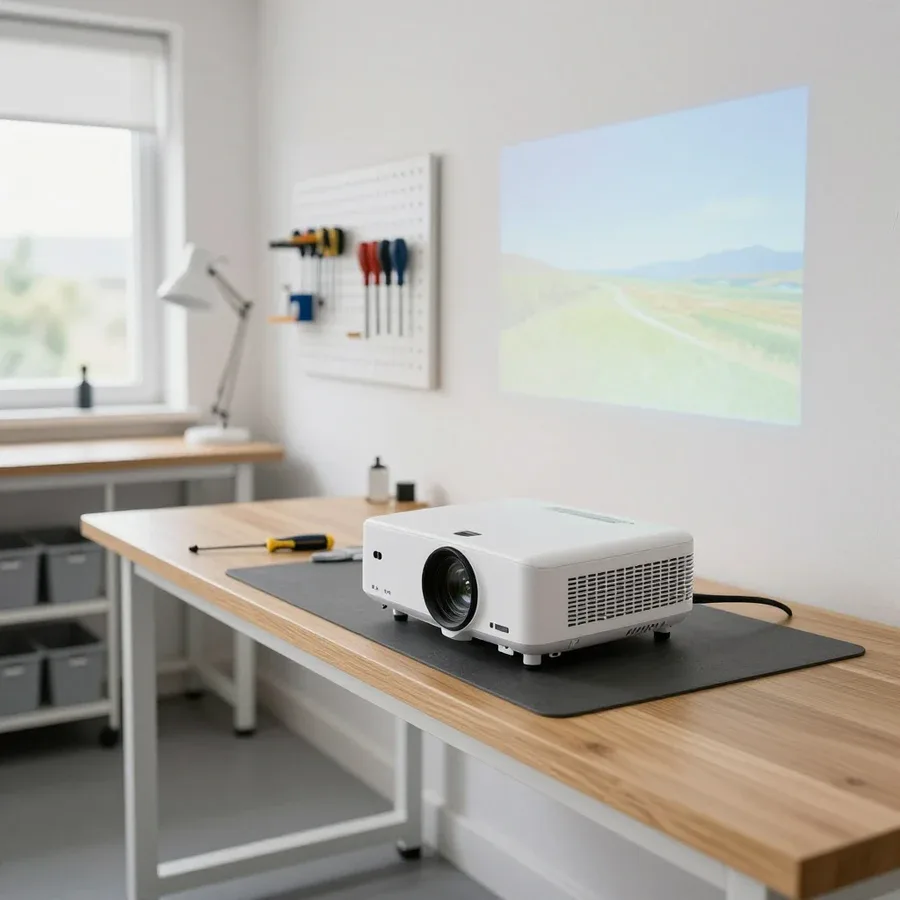 BeforeAfter

Five steps from request to checking the work.
The technician confirms the visit time and checks whether access to the installation site is available.
Tell us the model, symptom, and installation conditions — the technician will bring the right tools.
The technician checks power, lamp, and signal inputs and identifies the cause.
Work is performed after the scope and price are agreed.
The technician shows the result and explains how to use the projector going forward.
The computer and laptop repair department in Almaty has 7 technicians with 6 to 15 years of experience.

The department has 7 specializations — they are listed on the technicians' cards.
experience10 yearsGraphics card repair technician
 experience6 years
PC and laptop diagnostics technician
 experience8 years
Laptop repair engineer
 experience10 years
Software installation specialist
 experience7 years
PC and laptop repair technician
 experience13 years
Diagnostics and virus removal specialist
 experience15 years
Consultant
We reply during working hours
A short request — and the technician arrives with free diagnostics. 1-year warranty on labor and parts.

Warranty question? Call us
+7 (778) 021 13 16Tech Service is a direct provider of projector repair in Almaty: our technician arrives at your home within 60 minutes or takes the device to our service center. Diagnostics are free, we agree on the repair after diagnostics, and we provide a 1-year warranty on labor and parts. Technicians with 4 to 20 years of experience repair lamp, LED, and laser models.
Most often, customers come to us with three complaints: the device won't start, it turns off after a couple of minutes of operation, or it starts humming louder than usual. Let's look at the likely causes of each symptom and what the technician does.
Most often, the power supply or the remote control receiver is to blame, and during diagnostics we check the startup circuit first. The power supply ensures the device starts: it converts mains voltage into the operating lines that power the lamp, cooling system, and control board. The remote control receiver is a separate unit on the front panel: if it doesn't receive a signal, the device doesn't respond to buttons even though the power is fine. During free diagnostics, we test both circuits and check whether voltage reaches the control board and whether it holds under load. We also check the power button itself — mechanical wear of the contact is common in models that are frequently turned on manually. If the standby indicator doesn't light up at all, the issue is almost always with the power supply, not the lamp — don't rush to buy a new light source. If you need projector repair in Almaty, the technician will check the startup circuit and identify the cause after diagnostics.
This is a classic sign of overheating — the protection kicks in, and in our experience this symptom first leads to checking the cooling system. The impeller pushes air through the heatsinks and lamp housing, while the dust filter traps fine particles that settle on the blades and in the channels. A clogged dust filter and a stopped fan produce the same effect as a worn-out lamp, so replacing the light source without checking the airflow is pointless. The technician opens the case, assesses the condition of the impeller and air channels, checks whether it spins up when power is applied and whether the bearing is stuck. Based on the diagnostics, they identify the cause and explain what needs cleaning and what needs replacement. The technician also checks whether the air intake is blocked: a device placed close to a wall or in a niche heats up faster and goes into protection earlier than it should.
Spots, dots, and dimming are the most common image-related complaints from owners of projection equipment. Below we explain how to tell a light source defect from optics contamination and a matrix failure.
Spots are most often caused by dirty optics or matrix degradation, and we distinguish them by the nature and color of the defect during diagnostics. Gray dots scattered across the entire field usually mean dust inside the optical block: it settles on lenses and in the airflow channel, and when heated, it shifts and 'floats' across the frame. A pink, green, or any other colored spot in one place indicates the LCD matrix or the DLP chip and color wheel — there the defect is tied to pixels or a wheel sector and does not move. A dark spot with sharp edges often turns out to be a burned-out area of the matrix itself. During diagnostics, we check whether the defect changes position when focusing: if it shifts, it's dust on the lens; if it stays in place, the problem is in the matrix or wheel. If you want to repair your projector and get a clean picture back, a technician will determine the cause of the spots during free diagnostics.
Gradual dimming is most often due to natural wear of the light source, while sudden dimming is due to contamination of the optics or filter. The projector lamp degrades over time: light output drops smoothly, month after month, and the owner notices it not immediately but by the fact that the picture has become dull and external light has to be dimmed. The dust filter and lenses behave differently — contamination builds up in jumps, and the image dims noticeably after a move, room renovations, or dust season. During free diagnostics, we check the airflow, the condition of the filter and optical block, and by the nature of the dimming we estimate the remaining life of the consumable. If the picture dims evenly across the entire field, it's almost always the light source's lifespan; local dark zones indicate optics.
| Projector type | Common consumable | What we check first |
|---|---|---|
| Lamp | Projector lamp | Lamp life, airflow, filter |
| LED | Optical block | Matrix, optics, power supply |
| Laser | Optical block | Matrix, control board, airflow |
The projector doesn't see the laptop or freezes and doesn't respond to remote commands — we'll figure out where to look for the cause and what to check before calling a technician.
In half of the cases, the HDMI cable or signal source is to blame, and during diagnostics we first check the port and cable, then the board. The connector on the projector body loosens over time: the plug sags under the weight of the cord, contacts oxidize, and the picture from the laptop disappears or flickers. The second common culprit is the cable itself: pinched, with a break near the plug, or a too-long passive option loses signal over long distances. The third scenario is resolution and frame rate that the laptop outputs beyond the projector matrix's capabilities, then there's no image at all or it appears for a second. During free diagnostics, we connect a known-good cable and a second source to separate the accessory from the electronics. If another setup gives the same picture, the problem is already in the HDMI port or control board, not the source.
Freezes and lack of response to commands most often point to the control board or signal receiver, not the remote itself. The control board receives commands from the IR receiver, distributes them to components, and maintains the projector menu — if the firmware fails or traces are damaged, the image freezes, buttons don't work, and fans keep running. The receiver is a separate part behind the dark window on the body: it catches the infrared signal and passes it on, and if it fails, the projector doesn't hear the remote, although buttons on the body respond. Don't confuse these two failures: a faulty receiver affects only remote control, a faulty board affects all operation logic. Before blaming the electronics, check the batteries and IR receiver — sometimes freezing turns out to be a simple lack of signal from the remote.
Some breakdowns are fixed on-site, while others require disassembly in the workshop — the format depends on the component. Let's go over the criteria so you know what to expect from a technician's visit and when the projector will need to be brought to us.
We handle most typical breakdowns at your home — from power and cooling to signal setup — and a technician arrives within 60 minutes anywhere in the city. On site, they check the power supply, connectors, cables, fans and filters, and reset the signal input from the laptop and remote. Ceiling mounting and projector installation in a home theater don't get in the way — the technician works with the unit as it is. If the case is more complex and requires disassembly, our projector repair service center steps in. Most often, a visit resolves cases where the device won't turn on due to a contact issue, overheats from a clogged filter, or loses signal because of a cable. An on-site visit is convenient when the unit is ceiling-mounted or built into a home theater — there's no need to take it down for service, and the equipment can be fixed without removing the mount.
Matrix replacement and deep optical cleaning are done at our service center because they require disassembly and work with the optical block. The matrix and lenses are the most sensitive components of a projector: dust on the optics causes spots on the image, and a damaged matrix leads to dead pixels and color stripes. Such operations are performed in the workshop, not on a coffee table under the ceiling, where every speck of dust would settle on the lens and bring the defect back. Service maintenance also includes lamp replacement when the unit can't be reached without removing the casing. If the on-site technician sees that the breakdown is a 'service center' job, they will say so honestly after diagnostics rather than trying to fix it blindly at home.
The exact time depends on the breakdown and parts availability, and we give it after free diagnostics, not in advance. The duration is affected by the type of breakdown: signal setup or filter replacement are done on-site, while work with the optical block requires the workshop. The second variable is the replacement part: the duration depends on which part is needed and whether it's in stock or has to be ordered separately. The format also matters — an on-site visit is usually faster than disassembling and reassembling the unit at the service center, where hours for transportation and queue are added. After diagnostics, we give you the cost and time of work, and work begins only after your approval. The earlier diagnostics are done, the clearer it is how long everything will take — so don't delay calling a technician when there's an obvious symptom: an early call saves time and lets you plan the repair in advance.
Let's go over how the free equipment check works, what information the specialist provides at the end, and what exactly the 1-year warranty covers — from the completed repair to the installed part.
We offer free projector diagnostics: a technician checks the power supply, cooling, optics, and signal, then tells you the likely cause. First, they inspect the power supply and measure voltages — a drop on the bus often explains why the device won't start. Next, they check the fan and temperature sensors: a dust-clogged cooling system causes overheating and emergency shutdown after a couple of minutes of operation. The optical unit is checked for cloudiness and misalignment, and signal reception from a laptop via HDMI and VGA is tested separately. Based on the results, the technician explains which part has failed and what actions are needed. The check is not about finding extra charges but about not replacing a lamp when the fan is to blame — the cause and the actions must match.
We provide a 1-year warranty on labor and parts, meaning we stand behind both the quality of our work and the installed part. This means that if the same issue recurs due to our fault, you don't pay twice. Some components don't show defects immediately but after several months of operation under load — that's why the warranty also covers parts. A warranty on parts is important because individual parts fail not right away but months later — then the replacement is covered under warranty. The terms apply to all work performed, whether it's fan replacement, optical unit cleaning, or power board repair. If after service the device behaves differently than before the breakdown, we investigate the cause under warranty.
We'll explain which types and brands of projectors we service and what criteria to use when choosing a service provider, so you don't overpay for work and don't end up without a warranty.
We service lamp, LED, and laser projectors, including portable, office, and home models. Lamp-based devices are brought in more often due to the lamp's lifespan and power supply, LED models — due to overheating and gradual matrix degradation, laser ones — due to optics and cooling system. Portable models have weak spots in power connectors and the built-in battery, office models — in dust-clogged ventilation and filters, home theater models — in the color wheel and optics. We provide free diagnostics and use it to determine what exactly has failed in a specific model. The failure patterns are similar across most models; the parts and their availability differ, so for a specific model we clarify in advance what can be replaced.
Tech Service is a direct service provider with its own technicians, not an aggregator or intermediary, so we are responsible for the work and the warranty. Our technician comes to your home within 60 minutes anywhere in the city or picks up the projector for service, and the same person handles the device from diagnostics to return. With an aggregator, a dispatcher stands between you and the technician, and responsibility for the result is blurred between the platform and the contractor: if the breakdown recurs, it's unclear who should fix it. With a direct service, there's only one responsibility — whoever did the repair is accountable. Our warranty is 1 year on labor and parts, and it rests on a single provider, not a chain of intermediaries. Our technicians have 4 to 20 years of experience, so they recognize rare faults by symptom rather than by trial and error.
Projector repair rarely comes down to a single part replacement: the symptom and the cause are different things, and the choice of contractor affects the outcome more than you might think. Below is a short summary to help you decide.
Tech Service technicians repair other appliances too — with the same 1-year warranty on labour and parts.
 Refrigerator Repair in Almatyfrom 3 000 ₸
 Washing Machine Repair in Almatyfrom 3 000 ₸
 Dishwasher Repair in Almatyfrom 3 500 ₸
 Oven Repair in Almatyfrom 3 000 ₸
 Cooktop Repair in Almatyfrom 3 500 ₸
 Air Conditioner Repair in Almatyfrom 3 500 ₸
 Boiler and Water Heater Repair in Almatyfrom 2 500 ₸
 Freezer Repair in Almatyfrom 6 000 ₸
 Tumble Dryer Repair in Almatyfrom 5 000 ₸
 Coffee Machine Repair in Almatyfrom 2 500 ₸
 Robot Vacuum Cleaner Repair in Almatyfrom 3 500 ₸
 Vacuum Cleaner Repair in Almatyfrom 1 500 ₸
 Microwave Oven Repair in Almatyfrom 2 000 ₸
 Hair Dryer Repair in Almatyfrom 1 500 ₸
 Iron Repair in Almatyfrom 3 000 ₸
 Electric Kettle Repair in Almatyfrom 2 500 ₸
 Mixer Repair in Almatyfrom 2 500 ₸
 Multicooker Repair in Almatyfrom 500 ₸

If your laptop screen is broken, turn the device off first, don't press on the display, and check the picture through an external monitor.
12 March 2026 · 11 minutes read
If your laptop freezes, the first thing to do is restart it and check Task Manager to see what's loading the CPU and memory.
25 January 2026 · 12 minutes read
If your computer won't turn on, start simple: check the outlet, power cable, switch on the power supply, and the power button.
19 January 2026 · 13 minutes read
If your laptop won't boot, first determine which of two states you're in: the device doesn't respond to the power button at all…
13 December 2025 · 12 minutes read








