 experience10 years
Maksim S.
Graphics card repair technician

A technician arrives within 60 minutes anywhere in the city. Diagnostics are free, and our technicians have 4 to 20 years of experience.
Our own technicians4 to 20 years of experience




Below are common symptoms and their likely causes. The technician pins down the exact cause during free diagnostics.
damaged USB cable or a driver fault
from2 500 ₸
worn gears or loose mountings
from2 500 ₸
broken ribbon cable or a worn potentiometer
from2 500 ₸
faulty motor or control board
from2 500 ₸
sticking contacts or a worn membrane
from2 500 ₸
calibration error or a faulty position sensor
from2 500 ₸
power supply noise or a worn motor
from2 500 ₸
dried grease or plastic rubbing
from2 500 ₸
1 visittime
from 2,500 ₸cost
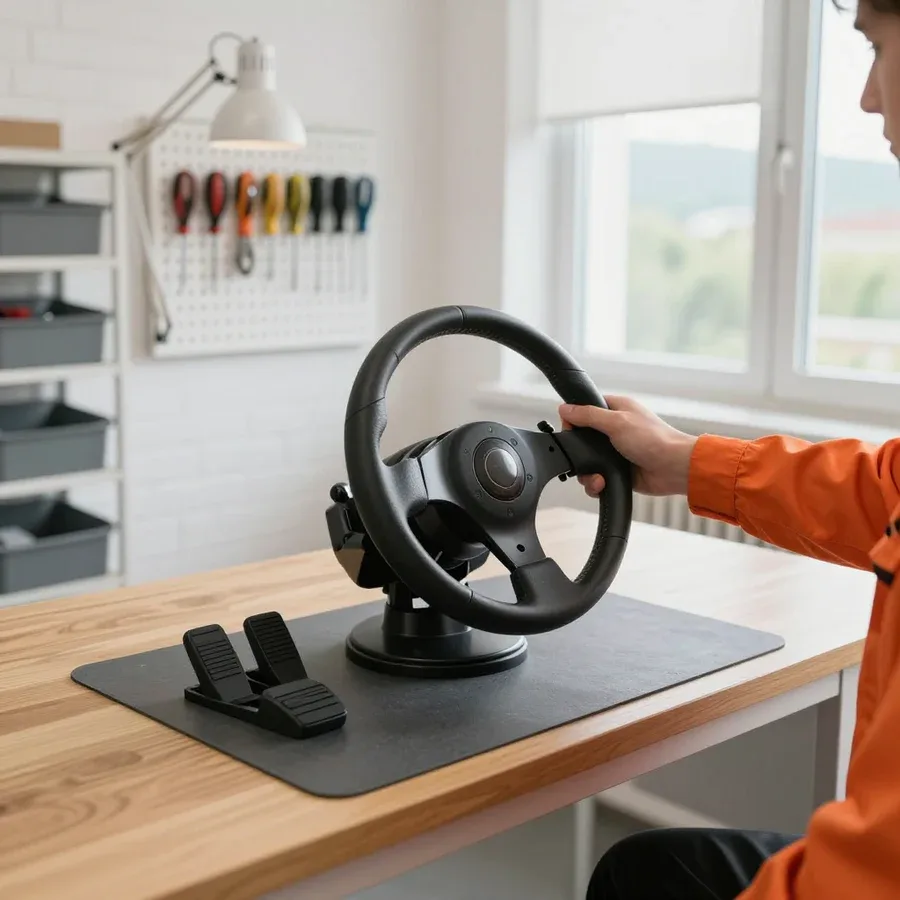 BeforeAfter

From request to final check in five steps, with free diagnostics.
Describe the symptom and the wheel model so the technician brings the right tools.
The technician comes to any part of the city and inspects the wheel on site.
The technician decides what the assembly needs: soldering, a part replacement, or cleaning and lubrication, and agrees on the option with you.
The technician shows the worn assembly and offers replacement options, and you decide what to install.
The technician marks the replaced assemblies and explains how to handle the first sessions.
The computer and laptop repair department in Almaty has 7 technicians with 6 to 15 years of experience.

The department has 7 specializations — they are listed on the technicians' cards.
experience10 yearsGraphics card repair technician
 experience6 years
PC and laptop diagnostics technician
 experience8 years
Laptop repair engineer
 experience10 years
Software installation specialist
 experience7 years
PC and laptop repair technician
 experience13 years
Diagnostics and virus removal specialist
 experience15 years
Consultant
We reply during working hours
Describe the wheel fault and a convenient time, and the technician will arrange the visit and check the device on site. Ask the technician about the payment procedure and parts availability.

Warranty question? Call us
+7 (778) 021 13 16We handle gaming steering wheel repair in Almaty as a direct provider: our own technician arrives within 60 minutes or takes the wheel into the service center. We fix force feedback, gears, belts, pedals, paddles and electronics. Diagnostics are free, with a 1-year warranty on labor and parts and technicians with 4 to 20 years of experience.
The motor creates the force on the rim, and gears, a belt or the rotor itself deliver it to the shaft. The drive layout decides which parts wear first and what will need replacing.
The wheels we see most often use a gear reduction drive, such as the Logitech G29 and G923, where the motor turns the shaft through a pair of helical plastic gears that multiply its modest torque. The design is cheap and reliable, but the teeth take every force feedback hit, and the factory grease thickens over time and collects dust. That is where the typical crunching on fast turns, notchy resistance and slight play around center come from. When we take on gaming steering wheel repair in Almaty with this drive, the technician opens the housing, inspects the teeth under a lamp, replaces the grease and fits a new gear if teeth are chipped. We also check the motor mounting, bushings and shaft bearing, because a loose assembly quickly chews up even a fresh part. Dry grease and a chipped tooth sound almost the same, so without opening the housing nobody can tell whether cleaning is enough or a replacement is needed.
On belt-driven Thrustmaster models such as the TX and T-GT, the motor transfers force to a large pulley through a toothed belt, so feedback is smoother and quieter. The weak spots are different here: the belt stretches and slips, the tensioner loosens, and the built-in power supply heats up during long sessions. In direct drive wheels like the Fanatec CSL DD or Moza R5, the rim sits right on the shaft of a powerful motor, there is almost no mechanism, and the main load falls on the power electronics and connectors. Our technicians, with 4 to 20 years of experience, start checking these bases with the power supply and driver, and only then look at the rotor, bearings and shaft position sensor. Correct tension matters on a belt wheel: an overtightened belt loads the motor bearings, while a slack one creates a dead zone when the direction changes.
| Drive type | What wears first | Where we start checking |
|---|---|---|
| Gears | teeth, grease, shaft bushings | gearbox and play inspection |
| Belt and pulleys | belt, tensioner, power supply | belt tension and heating |
| Direct drive | power board, connectors, cables | power supply and motor driver |
| No motor | return spring, angle sensor | return to center and axis |
The sound during rotation, behavior during self-calibration and the response to force feedback reveal the faulty assembly before anything is taken apart. These signs help you describe the problem to the technician more precisely over the phone.
Crunching on fast corners and a dull knock during sharp force feedback almost always point to the mechanics: worn gear teeth, a stretched belt, a damaged shaft bearing or a loose quick release on the rim. Play around center, when the rim turns a few degrees without resistance, usually means a worn gear seat on the shaft or a belt slipping on its pulley. Clicks at only one end of the range are often caused by a broken travel stop and a cracked housing post. A squeak during slow rotation usually means the bushing grease has dried, while a hum at high speed signals worn motor brushes. A simple test is to switch off the power and slowly turn the rim from lock to lock. If the knock is audible without power, the mechanics are to blame, and if it appears only in game, check how the motor is mounted to the frame.
At power-on, most force feedback bases run a self-calibration: the rim turns to its stops and returns to the middle. If the shaft gets stuck on one side at this stage, jerks or stops halfway, the steering angle sensor is usually at fault, which is an optical encoder with a slotted disc on some models and a magnetic Hall sensor on others. Dirt on the disc, a shifted optocoupler and a broken sensor wire produce a similar picture: the center drifts in game, and the car pulls to one side on a straight. Less often, calibration fails because of a weakened motor with worn brushes that lacks the force to turn the shaft to the stop, or a software glitch after a failed update. Before the technician arrives, remove the rim, check the quick release seating and power the base on again, since a skewed mount also throws off the centering.
| Symptom | Likely assembly | What we check |
|---|---|---|
| Force feedback is gone | motor, driver, belt | motor current and tension |
| Crunching on turns | gears, shaft bearing | teeth and shaft play |
| Center drifts in game | steering angle sensor | encoder and its disc |
| Throttle jitters untouched | pedal potentiometer | axis travel in a test |
| Rim buttons do not work | ribbon cable, hub connector | contacts and soldering |
| System does not see the wheel | USB cable, board | port, cable, firmware |
The pedal set and switches wear faster than the base because they take constant pressure from feet and fingers. Each assembly has its own sensor, its own mechanism and its own repair procedure.
If the throttle jitters in game, triggers without being pressed or jumps sharply from the middle to full, the resistive layer of the pedal potentiometer is usually worn or its moving contacts have oxidized. A potentiometer is a variable resistor whose wiper rubs along a carbon track, and over time worn spots appear on the track where the signal drops out. A similar effect comes from a pinched cable between the pedal set and the base, a loose connector, or a crack in the plastic lever that lets the sensor shaft slip. This is easy to check in the manufacturer's utility or in the Windows game controller settings: when you press the pedal slowly, the axis bar should move smoothly without jumps. A larger dead zone in game only hides the problem for a while, because the worn section of the track keeps growing.
When a paddle shifter stops changing gears or a button works only every other press, we replace the microswitch and resolder its leads. On Logitech and Thrustmaster wheels the paddles mount to the hub, and their signal travels through a thin ribbon cable or the spring contacts of the quick release, so we check the whole chain from the button to the base board. An H-shifter fails in its own way: plastic bushings wear down, detent springs weaken, the lever wobbles and the gear pops out of its slot. Similar faults happen with a separate handbrake and a sequential shifter that connect to the base by cable. When all rim buttons fail at once, the switches are almost never the reason; the cause lies in the hub connector or a frayed ribbon cable that suffers from frequent rim removal.
When the base shows no signs of life, shuts off under strong feedback and disappears from the system, the mechanics are usually not involved. We examine the electronic side of the wheel separately, from the power supply to the firmware.
If the base does not respond to the power button and switches off on a strong feedback hit, we start with the power supply, the connector and the motor driver. This type of gaming steering wheel repair in Almaty most often involves belt-driven models with a built-in supply: its capacitors lose capacity over time, so at peak current the voltage sags and the board reboots. On wheels with an external adapter, the weak point is the plug and socket, which loosen when the cable is pulled. The motor driver on power transistors runs hotter than the rest of the electronics and fails after long sessions at maximum feedback strength. A third-party adapter with a similar plug but a different voltage can burn out the driver in seconds, so it is better not to replace the original power supply with a random one.
When a PlayStation, Xbox or PC stops detecting the wheel, the cause is usually the USB cable, the compatibility mode switch, the firmware or a damaged socket on the board. Many Logitech and Thrustmaster bases have a platform selector slider on the housing, and an accidentally moved switch looks exactly like a fault. The cable often frays where it enters the housing, since it bends there every time the desk is turned, and the inner wires break without visible marks on the sheath. A firmware failure looks different: the base powers on but does not calibrate, and the computer sees an unknown device in bootloader mode. Before calling a technician, connect the wheel to another device and another port, as a couple of minutes separate a software cause from a hardware one.
After a drink spills on the base, cut the power immediately, unplug all cables and do not switch it on to test, because that gives us a better chance of saving the board. Liquid seeps through the gaps around the shaft and buttons, settles on the traces, and current then triggers corrosion and short circuits between chip pins. We open the housing, wash the drink residue off the board, restore damaged traces, resolder oxidized contacts and check the motor driver, which is the first to suffer from shorts. Wet pedals are easier to restore, since cleaning the potentiometers and the cable connector is often enough. A fall from the desk is dangerous in another way: the motor mounting posts crack, the clamp lugs break and the steering angle sensor shifts. Sugary soda keeps eating into the copper even after it dries, so waiting for the wheel to simply dry out on a radiator is not an option.
From the first call to the check in your favorite game, the work follows one routine. We choose the repair format by the faulty assembly rather than the technician's convenience, and explain the reason to the owner in advance.
| Job | Where we do it | What we check afterwards |
|---|---|---|
| Gear cleaning and lubrication | at home | smooth rotation |
| Belt tensioning and replacement | at home | feedback and dead zone |
| Pedal potentiometer replacement | at home | axis travel in a test |
| Board and connector soldering | at the service center | power and all axes |
| Restoration after a spill | at the service center | board, buttons, motor |
| Power supply repair | at the service center | heating and voltage sag under load |
We give a 1-year warranty on labor and parts, and the wheels are repaired by technicians with 4 to 20 years of experience. Tech Service is a direct provider: the technician comes to your home within 60 minutes anywhere in the city and takes complex repairs to the service center, without intermediaries or resold orders. You can pay in any convenient way, since we accept Kaspi QR, Kaspi Red, bank card, cash, or bank transfer for companies, and the technician names the cost in advance, after free diagnostics. After the repair, the technician recalibrates the base, checks force feedback, every axis and button, then shows the result in the game where the problem appeared and suggests feedback settings for that model. If the fault comes back, a precise description helps find it fastest: in which game, on which corner and at what feedback strength it shows up.
Repeat failures are linked more often to mounting, cables and settings than to the quality of parts. A few habits noticeably extend the life of the base's mechanics and electronics.
A wheel lasts longer when the base is firmly fixed to a desk or stand, the cables run freely and the mechanism does not fill up with dust. A loose clamp lets the housing shift on every feedback hit, and the load goes into the plastic posts and gear teeth. The cockpit mounting bolts are worth tightening after a few weeks of active racing, especially on powerful bases. Pedal and power cables should not stretch when the desk is turned or end up under the chair casters, because that is where insulation wears through most often. In a home with pets, fur quickly packs into the vents and the gearbox, so it is better to cover the wheel and store it away from the radiator. Once a season it helps to blow out the vents with compressed air without opening the housing.
After a repair the base is calibrated again, and firmware is updated only with the manufacturer's own software, without unplugging the cable until the process ends. A connection drop mid-write is the most common reason a wheel gets stuck in bootloader mode and stops being detected. In the utility, set the rotation angle to suit the car class: rally and drifting need a smaller range, while road cars need a larger one. Excessive force feedback in game keeps the motor at maximum current, heats the driver and speeds up wear of the gears and belt. Keep the pedal dead zone minimal, and when the axis first starts jumping, check the sensor instead of enlarging the zone. A comfortable feedback level is one where the wheel feels alive but does not rip out of your hands over bumps.
We recommend a repair when a single assembly has failed, such as a gear, belt, sensor, potentiometer or connector, while the housing, motor and board are fine. These parts are replaced without swapping the whole base, and the pedals and shifter keep working with the same wheel, so there is no need to buy the full set again. A new purchase makes sense if the motor and power board are damaged at the same time, or the housing has cracked where the shaft is mounted. For budget wheels without force feedback, a repair pays off when the return spring, buttons, angle sensor or cable break. The final answer comes from free diagnostics: the technician names the cost, and the decision stays with you. Compare it with the price of a new wheel of the same class, not the simplest model.
A gaming wheel is a set of assemblies that wear in different ways, and most faults can be identified in advance by sound, behavior and response to force feedback before anything is taken apart.
Tech Service technicians repair other appliances too — with the same 1-year warranty on labour and parts.
 Refrigerator Repair in Almatyfrom 3 000 ₸
 Washing Machine Repair in Almatyfrom 3 000 ₸
 Dishwasher Repair in Almatyfrom 3 500 ₸
 Oven Repair in Almatyfrom 3 000 ₸
 Cooktop Repair in Almatyfrom 3 500 ₸
 Air Conditioner Repair in Almatyfrom 3 500 ₸
 Boiler and Water Heater Repair in Almatyfrom 2 500 ₸
 Freezer Repair in Almatyfrom 6 000 ₸
 Tumble Dryer Repair in Almatyfrom 5 000 ₸
 Coffee Machine Repair in Almatyfrom 2 500 ₸
 Robot Vacuum Cleaner Repair in Almatyfrom 3 500 ₸
 Vacuum Cleaner Repair in Almatyfrom 1 500 ₸
 Microwave Oven Repair in Almatyfrom 2 000 ₸
 Hair Dryer Repair in Almatyfrom 1 500 ₸
 Iron Repair in Almatyfrom 3 000 ₸
 Electric Kettle Repair in Almatyfrom 2 500 ₸
 Mixer Repair in Almatyfrom 2 500 ₸
 Multicooker Repair in Almatyfrom 500 ₸

If your laptop screen is broken, turn the device off first, don't press on the display, and check the picture through an external monitor.
12 March 2026 · 11 minutes read
If your laptop freezes, the first thing to do is restart it and check Task Manager to see what's loading the CPU and memory.
25 January 2026 · 12 minutes read
If your computer won't turn on, start simple: check the outlet, power cable, switch on the power supply, and the power button.
19 January 2026 · 13 minutes read
If your laptop won't boot, first determine which of two states you're in: the device doesn't respond to the power button at all…
13 December 2025 · 12 minutes read








