 experience10 years
Maksim S.
Graphics card repair technician
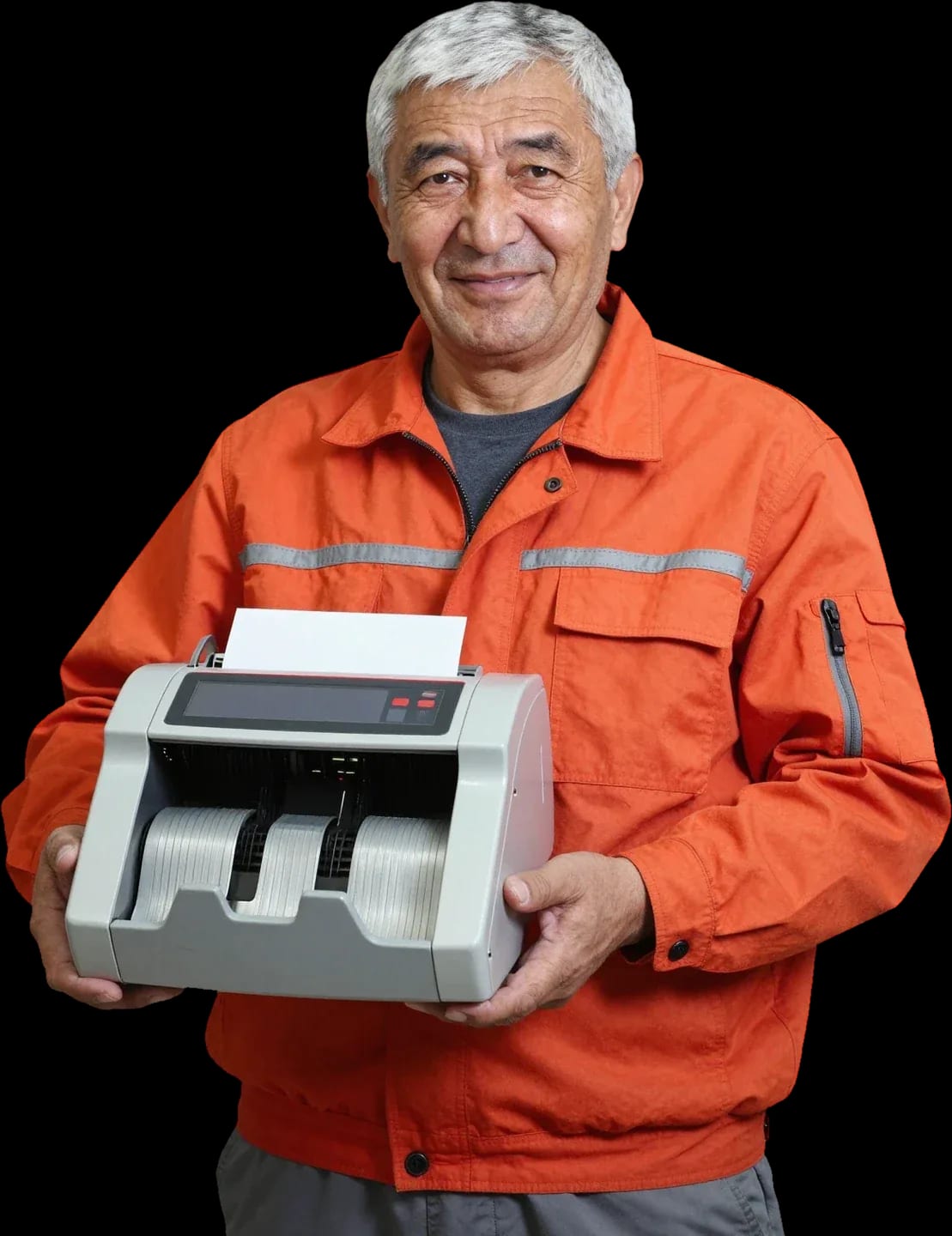
A technician arrives within 60 minutes anywhere in the city. Diagnostics are free — the technician identifies the cause and gives you the price.
Our own technicians4 to 20 years of experience




Repair prices
Below are typical symptoms customers bring to our service. Pick the one that fits to describe the problem to the technician.
jam, worn rollers, sensor
from2 500 ₸
dirty head, worn card reader
from11 000 ₸
sensor, clog, calibration
from4 000 ₸
software, overheating, power supply
from9 000 ₸
thermal head, paper, feed mechanism
from10 500 ₸
code points to a specific unit
from16 500 ₸
bearings, belt
from3 000 ₸
power, fuse, board
from9 000 ₸
1–2 hourstime
from 10,500 ₸cost
 BeforeAfter

From request to check — five steps with free diagnostics.
Describe the symptom and model — the technician will prepare for the visit.
The technician arrives anywhere in the city within 60 minutes of your request.
The technician selects parts for the stated model and symptom in advance to avoid a second visit.
You approve the scope of work and the price, then the technician starts.
The technician records replaced units and the error code so the customer keeps a list of completed actions.
The computer and laptop repair department in Almaty has 7 technicians with 6 to 15 years of experience.

The department has 7 specializations — they are listed on the technicians' cards.
experience10 yearsGraphics card repair technician
 experience6 years
PC and laptop diagnostics technician
 experience8 years
Laptop repair engineer
 experience10 years
Software installation specialist
 experience7 years
PC and laptop repair technician
 experience13 years
Diagnostics and virus removal specialist
 experience15 years
Consultant
We reply during working hours
Leave a request and describe the symptom — the technician will prepare for the visit. 1-year warranty on labor and parts, we accept Kaspi QR, Kaspi Red, card, cash or bank transfer.

Warranty question? Call us
+7 (775) 031 92 28Tech Service repairs banking equipment in Almaty as a direct provider: our technician arrives at your home or office within 60 minutes, or the equipment is repaired at our service center. Diagnostics are free, you get a 1-year warranty on labor and parts, and our technicians have 4 to 20 years of experience.
We restore the equipment that keeps your cash register and payment station running—from bill counters to exchange rate displays. Below we break down the categories and what most often breaks in each.
We service banknote and coin counters and sorters from various brands—from compact desktop models to cash sorters with rejection. Our banking equipment repair in Almaty starts with checking the feed path: rollers, pressure springs, and guides wear out from dust and heavy banknote flow. On sorters, we separately test the IR and UV recognition sensors—they are responsible for authenticity and denomination, and when they get dirty, the machine confuses denominations or sends the bill to the reject pocket. Coin counters more often suffer from contamination of the disc and passage sensor, as well as wear of the rubber rollers that stop grabbing the coin. On sorters with a reject pocket, it's often not the counting itself but the recognition sensors that suffer—so "inaccurate counting" and "bill goes to reject" are fixed by calibration, not by replacing the unit. We perform this banking equipment repair in Almaty with a check of every unit in the path and sensors.
We service cash registers with a cash drawer, receipt printers, and card readers—the components without which a store can't close a shift or accept card payments. In cash registers, we check the drawer lock, the dispensing mechanism, and the connection to the fiscal module: a stuck drawer and a frozen shift are more often related to the lock mechanics than to the firmware. In receipt printers, the print head wears out and the receipt tape breaks—when printing is faint, we first look at the pressure and clean the head, and a tape break is traced to the guides and tensioner. In card readers, we diagnose the reader, contacts, and cables that get worn from frequent card insertion. If the register "doesn't see" the card but the receipt prints, the problem is almost always in the reader or its cable, not in the POS software—so it's worth starting diagnostics with the card reader.
We take on banknote packers, document and passport detectors, and currency exchange rate displays—equipment often considered "secondary" until it stops the floor. In packers, we check the drive, heating element, and tape feed mechanism: if the thermal head sticks, the banknote comes out unsealed, and if the drive wears out, the tape breaks in the middle of the stack. In document and passport detectors, we test the backlight lamps, sensors, and power supply—due to voltage drop, the device gives false errors or fails to recognize security features. We break down currency exchange rate displays by display segments and power: burnt-out segments and flickering point to different components. In rate displays and detectors, the power supply or backlight often fails more often than the "brains"—so replacing the unit is usually cheaper and faster than it seems at first glance.
| Category | What we check | Common work |
|---|---|---|
| Counters and sorters | path, sensors, rollers | cleaning, calibration, roller replacement |
| Cash registers and receipt printers | print head, tape, cables | print restoration, unit replacement |
| Card readers | reader, cable, contacts | reader repair |
| Packers and detectors | drive, power supply, backlight | drive and power repair |
| Rate displays | power supply, display | unit replacement |
Every "it keeps jamming banknotes" or "it won't print the receipt" has a specific cause — let's look at the most common ones so you understand what's happening with the equipment before the technician arrives.
Most often, the counter jams banknotes because of worn feed rollers and a dirty paper path — paper dust sticks to the rubber, and the grip becomes uneven. The banknote feed path involves the feed rollers, the separator, and the double-feed sensor: when the separator is worn, the machine pulls two banknotes at once and stops with an error. Banknote dust clogs the optics in the path, the rollers lose traction, and the banknote goes in crooked. Our technicians replace worn feed rollers and the separator — after that, the grip is even again, without jerking or jams. Sometimes the owner just blows out and cleans the machine, but that only helps for a while: the rubber doesn't recover, and a few days later the stack jams again. If jamming comes back a week after cleaning, it's not dirt but worn rollers — they need to be replaced, or the banknotes will start tearing.
Inaccurate counting and error codes are most often linked to dirty IR and UV sensors and the thickness sensor — they "go blind" and misread the denomination or format of a banknote. The counter's optics collect dust, the format sensor drifts, and the machine confuses denominations or stops mid-stack. Calibrating the sensors brings recognition back to normal, but the optics must be cleaned first — otherwise the adjustment sits on dirty lenses and the result won't last long. An error code on the screen isn't a death sentence for the unit but an indication of which sensor failed the check: the technician immediately knows what to clean and calibrate and doesn't take the machine apart at random. Calls about "incorrect counting" are often resolved with cleaning and calibration without replacing parts.
A faint receipt and a torn ribbon mean wear on the print head, incorrect ribbon loading, or the ribbon getting stuck in the feed unit. Over time, the thermal head "sags," the dots burn weaker, and the text comes out gray. Receipt ribbon tears if it's not loaded along the guides or if the roll is the wrong thickness — the ribbon feed unit jams the edge and stops printing. We restore the print head and the receipt ribbon feed unit: clean, set the pressure, and check the feed with a test print. We also check whether the pressure was knocked off after a careless roll change — that little thing causes exactly the same faintness as wear. If the head has "sagged," cleaning gives only a temporary effect — printing recovers briefly, and the unit will still need replacing, so don't put off the replacement.
If the register won't open a shift, the cause can be either hardware (card reader, cable, power supply) or software — and only diagnostics can tell them apart. The card reader doesn't read the chip or magnetic stripe, the cable between the terminal and the register comes loose, the power supply drops under load — all of these cause an error when starting a shift. Software errors and updates add their own codes that are easy to confuse with hardware ones: a failure after an update looks like a hardware breakdown. We fix software errors and on-screen codes while checking the hardware at the same time — so the cause is found in one visit, not after a series of guesses. A simple test — try a card payment and a cash payment: if the card isn't read but cash goes through, the problem is in the card reader, not the register software.
For banking equipment, register downtime means the point stops working, so the format of the work matters as much as the breakdown itself — let's look at what we fix on-site and what needs the service center.
At your home or office, we fix issues that don't require disassembling down to the circuit board — cleaning the paper path, replacing feed rollers, calibrating sensors, restoring print quality, and servicing the card reader. A technician arrives within 60 minutes anywhere in the city, which covers most such calls: the counter jams banknotes due to a clogged paper path, receipts print faintly because of the print head pressure, the card reader fails to read cards due to dirty contacts. Diagnostics are free, so the technician confirms the cause before starting work and gives you the price right away. In our experience, on-site service for a cash register is often more cost-effective than taking it to the shop: your point of sale doesn't sit idle while the equipment is in service, and the specialist works right on the floor. Moreover, some failures only show up under real load — you can't reproduce that scenario away from the point of sale.
You bring equipment to the service center when work involves the drive mechanism, power supply, or replacing a unit that requires disassembly — these operations can't be done neatly on-site. The feed drive, stacker, and power supply require opening the case and testing under load, and such manipulations on-site risk adding a new problem to the old one. We provide a 1-year warranty on labor and parts, and it applies equally to both formats. If the counter shows no signs of life at all, don't wait for an on-site technician — such a case will still require the service center, and it's better to discuss this when you call so you don't waste time on an unnecessary visit. The technician will still confirm the diagnosis on-site, but a failed power supply will have to be brought to the workshop anyway.
| Format | What we repair | When it's suitable |
|---|---|---|
| On-site | cleaning, rollers, calibration, printing, card reader | the point of sale must not sit idle |
| At the service center | drive, power supply, replacement of units | disassembly is needed |
| Diagnostics | determining the cause | the cause is unclear |
Most breakdowns of currency counters and sorters start with a dirty paper path. Here's what preventive maintenance for banking equipment includes and how often to do it.
Preventive maintenance includes cleaning the paper path, feed rollers, and sensors, checking the drive, and calibrating the IR/UV sensors after cleaning. We remove dust and paper dust from the guides, wipe the counting sensor optics, and inspect the rollers for wear — they are responsible for grabbing and feeding banknotes without skewing. Checking the drive reveals whether the belt slips or there is play in the assemblies. Calibration is mandatory after cleaning: sensors that have been wiped lose their settings, and without adjustment the machine starts making mistakes in denominations. Cleaning without subsequent calibration has the opposite effect — after dust removal the sensors "drift," and counting becomes more error-prone than before maintenance. That's why this work is entrusted to a technician, not a dry cloth.
The frequency of preventive maintenance is determined by workload: the more banknotes pass through the counter per day, the more often the paper path needs cleaning and the rollers need checking. At cash registers with a heavy flow, the paper path clogs faster than on equipment in a small department, so focus on the volume of operations, not on the overall age of the machine. Dust, paper dust, and humidity accelerate wear on the feed rollers, and dirty sensors trigger error codes on the screen. In our experience, counters that are cleaned according to a schedule based on load less often end up in the service center for feed unit repairs. Focus not on the calendar but on the behavior of the equipment — the first "extra" stops and occasional counting errors are already a signal to schedule preventive maintenance. A technician arrives within 60 minutes anywhere in the city and records the condition of the paper path before cleaning.
Regular maintenance extends the life of components and reduces the risk of a sudden point-of-sale shutdown, while a technician visit is already a reaction to a breakdown. Scheduled care costs less than replacing the feed unit: roller wear builds up gradually, and wear spotted in time doesn't turn into jammed banknotes during rush hour. Repair of the unit starts only after the equipment has already stopped, and the point loses time to downtime. We replace worn feed rollers and adjust the paper path so the machine feeds bills smoothly again and doesn't stop mid-stack. Maintenance and cleaning of the paper path take the technician less time than replacing the unit, and they avoid cash register downtime in the middle of the workday. If the equipment breaks down again for the same reason, it's worth looking into the operating conditions rather than repairing it again — often the cause is dust, humidity, or overload.
While the technician is on the way, a few simple steps can help you avoid making the breakdown worse and speed up diagnostics. Here's what to do and what definitely not to do.
Before the technician arrives, just clear access to the equipment and have information ready about what broke and when. If the machine is in a tight cash register area, move nearby equipment in advance: the technician needs access to the back panel and connectors, otherwise diagnostics will take longer. We arrive within 60 minutes anywhere in the city, and diagnostics are free — based on the results, the specialist will name the cause and next steps. A cluttered workspace delays diagnostics, so a five-minute cleanup around the machine saves time for both the technician and the cashier. Keep nearby the banknotes that caused counting errors and the tape that printed with gaps — these samples help the technician reproduce the failure faster. Find out in advance which employee saw the moment of breakdown: their description is often more accurate than any code on the screen.
Before entrusting your equipment, it's important to understand how diagnostics work, what the warranty covers, and how payment is handled. Let's go over the terms under which we work with banking equipment.
Diagnostics are free: the technician identifies the cause of the problem and only then quotes the repair cost. During the visit, they check the feed mechanism, the condition of the sensors and optics, test the printing unit and card reader — recording the inspection result for each component and noting what needs attention. If the cause is a jam, a worn roller, or incorrect settings, the issue is often fixed on the spot and the device goes back to work without replacing parts. For more complex tasks, you get a clear explanation: which component failed, what work is needed, and how much the repair will cost. Approving the cost after diagnostics protects you from surprises — you know upfront what you're paying for and can decline the work.
We provide a 1-year warranty on labor and parts — if the same problem recurs due to our work, we'll fix it under warranty. This covers mechanical feed components, counter electronics, and cash register print heads. The warranty period is the same for on-site service and in-shop repairs, so the service format doesn't affect the terms. For a repeat request, the technician returns to the same component they serviced and checks it first. The warranty also applies to repeat calls for the same issue — so it's important to remember which component was serviced, so the specialist can go straight to the right place and not waste time re-diagnosing the cause.
Our technician comes to you with 4 to 20 years of experience — we're the direct provider, not an intermediary, so the person who diagnosed the device is the one who repairs it. Such an engineer understands how the machine works: which component fails most often and what to look for during inspection. A visit anywhere in the city takes up to 60 minutes, and upon arrival the technician works on the equipment right at your location. You can pay in any convenient way — we accept Kaspi QR, Kaspi Red, card, cash or bank transfer, including cash and bank transfer. The technician will agree on the payment method on site so the payment is settled right after the work. Fast arrival and straightforward payment matter for a bank branch: every minute a counter or cash register is down means customer queues and delays in service.
Troubleshooting banking equipment comes down to a few practical takeaways: what causes a failure, where the device is repaired, and how to avoid making things worse before a specialist arrives.
Tech Service technicians repair other appliances too — with the same 1-year warranty on labour and parts.
 Refrigerator Repair in Almatyfrom 3 000 ₸
 Washing Machine Repair in Almatyfrom 3 000 ₸
 Dishwasher Repair in Almatyfrom 3 500 ₸
 Oven Repair in Almatyfrom 3 000 ₸
 Cooktop Repair in Almatyfrom 3 500 ₸
 Air Conditioner Repair in Almatyfrom 3 500 ₸
 Boiler and Water Heater Repair in Almatyfrom 2 500 ₸
 Freezer Repair in Almatyfrom 6 000 ₸
 Tumble Dryer Repair in Almatyfrom 5 000 ₸
 Coffee Machine Repair in Almatyfrom 2 500 ₸
 Robot Vacuum Cleaner Repair in Almatyfrom 3 500 ₸
 Vacuum Cleaner Repair in Almatyfrom 1 500 ₸
 Microwave Oven Repair in Almatyfrom 2 000 ₸
 Hair Dryer Repair in Almatyfrom 1 500 ₸
 Iron Repair in Almatyfrom 3 000 ₸
 Electric Kettle Repair in Almatyfrom 2 500 ₸
 Mixer Repair in Almatyfrom 2 500 ₸
 Multicooker Repair in Almatyfrom 500 ₸

If your laptop screen is broken, turn the device off first, don't press on the display, and check the picture through an external monitor.
12 March 2026 · 11 minutes read
If your laptop freezes, the first thing to do is restart it and check Task Manager to see what's loading the CPU and memory.
25 January 2026 · 12 minutes read
If your computer won't turn on, start simple: check the outlet, power cable, switch on the power supply, and the power button.
19 January 2026 · 13 minutes read
If your laptop won't boot, first determine which of two states you're in: the device doesn't respond to the power button at all…
13 December 2025 · 12 minutes read








