Original
Battery from the laptop manufacturer
- Compatibility
- Fully matches the factory model
- Selection
- By part number or laptop model
- Controller
- Standard, no changes to the power system
- Cost
- Determined after free diagnostics

We'll arrive within 60 minutes anywhere in the city, run free diagnostics, and replace the battery with a 1-year warranty on labor and parts.
Our own technicians4 to 20 years of experience




1 yearwarranty on labor and parts
60 minutestechnician arrival anywhere in the city
freediagnostics
5
A lithium-ion battery loses capacity with every charge cycle. After several hundred cycles, battery life drops noticeably, and the laptop holds a charge for less and less time.
Cycle count and capacity
In the system report, the estimated capacity and cycle count differ from factory values.
Charge doesn't reach maximum
The indicator shows a full charge, but when you unplug from power, the percentage drops sharply.
Case swelling
The cover or touchpad protrudes, and the case warps—a sign of battery swelling.
Laptop shuts down by itself
At low charge, the device suddenly shuts down without warning.
Heat around the battery area
Noticeable heat is felt under the palms or on the bottom cover during use.
On models with a removable battery, these signs are visible right away; on built-in ones, after checking the system report.
Describe the symptoms1 visittime
from 7 000 ₸cost
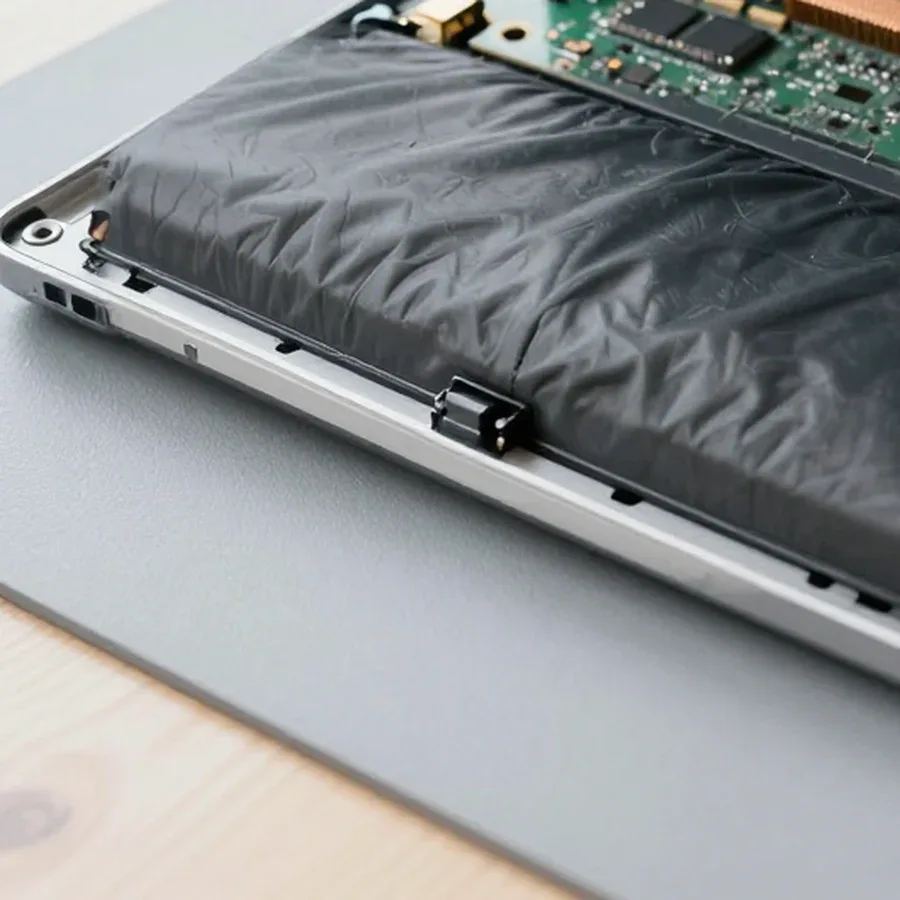
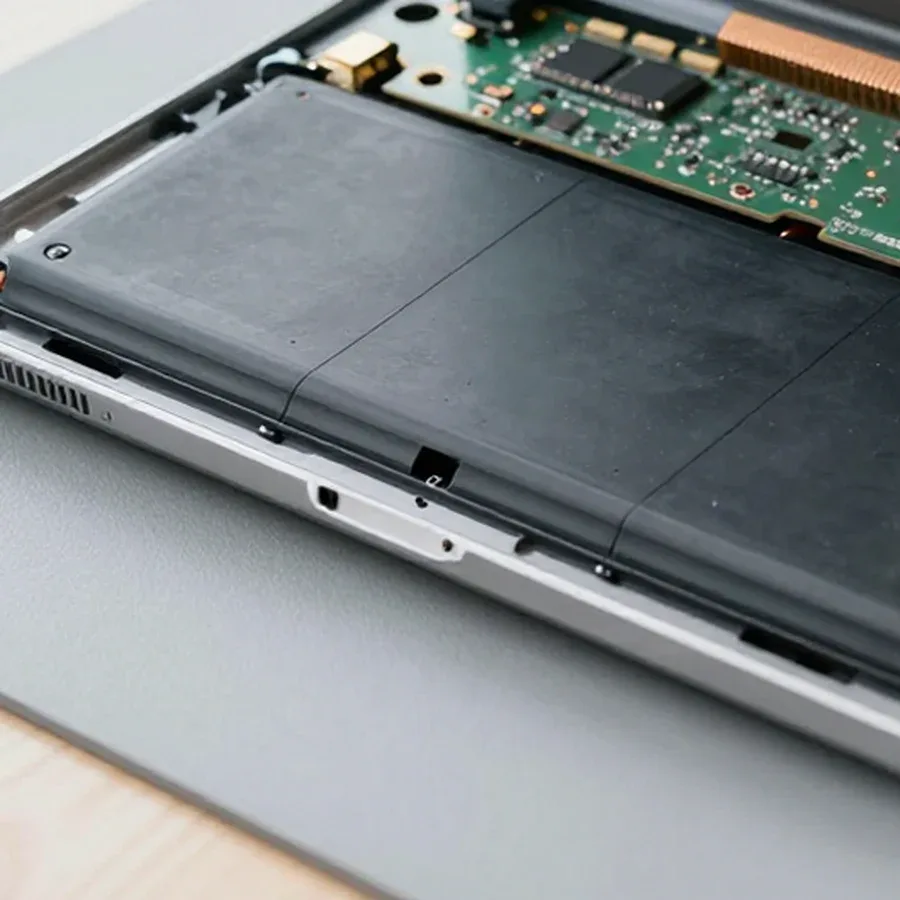 BeforeAfter
The computer and laptop repair department in Almaty has 7 technicians with 6 to 15 years of experience.

The department has 7 specializations — they are listed on the technicians' cards.
 experience6 years
PC and laptop diagnostics technician
 experience8 years
Laptop repair engineer
 experience7 years
PC and laptop repair technician
 experience10 years
Graphics card repair technician
 experience10 years
Software installation specialist
We reply during working hours
Tell us your laptop model and symptoms, choose a convenient time—the technician will arrive within 60 minutes anywhere in the city. 1-year warranty on labor and parts.

Warranty question? Call us
+7 (778) 746 01 65
Author: Dmitriy R.,PC and laptop diagnostics technician
Published
Updated
Tech Service replaces laptop batteries in Almaty at your home or in our service center: our technician arrives within 60 minutes anywhere in the city, diagnostics are free, and you get a 1-year warranty on labor and parts. The technician gives you the price after diagnostics, and you can pay via Kaspi QR, Kaspi Red, bank card, cash, or bank transfer for companies.
Battery wear is easy to confuse with a charging or system glitch, and that determines whether you actually need a replacement. During free diagnostics, we check the capacity, controller, and charging circuit so we don't replace a part that's still working.
We check battery capacity and wear during free diagnostics and distinguish degradation from a system glitch by how the charge behaves under load. Capacity degradation shows up as fast draining, percentage jumps, and the indicator showing charge that's no longer there. The battery controller then sends incorrect data, and the laptop goes to sleep earlier than it should. We watch how the charge behaves when you launch heavy programs and after unplugging the adapter — this shows the real health of the cells. If the percentage jumps or the device shuts down at 20–30%, the cause is more often worn cells and the controller, not Windows settings. We decide on the repair based on the test results, not a single symptom: the technician compares how the charge behaves under load with the controller readings and only then names the cause. Practical tip: before the visit, note at what percentage the laptop shuts down and how fast the charge drops under load — this will speed up diagnostics and help estimate the remaining capacity more accurately.
If the laptop only works when plugged in, we check the charging circuit and power connector so we don't replace a working battery; a swollen battery is replaced right away. The connector and charger can cause "not charging" just as often as the battery itself, so laptop battery repair starts with checking the whole chain, not just the cell. Swelling is visible by a bulging lid, a gap in the case, or a trackpad that no longer clicks. An unpleasant symptom is a trackpad that responds poorly or clicks on its own: that's the swollen section pressing from inside. Swelling is dangerous not because of lost capacity but because of the pressure on the case and trackpad, so it's better not to use such a battery until it's replaced: continued use increases pressure on nearby components. The case deforms gradually, and after installing a new battery, pressure marks on the lid may remain — check the case geometry before disassembly and note the gaps to assess the consequences.
Repairing a laptop battery isn't always justified: sometimes replacing individual components is enough, while in other cases it's more reliable to install a new unit entirely. Let's break down what the choice depends on and how we decide during diagnostics.
| What we compare | Repair | Replacement |
|---|---|---|
| Battery type | Removable Li-Ion | Built-in Li-Po |
| Case | Removable | Sealed |
| What's replaced | Cells, controller | The whole unit |
| Predictability | Lower | Higher |
We install a battery compatible with your laptop model and test it after installation to make sure the charge level displays correctly. A compatible battery with a working controller behaves predictably: the percentage drops steadily, and the device doesn't shut down mid-task. Cheap incompatible modules cause percentage jumps, early shutdown under load, and controller errors in the system. After installation, we run resource-intensive tasks and monitor how the charge drops under load, not just whether it charges. We also check calibration after installation: the controller must correctly calculate the remaining capacity and not show a false 100%. We provide a 1-year warranty on labor and parts, so if there's an issue with the new battery, we replace it under warranty without hassle. Experience shows that an incompatible module reveals itself within the first hours under load, so we test immediately rather than putting it off.
The design of the battery compartment determines how difficult the replacement will be. Built-in models require disassembling the case, while removable ones don't, so it's worth considering future maintenance when choosing. We cover both options and what the technician checks in each case.
We replace built-in batteries in MacBooks and ultrabooks, where the battery is secured inside the case and requires careful disassembly. In these models, the battery is glued to the base and connected to the board by a cable, and screws of various sizes secure the bottom panel and internal modules. To access the fasteners, the technician removes the panel, disconnects the connector from the controller, and separates the glued battery without jerking, heating the adhesive layer. In ultrabooks with thin cases, the risk is higher: plastic clips and thin wires don't tolerate sudden movements. Careless opening can damage the case, hinges, and wiring, and repairing the panel will cost more than the battery itself. If you don't have experience with adhesive mounts and small fasteners, it's better not to start disassembly yourself: heating requires evenness, and tearing off the adhesive can pull cables and fragile connectors, so it's more practical to entrust the work to a technician with the right tools and skills. The technician will tell you how much a laptop battery replacement costs after a free diagnostic.
| Battery type | How it's removed | What we check |
|---|---|---|
| Removable Li-Ion | By sliding the latches on the back | Contacts, latches, compartment |
| Built-in Li-Po | After disassembling the bottom panel | Cable, adhesive mount |
| Built-in Li-Ion | After removing the cover and screws | Battery fasteners, connector |
We work in two formats: a technician comes to you or you bring the laptop to the service center. Below we explain how they differ, when each is more convenient, and what to look for when choosing so the replacement goes faster.
Technician visit to your home within 60 minutes — we arrive at your home anywhere in the city within 60 minutes and replace the battery on the spot, without a trip to the service center. The visiting technician brings tools for your specific model, so laptop battery replacement in Almaty takes place at your desk or in the kitchen — wherever there's a power outlet and a free surface. This format saves time: no need to pack the laptop, drive through traffic, and wait in line at the service center. Diagnostics are free: first the technician checks the battery controller and charging circuit, then removes the cover and assesses the condition of the cells. At home, it's convenient to replace removable and most built-in batteries. Practical tip: clear the table in advance and keep the laptop plugged in. If diagnostics reveal a charging circuit issue, the technician will tell you what to do next — sometimes one procedure isn't enough, and you'll know about it before work begins.
Replacing the battery at our service center and how long it takes — at our service center, we replace the battery and do the work while you watch. A service technician opens the case, removes the old battery, checks the controller and charging circuit, installs a new one, and reassembles the laptop. This process takes less time than you might think: the customer sees every step and doesn't have to part with the laptop for long. If you want to replace the laptop battery under supervision and see the result right away, this format works better than an on-site visit. If the charging behaves unstable after the procedure, the technician will immediately check the controller and charging circuit, without sending you home with an unresolved issue. Practical tip: ask the technician in advance how long the controller and charging circuit check will take so you can plan your visit. From our workshop's experience, at the service center it's easier to show the customer every stage — from removing the cover to the first charge cycle.
A new battery behaves differently from a worn-out one: the charging dynamics change, and the owner needs to understand what protects them going forward and what to watch for in the first trips. We explain the controller check, warranty terms, and how payment works when you contact us.
After installation, we check how the laptop takes in and delivers energy so the percentage displays correctly. The controller stores capacity information in its own memory, and with a fresh cell, that data becomes outdated — the indicator may show 100% before the actual full charge or drop sharply from 40% to zero. Calibration helps the chip 'remember' the actual capacity again: for the first charge cycles, avoid sudden disconnections from the power source, letting the cell calmly take in and deliver energy. In our practice, the correct percentage returns after just two or three full cycles. If the indicator still behaves strangely, the technician rechecks the controller and, if necessary, adjusts the power settings so the percentage matches the actual remaining charge. If you install the battery yourself, don't start calibration right away — let the new part run for a few normal days in your usual mode, otherwise the controller will record incorrect boundaries and the indicator will be inaccurate.
Here are the key points that shape the decision to replace a battery. Below is a quick summary of wear signs, service options, and buyer protection: what to check before your visit and what to do if warranty is denied.
If you ask, the technician will check other parts during the same visit.

If your laptop screen is broken, turn the device off first, don't press on the display, and check the picture through an external monitor.
12 March 2026 · 11 minutes read
If your laptop freezes, the first thing to do is restart it and check Task Manager to see what's loading the CPU and memory.
25 January 2026 · 12 minutes read
If your laptop won't boot, first determine which of two states you're in: the device doesn't respond to the power button at all…
13 December 2025 · 12 minutes read
If your computer won't turn on, start simple: check the outlet, power cable, switch on the power supply, and the power button.
19 January 2026 · 13 minutes read


