experience10 years
Vasiliy Z.
Senior TV repair technician
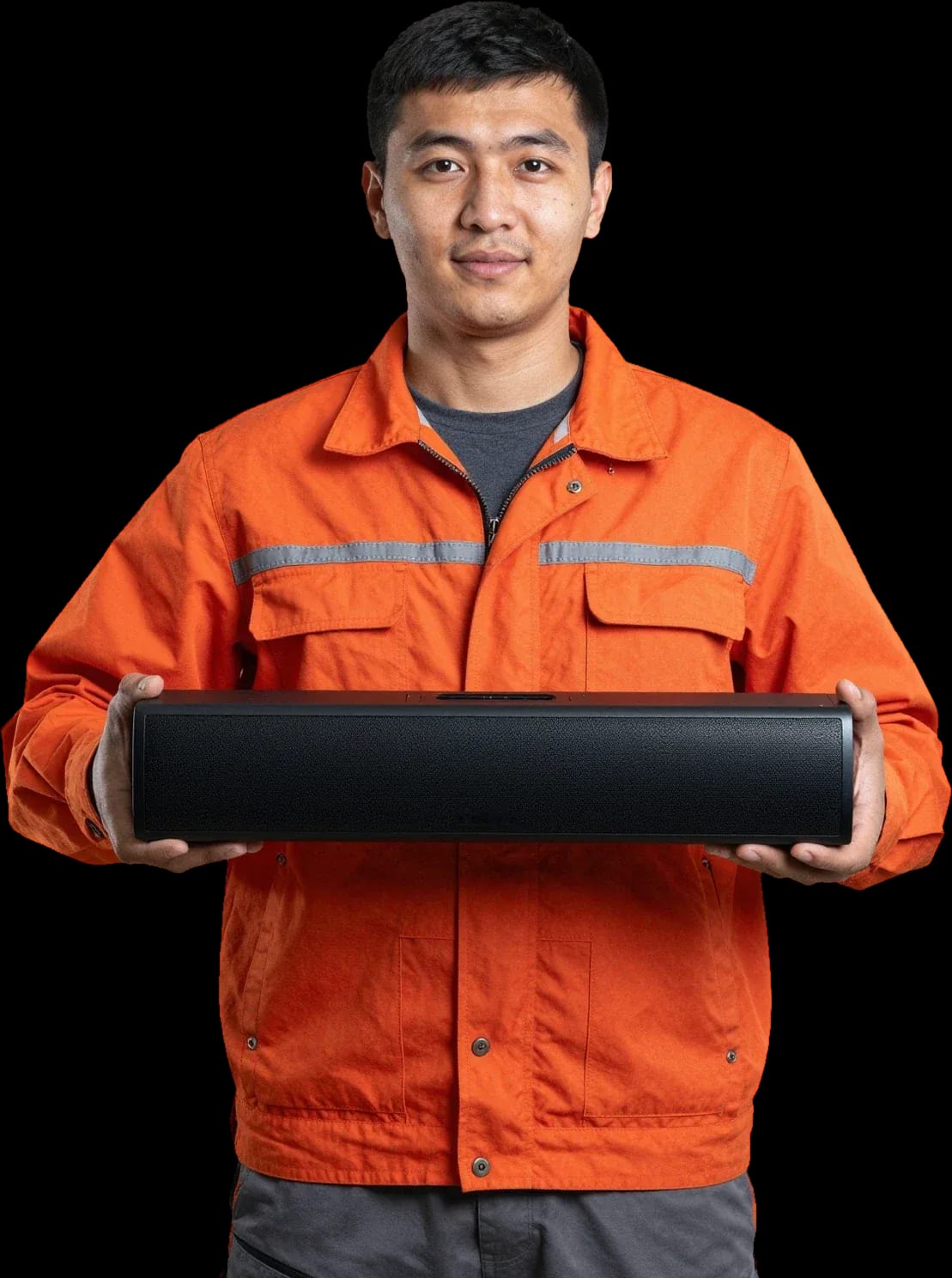
A technician arrives within 60 minutes anywhere in the city. Diagnostics are free.
Our own technicians4 to 20 years of experience




Repair prices
Eight typical symptoms and their likely causes. The technician will pinpoint the exact cause after diagnostics.
power supply, cable, button
from9 500 ₸
speaker, amplifier, input settings
from3 000 ₸
speaker fault or balance
from8 500 ₸
Bluetooth module, HDMI port, firmware
from12 000 ₸
ventilation, heatsink, thermal paste
from6 500 ₸
input selection button, control board
from8 000 ₸
overheating, oxidized contacts
from9 500 ₸
encoder, potentiometer, control board
from8 000 ₸
1–2 daystime
from 12 000 ₸cost
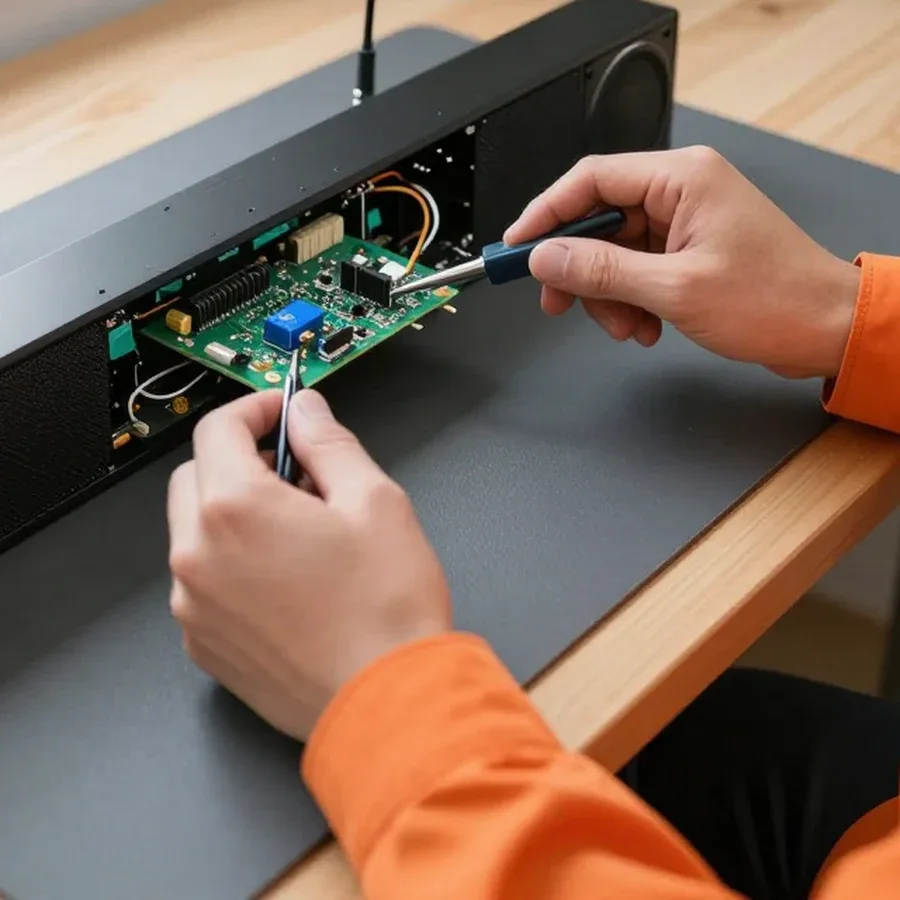 BeforeAfter

Five steps from request to sound check.
Submit a request, describe the symptom and model — the technician will prepare for the visit.
The technician will arrive anywhere in the city within 60 minutes after confirming your request.
The technician confirms the model, symptom, and connected sources by phone to bring the right cables and adapters.
The technician explains what can be done on-site and what requires a workshop, and how that affects timing.
The technician asks you to reproduce the scenario that caused the failure and shows that the symptom is gone.
The digital device repair department in Almaty has 7 technicians with 7 to 18 years of experience.

The department has 7 specializations — they are listed on the technicians' cards.
experience10 yearsSenior TV repair technician
 experience10 years
TV board repair technician
 experience10 years
Electromechanical technician
 experience13 years
Audio and DVD repair technician
 experience18 years
Smartphone repair technician
 experience8 years
Screen and battery replacement technician
 experience7 years
Game console repair technician
We reply during working hours
Choose a convenient time for the visit and confirm your request — the technician will agree on the day and hour with you.

Warranty question? Call us
+7 (778) 021 13 16Tech Service repairs soundbars in Almaty as a direct contractor: our technician comes to your home within 60 minutes anywhere in the city or takes the device to our service center. Diagnostics are free, there is a 1-year warranty on labor and parts, and our technicians have 4 to 20 years of experience. The technician gives you the price after diagnostics.
A symptom alone doesn't name the culprit, so we break down failures by component—from the power supply to the remote—so you can see what the technician checks.
Most often, "won't turn on" and "turns off after warming up" point to the power supply or overheating of the main board, and we check both first during diagnostics. Soundbar repair in Almaty starts with measuring voltages at the power supply output: a sagging standby power line prevents the board from starting, and dried-out capacitors in the primary circuit cause a drop under load. A power surge can blow the varistor and fuse—then the device is completely dead, with no indication. Overheating of the main board shows up differently: the speakers play at low volume but go into protection at high volume. If the device turns off with a click after warming up, this usually indicates overheating protection, not a dead remote—so don't waste time changing batteries.
When the TV picture is there but there's no sound, we check the HDMI board, optical input, and power amplifier—these are what transmit and amplify the signal. The HDMI board receives the stream from the TV via HDMI ARC/eARC: a burnt-out port gives you a picture on screen but leaves the speakers without a signal. The TOSLINK optical input suffers from dust and bent fiber—there's red light in the connector but no decoding. The power amplifier is checked by feeding a signal to its input: if the speakers are silent with a live source, the output stage is at fault, not the TV. The difference between "blown amplifier" and "wrong input mode" is visible during diagnostics in minutes, so don't rush the device to service before checking the source.
Bluetooth connectivity is handled by the Bluetooth module, while control is handled by the IR receiver and remote—we check them separately from the audio path. The Bluetooth module provides wireless connection to the source: if the chip fails, the device disappears from the device list or hangs in "not connected" status. The Wi-Fi module on multiroom models behaves similarly—it sees the network but doesn't receive the stream. The IR receiver for the remote is located behind a translucent window on the casing: dust, moisture, or a crack in the glass can block the signal, and the device won't respond to buttons. If the speaker appears in the device list but won't pair, the problem is more often in the module than in the phone or TV—resetting settings won't help here.
Some "breakdowns" turn out to be settings or a cable, so we offer safe steps you can take before the technician arrives without harming the device.
If the soundbar stays silent or shuts down after you've checked the cable, the mode, and rebooted, we come out for diagnostics—the cause is already inside the components. Most often it's the power supply that can't handle the load, or the main board with a damaged amplification circuit; overheating speeds up the degradation of both. At Tech Service, diagnostics are free: the technician opens the case, tests the power supply, and checks the board under load, not just at idle. Our experience shows that the complaint "turns on and immediately goes off" almost always comes down to power supply capacitors, while "there's sound but it's crackling" points to the output stage. Repeated shutdowns after warm-up or the smell of heated plastic is a reason not to experiment further but to show the device to a technician.
Not every soundbar breakdown is reasonable to fix at home, so we divide the work by location—what can be solved on-site and what requires the service center.
At home, we handle connection, setup, cable and remote replacement, as well as some work on connectors and the external subwoofer. A field technician arrives within 60 minutes anywhere in the city with a basic kit for checking connections: tests the HDMI cable, checks the optical and AUX inputs, verifies pairing with the TV, and checks the remote's response using a smartphone camera. If the device doesn't respond to commands, the technician opens the case and inspects the IR receiver and button ribbon cable—these components are also serviced on-site. We check the external subwoofer via its cable and connector, and if the driver is accessible, by the movement of the cone. If the symptom disappears after replacing a cable or reconnecting, a home visit saves time compared to a trip to the service center—and you don't have to transport the device across town.
Soldering the power board, replacing the HDMI board, repairing the amplifier and speakers are done at the service center, where there are conditions for precise work. The power supply requires testing under load: the technician checks output voltages, the condition of capacitors and protection circuits, and in case of overheating—thermal paste and the heatsink. The HDMI board is interesting for its ARC/eARC ports: they handle the main exchange with the TV, and microcracks in the solder cause intermittent sound or complete loss of signal. The power amplifier and speakers are checked for crackling and distortion at different volumes—such a load can't be created at home. We take such soundbars to the service center and return them after repair with a 1-year warranty on labor and parts. Attempting to solder the board at home without the right conditions more often adds damage than saves time.
| Type of work | Where performed | What we check |
|---|---|---|
| Connection and setup | At home | Cables, input mode, pairing |
| Remote and IR receiver | At home | Batteries, receiver, response |
| External subwoofer | At home or at the service center | Cable, connector, speaker |
| Power supply | At the service center | Board, protection, overheating |
| HDMI board | At the service center | ARC/eARC ports, soldering |
| Speakers and amplifier | At the service center | Crackling, distortion, power |
Soundbars from different brands share similar components, but each line has its own typical weak spots, and we take that into account from the very first inspection.
With JBL, Samsung, and LG, we most often see failures of the switching board, wireless module, and power supply after voltage spikes. With JBL, the HDMI ARC port is a common complaint: after a thunderstorm or a sudden power-off, the channel stops passing the signal from the TV, even though the optical input keeps working fine. With Samsung, Bluetooth weakens — the speaker doesn't show up in the device list and won't pair with the phone, while cable playback works without issues. With LG, the power supply is the first to go: the unit either won't turn on or goes into protection after a few minutes of operation and turns back on after a pause. A separate story is models with a detachable subwoofer: you need to check the communication channel with the bass, because it causes "lost lows" when the main unit is fully functional. During diagnostics, we test this channel before disassembling the case — that saves time and avoids touching working components.
With Sony, Denon, Hisense, and Xiaomi, we see both typical power failures and network module issues in smart models. With Sony and Denon, power amplifier wear is more noticeable: volume drops, distortion appears at peaks, and the case heats up more than usual even at medium volume. With Hisense, the connection jacks suffer — the signal drops at the slightest movement of the cable, especially on the optical input, and sometimes on the coaxial one too. With Xiaomi and other Wi-Fi smart models, the network module acts up: the device loses the network, won't update, and doesn't respond to the app, even though local playback from a flash drive works fine. Devices with a wireless network sometimes mask a network failure as a playback breakdown — we start checking the module, not the speakers, and only then move on to the acoustics. This order cuts out false conclusions and unnecessary part replacements.
| Brand | Frequent component | Typical symptom |
|---|---|---|
| JBL | HDMI board | No sound over HDMI |
| Samsung | Bluetooth module | Won't pair |
| LG | Power supply | Won't turn on |
| Sony | Power amplifier | Low volume |
| Denon | Main board | Turns off by itself |
| Hisense | Jacks | Signal drops |
| Xiaomi | Wi-Fi module | Network failure |
The work starts with free diagnostics, after which we agree on the scope, and the result is covered by a 1-year warranty on labor and parts. Below is how each stage works.
Diagnostics are free: the technician identifies the component, explains the cause, and agrees on the work before starting. On-site, they check power, connection channels, and sound output to separate a soundbar fault from TV settings or a cable issue. If the problem is in the power supply or amplifier, they show which board failed and why, and name the likely replacement component. Approval happens before disassembly: you hear the cause and the scope of work, not just the final sum. The technician gives the price after diagnostics, when the component and scope are clear — before that, naming a figure would be guessing. This order removes the owner's main fear: that after disassembly they'll be quoted a different sum than discussed at the start. In our practice, this stage most often decides whether a person trusts the device to us or postpones the visit.
We give a 1-year warranty on labor and parts so the result is predictable for the owner. The term is the same whether we replace a power board, solder an audio path, or install a new speaker or connector. Replacing a component and restoring a circuit are different jobs, so the warranty covers both the part and how it was installed. The parts warranty matters separately from labor: if a part fails, the issue is resolved within a single request. In my experience, this is the main difference of a transparent approach — the owner doesn't face the consequences alone but returns to the same technician who already knows the device's history. So when you drop off your soundbar, ask exactly what the warranty period covers.
Liquid damage and power surges affect electronics differently than normal wear, and the owner's first actions matter. Here's what we check in each of these cases.
After water damage, we first check the electronics and speakers for signs of moisture and corrosion instead of turning the device on. Moisture gets inside through speaker grilles and case gaps and settles on the control board, power supply, and contacts. Corrosion on board traces develops even after the visible surface dries, and oxidized speaker contacts cause crackling and intermittent sound. Our technician disassembles the case on-site, inspects the board under magnification, and tests the power circuits to separate the effects of water from the original fault. Powering on a wet device is the main reason equipment fails to recover after liquid damage: current shorts the wet areas and burns traces that could still have been saved by drying and cleaning.
During a power surge, the power supply and main board are the first to suffer, so we check them before the audio path. A pulse from the mains breaks through the input capacitors and stabilizers of the power supply, then reaches the main board and damages the signal processing chips. Symptoms vary: the device is completely dead or shows signs of life but produces no sound. If the device won't turn on after a surge but the indicator blinks, it's often board protection rather than a total failure — the circuit enters a protective mode and waits for the fault to be cleared. Our technician tests the power supply and main board circuit by circuit on-site, finds the damaged component, and assesses whether it can be replaced. Diagnostics are free, so it's worth starting with a check before turning the device on again.
We assess a damaged case and a broken subwoofer separately from the electronics to determine what can be restored and what needs replacement. The subwoofer handles low frequencies, and after an impact or drop its speaker mount can break, the cone can tear, or the coil can come loose — then the bass disappears or starts to crackle. We inspect case cracks and broken mounts together with the speaker seats, because their integrity affects how a new part fits. A case crack by itself doesn't affect sound but can reduce rigidity and cause rattling — worth considering during assessment. Our technician checks the acoustics and mounts on-site and, based on the free diagnostics, tells you which elements need replacement. We provide a 1-year warranty on labor and parts.
Soundbar repair comes down to one thing: first identify the faulty component, then act. Below is a short summary to help you get there without extra steps or costs.
Tech Service technicians repair other appliances too — with the same 1-year warranty on labour and parts.
 Refrigerator Repair in Almatyfrom 3 000 ₸
 Washing Machine Repair in Almatyfrom 3 000 ₸
 Dishwasher Repair in Almatyfrom 3 500 ₸
 Oven Repair in Almatyfrom 3 000 ₸
 Cooktop Repair in Almatyfrom 3 500 ₸
 Air Conditioner Repair in Almatyfrom 3 500 ₸
 Boiler and Water Heater Repair in Almatyfrom 2 500 ₸
 Freezer Repair in Almatyfrom 6 000 ₸
 Tumble Dryer Repair in Almatyfrom 5 000 ₸
 Coffee Machine Repair in Almatyfrom 2 500 ₸
 Robot Vacuum Cleaner Repair in Almatyfrom 3 500 ₸
 Vacuum Cleaner Repair in Almatyfrom 1 500 ₸
 Microwave Oven Repair in Almatyfrom 2 000 ₸
 Hair Dryer Repair in Almatyfrom 1 500 ₸
 Iron Repair in Almatyfrom 3 000 ₸
 Electric Kettle Repair in Almatyfrom 2 500 ₸
 Mixer Repair in Almatyfrom 2 500 ₸
 Multicooker Repair in Almatyfrom 500 ₸

If your laptop screen is broken, turn the device off first, don't press on the display, and check the picture through an external monitor.
12 March 2026 · 11 minutes read
If your phone won't charge, start by checking the adapter, cable, and port, then the charging settings.
16 February 2026 · 12 minutes read
If your laptop freezes, the first thing to do is restart it and check Task Manager to see what's loading the CPU and memory.
25 January 2026 · 12 minutes read
If your phone falls in water, take it out right away, turn it off, and don't charge it.
19 January 2026 · 12 minutes read
If your phone camera isn't working, first check app permissions, clear the cache, and restart your phone — this fixes some software glitches.
24 December 2025 · 13 minutes read
If your laptop won't boot, first determine which of two states you're in: the device doesn't respond to the power button at all…
13 December 2025 · 12 minutes read