 experience6 years
Dmitriy R.
PC and laptop diagnostics technician

A technician arrives within 60 minutes anywhere in the city. Free diagnostics, 1-year warranty on labor and parts.
Our own technicians4 to 20 years of experience




Repair prices
Below are typical symptoms and likely causes, from most common to less frequent. The technician will pinpoint the exact cause during free diagnostics.
Power supply, power button
from10 000 ₸
Dust in the heatsink, dried thermal paste
from6 000 ₸
Damaged matrix, broken cable
from6 500 ₸
Battery wear, faulty power connector
from10 000 ₸
Oxidation on the board, short circuit
from11 500 ₸
Stuck mechanism, broken cable
from6 500 ₸
Loose USB port, damaged jack
from10 000 ₸
Damaged traces, chip failure
from22 000 ₸
1–2 hourstime
from 5 500 ₸cost
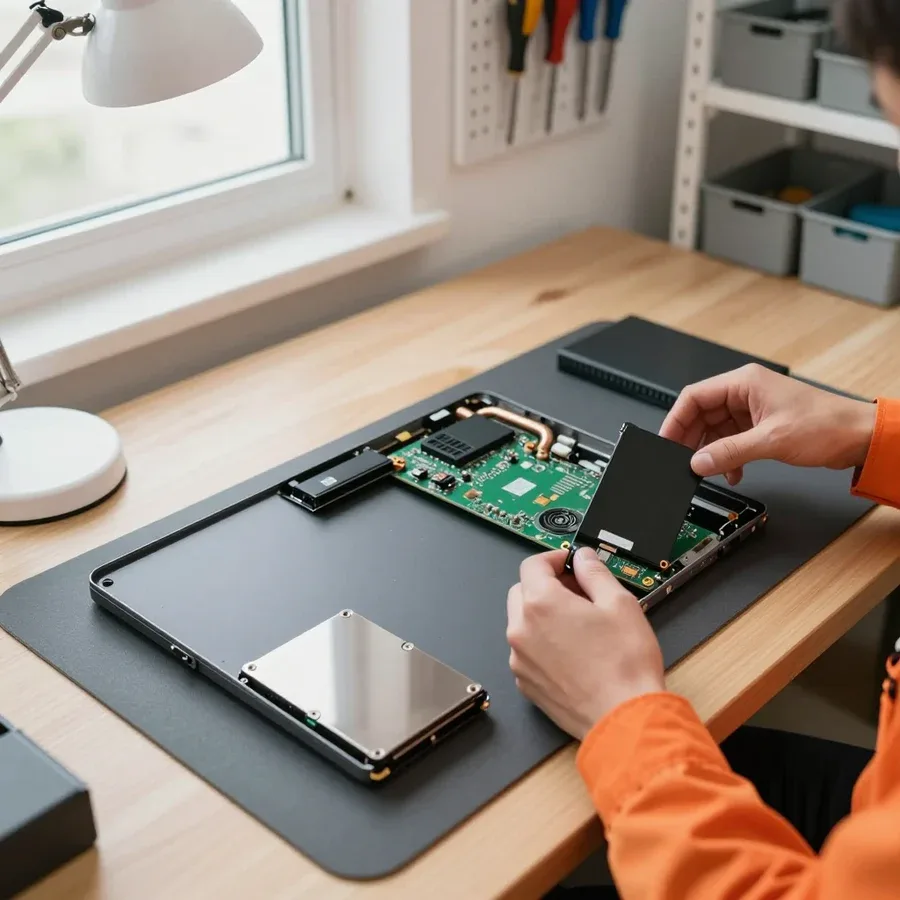 BeforeAfter

From request to checking the laptop after repair.
You describe the symptom, the technician clarifies details and arranges a visit.
On arrival, the technician inspects the laptop on site and prepares it for diagnostics.
The technician tells you which part is needed and what options are available by class, and you choose before work begins.
After the scope of work is approved, the technician performs the repair and replaces parts.
The technician cleans up the workspace and leaves you the replaced part if you need it for records.
The computer and laptop repair department in Almaty has 7 technicians with 6 to 15 years of experience.

The department has 7 specializations — they are listed on the technicians' cards.
experience6 yearsPC and laptop diagnostics technician
 experience8 years
Laptop repair engineer
 experience7 years
PC and laptop repair technician
 experience10 years
Graphics card repair technician
 experience10 years
Software installation specialist
We reply during working hours
Book a convenient time, describe the fault, and ask the technician about payment and repair timelines.

Warranty question? Call us
+7 (778) 746 01 65
Author: Dmitriy R.,PC and laptop diagnostics technician
Published
Updated
Tech Service repairs Dell laptops in Almaty as a direct provider: our technician comes to your home or office within 60 minutes, or the device is repaired at our service center. Diagnostics are free, there’s a 1-year warranty on labor and parts, and the technician quotes the price after diagnostics. We repair Latitude, XPS, Inspiron, and Vostro lines.
Dell has four mainstream lines, and each has its own typical set of failures. Let's look at which components most often need attention and how these issues show up in everyday use.
| Line | Common failure | How it shows up | What we check |
|---|---|---|---|
| Latitude | Cooling system wear | Noise, overheating, shutdowns under load | Fan, heatsink, thermal paste |
| XPS | Overheating in a thin chassis | Fan noise, hot chassis | Cooling, board condition |
| Inspiron | Black screen with indicators on | No image, indicators lit | Display, cable, video chip |
| Vostro | Charging issues | Not charging, power adapter not detected | Power jack, battery, adapter |
| All lines | Hinges and chassis | Cracks, lid play | Hinges, chassis mounts |
Overheating in Dell laptops is most often caused by a dust-clogged heatsink and dried-out thermal paste, not a failed board. Over a few years of use, the fan pulls dust into the thin fins of the heatsink, and the thermal paste between the CPU and the cooling base loses its properties and stops transferring heat. The processor hits its temperature limit and throttles, so the machine starts to slow down and shuts down under load. In our experience, cleaning the cooling system and replacing the thermal paste restores normal temperatures for most such machines. It takes one technician visit, and there's a 1-year warranty on labor and parts. If the laptop only shuts down under load but runs fine at idle, start with a cooling cleaning rather than replacing expensive components.
If there's no image while the indicators are on, but the picture appears on an external monitor, the issue is more likely the display or its cable, not the video chip. The system boots, the indicators show signs of life, but there's no image on the built-in screen. The video core works fine on the external output, which means the board is generating a signal, and the problem lies in the cable-to-display chain. The opposite picture—no image on either the built-in or external screen—points to the video chip or power circuit. Connecting to an external monitor is the fastest way to narrow it down before service diagnostics. Our diagnostics are free, so you can check this version at no cost, and the technician will confirm the cause on site and outline the scope of work.
Blinking indicators and startup behavior are the language your laptop uses to report a problem. Let's go over the main signals and what steps to take before the technician arrives.
If your Dell won't turn on, first check the power adapter and port, then try a residual charge reset, and only then conclude it's the motherboard. Use a known-good adapter and plug it directly into a wall outlet: the indicator on the charger should light up. Check the port for looseness and dark spots—a burnt contact produces exactly this symptom. Next, remove the battery, hold the power button for 15–20 seconds, and try starting the laptop from AC power without the battery. If there's no response at any step, the motherboard or power circuit is likely faulty. Don't disassemble the case yourself—on thin models it's easy to damage cables and mounts, which adds a new task to the repair.
A liquid-damaged Dell laptop can be restored if the board wasn't powered on after the liquid got in. Immediately disconnect power, remove the battery, and don't try to see if it 'works'—applying current triggers electrochemical corrosion of the motherboard traces. Sugary drinks and coffee leave a sticky layer on contacts that eventually eats away metal, while water causes faster oxidation. We restore liquid-damaged Dell laptop motherboards: we remove the case, wash the board in a special solution, dry it, and check the circuits under a microscope. The sooner the device is turned off and handed to a technician, the less corrosion has time to affect the board traces, and the chances of it starting remain high—provided the device wasn't turned on or charged again after the spill.
We work at your home or office, and handle complex cases in our service center. Here's how the process works and when each format is needed.
A Tech Service technician arrives at your home or office within 60 minutes anywhere in the city and starts with free diagnostics. The on-site format solves the problem without trips: you describe the symptom over the phone, name the model—Latitude, XPS, Inspiron, or Vostro—and we match a specialist to the likely fault. Dell laptop service at home is convenient when the device won't turn on, overheats, or blinks indicators, and taking it to a service center is risky. Dell laptop repair in Almaty with a technician visit is convenient because you don't have to go anywhere: the specialist comes to you and works on site. For a visit, just describe the symptom and model—the specialist brings tools for the likely fault, not 'blindly.' In my view, an accurate symptom description saves the first stage of checking: the technician already knows which power circuit to look at first and doesn't waste time on a blind general inspection.
| Work | Where performed | What it includes |
|---|---|---|
| Diagnostics | On site | Checking power, indicators, components |
| Replacing the screen, keyboard, ports | On site | Removing and installing the component |
| Cooling cleaning with thermal paste | On site | Disassembly, cleaning, paste replacement |
| Motherboard repair | In the service center | Soldering, circuit restoration |
Diagnostics are free with us, and the technician quotes the cost of work after that. An inspection on site or in the service center reveals the cause of the fault: we check power, indicators, and the condition of components, and only then discuss the scope of work with you. The free stage removes the risk of 'paying for an inspection and leaving without a repair'—the decision is made with the cause already known. In our practice, Dell laptop service starts with this step: the client sees how the specialist checks the actual fault rather than charging for the inspection itself. If after the check you decide not to repair, you don't pay for the inspection—that's the point of the free stage. The cause, stated out loud, helps you weigh the decision and keeps us from taking on work you don't need.
From replacing consumable components to restoring the motherboard, we'll cover the main services, their specifics for Dell, and the next steps for owners of out-of-warranty devices.
We replace Dell screens, keyboards, and power jacks, selecting the component for the specific model in the lineup. Our Dell laptop service follows the manufacturer's disassembly scheme: on Latitude and Vostro, the keyboard is removed from the top after unclipping the bezel, while on Inspiron you often need access through the bottom cover. We match the screen by diagonal, resolution, and cable connector type — 30-pin and 40-pin are not interchangeable, and on touchscreen XPS models the cable uses a separate connector. On thin XPS and Latitude models, the power jack is often soldered directly to the board, so the design determines whether the replacement is simple or requires soldering with heating. In my opinion, it's cheaper to agree on the right part once than to replace an incompatible screen again.
Cleaning the Dell cooling system and replacing the thermal paste eliminates overheating and fan noise if the board is still working. We disassemble the case, remove the heatsink, blow dust out of the fins and fan blades, and apply a fresh layer of thermal paste to the CPU and GPU dies. On gaming G-series and workstation Precision models, the heat pipes go to two fans, so we clean both circuits, not just the main one. Overheating shows up in different ways: the fan hums under load, the case gets hot near the keyboard, and the laptop throttles. It's worth repeating this maintenance as dust builds up rather than waiting for shutdowns — overheating accelerates wear on the board and battery. Moreover, after cleaning the noise often drops without replacing the fan — we first check whether dust is obstructing rotation.
We service Dell laptops after the manufacturer's warranty and models that have been discontinued. Our clients include Inspiron from previous generations and Latitude corporate series — for these we source compatible components rather than sending the owner to look for a new laptop. Diagnostics are free: the technician checks the power, charging circuit, and board condition, and only then quotes the scope of work. For older models, it's more important to find the component that actually failed rather than 'replace everything' — this keeps the work proportionate to the condition of the device. In our practice, it's most often the power circuit and overheating, not a fatal board failure. We look for parts for discontinued series by the component marking, not the model name: the same Inspiron in different revisions has different boards, and this directly affects which component to order for a specific unit.
Warranty and direct service are the two factors that most often influence the choice of a service center. We explain what our warranty covers, how working without intermediaries is set up, and what role the varying experience of our specialists plays.
The 1-year warranty covers both labor and parts — these are two separate commitments, not one combined. If a few months after replacing the screen or power jack the same part fails again, we handle it under the parts warranty, without mixing it with a claim about soldering or assembly quality. Dell laptop repair in Almaty in this case follows a clear procedure: the request is recorded, and the repeat case is handled separately. This separation is convenient for repeat visits: you don't have to prove that the component failed through no fault of the owner. During an on-site visit, we record which part was replaced and the condition of the board before work — this record becomes the basis for a warranty case. A parts warranty separate from labor is important specifically for repeat visits: you don't have to prove that the part broke through no fault of the client.
Tech Service is the direct provider: our own technician comes to your home or office, not a middleman who passes the device to a third party. That means the same person runs diagnostics, disassembles the unit, and replaces components—and then stands behind the result. Our team has 4 to 20 years of experience, and each technician works directly with Dell boards, not through a dispatch service. When there’s a single provider, responsibility for the work and the warranty isn’t diluted among contractors: you won’t get one person saying one thing while the service behind them says another. When choosing a contractor, ask who will actually come and who provides the warranty—if the answer is vague, there’s likely no real accountability for the result either.
Our technicians have 4 to 20 years of experience, and you can pay for the work in any convenient way. Different experience levels in the team work to your advantage: complex board issues—say, after liquid damage or a short circuit in the power circuit—go to a senior technician, while routine keyboard or connector replacements are done faster. The price is quoted after free diagnostics, once it’s clear which component failed and what parts are needed. We accept Kaspi QR, Kaspi Red, card, cash or bank transfer for companies, so how you pay doesn’t tie you to a specific bank or terminal. In our experience, varied experience benefits the customer too: simple jobs aren’t stuck in line behind complex ones, and a rare case goes to someone who has dealt with such boards many times before.
Here’s a quick summary of the factors that determine the outcome of Dell laptop recovery: the model line, indicator signals, the nature of overheating, and the right steps after liquid damage.
Tech Service technicians repair other appliances too — with the same 1-year warranty on labour and parts.
 Refrigerator Repair in Almatyfrom 3 000 ₸
 Washing Machine Repair in Almatyfrom 3 000 ₸
 Dishwasher Repair in Almatyfrom 3 500 ₸
 Oven Repair in Almatyfrom 3 000 ₸
 Cooktop Repair in Almatyfrom 3 500 ₸
 Air Conditioner Repair in Almatyfrom 3 500 ₸
 Boiler and Water Heater Repair in Almatyfrom 2 500 ₸
 Freezer Repair in Almatyfrom 6 000 ₸
 Tumble Dryer Repair in Almatyfrom 5 000 ₸
 Coffee Machine Repair in Almatyfrom 2 500 ₸
 Robot Vacuum Cleaner Repair in Almatyfrom 3 500 ₸
 Vacuum Cleaner Repair in Almatyfrom 1 500 ₸
 Microwave Oven Repair in Almatyfrom 2 000 ₸
 Hair Dryer Repair in Almatyfrom 1 500 ₸
 Iron Repair in Almatyfrom 3 000 ₸
 Electric Kettle Repair in Almatyfrom 2 500 ₸
 Mixer Repair in Almatyfrom 2 500 ₸
 Multicooker Repair in Almatyfrom 500 ₸

If your laptop screen is broken, turn the device off first, don't press on the display, and check the picture through an external monitor.
12 March 2026 · 11 minutes read
If your laptop freezes, the first thing to do is restart it and check Task Manager to see what's loading the CPU and memory.
25 January 2026 · 12 minutes read
If your laptop won't boot, first determine which of two states you're in: the device doesn't respond to the power button at all…
13 December 2025 · 12 minutes read
If your computer won't turn on, start simple: check the outlet, power cable, switch on the power supply, and the power button.
19 January 2026 · 13 minutes read








