 experience6 years
Dmitriy R.
PC and laptop diagnostics technician

A technician arrives within 60 minutes anywhere in the city. Free diagnostics, 1-year warranty on labor and parts.
Our own technicians4 to 20 years of experience




Repair prices
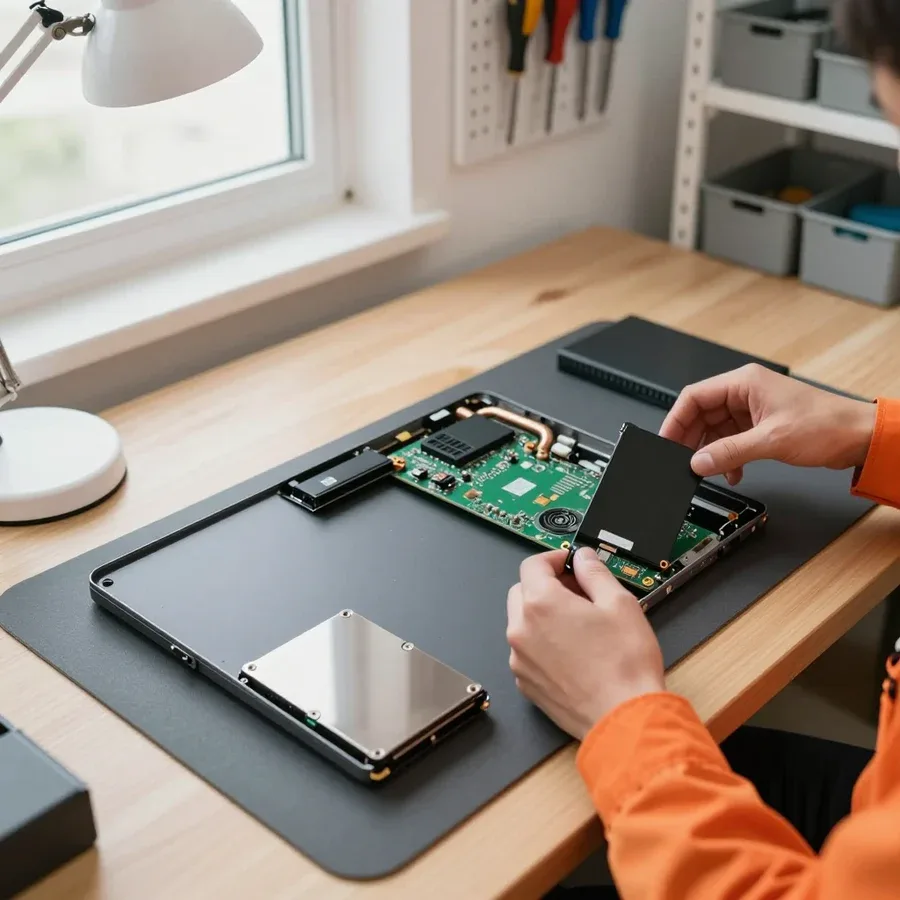
A loose hinge, cracks around the mounts, and a wobbly power connector are visible during a case inspection. The technician identifies the cause after diagnostics.
discharged battery, faulty power button, board
from22 000 ₸
dust in the heatsink, thermal paste, fan
from6 000 ₸
connector, worn battery, controller
from7 000 ₸
mechanism, ribbon cable, liquid damage
from6 500 ₸
worn mounts, case distortion, impact
from12 000 ₸
wear, controller failure, load
from7 000 ₸
ribbon cable, backlight, matrix
from6 500 ₸
dust on blades, bearing, overheating
from4 500 ₸
1–2 hourstime
from 5,500 ₸cost
 BeforeAfter

Five steps from your request to checking the laptop after repair.
Describe the symptom and laptop model so the technician can prepare for the visit.
The technician comes anywhere in the city and inspects the laptop on site.
The technician identifies the cause of the fault and the repair cost.
You approve the scope of work and parts, then the technician starts.
The technician turns on the laptop, checks that components work, and shows what has changed in the device's operation.
The computer and laptop repair department in Almaty has 7 technicians with 6 to 15 years of experience.

The department has 7 specializations — they are listed on the technicians' cards.
experience6 yearsPC and laptop diagnostics technician
 experience8 years
Laptop repair engineer
 experience7 years
PC and laptop repair technician
 experience10 years
Graphics card repair technician
 experience10 years
Software installation specialist
We reply during working hours
Choose a convenient time and place for the inspection: where the technician can plug the laptop into power and clear space for disassembly.

Warranty question? Call us
+7 (778) 746 01 65
Author: Dmitriy R.,PC and laptop diagnostics technician
Published
Updated
Tech Service repairs Acer laptops in Almaty as a direct provider: our technician arrives at your home within 60 minutes or accepts the device at the service center. Diagnostics are free, the technician gives you the price after diagnostics, and work and parts are agreed before repair. We provide a 1-year warranty on labor and parts.
"Won't turn on" and "won't charge" are the two most common reasons people come to us. Let's break down what's behind them and how a technician finds the cause.
We start with free diagnostics: we check the adapter, battery, and startup circuit to separate a port issue from a board failure. The technician measures voltages at the input jack, tests the traces to the motherboard, and sees if the controller responds to the button press. Often it's not the port itself but oxidized contacts or a worn-out battery that won't let it start. Both office models and gaming lines end up on the technician's bench—their startup circuits are similar, only the surrounding components differ. Acer laptop repair in Almaty begins with exactly this kind of startup circuit check. When a laptop turns on and shuts down after a couple of seconds, it's usually short-circuit or overheating protection, not a "dead" button—so don't keep pressing the switch; let the technician take initial measurements.
For us, the cause of "not charging" is almost always one of three: the power supply itself, the port on the case, or the battery—and the technician checks them one by one during diagnostics. First, the adapter under load: a voltage drop reveals a worn-out unit that shows normal readings at idle. Then the port on the case—if it's loose or has a cracked solder joint, it only makes contact at a certain angle, and the owner notices charging only works with the plug turned a certain way. And only then the battery: worn cells hold charge poorly and don't accept it at all. The charging indicator is a useful sign: if it doesn't light up at all, the break happens before the battery; if it blinks, check the charge controller on the board. This order of checks saves time: the most common cause surfaces at the first step.
During diagnostics, we rule out RAM and board traces one by one: when a laptop starts with one stick and doesn't with another, the issue is memory, not the motherboard. The technician moves modules between slots, cleans contacts with an eraser, and tests each one separately—this rules out memory failure in minutes. If the laptop behaves the same with any stick, he moves on to measuring board circuits and checking the controller. The symptom "turns on but won't boot" is often blamed on the board for no reason—swapping sticks and checking contacts takes minutes and saves the client a complex repair. Around the city, such cases make up a noticeable share of requests, and in most of them the board turns out to be fine.
Gaming Nitro and Predator models heat up more than office models due to high load. We show how overheating differs from a more serious failure and what the technician does.
For us, a Nitro 5 shutting down during a game usually points to a clogged cooling system and dried-out thermal paste, not a chip failure. The heatsink gets clogged with dust within a few months of use, thermal paste loses its properties and stops dissipating heat from the CPU and GPU. The laptop holds normal temperatures at idle, but in a heavy scene protection kicks in and power cuts off—that's how overheating behaves, not a motherboard failure. We look at temperatures in gaming mode, fan speed, and how quickly heat builds under load, not just Windows behavior. If the laptop only shuts down in heavy scenes and holds temperature at idle, it's worth starting with cleaning and replacing thermal paste rather than replacing expensive components—this saves money and time. Acer laptop repair price in this case depends on what diagnostics show: sometimes cleaning is enough, sometimes a component needs replacement.
We clean dust from the heatsink and fan and replace the thermal paste—this is basic overheating prevention, after which the laptop usually runs quieter. Dust compacts in the heatsink fins and blocks airflow, the fan spins at maximum speed, but heat doesn't leave the case. We disassemble the cooling system, blow out the heatsink, apply fresh thermal paste to the CPU and GPU, check the thermal pads, and reassemble the unit. Quieter doesn't mean cooler: if the temperature under load remains high after cleaning, the technician checks the heatsink mounting pressure and the condition of the thermal pads, not just the fan. In Acer gaming lines, overheating is resolved by cleaning the cooling system and replacing the thermal paste, and our technician performs this work either on-site or at the service center.
| Line | Class | What we check more often |
|---|---|---|
| Nitro, Predator | gaming | cooling, thermal paste, shutdowns during games |
| Aspire, Extensa | office and home | matrix, cable, hinges, case |
| TravelMate | business | power connector, battery, keyboard |
| Swift | ultrabooks | thin case, hinges, matrix |
A black screen, stripes, and a broken display are reasons to figure out what exactly broke: the panel, the cable, or the video chip. We show how a specialist tells them apart.
If there is an image on an external monitor but not on the built-in one, we check the video chip and the output circuit—this indicates that the problem is not in the matrix itself. With this symptom, the Acer laptop boots, the system works, the picture goes to the external display via HDMI or USB-C, but the internal channel remains dark. Our technician checks whether the system sees the built-in display, verifies the cable contact in the connector on the motherboard, and the condition of the video chip under load. Often the culprit is a loose contact or a worn section of the cable, less often the output chip itself. Acer laptop repair in Almaty starts with such a check: we provide free diagnostics, so you can test this version before any work. An external monitor is a simple tool: it separates an image output failure from a display failure even before disassembling the laptop.
Our technician distinguishes the matrix from the cable by the nature of the image: stripes and disappearing image when moving the lid more often indicate the cable, while cracks and bright spots indicate the matrix itself. The cable bends in the hinge every time the lid is opened, so its wires break gradually: first stripes along the edge, then color loss, then a completely black screen at a certain tilt angle. A crack on the glass or leaked pixels is already physical damage to the display, and contact is not the issue here. Bright spots in the corners and vertical lines that do not change when moving the lid also point to the screen itself. If the image flickers when tilting, you shouldn't replace the matrix prematurely—first check the contact and integrity of the cable.
We replace a broken matrix entirely: cracks and leaked pixels cannot be restored, but replacement returns a working screen to the laptop. We select the part for the specific Acer model—Aspire, Swift, and Nitro lines have different diagonals, connectors, and mounts, so there is no universal solution. The technician removes the old panel, checks the cable for kinks, and assesses the condition of the hinges. Hinges and the case are a common cause of repeated cracks: a skewed lid presses on the glass when closing. If the lid is skewed, a new part will quickly crack again, so the mechanics are fixed together with the display. We provide a 1-year warranty on the replaced screen and labor, and technician dispatch within the city takes up to 60 minutes.
A burnt board, liquid damage, and signs of a DIY teardown are the toughest cases we see. Here's when a repair makes sense and why trying to fix it yourself often makes things worse.
We don't repair boards blindly: after free diagnostics, the technician gives you the cost and explains exactly what failed, and the decision is yours. In our experience, the question "how much does Acer laptop repair cost" can almost never be answered until the case is opened — from the outside you only see the symptom, not the cause. On an Acer board, power circuits, charge controllers, and individual components near the CPU get damaged; each case needs its own check. The price depends on how many areas are affected and which component needs replacing. Repairing the board makes sense when the damage is local — a power circuit or a single component; if several areas are damaged, it's more honest to say so right away than to drag things out.
After a spill, we take the laptop apart, clean the board of liquid residue, and check the power circuit — the sooner the device reaches a technician, the better the chances. Moisture on the board starts corrosion of contacts and traces, and sugary drinks leave a conductive film that eats away at metal over time. We remove the board, wash the affected areas, and test every component under load, not just whether the device turns on. Even boards that have already oxidized can often be saved — if you don't let the process run. Turning the laptop on after a spill to "check" is the worst thing you can do: moisture under voltage causes corrosion and short circuits that might not have happened otherwise. It's important for the technician to know what was spilled and how much time has passed — that determines which areas to check first.
We take in Acer laptops after failed DIY teardowns and first document what's already damaged so we don't make it worse. Most often, devices come in with a torn display cable, bent power connector contacts, and stripped case screws — each of these adds time to the job. The cable and connector are replaced, contacts on the motherboard are restored by soldering, but bent connector pins sometimes take board traces with them. We check the board area by area so we don't miss secondary damage from a short circuit during reassembly. It also matters which screws were swapped: a long screw in the wrong hole can pierce traces or press into the board. Common signs of DIY intervention are torn cables, bent contacts, and lost screws; some of this can be fixed, but it's better not to let it get to that point.
Here's how the process works from request to warranty: free diagnostics, approval of work and parts, the repair itself, and a 1-year warranty.
Our diagnostics are free: a specialist finds the cause, explains it, and agrees on the work and parts with you before starting. First, the engineer checks the power, the charging circuit, and the condition of the board, then disassembles the laptop and tests the component that failed — at this point the cause is known for sure, not guessed. Then you get a list of what needs replacing, with parts options and an explanation of why the problem will come back without it. Approving in advance protects you from surprises: the owner knows which part is being replaced and why, instead of finding out after the fact. In my opinion, this step saves the most stress — the decision is based on a clear picture, not on "something burned out in there."
We give a 1-year warranty on labor and parts — it covers both screen replacement and board repair. The term is the same for simple and complex operations: soldering a power controller on the motherboard and installing a new screen fall under the same conditions, so you don't need to clarify which cases are covered. A warranty makes sense when the provider is direct: Tech Service is not an intermediary, so it takes responsibility for the result itself rather than forwarding a claim to a third party. In our experience, this makes resolving disputes much easier — the engineer who did the work rechecks it themselves. Keep the description of the agreed work: it makes it easier to match which operation was part of the service if you need to follow up.
A Tech Service specialist arrives at your home within 60 minutes anywhere in the city or accepts your laptop at the service center — you choose the format. The visiting technician brings tools for typical operations: tightening hinges, replacing a key, removing the cover and checking the cooling system can be done on site without taking the device away. If the problem requires soldering or bench work, the device goes to the workshop, where the same engineer who handled your request inspects it. A home visit is convenient when you don't want to carry the laptop yourself or the problem is immediately visible; for complex cases, it's still better to leave the device at the service center for full diagnostics. When planning, keep in mind that the Acer laptop service center accepts devices during regular business hours — the specialist will confirm the exact visit time when they call.
Here's what matters most when dealing with an Acer laptop breakdown: where to start diagnostics, which components fail first, and why the order of work matters more than speed.
Tech Service technicians repair other appliances too — with the same 1-year warranty on labour and parts.
 Refrigerator Repair in Almatyfrom 3 000 ₸
 Washing Machine Repair in Almatyfrom 3 000 ₸
 Dishwasher Repair in Almatyfrom 3 500 ₸
 Oven Repair in Almatyfrom 3 000 ₸
 Cooktop Repair in Almatyfrom 3 500 ₸
 Air Conditioner Repair in Almatyfrom 3 500 ₸
 Boiler and Water Heater Repair in Almatyfrom 2 500 ₸
 Freezer Repair in Almatyfrom 6 000 ₸
 Tumble Dryer Repair in Almatyfrom 5 000 ₸
 Coffee Machine Repair in Almatyfrom 2 500 ₸
 Robot Vacuum Cleaner Repair in Almatyfrom 3 500 ₸
 Vacuum Cleaner Repair in Almatyfrom 1 500 ₸
 Microwave Oven Repair in Almatyfrom 2 000 ₸
 Hair Dryer Repair in Almatyfrom 1 500 ₸
 Iron Repair in Almatyfrom 3 000 ₸
 Electric Kettle Repair in Almatyfrom 2 500 ₸
 Mixer Repair in Almatyfrom 2 500 ₸
 Multicooker Repair in Almatyfrom 500 ₸

If your laptop screen is broken, turn the device off first, don't press on the display, and check the picture through an external monitor.
12 March 2026 · 11 minutes read
If your laptop freezes, the first thing to do is restart it and check Task Manager to see what's loading the CPU and memory.
25 January 2026 · 12 minutes read
If your laptop won't boot, first determine which of two states you're in: the device doesn't respond to the power button at all…
13 December 2025 · 12 minutes read
If your computer won't turn on, start simple: check the outlet, power cable, switch on the power supply, and the power button.
19 January 2026 · 13 minutes read








