 experience10 years
Maksim S.
Graphics card repair technician
A technician arrives within 60 minutes anywhere in the city. Free diagnostics.
Our own technicians4 to 20 years of experience




Repair prices
Common symptoms and their likely causes. The technician will pinpoint the exact cause during free diagnostics.
Dead battery or no paper
from4 500 ₸
Low-quality paper or weak pressure
from4 000 ₸
Roller, guides, or the paper itself
from3 500 ₸
Battery, power board, or button
from11 500 ₸
Paper inserted the wrong side
from4 500 ₸
Dirty printhead or worn roller
from4 500 ₸
Clog, worn blade, or mechanism
from8 000 ₸
Poor ribbon cable contact or overheating
from3 500 ₸
1–2 hourstime
from 11,000 ₸cost
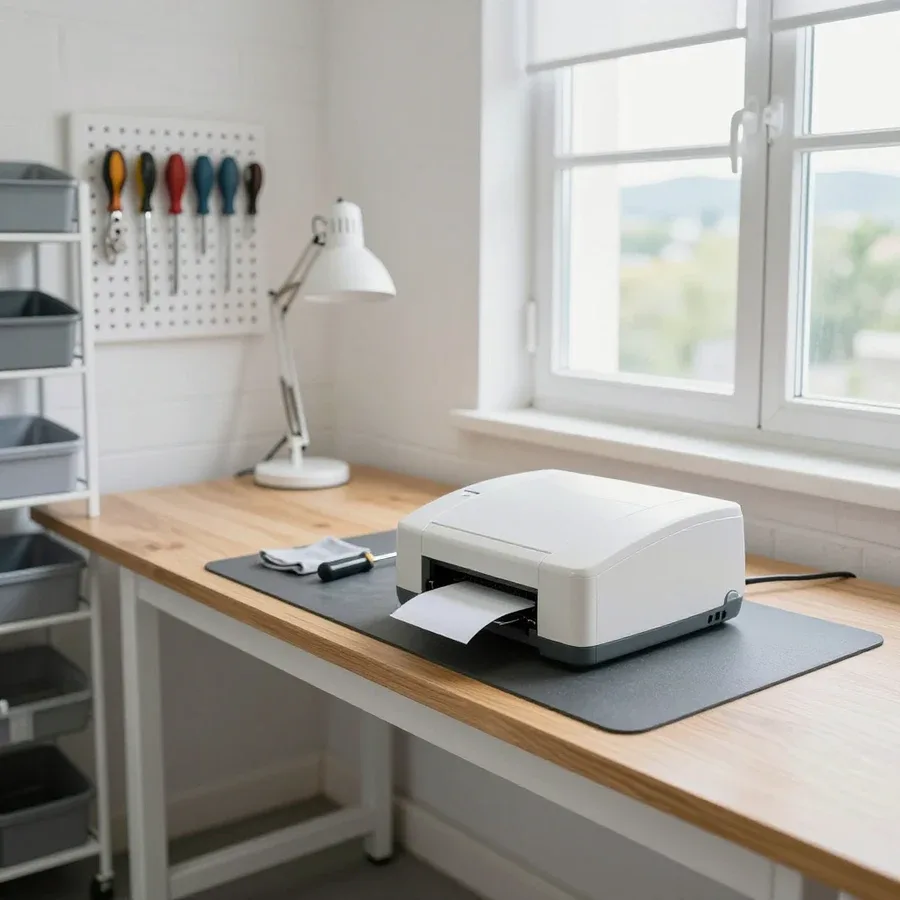 BeforeAfter

Five steps from your request to job completion.
We confirm the printer model and symptom and arrange a visit.
The technician confirms the model, symptom, and on-site conditions to bring the right tools and parts.
The technician lists parts to replace and those that can be restored, and fixes the scope before repair.
Once the cost is approved, the technician performs the work and replaces parts.
The technician explains what was replaced and how to use the printer going forward.
The computer and laptop repair department in Almaty has 7 technicians with 6 to 15 years of experience.

The department has 7 specializations — they are listed on the technicians' cards.
experience10 yearsGraphics card repair technician
 experience6 years
PC and laptop diagnostics technician
 experience8 years
Laptop repair engineer
 experience10 years
Software installation specialist
 experience7 years
PC and laptop repair technician
 experience13 years
Diagnostics and virus removal specialist
 experience15 years
Consultant
We reply during working hours
Call or message us on your preferred messenger and pick a visit time. The technician will confirm the printer model and symptom; diagnostics are free.

Warranty question? Call us
+7 (778) 096 59 70Tech Service repairs thermal printers in Almaty — receipt, label, and POS printers. A technician arrives at your home within 60 minutes or you can drop off the device at our service center. Diagnostics are free, and we provide a 1-year warranty on labor and parts. The technician gives you the price after diagnostics, and you can pay any way you like.
A thermal printer fails differently from a laser or inkjet: it has no toner cartridge or ink, but it does have a thermal head, a roller, and a control board. Let's go over the typical symptoms of receipt and label models and what causes them.
A blank receipt with a new roll almost always points to the thermal head or to the paper being loaded upside down. Thermal paper is one-sided: the heat-sensitive layer is applied to only one surface, and if the receipt roll is reversed, the head heats the back side without the coating. If the paper is loaded correctly but receipts are still blank, check the contact of the thermal head's ribbon cable with the board and the condition of the heating elements — if they are worn or the traces are broken, heating won't trigger. In label models, add the ribbon to this: without it, or if it's loaded incorrectly, a direct thermal device produces blank labels. Before calling a technician, check the side of the thermal paper — the heat-sensitive layer should face the print head; if the receipt still doesn't appear after flipping the roll, the problem is in the head.
A faded end of the receipt and stripes are a sign of thermal head wear or uneven paper feed, not of paper "running out." The heating elements of the thermal head wear down after thousands of meters of thermal paper, and by the end of the roll the print density drops: first individual lines fade, then white horizontal stripes appear. The second source is the paper feed mechanism: weak pressure and a dirty roller cause jerks, which make some lines print lighter. The third option is contamination of the head surface with carbon deposits from paper dust and label adhesive, then stripes run along the entire length of the receipt. It's also worth checking the print density settings in the driver: a low heat level gives an even lightening of the whole receipt, not stripes. If only one side of the receipt fades, the culprit is more often paper skew in the guides, not the head itself — that's cheaper to fix.
Thermal printer repair starts with diagnostics, not with replacing parts. Here's how a specialist proceeds at each step and why the price is only given after the check.
Our diagnostics are free: a technician checks the printhead, paper feed, power supply, and connection to the cash register to pinpoint the exact cause. This is how thermal printer repair in Almaty starts—by checking the components, not by replacing parts. The printhead is the most heavily used component: carbon buildup and coating residue accumulate on it, causing faded printing. The paper feed is checked for skew and roller wear, the power supply for voltage drops under load, and the control board for stable data exchange with the POS terminal or computer. Diagnostics at your home and at the service center cover different scopes—some electronics can only be tested on the bench. So the engineer will honestly tell you if the device needs to be brought in for an accurate diagnosis, rather than guessing from external signs. This approach saves time: you know right away which component will be repaired and where.
After diagnostics, we give you the cost and scope of work, and the timeline depends on whether the component can be fixed on-site or needs a replacement part. A worn printhead and feed rollers are replaced on-site if the technician has the necessary component. The control board, power supply, and soldered components are tested and restored at the service center. More often this is a replacement of a worn component rather than an adjustment, so it's important that the technician immediately identifies which component needs replacing: this saves time and avoids a second visit. Ask the technician during intake which part is worn and whether it's in stock—so the repair goes without unnecessary delays. We provide a 1-year warranty on labor and parts—if the issue returns, we fix it again. The technician arrives within 60 minutes anywhere in the city, and you can pay via Kaspi QR, Kaspi Red, card, cash or bank transfer.
Restoration makes sense when the printhead or feed is worn, but replacement is better when the control board is damaged and restoring the component is not cost-effective. The printhead wears out over time, causing faded printing, but the component itself can be replaced and the device put back into service. A control board with burned traces or liquid-damaged contacts requires labor-intensive restoration, and on budget models this often exceeds the practical value of the device. The decision should be made after diagnostics: without it, it's easy to replace a working printer because of a minor issue like upside-down paper or an incorrect print density setting. The most expensive option is to replace the device without checking that only the paper is at fault. That kind of haste costs the owner the most. Let's add a simple guideline: if printing doesn't recover after replacing the paper and checking density settings, you can't avoid disassembling the component—and here it's more important to get an accurate assessment of the printhead and board condition than to guess.
Not every thermal printer malfunction can be fixed on-site. Below is what the technician can do at the client's location and what requires bench testing, and how this affects your choice of scenario.
At the client's location, we fix paper jams, feed skew, replace the printhead, and establish connection with the cash register—everything that doesn't need a bench. The paper feed mechanism and print unit are disassembled with standard tools right at the cashier's workstation, and data exchange with the POS is checked on a live receipt: we see how the device processes commands. Arrival within 60 minutes anywhere in the city means the technician inspects the device on-site and immediately identifies the cause, so simple issues are resolved during the same visit. If no part is needed, the issue is resolved on-site within one visit. Before calling, specify the printer model and the nature of the failure—so the technician brings the right printhead and doesn't come twice. Diagnostics are free, so clarifying details costs you nothing, and the technician knows in advance which component to check first.
We take the device to the workshop when the control board is faulty or a deep electronics check is needed that can't be done on-site. Board diagnostics require point-by-point circuit testing and a load test — that's not possible on-site, so such a component is checked at the service center. If the technician sees the cause is in the board, they don't keep tinkering on-site but coordinate service with you — so you don't pay twice for the same job. The same route applies to complex mechanical components that need full disassembly with fault detection of every part and clearance checks. We're honest about when the equipment needs to be brought in and when an on-site visit is enough: this saves your time and money. The technician quotes the cost after free diagnostics, before disassembling components, so you know upfront what you're paying for.
| Scenario | Which components | How it goes | Warranty |
|---|---|---|---|
| On-site | Paper jams, feed skew, thermal head, connection to the POS system | Arrival within 60 minutes, diagnostics and repair on-site | 1-year warranty on labor and parts |
| At the service center | Control board, electronics, complex mechanisms | We coordinate after diagnostics and pick up the equipment | 1-year warranty on labor and parts |
| Mixed | Board after on-site diagnostics | The technician identifies the cause on-site, then it goes to the service center | 1-year warranty on labor and parts |
Warranty and a direct provider are the two factors people most often consider when choosing a service. Below we explain exactly what our warranty covers and why we don't work as intermediaries.
We provide a 1-year warranty on labor and parts — if the fault returns after repair, we fix it under warranty. Coverage applies both to replaced worn components and to the technician's work itself, so you don't have to figure out whose defect it is: part replacement and installation are covered under one responsibility package. Before disassembly, the technician explains which components they check and what they plan to replace, so after service it's clear what the warranty covers. For a POS system owner, this means a repeat failure of the print head or paper feed mechanism is fixed under warranty rather than turning into a new paid visit. This approach eliminates disputes about which component failed: the part or the installation.
Tech Service is a direct provider with its own team of technicians, not an aggregator or intermediary, so we're responsible for the result, not a "partner." Our technician comes to your home or accepts the device at the service center, and they remain accountable: diagnostics, the work itself, and obligations for it come from one company rather than being split between a request dispatcher and a contractor. With an aggregator, you don't know in advance whose hands will work on the device and whose obligations will apply afterward — any available contractor can take the request, and there's no one to file a claim with. When choosing a service, ask directly whose specialist will do the work and which company is responsible for a repeat failure: if the answers don't match, you're dealing with an intermediary. With a direct provider, the specialist and the responsibility come from one company.
Our technicians have 4 to 20 years of experience, and you can pay via Kaspi QR, Kaspi Red, bank card, cash, or bank transfer for companies — cash, card, and bank transfer. Experience matters specifically with thermal printers: fine-tuning the paper feed, adjusting the pressure, and spotting printhead wear come with practice, not from a manual — so the technician assesses the age of the fault and the device model faster. They quote the price after free diagnostics, once the cause is clear — before that, the conversation is about symptoms, not the sum. Paying any convenient way covers both one-off visits and servicing a fleet of POS units at a retail location. For retail with multiple locations, this simplifies accounting: you can pay however your bookkeeping prefers, not just cash on site.
Thermal printers fall into receipt, label, and POS models. Each type has its own components, load mode, and typical failures, so the service approach differs too.
In a receipt printer, the thermal head and the narrow paper feed are the most vulnerable, along with the connection to the cash register via USB or COM. The thermal head transfers the image onto thermal paper: when dots burn out, the receipt comes out faint or with white stripes. USB/COM connectors loosen from frequent reconnections, and then the cash register stops seeing the device. The feed unit gets clogged with paper dust and starts pulling the paper in jerks. A receipt thermal printer runs in intensive mode — dozens of receipts per shift — so the head wears out faster than in a label printer. This is worth considering when choosing between restoration and replacement: if the head has served its life but the body and board are intact, replacing the unit gets the device back in service, but if the mechanics are worn overall, upgrading the model is more cost-effective.
Label printers add a tear-off mechanism and guides for different paper widths, so jams and skewing are more common. The paper feed mechanism ensures even movement of thermal paper: with misaligned guides, the label goes in crooked, printing shifts to the edge, and the edge tears on the tear bar. The feed roller eventually gets clogged with adhesive from the backing and starts slipping — the paper moves in jerks or stops midway. In a warehouse or retail setting, downtime of such a device halts labeling and shipping, so a technician visit saves more time than service at a shop. Our technician arrives within 60 minutes in the city and fixes on site whatever doesn't require disassembling the print unit.
With a POS printer, we check not only printing but also the connection to the cash register or POS terminal — often "not printing" means "not visible in the system." The control board handles the connection between the thermal printer and the cash register: if the firmware fails or the USB/COM/Ethernet connector is damaged, the receipt doesn't go through even though the mechanics are fine. During free diagnostics, we first check the interface and see if the device is detected in the system, and only then tackle the head. If the printer isn't visible, the cause may be the control board or the port itself, not printing — so we start diagnostics with the connection, not the head. This order saves time: swapping in a working head when the port is dead won't help.
To avoid overpaying and ending up without a warranty, check the service against several criteria — we'll go through them without ratings or "best" lists.
Before calling a technician, describe the symptom, the printer model, and how it's connected — this speeds up diagnostics and helps the technician bring the right parts. Note exactly what's happening: not printing receipts, printing blank, jamming the paper, not turning on, or not showing up in the system. Specify the model — it determines the feed mechanism and the type of thermal head. Clarify the connection: USB, COM, or Ethernet, and for a POS setup, how the printer is linked to the cash register. If the printer is used with a computer, keep the name of the program you print from handy: some errors are driver-related, not hardware. Prepare a few strips of paper that show the problem — they'll help the technician pinpoint the cause faster. If the printer won't turn on, don't take it apart yourself: that can complicate diagnostics and affect the warranty.
You can book by phone or through the website: we'll clarify the symptom, arrange a technician visit within 60 minutes, and perform free diagnostics. The technician comes to you or you bring the printer to us — you decide based on the nature of the fault. Within the city, the visit takes up to 60 minutes, so your checkout doesn't sit idle all day. After the inspection, you get a report: which unit failed, what work is needed, and what it will cost. The technician quotes the price after diagnostics — so you decide with the exact cause and scope of work in hand, not a rough estimate. You can pay any way you like: Kaspi QR, Kaspi Red, bank card, cash, or bank transfer for companies. The work performed and parts installed are covered by a 1-year warranty.
Here's the key things to keep in mind when your thermal printer stops producing proper receipts and you need to decide what to do with it next.
Tech Service technicians repair other appliances too — with the same 1-year warranty on labour and parts.
 Refrigerator Repair in Almatyfrom 3 000 ₸
 Washing Machine Repair in Almatyfrom 3 000 ₸
 Dishwasher Repair in Almatyfrom 3 500 ₸
 Oven Repair in Almatyfrom 3 000 ₸
 Cooktop Repair in Almatyfrom 3 500 ₸
 Air Conditioner Repair in Almatyfrom 3 500 ₸
 Boiler and Water Heater Repair in Almatyfrom 2 500 ₸
 Freezer Repair in Almatyfrom 6 000 ₸
 Tumble Dryer Repair in Almatyfrom 5 000 ₸
 Coffee Machine Repair in Almatyfrom 2 500 ₸
 Robot Vacuum Cleaner Repair in Almatyfrom 3 500 ₸
 Vacuum Cleaner Repair in Almatyfrom 1 500 ₸
 Microwave Oven Repair in Almatyfrom 2 000 ₸
 Hair Dryer Repair in Almatyfrom 1 500 ₸
 Iron Repair in Almatyfrom 3 000 ₸
 Electric Kettle Repair in Almatyfrom 2 500 ₸
 Mixer Repair in Almatyfrom 2 500 ₸
 Multicooker Repair in Almatyfrom 500 ₸

If your laptop screen is broken, turn the device off first, don't press on the display, and check the picture through an external monitor.
12 March 2026 · 11 minutes read
If your laptop freezes, the first thing to do is restart it and check Task Manager to see what's loading the CPU and memory.
25 January 2026 · 12 minutes read
If your computer won't turn on, start simple: check the outlet, power cable, switch on the power supply, and the power button.
19 January 2026 · 13 minutes read
If your laptop won't boot, first determine which of two states you're in: the device doesn't respond to the power button at all…
13 December 2025 · 12 minutes read








