Original
Manufacturer's case
- Selection
- by model and part number
- Contents
- full set of mounts and plugs
- Compatibility
- full match to mounting points
- Cost
- determined after diagnostics

We restore the integrity of your laptop case after drops, cracks, or wear. Free diagnostics, technician arrives within 60 minutes.
Our own technicians4 to 20 years of experience




1 yearwarranty on labor and parts
60 minutestechnician visit across the city
freediagnostics
5
A quick case check takes about two minutes: inspect the lid, hinge, screws, and gaps. This way you'll notice wear early and describe the damage more accurately to the technician.
Squeaking when opening
Unusual squeaking or crunching when opening the lid, and the lid shifting relative to the base.
Worn coating
Paint wear and scratches on corners, exposed plastic after contact with surfaces.
Loose connectors
Play in ports and slots, screen bezel shifting, gaps around the keyboard.
Base flex
The panel flexes under your palms, the touchpad works unevenly due to support displacement.
Loss of rigidity
The base flexes when pressing on the keyboard or touchpad, the panel visibly deforms.
If several signs appear at once, stop using the laptop and ask the technician whether replacement is needed.
Describe the symptoms1–2 hourstime
from 12,000 ₸cost
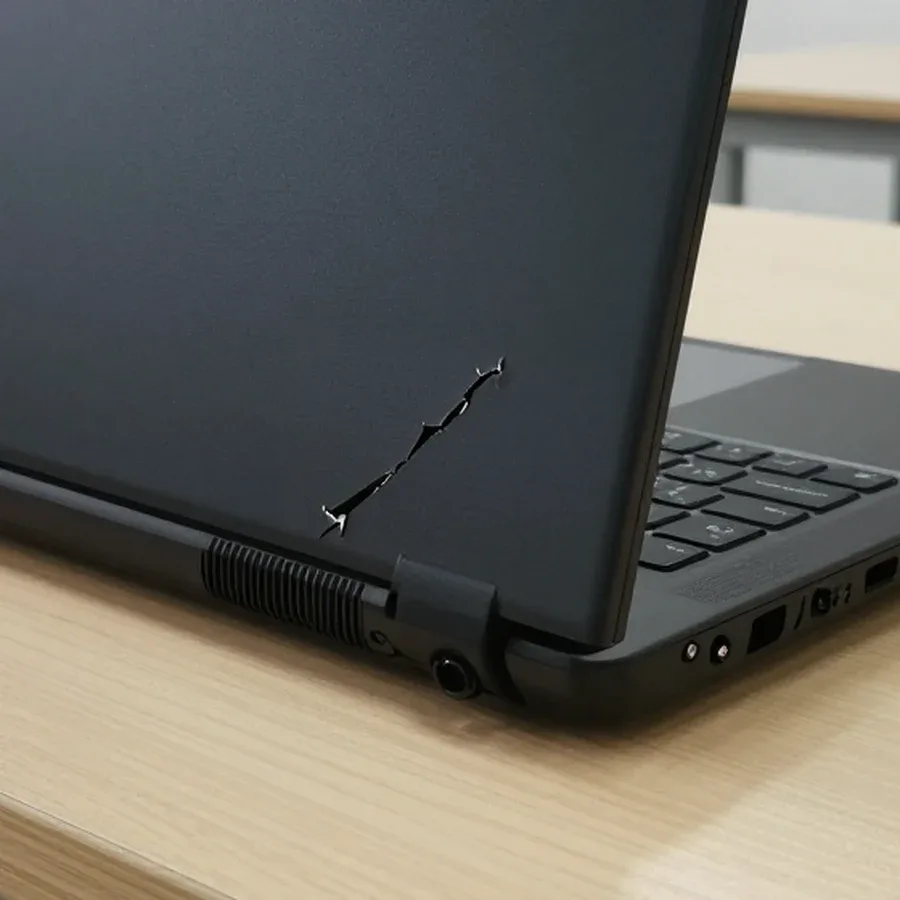
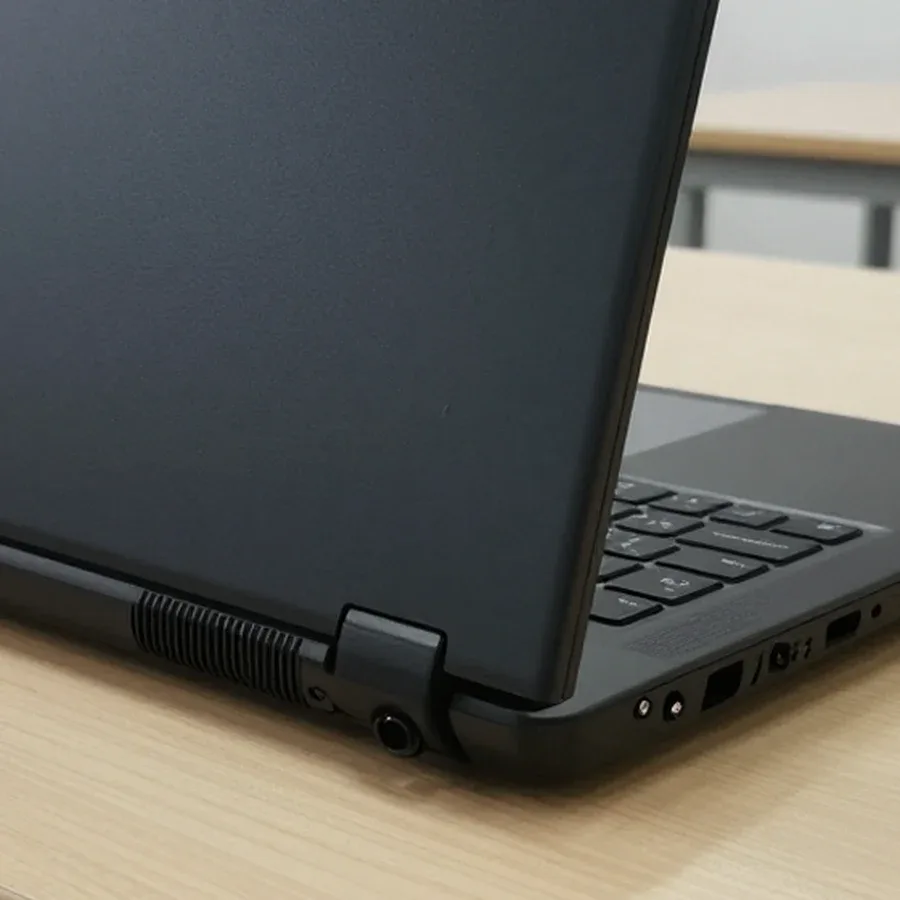 BeforeAfter
The computer and laptop repair department in Almaty has 7 technicians with 6 to 15 years of experience.

The department has 7 specializations — they are listed on the technicians' cards.
 experience6 years
PC and laptop diagnostics technician
 experience8 years
Laptop repair engineer
 experience7 years
PC and laptop repair technician
 experience10 years
Graphics card repair technician
 experience10 years
Software installation specialist
We reply during working hours
Describe your laptop model and the case damage — the technician will agree on a visit time and quote the replacement cost before work begins.

Warranty question? Call us
+7 (778) 746 01 65
Author: Dmitriy R.,PC and laptop diagnostics technician
Published
Updated
Tech Service replaces laptop cases in Almaty, either fully or partially, transferring the keyboard, screen, and internal components into a new case. A technician arrives within 60 minutes anywhere in the city, or the repair is done at the service center. Diagnostics are free, and there is a 1-year warranty on labor and parts.
The case suffers from drops, liquid spills, and hinge wear. Not every defect requires replacement, so the technician first assesses which damages can be restored and which need to be replaced.
A crack near the hinge without repair spreads further, the hinge tears the mounts out of the palm rest, and then repair of the mechanism and bezel is added to the case replacement. The load when opening the lid goes precisely through these mounts: the plastic around them is thin, and each opening cycle widens the crack by fractions of a millimeter. Over a month of daily use, the crack travels from the corner to the joint with the keyboard, after which the palm rest is replaced together with the lid. Fixing the case at an early stage means tightening or replacing the hinge and locally reinforcing the plastic; at a late stage, it's a full panel swap. A glued crack only holds cosmetics — it doesn't relieve the load from the mechanism, so restoration makes sense only for chips without moving mounts. Laptop case replacement price depends on the model and set of panels, and the technician quotes it after free diagnostics.
A laptop case is not a single part but several pieces, and they can be replaced individually. Let's break down which parts are replaced and which remain from the old device.
| What we replace | When it's suitable | What we transfer | What we check after |
|---|---|---|---|
| Top lid | crack or chip on the display lid | matrix, screen bezel | hinge movement |
| Bottom part | chips on the bottom, torn mounts | board, storage, battery | screw seating |
| Palm rest | cracks near the keyboard and touchpad | keyboard, touchpad | latches and ports |
| Full case | multiple damages, deformation | all components | geometry and hinges |
We move the keyboard, display, touchpad, connectors, and motherboard into a new chassis—only the case itself changes, while the internals stay yours. Laptop case repair starts with selecting a compatible part for the specific model: different revisions have different mounting points for hinges and cutouts for ports. During disassembly, the technician removes the keyboard, disconnects the display and touchpad cables, and transfers the motherboard with the cooling system onto the new standoffs. USB, HDMI, and power connectors are aligned with the openings of the new case—any misalignment here causes looseness when plugging in. The screen bezel and hinges fit into place only if the geometry matches, so the part is checked before assembly. A compatible case is selected for the specific model, and whether the ports and hinges fit without play depends on how the mounts line up.
Case replacement follows clear stages—from free diagnostics to checking the hinges after assembly. Here's how the work proceeds at each step and who is responsible for the result.
We start with free diagnostics, where the technician determines the scope of work and quotes the price; after approval, they disassemble the laptop. During the inspection, they check which part is damaged—the top lid, bottom cover, or palm rest—and assess the condition of the hinges, since these determine whether the new part will hold and whether cracks will appear in the fresh plastic a month later. Then disassembly begins: the keyboard, screen, and internals that will move to the new case are removed; the technician lays out each board and cable in order so nothing gets mixed up during reassembly. Our staff begin laptop case repair in Almaty from this stage, and the client sees which part is being replaced and which remains original. The price is quoted after diagnostics because the final cost depends on whether the entire case or just one part is replaced and on the condition of the hinges.
After transferring the internals, we assemble the laptop, check the hinge geometry, and test the device to ensure the lid moves smoothly and without play. Assembly proceeds in reverse order: the internals are seated in their places, the screen and keyboard cables are connected, the palm rest is secured at the mounting points, and the screws are tightened evenly to avoid warping the plastic. Then the lid is opened and closed several times with light force—this shows whether the hinge is twisting the case or if the part catches on the adjacent one. After that, the screen, keyboard, touchpad, and ports are checked: this work should not leave a loose contact unnoticed. The hinges are tested under load because the new lid will crack first if the hinge is overtightened or worn and twists the case when closing.
We arrive at the client's location within 60 minutes anywhere in the city or repair at our service center—it's our own technician, not a courier picking up the laptop. Such a visit means the person doesn't part with the device for long and sees the disassembly firsthand: the lid is removed in their presence, the scope of work is approved with them, and it's confirmed that replacement is needed rather than restoration. People in Almaty order laptop case repair both at home and at our facility—the choice depends on whether it's convenient to wait for the technician at home and if there's a power outlet and table available. If replacement requires disassembly with transfer of internals, the technician says in advance where the work will take place so the client doesn't wait for the equipment to return from another location.
The customer cares not only about the result but also about what happens if something goes wrong. We explain the warranty on case work and how it combines with the store's warranty.
We give a 1-year warranty on labor and parts, and it covers the replacement of the case itself, not just the general service repair. The term is the same for the top lid, bottom cover, and palm rest — the part is replaced as a whole, so the commitment for it is the same as for the assembly. The technician who disassembled the laptop is responsible for the hinge fit, the gaps around the perimeter, and the safety of the transferred components — keyboard, screen, board. Disputed cases are almost always related not to the part itself but to the mounting: an undertightened screw or a skewed hinge causes squeaking after a few weeks. The warranty on the part is important separately from the warranty on the assembly because a crack in the new case and a installation error are different causes, and both fall within the same term. If you are interested in how much laptop case repair costs, the technician gives the price after free diagnostics.
Service replacement does not automatically void the store warranty, but its terms depend on the seller, so it is worth agreeing on opening the laptop with them in advance. Sellers have different requirements: some allow repairs by third-party providers and keep obligations for components, others remove them upon any intervention in the device. The practice is simple — before disassembly, call the store, describe which part is planned to be replaced, and clarify what actions they recognize. If the laptop is still under the store warranty, it is reasonable to first check with the seller about permissible interventions, and only then plan the work. We agree on the scope and cost with the client after free diagnostics, so you will have an exact description of the work — show it to the seller. This sequence helps to agree with the seller in advance and avoids a dispute when the crack appears again.
The final amount consists of several factors, not a single fixed rate. Let's break down which factors affect the price and when it is quoted.
We quote the cost after free diagnostics, before work begins, and you can pay via Kaspi QR, Kaspi Red, bank card, cash, or bank transfer for companies. The technician arrives at your home within 60 minutes anywhere in the city, inspects the laptop, and lists which operations will be included: replacement of the lid, bottom cover, or palm rest, transfer of the keyboard and screen, hinge adjustment. Laptop case repair price depends on the scope of operations, so the technician quotes the exact amount after inspection. Agreeing on the amount before disassembly protects the client from surprises: if it turns out during the work that the mechanism needs repair, this is discussed separately, not added silently. A 1-year warranty applies to labor and parts. Preliminary agreement on the list of works removes most questions about the final amount: the client sees what they are paying for before the technician picks up a screwdriver.
The outcome of a case replacement comes down to an accurate diagnosis, transparent agreement on the scope before disassembly, and a final check of the hinges once the device is reassembled.
If you ask, the technician will check other parts during the same visit.

If your laptop screen is broken, turn the device off first, don't press on the display, and check the picture through an external monitor.
12 March 2026 · 11 minutes read
If your laptop freezes, the first thing to do is restart it and check Task Manager to see what's loading the CPU and memory.
25 January 2026 · 12 minutes read
If your laptop won't boot, first determine which of two states you're in: the device doesn't respond to the power button at all…
13 December 2025 · 12 minutes read
If your computer won't turn on, start simple: check the outlet, power cable, switch on the power supply, and the power button.
19 January 2026 · 13 minutes read


