Open until 19:00+7 (778) 746 01 65Call a technician
Tech Service technician next to a laptop

Laptop Power Jack Replacement in Almaty

If the charging port is loose or your laptop won't hold a charge, a technician will check the jack and power circuit, replace the part, and test the charging.

  • Free diagnostics
  • Technician at your door in 60 minutes anywhere in the city
  • 1-year warranty on labor and parts

Our own technicians4 to 20 years of experience

Dmitriy R.Rais M.Sergey A.Maksim S.
2ГИСЯours4,97 898 reviews
2GIS · Google · Yandex · order database

1 yearwarranty on labor and parts

60 minutestechnician at your door anywhere in the city

4 to 20 yearstechnician experience

What the job includesIncludesTECH SERVICE02

What laptop power jack replacement includes in Almaty

Once the fault is confirmed, the technician chooses the repair method: replace a removable jack or solder a new one to the board, depending on the laptop model. The price is quoted after diagnostics. The work and parts come with a 1-year warranty.

Signs of a faultSigns of a faultTECH SERVICE03

When you need laptop power jack replacement in Almaty

5

Five typical symptoms point to a worn charging jack or poor contact in the power circuit, from a loose connector to heat near the jack.

  1. Laptop won't charge

    The charger is plugged in but the battery level doesn't rise: the contact in the jack may have loosened or oxidized.

  2. The connector is loose

    The plug doesn't sit tight and moves in the jack, which is how the connector behaves when worn or when its mount is broken.

  3. Charging cuts out

    Charging comes and goes when the cable moves: the cause is often a loose jack or a damaged plug.

  4. The connector gets hot

    The case near the jack gets noticeably warm while charging, a sign of poor contact and increased resistance.

  5. The indicator light is off

    The charging light on the case doesn't come on when you plug in: check both the jack and the power adapter itself.

Before the technician arrives, try a charger of the same model: if charging works, the issue is in the adapter, not the jack.

Describe the symptoms
Parts and materialsPartsTECH SERVICE04

Parts and materials for laptop power jack replacement in Almaty

Connectors vary in shape, plug diameter, and how they mount on the board.

Original

Jack for your laptop model

Selection
By laptop model or part number
Fit
Matches the factory mount on the board
Plug
Diameter and shape match the original connector
Price
Quoted after diagnostics

Compatible

Compatible connector

Selection
By connector type and size, by part number
Fit
Checked against the mount and contact layout
Plug
Must match the charger diameter
Price
Quoted after diagnostics
PricesPricesTECH SERVICE05

How much laptop power jack replacement costs in Almaty

The table shows the cost of replacing a laptop power jack: the starting labor price without the part and the time needed. The technician confirms the final amount before starting the repair.

Cooler replacementparts not included

1–2 hours

from4 500 ₸

Virus removalexact price — after the free diagnostics

1–2 hours

from5 000 ₸

HDD to SSD upgradeparts not included

1–2 hours

from5 500 ₸

Dust cleaning with thermal paste replacementexact price — after the free diagnostics

1–2 hours

from6 000 ₸

Display cable replacementparts not included

1–3 hours

from6 500 ₸

Work before and afterBefore and afterTECH SERVICE06

Before and after laptop power jack replacement in Almaty

Power jack came loose from the board

1–2 hourstime

from 10 000 ₸cost

Problem
The laptop stopped charging, and the power adapter plug was loose in the socket: the power jack had loosened and come away from the board.
What we did
The technician removed the bottom cover, desoldered the old power jack, and soldered in a new one.
Result
Charging was restored; the technician checked charging while wiggling the plug.
I want the same
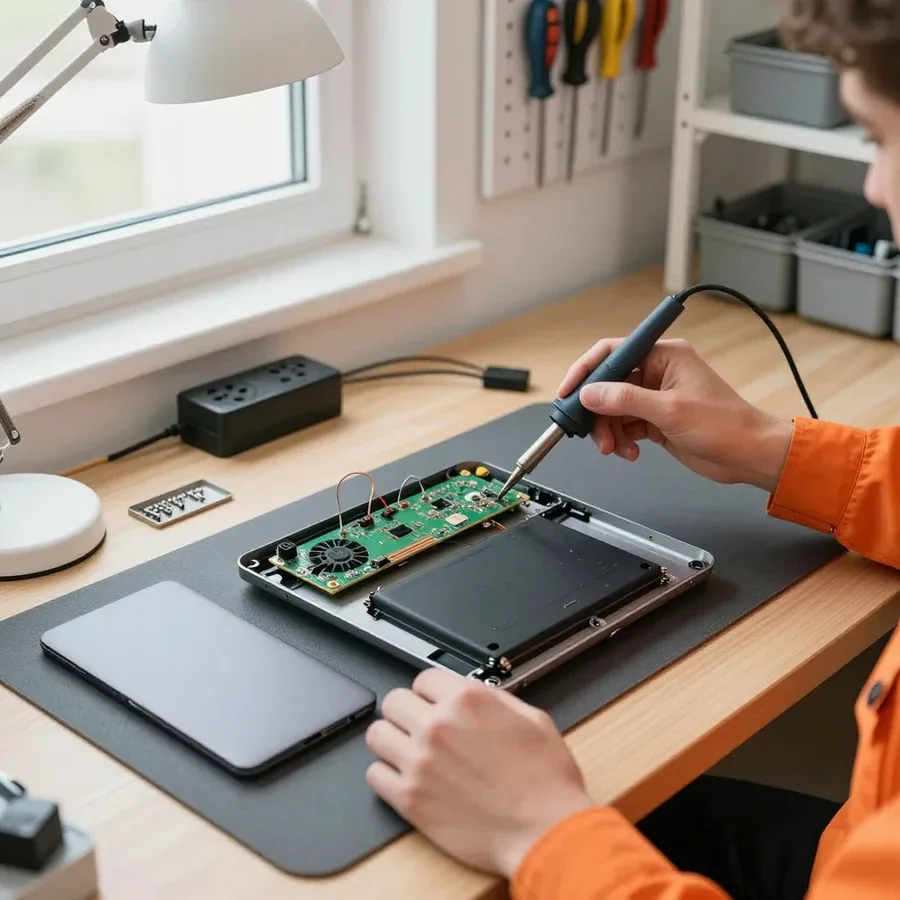
Laptop upside down without the bottom cover on a wooden table with a dark mat, the board and battery are visible; a technician in an orange shirt is soldering the power connector with a soldering iron, with the removed cover nearbyBeforeAfter
01 / 03
All repairs
TechniciansTechniciansTECH SERVICE07

Our laptop power jack replacement technicians in Almaty

The computer and laptop repair department in Almaty has 7 technicians with 6 to 15 years of experience.

  • 7 technicians in Almaty
  • 6–15 years of experience in the department
  • Article author Maksim S., 10 years of experience
Technician repairing a laptop at a customer’s home
Field technician at a customer’s home

The department has 7 specializations — they are listed on the technicians' cards.

01 / 05
Dmitriy R., PC and laptop diagnostics technicianexperience6 years

Dmitriy R.

PC and laptop diagnostics technician

Rais M., laptop repair engineerexperience8 years

Rais M.

Laptop repair engineer

Sergey A., PC and laptop repair technicianexperience7 years

Sergey A.

PC and laptop repair technician

Maksim S., graphics card repair technicianexperience10 years

Maksim S.

Graphics card repair technician

Roman M., software installation specialistexperience10 years

Roman M.

Software installation specialist

We reply during working hours

Book laptop power jack replacement in Almaty

Leave a request: a technician will arrive in Almaty within 60 minutes, diagnostics are free, and there is a 1-year warranty on labor and parts.

TECH SERVICE administrator replying to a customer's WhatsApp message

Warranty question? Call us

+7 (778) 746 01 65

Customer reviewsReviewsTECH SERVICE08

Reviews of laptop power jack replacement in Almaty

Вероника П.Order No. ZK-4734 · 9 March 2025

ours

Цена имела значение, но и гарантия тоже. Такое чувство, что техника сговорилась ломаться вся разом. С чем пришёл: шумит вентилятор. Вышло дешевле нового, что логично. Приняли без предоплаты, это подкупило. Заодно поменяли: батарея. Достойно. Проверил дома — всё на месте, ничего не забыли

Repair: laptop

Ляззат К.Order No. 541071 · 25 December 2023

ours

Сергей Архипов подсказал, как продлить жизнь технике. Про техсервис ничего не знал, просто зашёл по пути. Вернули в тот же день, всё функционирует.

Repair: laptop

Жанна О.Order No. TS-4395 · 5 December 2023

ours

С чем пришёл: перегревается. Раис Мирзахметов не стал навязывать дорогую запчасть, поставил нормальную. Починили и дали гарантию на месяц.

Repair: laptop

Аскар Ж.Order No. TS-2304-190 · 6 February 2023

ours

Выбирал по отзывам в 2ГИС, времени на эксперименты не было. Утром столкнулся с тем, что залили жидкостью. Вышло дешевле нового, что логично. Разобрали, посмотрели: клавиатура. Приняли, выдали квитанцию, всё по-человечески. Ставлю пятёрку. Проверили при мне, показали, что всё держит.

Repair: laptop

Юлия А.Order No. 843896 · 10 December 2022

ours

Искал мастерскую поближе к дому, чтобы не мотаться с техникой через полгорода. Жалоба простая: не работает клавиатура. Сделали и забыл про проблему.

Repair: laptop

Вероника П.Order No. 591839 · 31 May 2020

ours

Үйдегілер «лақтыр» деді, мен шешім қабылдамай тұрып көрсетуге апардым. Асығыс болмасам да, бір күнде бітіретінін айтты. Кепілдік берді, бұл мен үшін маңызды. Диагностика тегін болды, бұл жағы жақсы. Енді басқа жерге бармаймын)

Repair: laptop

Ольга М.Order No. ZK-2667 · 2 October 2018

ours

Смотрел, у кого есть запчасти на такую модель. Сначала просто глючило, потом стало хуже: отвалился чип. Сергей Архипов снял деталь, показал износ, вопросов не осталось. Смета совпала с итогом, что редкость. Мастер сам перезвонил, когда появилась запчасть. Из деталей — термопрокладки. Ставлю пятёрку. Вернули в тот же день, всё функционирует.

Repair: laptop

Ержан А.Order No. ZK-1429 · 30 May 2018

ours

Основная жалоба — шумит вентилятор. Роман Мигунов взялся за то, от чего другие отказались. Позвонил в techservice по объявлению, всё совпало. Функции все на месте, ничего не отвалилось.

Repair: laptop

Карина А.Order No. 440777 · 28 March 2017

ours

Выбирал по отзывам в 2ГИС, времени на эксперименты не было. Ещё утром всё работало, а к вечеру — отвалился чип. Нужна была замена: термопрокладки. Могли бы взять больше, но взяли по-божески. Объяснили по телефону, что можно не везти, но я всё равно привёз. Второй месяц — полёт нормальный.

Repair: laptop

Гульнара Б.Order No. ZK-2016/367 · 6 March 2016

ours

Прочитал кучу отзывов, половина — реклама, но тут вроде живые. Честно, уже готовился покупать новое, но обошлось. Проблема — отвалился чип. Вышло 17 500 тенге, дешевле, чем я рассчитывал. Нужна была замена: видеочип. Договорились на утро, к девяти уже был свободный мастер. В общем, доволен. Починили и дали гарантию на месяц

Repair: laptop
See all reviews
Questions and answersQuestionsTECH SERVICE09

Questions about laptop power jack replacement in Almaty

Didn’t find the answer? Message us on WhatsApp.

Ask a question
What are the signs of wear on a laptop power jack?

It only charges when the plug is in a certain position, the plug is loose, gets hot, or smells burnt. If you notice these signs, don't yank the cord: a technician will check the jack during free diagnostics.

How can I tell if the laptop power jack is broken and not the charger?

If the plug only stays in at an angle, the jack is loose or gets hot, the problem is usually the port. You can test the power supply with another charger that has the right specs. Free diagnostics will give you a precise answer.

Why is sparking and overheating of a laptop power jack dangerous?

Sparking and overheating mean poor contact or melting: there's a risk of a short circuit and damage to the board, so turn off the laptop and don't charge it until it's been checked. A technician will inspect the jack during free diagnostics.

What happens if moisture gets into a laptop power jack?

Moisture causes contact oxidation and a short circuit, which can stop the laptop from charging. Sometimes the jack can be saved by cleaning, but more often it needs to be replaced. Don't plug in the charger until a technician has looked at it.

Can I charge my laptop via USB-C if the power jack is broken?

If your laptop supports USB-C charging, it's a temporary fix, but not all models and power supplies can do this. It's better not to delay the repair: a technician will check the jack during free diagnostics and advise you.

Is the laptop power jack replaced on-site or do I need to bring it to the service center?

Some work can be done on-site, but replacing a jack soldered to the board usually requires a workshop. The technician will tell you what's suitable in your case after free diagnostics.

Repair guideArticleTECH SERVICE10

Laptop Power Jack Replacement in Almaty by Tech Service

Dmitriy R., PC and laptop diagnostics technician

Author: Dmitriy R.,PC and laptop diagnostics technician

Published
Updated

Tech Service replaces laptop power connectors in Almaty: our technician arrives within 60 minutes anywhere in the city, or the repair is done at the service center. Diagnostics are free, the technician gives the price after diagnostics, and there is a 1-year warranty on labor and parts. We work with both soldered and modular connectors.

When It's Time to Replace the Power Jack and Why Laptop Power Jack Replacement Is Risky to Delay

The power jack is the most heavily used part of any portable device: current flows through it every day, and the plug is constantly moving. Let's look at the signs that point to the jack itself and why putting off the repair is risky.

Signs the Jack Is at Fault, Not the Charger

If the device only charges when the cable is in a certain position or the plug wobbles in the jack, the problem is almost always the jack itself, not the power adapter. Watch the charging indicator: it turns on and off with a light touch of the cable, and the jack itself feels loose or sinks into the case when you plug in. A healthy jack holds the plug firmly, with no wobble, and charging doesn't cut out if you move the device on the table. It's easy to check — plug in a known-good power adapter: if nothing changes, the jack is the issue, and further attempts to "catch the contact" only make the fit looser. Pay extra attention when you have to hold the cable at an angle — that puts stress on one contact, and it wears out faster than the others.

Why Sparking, Heat, and Moisture in the Jack Are Dangerous

A sparking and overheating jack eventually melts the contacts and can damage the area of the motherboard, while moisture causes oxidation and loss of charge. An arc between the plug and the jack heats up the plastic case, the contact darkens, the contact area shrinks — heat builds up in a vicious cycle, and one day the device simply stops recognizing the charger. Spilled liquid works differently: it seeps into the jack, oxidizes the metal, and leaves a greenish film on the traces nearby. In such cases, laptop power jack replacement in Almaty is simpler than restoring the board after melting. The sooner such a case is examined, the higher the chance of getting by with just replacing the jack rather than repairing the board — so at the first signs of heat, it's better not to charge the device until diagnostics.

Laptop Power Jack Replacement or Charging Port Repair When the Power Adapter Fails

Laptop owners often confuse the jack, the power adapter, and the charging port, even though they are different components. Let's break down which part is responsible for what and how free diagnostics separates one fault from another.

How to Tell a Jack Fault from a Power Adapter Failure

During free diagnostics, we check the power adapter's output voltage and how the plug fits in the jack to determine exactly which part to replace — the jack or the charger. The adapter converts mains voltage to the laptop's operating voltage, and its output is measured separately with a multimeter under load. The charging jack is a mechanical component on the case or board that receives the plug and passes current to the charging controller. If the fit is loose, the contacts are oxidized, or the solder is cracked, power doesn't reach the board, and the battery won't charge even from a working adapter. We first measure the adapter, then inspect the jack and the traces to the controller — this way we avoid replacing a working part. A misdiagnosis leads to replacing a good adapter while the real cause remains in the jack. If you need laptop jack repair in Almaty, the technician will identify the cause and agree on the work after diagnostics.

What Free Diagnostics Includes

Diagnostics are free: the technician checks the plug fit, the adapter's output voltage, and the charging circuit, then agrees on the cost of work with you. First, voltage is measured at the plug and at the board input — this shows whether current is lost at the jack or the adapter isn't delivering the required parameters. Then the standby power circuit and charging controller are checked: if they are intact and charging still doesn't happen, the cause is in the mechanical part of the jack. The battery charging circuit is tested separately to avoid confusing the jack with a battery fault. Moreover, the battery is tested under load — a weak cell can mimic a jack failure. Based on the results, the technician states the scope of work and the cost — only for the operations the laptop actually needs.

How Soldered and Modular Power Jacks Are Replaced During Laptop Power Jack Replacement

The way the connector is attached to the laptop affects both the repair approach and whether we can avoid fully disassembling the case. We show both options and explain exactly what checks the technician performs.

Soldered vs. modular connector — what's the difference for repair

Connector typeWhere it's attachedHow it's replacedWhat we check
Solderedon the motherboardby soldering on the boardcontacts and surrounding area
Modularseparately on the caseremoved without solderingsocket fit and cable
Non-standardvaries by modelmatched by mounting locationpart compatibility

Can the connector be fixed without replacement

Sometimes we restore contact without installing a new part, but if the connector has melted along with a section of the board, it's more reliable to install a fresh one and repair the damaged area. Soldering the contacts gives a temporary result when the socket is worn — mechanical stress brings the problem back, so if the fit is loose we discuss that option right away. During free diagnostics, the technician opens the case and checks how the power connector sits on the laptop motherboard: whether the contacts are intact and if there are signs of melting or darkening around. If only the connector is damaged, we install a new one; if the board area is affected, we restore the traces and solder pads. Soldering the socket to the board requires soldering equipment and care — for a non-standard part, we match it by mounting location. We provide a 1-year warranty on labor and parts. In my opinion, trying to 'tighten' the socket without soldering postpones the technician's visit but doesn't solve the cause.

How power connector replacement works with a technician visit

We explain how repairs work at home and in the service center, what steps the specialist takes on site, and how to choose the right format for your case.

Repair at home or at the service center — which to choose

Our specialist arrives at your home within 60 minutes anywhere in the city, and if the case requires stationary conditions, the work is done at the service center. On site, they open the case, test the socket under load, and assess the condition of the board traces. A modular socket is removed without soldering, so it can be replaced right on the spot. A soldered socket with damaged traces or board is better handled at the service center, where there's enough lighting and space for precise work. We'll suggest the format after free diagnostics — so you don't carry the laptop around for nothing and immediately know where the replacement will take place. With a modular attachment, the laptop stays with the owner — no need to take it to the service center.

How the replacement is done and what to use for charging before repair

  • Free on-site diagnostics: the specialist checks the socket, connection, and power adapter to pinpoint the cause.
  • Cost approval: laptop power connector repair price is discussed after diagnostics — the amount is quoted before work begins.
  • Socket replacement: a modular element is removed and a new one installed; a soldered one is replaced with soldering and load testing.
  • Charging check: after installation, the adapter is connected to make sure the laptop charges and maintains the connection.
  • Temporary USB-C solution: if the main socket doesn't hold the connection, charging via USB-C can sometimes help until repair, but it doesn't replace replacement — the connection issue remains.

Warranty and what to do after connector replacement

We explain what the warranty covers for power connector restoration, how to pay for the work, and where to turn if the laptop behaves unexpectedly after repair.

What the 1-year warranty covers

We provide a 1-year warranty on labor and parts for port restoration, so both the soldering and the installed part stay covered. Soldering the jack to the board involves heat and thin traces, and repeated contact failure is more often linked to that than to the new part. The warranty covers both labor and the part at the same time—in a warranty case, you go back to the same technician. In my view, this is simpler: you don't have to figure out who is responsible for the part and who for the soldering. A 1-year warranty on labor and parts means that in a warranty case you contact the same technician who performed the replacement.

Payment and what to do if the laptop won't charge after repair

  • Payment methods: we accept payment in a convenient way; the technician gives the price after free diagnostics.
  • Laptop won't charge: if charging doesn't start after replacement, the technician will recheck the contact and the battery charging circuit.
  • Charge controller: the cause may not be the port but the charge controller—it is checked first.
  • Laptop battery: a worn battery can also give a false picture, so the entire charging chain is inspected, not just the replaced part.
  • Repeat diagnostics: starts with checking the entire power circuit so as not to replace the part a second time without reason.

How laptop power jack replacement solves charging issues

The signs, mounting types, and work sequence together form a short set of rules that makes it easier to decide on repair.

  • Early check: the power jack is the most stressed part of a laptop, and how early it is diagnosed determines whether it's just a part replacement or board restoration.
  • Mounting type: soldered and modular options determine the approach and format—on-site or at the service center.
  • Warranty upfront: the terms for labor and parts are agreed before repair, not after.
  • Don't ignore the signs: sparking, heating, and a loose jack are reasons to show the laptop to a technician, not to wait until contact is completely lost.
  • Backup power: while the part is faulty, it's better not to force charging or keep the power adapter in a loose jack.
Other servicesOther servicesTECH SERVICE11

Other services besides laptop power jack replacement in Almaty

If you ask, the technician will check other parts during the same visit.

BlogBlogTECH SERVICE12

Worth reading before laptop power jack replacement in Almaty

Leave a review

Choose a platform — the TECH SERVICE page will open.

2ГИС2GISGoogle MapsЯYandex Maps
Send a review with photos on WhatsApp