Tech Service repairs Toshiba TVs in Astana: our technician arrives at your home within 60 minutes, and in-shop repair is also available. Diagnostics are free, we agree on the price before starting work, and we provide a 1-year warranty on labor and parts. Technicians with 4 to 20 years of experience know the typical failures of this brand.
Why a Toshiba TV won't turn on and what a blinking indicator means
A blinking indicator isn't a "breakdown in general" but a signal the technician uses to pinpoint the faulty unit. Here's what the blink series mean and why diagnostics take longer without them.
Toshiba indicator blink series and what they mean
On Toshiba TVs, the indicator blinks in series, and the number of flashes in a series points to the unit the board considers faulty, so we ask the customer to count the flashes before the technician arrives. A series of two or three flashes usually points to the power supply circuit, while a long series points to the backlight or the connection between the main board and the panel. The rhythm repeats with the same pause, and it's this repetition that distinguishes an error code from random blinking caused by a poor outlet connection. A Tech Service technician reads Toshiba blinking indicator codes to locate the fault before even leaving for the call. You need to count the pauses between series, not the total number of flashes — the rhythm tells the technician whether to prepare the power supply or check the LED backlight first.
Why a Toshiba TV won't turn on when the indicator is lit
If the indicator is on but the screen is black, power is reaching the board, and we first check the power supply under load and the backlight circuit, not the matrix itself. Standby voltage is present in this case, but under load the source may sag — a typical cause of a black screen with a live indicator. The second most common scenario is a break in the LED backlight circuit: the panel is fine, but the LEDs don't light up, and the image stays invisible. We touch the matrix last with this symptom because its failure produces different signs. A lit indicator is a good sign: it rules out half the likely causes, so free diagnostics in this case go faster than with a completely "dead" set.
What to check yourself before the technician arrives
- Count the flashes: write down the number of blinks in the series and the length of pauses between them — this will speed up locating the unit.
- Describe the symptom: black screen, stripes, lost sound, or self-shutdown — any detail narrows down the causes.
- Check the outlet and cable: rule out a poor connection and plug the set directly into the outlet, without an extension cord.
- Check the buttons on the set: if the remote doesn't respond, the control buttons will show whether the control board is alive.
- Remember any power surge: a blackout or thunderstorm before the breakdown changes the direction of diagnostics.
- Don't open the case: voltage remains inside the power supply, dangerous without tools and experience.
Common Toshiba failures and how we tell them apart
Toshiba TVs have recurring "illnesses" that show up after a few years of use. We break them down by symptom so it's clear which unit is checked first.
Black screen with sound and picture fading out
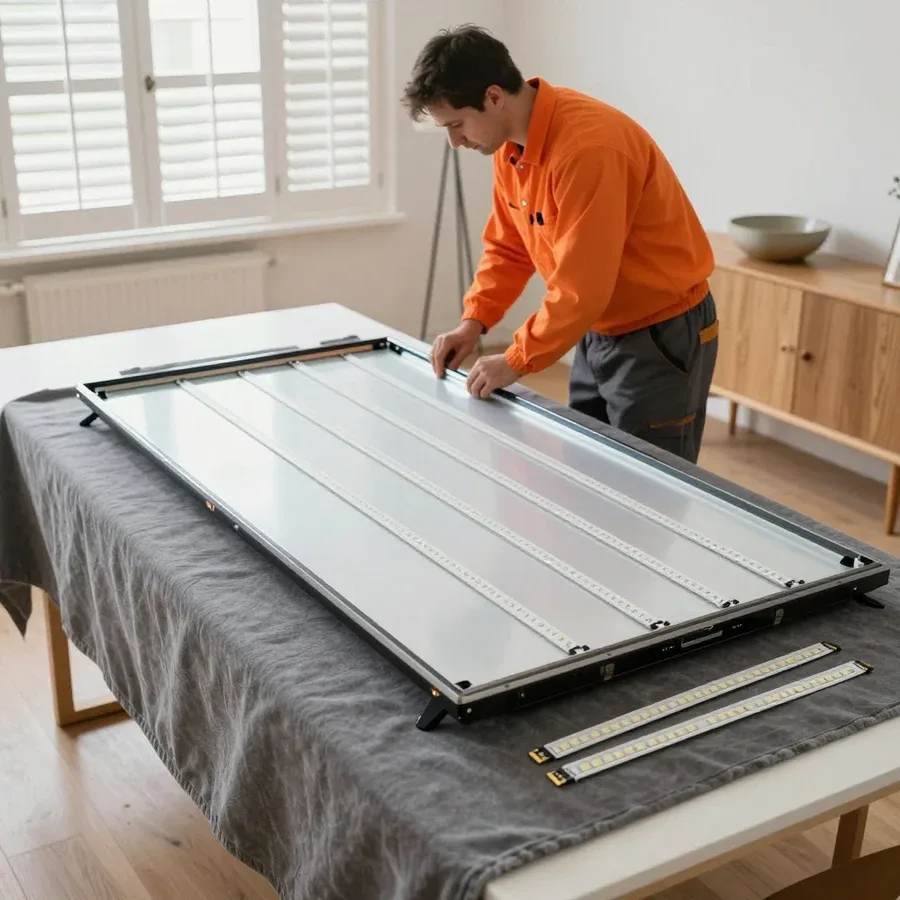
When sound remains but the picture disappears or fades after a few seconds, we almost always check the LED backlight and its power, because the matrix is usually intact in this scenario. Diagnostics start with measuring the voltage at the inverter output and inspecting the backlight strips: if one LED breaks, the whole chain goes dark, and the power supply's protection cuts power to the panel. On Toshiba models with edge lighting, we also check the diffusers — overheating over time makes them brittle. The picture under a flashlight on a dark screen confirms that image formation works and only the light doesn't. This is the symptom Toshiba owners often mistake for "screen death" and start thinking about replacing the TV, even though it's the backlight. Our technician distinguishes these states in one teardown, without replacing expensive units at random.
Stripes, artifacts, and lost sound
We distinguish vertical stripes by their pattern: even lines across the entire height usually point to the T-CON board or ribbon cables, while local spots and dead areas indicate the panel itself. The technician removes the back cover and checks the ribbon cable connections, tests the contacts on the T-CON board, and looks for oxidation on the connectors after humidity changes. The motherboard is also suspect in this scenario: it generates the signal, and degradation of the video chip produces artifacts that mimic a panel failure. The locality of the defect is a key sign: a single stationary stripe suggests the panel, while a "floating" pattern points to the timing board. Lost sound with a intact picture is almost never related to the screen—it's a separate audio path, and it's checked independently of the image. Separating these paths saves time: you don't need to touch the panel when the sound module is at fault.
Self-shutdown, reboots, and consequences of a power surge
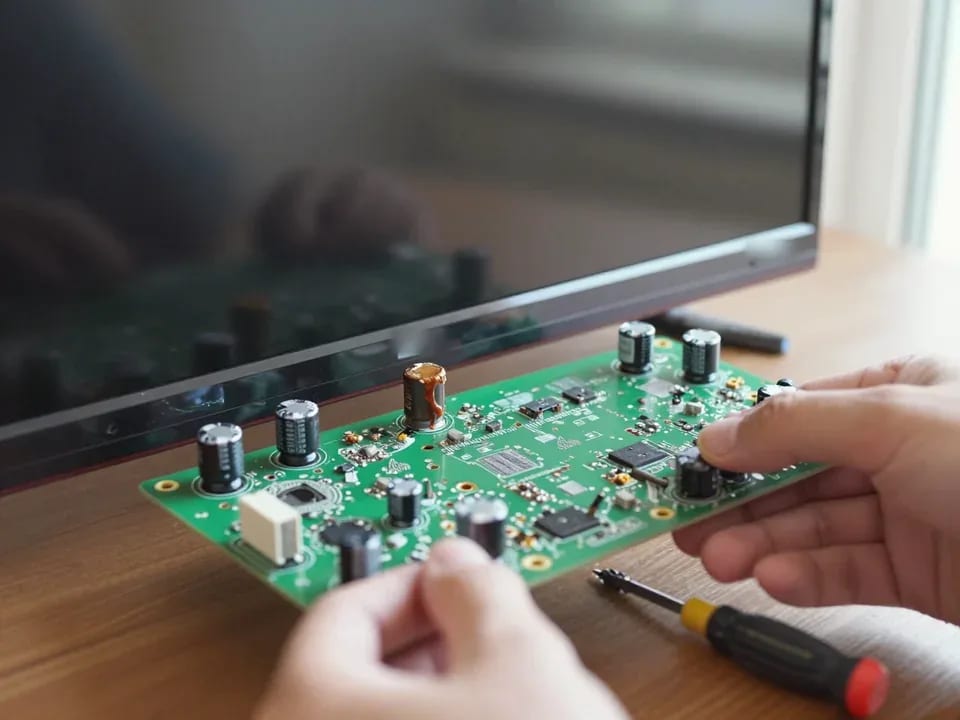
We associate spontaneous shutdowns and reboots at regular intervals with the power supply, and after a power surge we check this unit first. The technician inspects capacitors for bulging, checks the integrity of fuses and varistors, and measures output voltages under load—a voltage drop under load manifests as cyclic restarts. The motherboard suffers secondarily: when the power "fluctuates," its stabilizers run at their limit and gradually degrade, so after replacing burnt power components, the board is checked separately. Timer-based reboots are not always a "firmware glitch": a stable interval indicates degradation of power components, not a software error. This symptom-based approach allows the technician to understand in advance which unit to check first and avoid sending the device to service twice.
How the repair goes from request to warranty
Our Toshiba repair follows a single route: request, free diagnostics, approval, work, and warranty. Below we break down each step and the formats the client can choose from.
Request, 60-minute visit, and free diagnostics
After you submit a request, our technician arrives within 60 minutes anywhere in the city, and the on-site inspection is free—based on its results, the cause and scope of upcoming work become clear. During the visit, the specialist checks the power supply, observes the blinking pattern of the indicator, tests the power supply board, and assesses the condition of the backlight. We repair Toshiba TVs both on-site and in the workshop—the format depends on which unit has failed. In your home, we can perform operations that don't require disassembling the panel: replacing the power board, checking ribbon cables, adjusting the signal. An on-site inspection doesn't always give the full picture: some units are more accurately tested in the service center, and the technician will honestly tell you if the TV needs to be brought there.
Cost approval and 1-year warranty
The technician quotes the price after free diagnostics and agrees it with you before work begins, and we provide a 1-year warranty on labor and parts. The approval includes the list of units to be replaced, the scope of work, and the final amount—you see what you're paying for before the specialist even picks up a tool. You can pay via Kaspi QR, Kaspi Red, bank card, cash, or bank transfer for companies. This step is important not just for formality: it records exactly which parts are being replaced, so there are no disputes later about the scope of intervention under warranty. Without stating the list, disputed situations take longer to resolve—it's easier to name the units once than to prove later which board was new. The agreed estimate also suggests what questions to ask the technician if the symptom returns.
Repair at home or in the service center
| What we check or replace | Where we do it | What the technician considers |
|---|
| Diagnostics, indicator codes | At home | Symptom and blinking pattern |
| Power supply board | At home or in the service center | Access to the unit and load |
| LED backlight | In the service center | Panel disassembly and precision |
| Panel and ribbon cables | In the service center | Risk of screen damage |
| T-CON board | In the service center | Signal testing |
How to Choose a Toshiba Technician in Astana
Finding a technician in the city is easy; the harder part is figuring out whether they really know Toshiba. Here are the criteria that show it before the specialist even arrives.
How Toshiba service differs from other brands
Toshiba has its own typical symptom patterns and indicator codes, so a specialist who knows the brand pinpoints the fault faster than a generalist working through a generic checklist. On these models, a blinking indicator often points to the backlight or power supply, while a black screen with sound points to the T-CON or the panel itself. A generalist in that situation goes from connector to connector and wastes time on parts that rarely fail on Toshiba. Our technician narrows it down in advance from the symptoms: the typical Toshiba failures — backlight, power supply, T-CON, and panel — are the first things they check. The difference isn't the brand's complexity but how recognizable the symptoms are: an experienced person already suspects the part from the description instead of testing everything. That's why Toshiba TV repair in Astana is best left to someone who works with the brand regularly.
Direct provider or aggregator
We're a direct provider: your TV is handled by our own technician with 4 to 20 years of experience, not a middleman who passes the request to a third party. When you book, you know right away that the same person does the diagnostics and the repair, and the 1-year warranty on labor and parts is issued by the service itself. With an aggregator, you don't know in advance who will show up or how familiar they are with the brand — the request goes into a shared pool of contractors. Responsibility for the result gets split between the dispatcher and the subcontractor. With a direct provider, diagnostics, repairs, and warranty obligations all rest with one party, so it's easier to hold someone accountable. With a direct provider it's easier to get answers: they know exactly who worked on your device and who to come back to if the same issue returns.
Criteria for choosing a Toshiba technician
- Ask about the symptom: a specialist asks about the blink pattern and how the failure happened, not just to "take a look."
- Clarify the format: on-site or at the service center, and why they suggest that option.
- Ask about the warranty: separately for labor and for parts, with a clear term.
- Check who's coming: their own employee or a middleman who forwards the request.
- Ask about diagnostics: whether it's paid or free, and what it includes.
- Listen to how they talk about codes: willingness to discuss Toshiba error codes before the visit sets a brand specialist apart from a generalist.
Repair or replace: when it's worth it
Not every Toshiba repair is justified, and it's more honest to say so before work begins. Here's when it makes sense and when you're better off looking at a replacement.
When a Toshiba repair is justified
Repair makes sense when a single component fails — backlight, power supply, or T-CON — and the panel is intact, because then you get a working TV back without replacing the whole unit. In practice, the LED backlight most often burns out, the power supply loses its output voltages, and the T-CON board causes stripes or loss of picture. The panel itself stays functional, and replacing one component brings the device back to life. Toshiba TV repair in such cases comes down to replacing one worn-out part. Age alone isn't a death sentence: an older Toshiba with an intact screen is often more cost-effective to repair than to replace with comparable picture quality. Previous-generation panels often look no worse than budget new models. Before deciding, the technician checks each component individually — that way, unnecessary work is ruled out.
When replacement makes more sense than repair
Replacement makes more sense when the panel is damaged and repairing the screen costs as much as or more than buying a new TV. A cracked panel, shattered glass, or bright spots across the whole screen are the kinds of defects where replacing the unit means replacing the entire device. Another scenario is a combination of several major failures at once: panel plus power supply plus board. Then repair loses its point even if the casing is intact. The decision should be made after diagnostics, not based on a description: what the owner thinks is a dead screen often turns out to be the backlight. Our diagnostics are free, so checking the components costs the client nothing. The technician will honestly tell you when repair is not worth it — that's part of the job, not an excuse.
Which Toshiba models need repair most often
We most often see Toshiba models from different generations — from classic LCDs to LED and Smart TVs, and each has its own wear-prone components. In older LCD panels, backlight lamps and power supply capacitors usually fail. In LED models, the LED strips burn out, causing dark spots and lines. In Smart TVs, signal processing boards and software glitches add to this — freezing, Wi-Fi loss, apps not working. Older panels more often have backlight and power issues, while modern Smart TVs add boards and software glitches — so diagnostics always start with the symptom, not the year of manufacture. Based on the symptom, the technician immediately narrows down the components, and the check goes faster.
What Toshiba TV repair offers
Breaking down error codes, typical symptoms, and the order of work adds up to a short set of rules: it helps you quickly understand the cause of the failure and choose a repair provider wisely.
- Blinking indicator — a clue: the number of flashes in a series narrows down the faulty components and sets the direction for the first check.
- Black screen with sound: in most cases it points to the backlight or its driver, not the panel itself.
- Order of work: free diagnostics, price agreement, then repair and warranty on the result.
- Choosing a technician: it's important to have someone who specializes in the brand and is the direct provider, not an intermediary with a dispatcher.
- Repair or replace: the decision is made after disassembly and measurements, not by eyeballing the external symptom.