Open until 19:00+7 (778) 096 59 61Call a technician
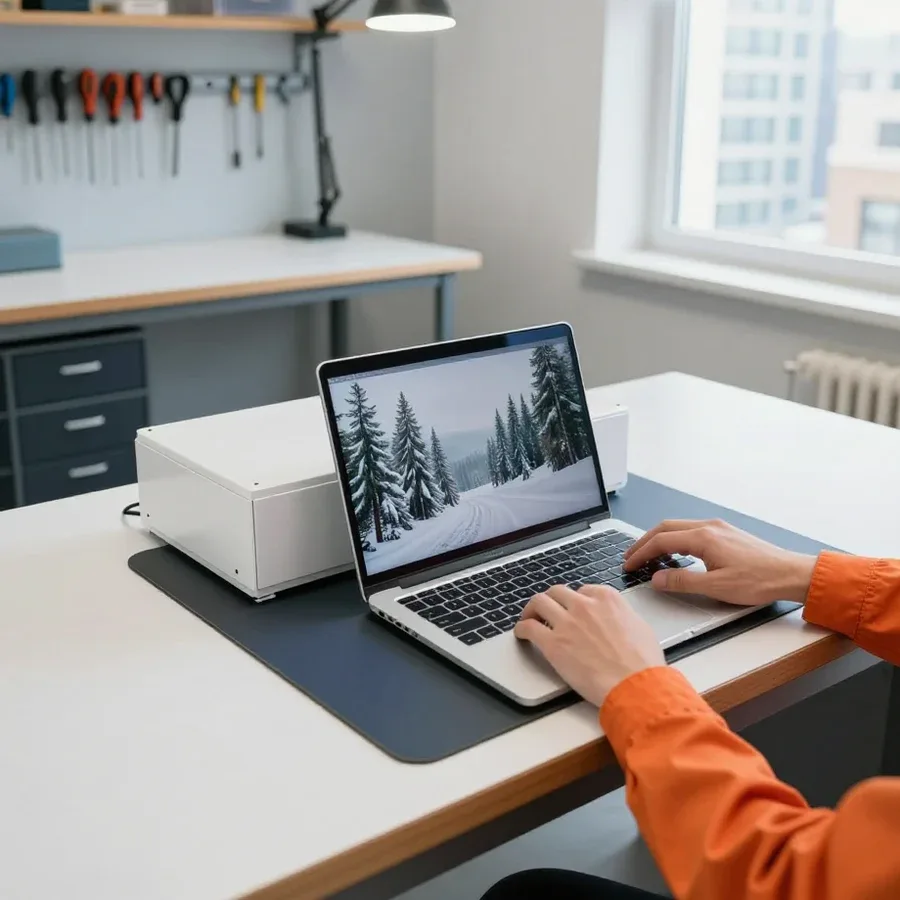
Tech Service technician next to a laptop

Laptop Keyboard Replacement in Astana

A technician arrives within 60 minutes anywhere in the city. Diagnostics are free. 1-year warranty on labor and parts.

  • Free diagnostics
  • Technician arrives within 60 minutes anywhere in the city
  • Technicians with 4 to 20 years of experience

Our own technicians4 to 20 years of experience

Azim K.Nikita M.Daulet T.Zhangeldy M.
ours5,06 127 reviews
order database

1 yearwarranty on labor and parts

60 minutestechnician arrival anywhere in the city

freediagnostics

What the job includesIncludesTECH SERVICE02

What laptop keyboard replacement includes in Astana

The technician checks every key, the ribbon cable, and the connector, and rules out software issues. They select the part based on your laptop model. The price is quoted after free diagnostics. 1-year warranty on labor and parts.

Signs of a faultSigns of a faultTECH SERVICE03

When you need laptop keyboard replacement in Astana

5

Five typical signs indicate that your laptop keyboard needs replacing. It's important to tell a hardware fault from a software issue.

  1. Keys don't respond

    One or more keys don't react when pressed or only work intermittently. This may indicate worn contacts or damaged traces.

  2. Sticky keys

    A key requires extra force or stays pressed. The cause is dirt or damage to the mounting mechanism.

  3. Keyboard not detected by the system

    Input errors during boot, backlight not working, and some keys failing at the same time point to a ribbon cable or connector issue.

  4. Keys type the wrong characters

    Characters repeating on their own or a neighboring key triggering indicates a short circuit in the traces.

  5. Symptoms by key groups

    Keys in a certain row or block don't work — this points to damage to the ribbon cable or keyboard traces.

Note which keys and in which row don't work and when it started — this will speed up part selection.

Describe the symptoms
Parts and materialsPartsTECH SERVICE04

Parts and materials for laptop keyboard replacement in Astana

When selecting a keyboard, the laptop model, part number, mounting type, and layout are taken into account.

Original

Original keyboard

Compatibility
Full match to model and layout
Quality
Factory-quality materials
Price
Higher than an analog
Availability
Depends on the laptop model

Analog

Analog keyboard

Compatibility
Selected by model and part number
Quality
May differ from the original
Price
Lower than the original
Availability
Wider choice for different models
PricesPricesTECH SERVICE05

How much laptop keyboard replacement costs in Astana

The table shows the cost of laptop keyboard replacement in Astana: the labor price "from" without the part and the timeframe, with the final amount agreed by the technician before any repair begins.

Removable keyboard replacement (Asus, Acer, HP, Lenovo, Dell)excluding part cost

1–2 hours

from5 000 ₸

Built-in keyboard replacement (with topcase)excluding part cost

2–4 hours

from14 500 ₸

Backlit keyboard replacementexcluding part cost

2–4 hours

from25 000 ₸

MacBook Air keyboard replacementexcluding part cost

1 day

from35 000 ₸

MacBook Pro keyboard replacementexcluding part cost

1–3 days

from40 000 ₸

Work before and afterBefore and afterTECH SERVICE06

Before and after laptop keyboard replacement in Astana

Keys sticking after sweet tea

1–2 hourstime

from 6,500 ₸cost

Problem
Sweet tea was spilled on the laptop keyboard: several keys stopped responding, others were sticking.
What we did
The technician disassembled the laptop, checked the board — it was not damaged, removed the flooded keyboard, installed a new one and tested all the keys.
Result
All keys work, the sticking is gone; a 1-year warranty is given for the work and parts.
I want the same
Asus laptop: keys stick after sweet tea — after repairBeforeAfter
01 / 02
All repairs

We reply during working hours

Book laptop keyboard replacement in Astana

Describe your laptop model and the keyboard issue. The technician will clarify the details and suggest a convenient visit time.

TECH SERVICE administrator replying to a customer's WhatsApp message

Warranty question? Call us

+7 (778) 096 59 61

Customer reviewsReviewsTECH SERVICE07

Reviews of laptop keyboard replacement in Astana

5,0ours

6 127 reviews of repairs at TECH SERVICE in total

Яна Э.Order No. TSA-39122 · 26 September 2024

ours

Выбирал между официальным и этим, выбрал этот. Больше всего мешало: артефакты на экране. Внешне не видно, что разбирали.

Repair: laptop repair in

Семён Ш.Order No. TSA-74848 · 3 February 2024

ours

Выбирал между официальным и этим, выбрал этот. Заявку оставил на всякий случай, а зря время тянул. Проблема ровно одна: перегрев под нагрузкой. Диагностику провели при мне, ничего не унесли в подсобку. Отдал 17 500 и не жалею. Вытащили и показали: видеочип. Приятно удивлён. Третий месяц — никаких проблем.

Repair: laptop repair in

Алим В.Order No. AS-8862 · 31 May 2023

ours

Қыс қатты, техникасыз қиын, сондықтан тез жөндеу керек болды. Құрылғы ескі, бірақ жақсы қарайды екен. Кешігу болды, бірақ ескертті.

Repair: laptop repair in

Анастасия Т.Order No. 36723 · 19 May 2023

ours

Искал, кто работает в субботу, у нас с женой график сложный. Основная жалоба — шумит вентилятор. Работает, даже лучше прежнего.

Repair: laptop repair in

Айша О.Order No. 2109-3587 · 9 August 2021

ours

Жұмыстан кейін баруға болатын жер іздедім. Бұл жерге бірінші рет келдім. Ескі бөлшекті көрсетіп, қайтарып берді. Қосымша жұмыс қажет болды, бірақ бағаны көтермеді. Түскі үзіліске қарамастан қабылдады. Кепілдік берді, бұл маңызды. Жұмысты сол күні аяқтады. Қайта жүгінуден тартынбаймын.

Repair: laptop repair in

Юрий М.Order No. 41891 · 1 November 2020

ours

В Астане с сервисами беда, поэтому выбирал по отзывам. Причина обращения — шумит вентилятор. Все функции проверил — работают)

Repair: laptop repair in

Галина Ф.Order No. ZK-2017-333 · 29 October 2017

ours

С левого берега ехать далеко, поэтому искал поближе к дому. Основная жалоба — отвалился чип. Тихо, ровно, без сюрпризов.

Repair: laptop repair in

Олег Х.Order No. AS-4837 · 16 March 2017

ours

Выбирал между официальным и этим, выбрал этот. Жалоба одна: отвалился чип. Нашёл Tech-service в Астане по отзывам. Работает, даже лучше прежнего.

Repair: laptop repair in

Оксана Т.Order No. TSA-99954 · 29 January 2017

ours

Друг из Сарыарки посоветовал это место. Записался на ремонт ультрабука. Жалоба одна: шумит вентилятор. Роман Мигунов отсоветовал дорогой ремонт, предложил простой. Пришлось ставить: материнская плата. За такую работу 31 500 — адекватно. Все функции проверил — работают.

Repair: laptop repair in

Валентина Р.Order No. 1602-7867 · 21 December 2016

ours

Раньше обращался в другой сервис, там очередь на две недели. Скепсис был, признаю. Симптом как на ладони: выгорела плата. Приехал без записи, но свободный мастер нашёлся. Пришлось ставить: батарея. Заплатил 14 000 тенге, и всё. Функционирует, тьфу-тьфу.

Repair: laptop repair in
See all reviews

Our technicians in Astana

01 / 05
Azim K., laptop repair technicianexperience10 years

Azim K.

Laptop repair technician

Nikita M., PC and network repair engineerexperience7 years

Nikita M.

PC and network repair engineer

Daulet T., senior mobile computer technicianexperience11 years

Daulet T.

Senior mobile computer technician

Zhangeldy M., motherboard repair technicianexperience9 years

Zhangeldy M.

Motherboard repair technician

Tursynbay A., printer repair technicianexperience16 years

Tursynbay A.

Printer repair technician

Questions and answersQuestionsTECH SERVICE08

Questions about laptop keyboard replacement in Astana

Didn’t find the answer? Message us on WhatsApp.

Ask a question
Can I replace the keyboard on a laptop?

Yes, on most laptops the keyboard can be replaced. In ultrabooks and MacBooks, it is sometimes built into the top cover and is replaced as a whole assembly, which is confirmed after free diagnostics.

What should I do if the laptop keyboard breaks?

If the keyboard stops working or some keys don't respond, don't take the laptop apart yourself. Contact the service center: a technician will run free diagnostics and tell you whether a replacement is needed or just a cleaning.

The laptop keyboard types double letters—can this be fixed by replacement or repair?

Double characters usually indicate shorted traces or worn mechanism, not settings. A keyboard replacement usually helps, but after free diagnostics the technician will give a precise answer depending on the model.

Can I replace just a few keys instead of the whole keyboard?

It depends on the design: on some models individual keys or the mechanism can be replaced, but if a group of keys is damaged, the whole keyboard is often needed. The exact answer will be given by the technician after inspection.

Why did the laptop keyboard stop typing after liquid spill?

Liquid shorts the traces and oxidizes the contacts, causing keys to stop responding or type wrong characters. If the keyboard is not replaced in time, corrosion can spread to the motherboard.

Do I need to replace the entire top cover along with the keyboard?

Usually not: on most laptops the keyboard is attached separately with clips or screws and can be replaced without the top cover. Only in some models is it glued into the top case, and then the replacement is done as a whole assembly.

Repair guideArticleTECH SERVICE09

Laptop keyboard replacement in Astana with a Tech Service technician visiting you

Azim K., laptop repair technician

Author: Azim K.,Laptop repair technician

Published
Updated

Tech Service replaces laptop keyboards in Astana with a technician visiting your home in 60 minutes or at our service center. Before any work, we run free diagnostics, agree on the scope, and provide a 1-year warranty on labor and parts. The technician gives you the price after diagnostics, and you can pay any way you like.

When to replace the keyboard and when repair or cleaning is enough

Not every keyboard failure calls for a new part. Let's look at the symptoms that mean the unit needs replacing and the cases where cleaning or a local repair will do.

Signs it's time to replace the keyboard

We install a new unit when keys type double characters, stick, or whole rows stop responding, and cleaning and contact adjustment no longer help. Double letters and stray characters appear when the matrix traces short together — pressing on a single keycap won't fix that. A stuck key is usually caused by dirt under the mechanism, while a whole horizontal row failing points to a broken ribbon cable or damaged traces. Laptop keyboard replacement in Astana is needed when cleaning and contact adjustment no longer work. During free diagnostics, the technician disassembles the unit and checks every contact so we don't replace parts blindly. If the problem is in one or two keycaps, a local repair is often enough instead of installing a new unit, so it's worth showing the laptop to a specialist first — that's cheaper than buying a part right away.

When cleaning or replacing individual keys is enough

  • Sticking from dust: disassembly and cleaning help without installing a new part, as long as there's no oxidation under the keys.
  • Worn or broken keycaps: we replace individual keys while keeping the working matrix and ribbon cable.
  • Oxidation after liquid: a full new unit is usually needed because a local fix only covers the visible area.
  • A whole row doesn't work: this points to matrix damage, not keycaps, so cleaning won't help here.
  • Ribbon cable damaged at the connector: careful soldering of the contact helps if the matrix itself is intact.
  • Keys stick after a sugary drink: we first try flushing the mechanism and suggest a new unit only if the traces are already damaged.

Why keyboards break and what to do after a spill

Most often, keyboards fail because of liquid, wear, or mechanical damage. Let's go over the causes and what to do in the first hours after a spill.

Why a keyboard stops working after liquid

Liquid gets under the keys and onto the contacts, oxidation eats away the traces, and the keyboard starts typing the wrong characters or stops responding altogether. Coffee, tea, and sugary drinks leave a sticky film on the membrane, while water starts corrosion within the first hours. The internal ribbon cable connects the keyboard to the motherboard, and moisture travels through it deeper into the case. The most dangerous part is that liquid gradually reaches the motherboard, so delaying diagnostics increases the risk of a more expensive repair. Even if the keys type normally after drying, oxidation keeps eating the contacts — the failure comes back a few weeks later. Laptop keyboard replacement cost depends on the model and design, so the technician gives you the exact amount after free diagnostics. In my opinion, it's worth bringing the device in for inspection right away instead of waiting for repeated glitches.

What to do in the first hours after a spill

  • Turn off the laptop: don't turn it on until a technician inspects it, even if it seems to work fine.
  • Unplug the charger: cut power to the device and don't plug the cable back in until inspection.
  • Don't use a hair dryer: hot air pushes moisture deeper into the case and harms fragile parts.
  • Don't take it apart yourself: without experience, it's easy to damage contacts and case clips.
  • Call a technician: we'll arrive anywhere in the city within 60 minutes, inspect the board, and tell you if replacement is needed.
  • Don't test it by turning it on: under power, oxidation speeds up, which makes the subsequent keyboard repair harder.

How keyboard replacement works with a technician visit

We can replace the keyboard at your home or at our service center. Below is how the process works from request to keyboard check, and what affects the cost.

How on-site replacement works step by step

  • Request: you describe the problem and laptop model so the technician can prepare in advance.
  • Visit: the technician arrives within 60 minutes in the city, at your home or office.
  • Diagnostics: we check the keyboard and ribbon cable free of charge so we don't replace a working part.
  • Approval: we discuss the scope of work and cost before starting replacement — no surprises later.
  • Replacement: we install the keyboard and check every key in place.
  • Check: you press the keys yourself and make sure everything types before the technician leaves.

How much laptop keyboard replacement costs and what affects it

The cost of laptop keyboard replacement depends on the model, mounting type, and whether the whole part is needed or local repair will do, and the technician quotes it after free diagnostics. The price consists of two parts: the technician's labor and the part itself, and a backlit keyboard or one with a layout for a specific chassis costs more than a standard one. The mounting method also matters: a removable panel comes off faster, while a keyboard glued into the top case requires disassembling the upper part. The total is made up of labor and the part, and both are covered by a 1-year warranty, so cheaper isn't always better in the long run. In our experience, the labor intensity between two similar models can differ noticeably — that's why we don't quote blindly but inspect the device on site.

How long replacement takes and whether it can be sped up

The exact time depends on the model and keyboard mounting type. On laptops with a removable panel, work goes faster: the keyboard is secured with screws or latches and can be removed without disassembling the case. If the keyboard is built into the top case, the technician has to disassemble the top case, and on some models work with rivets, which noticeably lengthens the process. We also clarify the exact price after inspection, since labor and the part are connected. On models with a keyboard built into the top case, work takes longer, so it's better to mention this right when requesting — the technician will plan the work in advance. Accurate information about the model and the nature of the fault helps speed up replacement: the clearer the initial data, the less time spent on diagnostics and finding a compatible part, and the repair itself goes without extra approvals.

Warranty and work check after replacement

After installing a new keyboard, it's important to make sure all keys and backlight work. Let's go over how we test the result and what exactly the warranty covers.

How we check the keyboard after installation

After installation, we test every key and the backlight, if present, to rule out missed or double presses. We check the entire layout: letters, numbers, function row, arrows, space, and Enter — we watch the screen response for each press. We test backlit keyboards separately: turn the backlight on and off, check even glow across all rows. If a key doesn't respond right after installation, it's visible on site, and the technician fixes the cause before leaving — most often it's a loose ribbon cable or a shifted mechanism. In my view, this kind of check is what separates a smooth job from a repeat call a week later. Before accepting the result, press a few keys yourself — that way you confirm it with your own hands.

What the 1-year warranty covers

  • Installation and ribbon cable connection: 1-year warranty on correct keyboard installation.
  • Installed part: 1-year warranty on the keyboard itself.
  • On-site test of all keys: included in replacement and not charged separately.
  • Repeat case: if there's a problem with the same keyboard, you come back to us instead of looking for a technician again.
  • Warranty period: 12 months apply to both installation and the part.

Types of keyboards, mounts, and special models

The difficulty of replacement depends on the keyboard type and how it's mounted, and on some models the part is built into the top case. Let's look at what this means in practice and why the same job takes different amounts of time.

How keyboard types and mounts differ

Keyboard or mount typeHow it's removedWhat to keep in mind
Membrane with clipsRemoved from aboveFragile clips, easy to break
Scissor island-styleRemoved from above or belowDelicate mechanism under the keycaps
Screwed inUnscrewed after disassemblyRequires access to the bottom
Riveted in top caseOften together with the caseMore time and care needed

Replacement on MacBooks and gaming laptops

We replace keyboards on MacBooks and gaming laptops like ASUS TUF and Acer Nitro, taking into account their design and mounting method. On MacBook Air and Pro, the keyboard often comes as part of the top case, so the technician first assesses whether it's possible to replace just the part without changing the case. On gaming models like ASUS TUF and Acer Nitro, the keyboard often has backlighting, and its ribbon cable runs right next to the cooling system — during disassembly, this is the first place where contacts get torn. Our experience shows: the thinner the case, the less freedom the cable has and the higher the cost of a mistake during removal. That's why on such devices the technician first checks how the part is secured and connected to the board, and only then starts work. If the design requires removing the top case, we inform you before disassembly begins.

Can you replace the keyboard yourself

DIY replacement is possible, but on models with rivets and a keyboard built into the case, the risk of damaging the ribbon cable or clips is high. Without experience, it's easy to rip off a fragile holder or hit the motherboard with a screwdriver — and fixing the consequences costs more than the replacement itself. On thin laptops, the keyboard ribbon cable runs under metal shields, and prying it carelessly means tearing traces that can't be repaired by soldering. Rivets in the top case require drilling out and reassembling — almost impossible to do at home. As a direct service provider, we know these consequences: devices come in after a failed attempt, and the technician has to fix the damage first and then replace the part. If you're unsure about the mounting method, it's better to start with free diagnostics.

What to expect from laptop keyboard replacement

We've covered the key things that determine the outcome of a keyboard replacement: from the first symptoms to checking every key after installing the new part.

  • Symptoms: double letters, sticking, and a whole row of keys failing more often lead to replacement than to contact cleaning.
  • Liquid spill: turn off the laptop immediately and don't dry it with a hairdryer — hot air pushes the liquid deeper toward the board.
  • Process: free diagnostics, approval of the work, installation of the new part, and checking every key for press and response.
  • Warranty: one year on labor and parts covers both the quality of installation and the part itself.
  • Complex models: MacBooks and keyboards with rivets require more time and care when disassembling the case.
Other servicesOther servicesTECH SERVICE10

Other services besides laptop keyboard replacement in Astana

If you ask, the technician will check other parts during the same visit.

BlogBlogTECH SERVICE11

Worth reading before laptop keyboard replacement in Astana

Leave a review

Choose a platform — the TECH SERVICE page will open.

Send a review with photos on WhatsApp