Георгий З.Order No. AS-9481 · 12 August 2026
oursTV Repair in
Позвонил в четыре места, тут ответили по-человечески. С утра заметил: не включаеться. Третий месяц — никаких проблем
Repair: tv repair in
Free diagnostics, a technician arrives within 60 minutes anywhere in the city. 1-year warranty on labor and parts.
Our own technicians4 to 20 years of experience




Repair prices
Below are the typical symptoms our technicians see most often; diagnostics will pinpoint the exact cause.
Power supply, fuse, button
from8 000 ₸
Backlight, inverter, ribbon cable
from9 000 ₸
Panel, T-CON, ribbon cable
from9 500 ₸
Wi-Fi module, firmware
from5 500 ₸
Overheating, power supply, backlight
from8 000 ₸
Speakers, amplifier, ribbon cable
from7 000 ₸
Backlight, diffusers, panel
from9 000 ₸
Receiver, remote, control board
from3 500 ₸
1 visittime
from 10 000 ₸cost
 BeforeAfter

Five steps from request to checking the TV after repair.
The technician packs the tool kit and checks availability of common parts for the panel series.
The technician finds the cause of the fault and quotes the repair cost.
You decide which work to do and agree on the final price.
The technician performs the repair and replaces parts if it can be done at your home.
The technician turns on the panel and checks picture and sound to make sure it doesn't shut down again.
We reply during working hours
Schedule a convenient time — the technician will arrive within 60 minutes anywhere in the city and run free diagnostics.

Warranty question? Call us
+7 (778) 096 59 61 experience10 years
TV screen replacement technician
 experience7 years
Lead electronics repair technician
 experience10 years
Mobile PC repair technician
 experience10 years
Laptop repair and assessment technician
 experience15 years
Digital device repair technician

Author: Oraza B.,TV screen replacement technician
Published
Updated
Tech Service repairs Samsung TVs in Astana: our technician comes to your home within 60 minutes anywhere in the city or takes the device to our service center. Diagnostics are free, the price is quoted after diagnostics, and you get a 1-year warranty on labor and parts. Our technicians have 4 to 20 years of experience.
The Stand-by indicator is the first diagnostic signal. By the number of blinks and accompanying symptoms, the technician narrows down the issue to the power supply, main board, or backlight.
Our technicians read the blinking sequences of the Stand-by indicator as a code: short sequences point to the 5V circuit, long ones to data exchange with the main board. Five red blinks in a row most often mean that the secondary voltage source isn't supplying the required voltage to the main board, and the device goes into protection mode. Three or four blinks are often related to LED strips: the standby 5V is normal, but the controller detects an open circuit in the backlight. A single blink with a pause signals a firmware failure or a hung Main board, and then checking that board is unavoidable. You need to count the blinks with the pause between sequences—that pause separates one code from another, and it's how the technician distinguishes a standby voltage failure from a firmware failure. Samsung TV repair in Astana starts with decoding this code, and the technician quotes the price after free diagnostics.
If there's sound but the screen is dark, in most cases the backlight LED strips are to blame, less often the T-Con board or ribbon cables. Samsung's backlight consists of LED strips arranged behind the matrix: when one or more burn out, the panel goes dark entirely, even though sound and menu still work. The T-Con board is responsible for building the picture and sends the signal to the matrix via ribbon cables—its failure also causes a dark screen, but the LEDs are still lit. The matrix fails least often, and it shouldn't be confused with the backlight. You can check the LED circuit with a flashlight: if you can make out a picture on the screen at an angle, the panel is intact and the issue is in the strips, not the matrix.
| Symptom | Likely component | What the technician checks |
|---|---|---|
| Stripes on the screen | T-Con, ribbon cables, matrix | ribbon cable contacts, T-Con board |
| Freezes on the logo | main board, software | Tizen boot, Main board |
| Won't connect to Wi-Fi | Wi-Fi module, software | module, Smart TV firmware |
| Turns off by itself | power supply, Main | 5V circuit, overheating |
| Won't turn on after a thunderstorm | power supply | fuse, capacitors |
Diagnostics go from simple to complex: first power, then image formation, then the panel. This way the technician doesn't replace expensive components at random and doesn't disassemble the matrix where a cable check would suffice.
Our technician distinguishes these failures by how the picture behaves: with a dead backlight there's no image at all, while with a T-Con failure the picture is there but with stripes or distortions. The T-Con board is responsible for forming the image on the matrix, so its failure shows up in the frame geometry, not its brightness. The backlight is the LED strips behind the panel: when they go out, the screen stays dark, though sound and remote response remain. The technician checks the ribbon cables between the board and the matrix for oxidation and kinks, because some "stripes" are fixed by reconnecting the connector. A flashlight test and checking the response to frame changes give an answer before disassembling the panel—this saves time and reduces the risk of damaging the matrix during unnecessary disassembly. The final Samsung TV repair price is quoted by the technician after free diagnostics, once the cause is clear.
Our technicians take the design of each lineup into account: on QLED and The Frame, some of the electronics are moved into the One Connect box, while on Crystal UHD the backlight is simpler. One Connect is an external box where the power cable, antenna, and HDMI all come together; the screen itself connects to it with a single thin cable. If that cable is pinched or damaged, the TV acts like it's broken even though the panel is fine. On Crystal UHD, the backlight is made of standard LED strips without quantum dots, so diagnosing it is quicker and more predictable. Because of the external One Connect on The Frame and QLED, we check the cable and the box first instead of digging into the panel — half of all "screen failures" turn out to be a connection problem. Tech Service repairs Samsung TVs of all lineups, and the inspection order is adjusted to match each model's specific design.
After the repair, our technician shows you the replaced component and explains exactly what failed, and the result is covered by a 1-year warranty on labor and parts. We're usually talking about LED backlight strips, the T-Con board, or the power supply — components you can see and identify by their role in the circuit. Ask to see the old part and have its role in the circuit explained — a technician who understands the component will explain it without hesitation, and you can't check a "blind repair" that way. While you're at it, ask why the component failed: overheating, a power surge, or normal wear of the LED strips. A straight answer distinguishes a replacement based on an actual fault from a replacement done "just in case." Diagnostics are free, so you can clarify the cause and approve the work before the repair begins.
The format depends on the fault and the screen size: some work is done on site, and some requires a test bench at the service center. Below we'll cover which cases can be handled at your home and which ones require bringing the TV to us.
We offer at-home visits for Samsung TVs across the city: a specialist arrives within 60 minutes, and most standard jobs are done right on site. People choose Samsung TV repair at home when they don't want to be without their TV for long. Backlights, connectors, power supplies, and Wi-Fi modules are replaced without moving the unit — on a 55-inch panel, this approach saves time and removes the risk of damaging the screen in transit. Diagnostics are free: the technician checks the power and backlight and tells you the cause. Backlights and connectors are easier to replace at home, while soldering a board and testing it under load is more reliable at the service center — the on-site specialist will tell you what can realistically be done on site and what requires a test bench.
Cases that require a matrix replacement or work on the Main board go to our service center — there, the TV is tested on a bench, not while held in the air. The matrix is replaced only indoors, where the panel can be carefully laid down and reassembled without risking damage to the fragile glass. The Main board is tested separately from the panel — this shows whether the fault is actually in the board and not in the backlight or ribbon cables. If the fault requires a test bench, the TV is transported to the service center, where it's checked in stationary conditions. A practical tip: keep the original packaging or at least the foam inserts — they make it easier to transport the panel without chips. The 1-year warranty covers both labor and parts. Before returning the TV, the technician checks the picture and sound to make sure reassembly didn't introduce any new defects.
Our specialist arrives within 60 minutes anywhere in the city, and the exact visit time is agreed when you place the request — we work around your day. Tell us the TV model and describe the symptom: whether the Stand-by light is blinking, whether there's sound with a dark screen, or whether stripes have appeared. The more detailed the symptom and model in your request, the more accurately the technician can identify the likely component and the lower the chance of a second visit. The specialist checks in advance which components to inspect first for your model, so many standard jobs are completed on site. If the symptom isn't obvious, the specialist asks over the phone how the indicator behaves and whether an image appears at an angle — this helps pinpoint the likely component in advance. You can pay via Kaspi QR, Kaspi Red, card, cash or bank transfer, and the technician quotes the price after the free diagnostics.
The panel is the most expensive part of a TV, so the decision to replace it is made after diagnostics and comparing it with the residual value of the set. Let's break down when the panel is replaced and when the issue lies in neighboring components.
The panel accounts for the bulk of a TV's cost, so replacing it often approaches the price of a new set. In Samsung QLED and OLED panels, the backlight, polarizers, and liquid crystal layer are all integrated—they aren't replaced separately; the unit comes as a whole. On diagonals of 55 inches and above, the screen's share of the total cost is higher than that of the main board and power supply, so the panel determines whether restoring the set is worthwhile. Our technicians always compare TV repair in Astana for Samsung with the price of a new set with matrix replacement, so the decision is informed. That said, the panel itself rarely fails from age: more often the cause is mechanical impact, liquid ingress, or a power surge. If the panel is mechanically damaged rather than burned out, repairs are rarely justified—cracks and liquid spots can't be restored, and the entire unit is replaced.
We often fix bands on the screen without replacing the panel: the cause may be in the ribbon cables or the T-Con board, and then the work costs noticeably less than a panel. The ribbon cable connects the panel to the control board, and over time the contact oxidizes or loosens—vertical and horizontal bands, ripples, and disappearing lines point to this. The T-Con board handles image scanning, and its failure produces the same symptoms as a dying panel, even though the screen itself is intact. During free diagnostics, we check the ribbon cables and T-Con before discussing panel replacement, because the difference in the scope of work here is fundamental. Before agreeing to a panel replacement, it's worth ruling out the ribbon cables and T-Con—these are the components where bands disappear after resoldering or board replacement.
After a thunderstorm, we more often see damage to the power supply rather than the panel, so such a TV is usually repairable. A power surge hits the power circuit: the fuse takes the first blow, followed by capacitors and power components of the unit, while the panel and main board often remain intact. Externally it looks alarming—the set won't turn on, the indicator is silent or blinking—but inside only one unit has burned out. A power surge hits the power circuit and fuse—if only the PSU burned out, replacing the unit brings the set back to life without the cost of a panel. It's important not to turn the TV back on before diagnostics: reapplying power to a shorted circuit finishes off neighboring components, and then the main board is added to the power supply.
The work proceeds in steps: request, free diagnostics, approval, restoration, and warranty. The cost appears only after diagnostics, when the technician sees the faulty unit.
Our warranty is 1 year on labor and parts, meaning both the service and the replaced component are covered. If a few months after installing the LED strips the backlight fails again or the Main board stops working properly, you won't be charged again for the same issue. A separate warranty on parts is especially important for backlighting and electronics: a new component is also a consumable with a lifespan, not just the technician's labor. So before contacting us, ask the technician which specific unit was replaced—this makes it easier to match a repeat request with the previous work. If you're interested in Samsung TV repair, the technician quotes prices for the work after free diagnostics. The warranty period starts from the date the repaired device is handed over, not from the moment of the request, so the owner has time to calmly check the TV's operation under normal conditions.
The technician names the cost of Samsung TV repair after free diagnostics, once the faulty unit is known; you can pay via Kaspi QR, Kaspi Red, bank card, cash, or bank transfer for companies. The cost of restoring a Samsung TV depends on the scope of work: backlighting, board installation, and matrix replacement are operations of different complexity, so the price ranges differ. The price of services is not directly tied to the diagonal—the design of the specific model and access to the unit matter more. The final amount is determined by the malfunction, not the brand: backlighting and matrix are jobs of different scale, so the figures are not comparable. Ask the technician which parts will be included in the work and what the warranty covers—this makes it easier to compare the offer with an alternative and understand what you're paying for.
We've gathered the key points to help you make a decision when your Samsung TV breaks down: from decoding indicator signals to the logic of cost and warranty on the work performed.
Tech Service technicians repair other appliances too — with the same 1-year warranty on labour and parts.
 Refrigerator Repair in Almatyfrom 3 000 ₸
 Washing Machine Repair in Almatyfrom 3 000 ₸
 Dishwasher Repair in Almatyfrom 3 500 ₸
 Oven Repair in Almatyfrom 3 000 ₸
 Cooktop Repair in Almatyfrom 3 500 ₸
 Air Conditioner Repair in Almatyfrom 3 500 ₸
 Boiler and Water Heater Repair in Almatyfrom 2 500 ₸
 Freezer Repair in Almatyfrom 6 000 ₸
 Tumble Dryer Repair in Almatyfrom 5 000 ₸
 Coffee Machine Repair in Almatyfrom 2 500 ₸
 Robot Vacuum Cleaner Repair in Almatyfrom 3 500 ₸
 Vacuum Cleaner Repair in Almatyfrom 1 500 ₸
 Microwave Oven Repair in Almatyfrom 2 000 ₸
 Hair Dryer Repair in Almatyfrom 1 500 ₸
 Iron Repair in Almatyfrom 3 000 ₸
 Electric Kettle Repair in Almatyfrom 2 500 ₸
 Mixer Repair in Almatyfrom 2 500 ₸
 Multicooker Repair in Almatyfrom 500 ₸
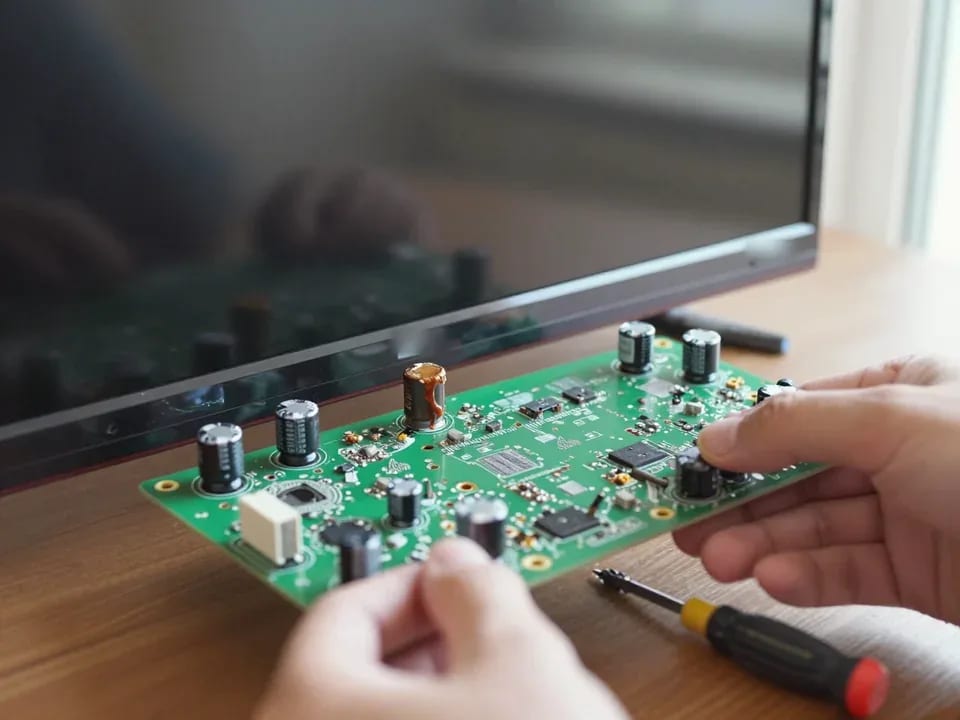
If your TV won't turn on, first check the outlet, power cable, and the button on the TV itself—not the remote.
21 November 2025 · 12 minutes read
If your laptop screen is broken, turn the device off first, don't press on the display, and check the picture through an external monitor.
12 March 2026 · 11 minutes read
If your phone won't charge, start by checking the adapter, cable, and port, then the charging settings.
16 February 2026 · 12 minutes read
If your laptop freezes, the first thing to do is restart it and check Task Manager to see what's loading the CPU and memory.
25 January 2026 · 12 minutes read
If your phone falls in water, take it out right away, turn it off, and don't charge it.
19 January 2026 · 12 minutes read
If your phone camera isn't working, first check app permissions, clear the cache, and restart your phone — this fixes some software glitches.
24 December 2025 · 13 minutes read