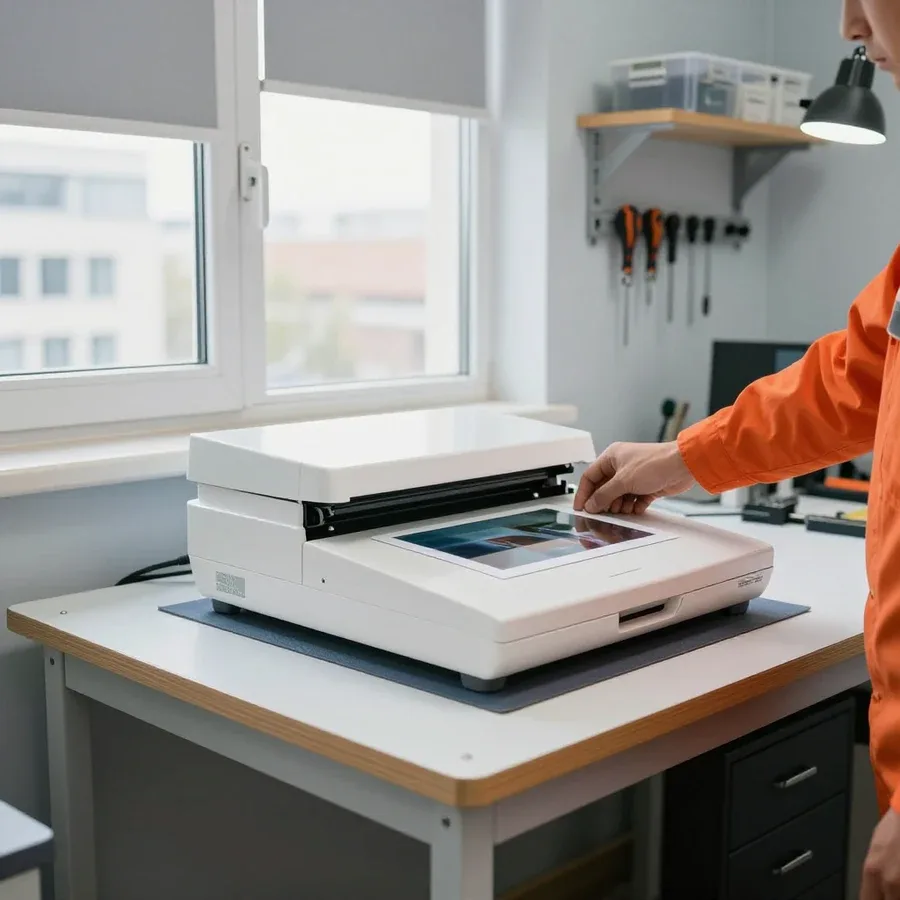
Tech Service repairs flatbed and sheet-fed scanners and MFU scanning modules in Astana. Our technician comes to your home or office within 60 minutes anywhere in the city or repairs the device at our service center. Diagnostics are free, the technician explains the cause and cost after diagnostics, and there is a 1-year warranty on labor and parts.
Why scanner repair is urgent and what the symptoms mean
A scanner rarely breaks suddenly—each symptom points to a specific component. We break down typical complaints and what lies behind them so you understand what the technician is dealing with.
Scanner won't turn on or the backlight lamp is off
If the scanner doesn't respond to the button or the lamp doesn't light up, the cause is almost always in the power chain—the power supply, control board, or ribbon cable—not the optics. The control board and power supply are responsible for starting the device: when voltage drops, the carriage doesn't move and the backlight stays off. The technician checks the power cable and connector, tests the ribbon cables between the board and carriage, and measures the power supply output under load. No response to the button doesn't always mean the electronics are dead: sometimes the cable or connector is to blame, and the check starts there before opening the case. Power diagnostics should be done before replacing the optical unit—otherwise the new lamp simply won't get a turn-on command.
Scanner doesn't pick up paper and makes noise when feeding
If the sheet doesn't pass through or slips while the mechanism squeaks, the issue is in the feed mechanism—worn pickup rollers and the pressure roller—not a software setting. The feed mechanism moves sheets through the rollers and pressure roller: when the rubber becomes glossy or covered in paper dust, traction drops, the sheet goes crooked and jams. Squeaking and slipping often go together: a worn roller grips the sheet unevenly, causing both noise and a jam—replacing the rollers solves both complaints at once. Before replacing parts, the technician cleans the paper path of dust and checks the pressure: sometimes the roller is still working but seated crooked, and adjusting the fit is enough to restore feeding. With severe rubber wear, adjustment doesn't help—then the whole roller kit is replaced so you don't have to deal with the problem again in a month.
Stripes, spots, and dark lines on scans
Stripes and dark spots on the image are usually caused by dirty optics or scanner glass, less often by misaligned calibration or a worn backlight lamp. The optical unit forms the image through the backlight lamp and a CIS or CCD sensor: a speck of dust on the glass or a fingerprint on the lens projects as a straight line along the entire sheet. Before replacing the optical unit, the technician checks the glass and paper path: dust and fingerprints on the glass produce exactly the same stripes as a faulty sensor, and cleaning often resolves the issue without replacing parts. If stripes remain after cleaning, calibration and lamp life are checked—a darkened light source causes dim areas at the edges of the scan. A straight dark stripe always runs in the direction of carriage movement, while transverse lines indicate a sheet feed problem.
Error code and scanner not visible to the computer
An error code points to a specific component or feed mechanism, while the situation "computer doesn't see the scanner" is more often related to the cable, connector, or drivers, not a breakdown of the device itself. For USB connection, the technician checks the cable and port; for network connection, the device address and network settings, then reinstalls drivers and software. It's worth noting the error code before the technician arrives—it makes it easier to understand right away whether a part needs replacing or cleaning and calibration are enough, and avoids unnecessary trips. Write down the exact code text and the conditions when it appears: during warm-up, when feeding a sheet, or at startup—this detail narrows down the fault even before diagnostics.
How scanner repair goes from diagnostics to testing
The work follows a clear sequence—first free diagnostics and the cause, then agreement on the scope, then restoration and verification with test scans.
Free diagnostics and work approval
We start with free diagnostics: the technician finds the cause, explains it, and agrees on the scope of work with you, and only then quotes the price. This is how scanner repair in Astana goes without unpleasant surprises for the owner. Diagnostics covers three areas — the optical path with the lamp and glass, the feed mechanism with rollers and sensors, and the control board with the connection port. The technician disassembles the case only as far as needed to access the unit, checks the feed with a test sheet, and looks at what codes the device produces when connected to a computer. This inspection takes less time than the work itself and immediately separates simple cases from those that require parts replacement. Agreeing before starting protects you from surprises: you know in advance what will be replaced and why, and you can decline anything unnecessary if the cause turns out to be different from what you expected.
Optics cleaning, calibration, and roller replacement
Cleaning the optics and feed path, calibration, and replacement of worn rollers are part of the service, not a separate service: the technician performs them based on the diagnostic results. The optics are washed with a mild solution and blown out to remove dust from the lens and glass — that dust is what causes streaks and a gray haze on scans. Feed rollers are replaced when the rubber has hardened or worn and the sheet feeds skewed; the paper presence sensor is checked separately. Calibration is performed after cleaning and replacement to align color and image geometry, and the result is verified on a test scan. Cleaning and calibration should not be put off until complete failure: dirty optics gradually degrade scan quality, and timely cleaning costs less than replacing components.
When repair is not worth it and it's better to replace the scanner
Restoration stops making sense when the fault affects an expensive component — the optical block or the control board — and replacing the equipment turns out to be more reasonable. The optical block includes the lens, mirrors, and matrix, while the control board handles communication with the computer and image processing; restoring them is rarely justified on budget desktop models. In case of mechanical failure — worn rollers, a stretched belt, a clogged path — service usually goes smoothly and extends the life of the device. On expensive feed models, replacing the optics is often cheaper than buying a new device, and then restoration remains worthwhile even with a serious breakdown. The technician helps you decide whether to repair or replace during diagnostics: he shows which component has failed and what the repair will achieve, so you choose consciously rather than at random.
Scanner repair at home or in the service center and how the technician arrives
Most often, a scanner can be fixed right on site — at home or in the office — and equipment is taken to the service center only when the cause cannot be eliminated during a visit.
Technician visit to home or office within 60 minutes
Our technician arrives at your home or office within 60 minutes anywhere in the city and performs diagnostics and work on site. This format covers the majority of requests: the device won't turn on, won't pick up paper, produces streaks on scans — the on-site specialist eliminates these causes without transporting the equipment. For an office, a visit is convenient because the device is not out of the workflow for long: the technician works on site, and the equipment is back in service without transportation or reconfiguration. Our diagnostics are free, so the cause of the failure and the scope of work become clear before work begins. In our practice, a visit is chosen by those whose scanner is tied to daily tasks — accounting, HR, reception. If the symptom description makes it clear that it can't be fixed on site, the technician will say so right away and suggest another format.
When repair at the service center is needed
If the issue can't be fixed on site — for example, a part needs replacing that can't be done during a visit — we service the equipment at our workshop. The split is simple: anything that can be solved by cleaning, calibration, and replacing accessible rollers, the technician does on site, while complex cases involving the board or optics go to the workshop to avoid disassembling the equipment in unsuitable conditions. The control board and optical unit require careful disassembly and testing in a calm environment — doing that kind of work on site is risky. For Almaty residents, this means not every malfunction leads to transportation: first the technician assesses whether it can be resolved on site. In my view, it's more honest to state the format upfront than to take the device apart on an office desk and hope for the best.
Direct provider, no middlemen
Tech Service is a direct provider: our own technician comes to you, not a middleman or aggregator who passes the request to a third party. The work is handled by technicians with 4 to 20 years of experience, and they oversee the job from diagnostics to final check. Being a direct provider means one company is responsible for the quality of work and the warranty: you don't have to figure out who exactly repaired the equipment or who to file a claim with if something goes wrong. You can pay via Kaspi QR, Kaspi Red, card, cash or bank transfer, and the warranty is 1 year on labor and parts. And it's not just a formality: responsibility for the result lies with the same service that sent the technician. When a request is passed down a chain, it's harder to find who's at fault for a repeat breakdown — here there's no such chain.
What scanners we service
We work with various types of scanners, and each has its own weak points — from document feeder mechanisms to the optics of flatbed models and modules inside multifunction devices.
Scanner types and their typical faults
| Scanner type | Common complaint | What we check |
|---|
| Flatbed | Lines, spots on scans | Glass, optics, calibration |
| Sheet-fed | Doesn't grab sheets, squeaking | Feed rollers, pressure roller |
| Part of an MFP | Feed error, scan defects | Scanning module, paper path |
| Any type | Won't turn on, PC doesn't detect it | Power, board, cable, drivers |
Scanners in multifunction devices
In a multifunction device, the scanning module is serviced separately from printing, so a feed error or scan defect doesn't necessarily mean the whole machine has a problem. The optical unit, pressure roller, and paper path in such machines wear out independently of the printing unit: a sheet may jam after passing through the path, and lines appear due to dust on the glass or knocked-off calibration. The feed mechanism here is often combined with the original feed unit, and its rollers wear out faster than the printing mechanism because a dense flow of documents passes through the automatic feeder. Often the owner notices that a copy comes out clean but the scanned file has a gray stripe along the edge: this indicates contamination of the inner glass, not a printing failure. If the device prints normally but scans with lines or jams, the technician works specifically on the scanning module — the printing unit is left untouched.
Specific scanner models and brands
Streaks on an Epson scanner or a Canon that suddenly stops being recognized by the computer are typical symptoms that are diagnosed by component, not by brand. The optical unit, feed rollers, connection cable, and drivers are designed similarly across most desktop models, so the technician goes from symptom to component: checks the cleanliness of the glass and lenses, roller wear, the integrity of the USB or network cable, and whether the drivers are installed correctly. The cause is usually a specific component—dirty optics, a worn roller, or a cable—so diagnostics start with checking components, not with looking up the model in a list. This approach saves time: you don't need to know the exact modification in advance to describe the problem when you call a technician. It's also worth remembering flatbed models with a hinged lid: a misaligned lid causes a dark band along the entire scan length, and this is fixed by adjusting the pressure, not by replacing the optics.
Warranty and Trust in the Technician
When choosing a scanner technician, warranty, experience, and a clear payment procedure matter. Here's what to look for so you don't have to redo the work twice and you understand what you're paying for.
1-year warranty on labor and parts
We provide a 1-year warranty on labor and parts, so if the issue comes back after service, the device will be inspected again under this warranty. The term covers both at once: the technician's work and the installed parts, so you don't have to figure out separately who to claim against for each item. The terms are fixed in advance, before work begins, to avoid any misunderstandings. A warranty on both the work performed and the parts immediately shows whether the technician is ready to stand behind the result: when it covers only the labor, no one is responsible for the part. In my opinion, this is the most honest indicator when choosing—ask about both points before you hand over the device.
Technician Experience and Post-Repair Testing
Our technicians have 4 to 20 years of experience, and after service the scanner is tested to make sure the issue is fixed, not just masked. The range in experience is easy to explain: some specialists came from office equipment servicing, others from printing equipment, and each works with the feed mechanism, optics, and control board. The check includes a test scan in the mode that was complained about: color or black-and-white, single-sided or duplex, with feeding through the automatic document feeder. Testing is especially important for a scanner: an image defect may not show up on the first page, so they check the mode that was complained about. Ask to see the test result—it shows whether the defect is fixed or has shifted.
Payment and Settlement Procedure
We accept payment via Kaspi QR, Kaspi Red (instalments), bank card, cash, or bank transfer for companies, and the technician quotes the price after free diagnostics, when the cause and scope of work are already clear. Cash, transfer, or card—choose whatever is convenient, with no tie to a specific method. Diagnostics are free: the technician inspects the device, names the cause and cost, and only starts work after you agree. This procedure is convenient because you pay for specific work, not for a "blind diagnosis": first you learn the cause and cost, then you decide. Moreover, approval comes before disassembly—you're not presented with a fait accompli after the intervention. In my experience, this is the moment that most often relieves customers' tension when handing over their equipment.
Prevention and Scanner Care
Some scanner breakdowns can be prevented with simple care—regular cleaning of the optics and feed path and attention to the first symptoms. Here's what you can do yourself and when it's time to call a specialist.
Cleaning the Optics and Feed Path
Regular cleaning of the optics and paper feed path reduces the risk of streaks on scans and paper jams, because dust and fingerprints on the glass cause the same defects as a faulty component. Clean the scanner glass with a soft, lint-free cloth dampened with a special optics cleaner, without alcohol or abrasives: alcohol leaves streaks and gradually damages the coating. Wipe the feed rollers and pressure roller free of paper dust and toner with a dry cloth, and remove small scraps of paper from the paper path guides. After cleaning, run a test sheet and compare it with the previous scan: this way the defect is immediately visible. It's worth cleaning before obvious streaks appear: contamination builds up gradually, and scan quality drops imperceptibly until the defect becomes obvious.
When noise during paper feed is a reason for repair
Squeaking and noise during paper feed are a reason to check the rollers: if the mechanism starts sounding different, feed wear is already underway, even when sheets still pass normally. Over time, the feed rollers and pressure roller lose their roughness and stop gripping paper evenly — hence sheet skew and slipping. The technician replaces worn feed rollers and the pressure roller, and also checks spring tension and the condition of the feed mechanism guides. Squeaking can also come from bearings or the shaft, so a diagnosis isn't made by ear — the assembly is inspected. Don't put off replacing the rollers: a worn roller eventually starts jamming sheets and damaging documents, and replacement at an early stage is simpler than recovery after a jam.
Signs that it's time to call a technician
- Streaks and spots on every scan: the defect repeats on all sheets, not just one, and doesn't go away after cleaning the optics.
- Jams and sheet slipping: paper skews or doesn't pass at all, feed fails on every other sheet.
- Persistent error code: the message returns after a restart and points to a specific component or feed mechanism.
- Noise and squeaking during feed: the mechanism sounds different than usual, and test sheets pass with skew.
- Scanner not visible to the computer: cable and drivers are checked, but there's no connection — an early call is cheaper than an advanced fault.
Scanner repair and what to keep in mind
Here are the key things to keep in mind when your scanner stops producing even scans and needs a technician's attention: what the cause of the breakdown depends on and how to choose a service provider.
- The symptom points to the component: streaks and dark lines — optics and glass, paper jams — rollers, no power-on — power supply and board.
- Diagnostics come first: the cause and scope of work are determined before servicing, not after disassembling the device.
- Repair is possible on-site: at home or in the office, and the equipment is only taken to the service center for complex cases involving the board.
- Warranty is a selection guide: a year on labor and parts shows the provider's willingness to be responsible for the result.
- Prevention is cheaper: cleaning the optics and feed path extends the device's life and preserves scan quality.