Любовь Ю.Order No. 89514 · 6 March 2025
oursПозвонили из сервиса сами, напомнили о записи. Мастер опоздал, правда предупредил.
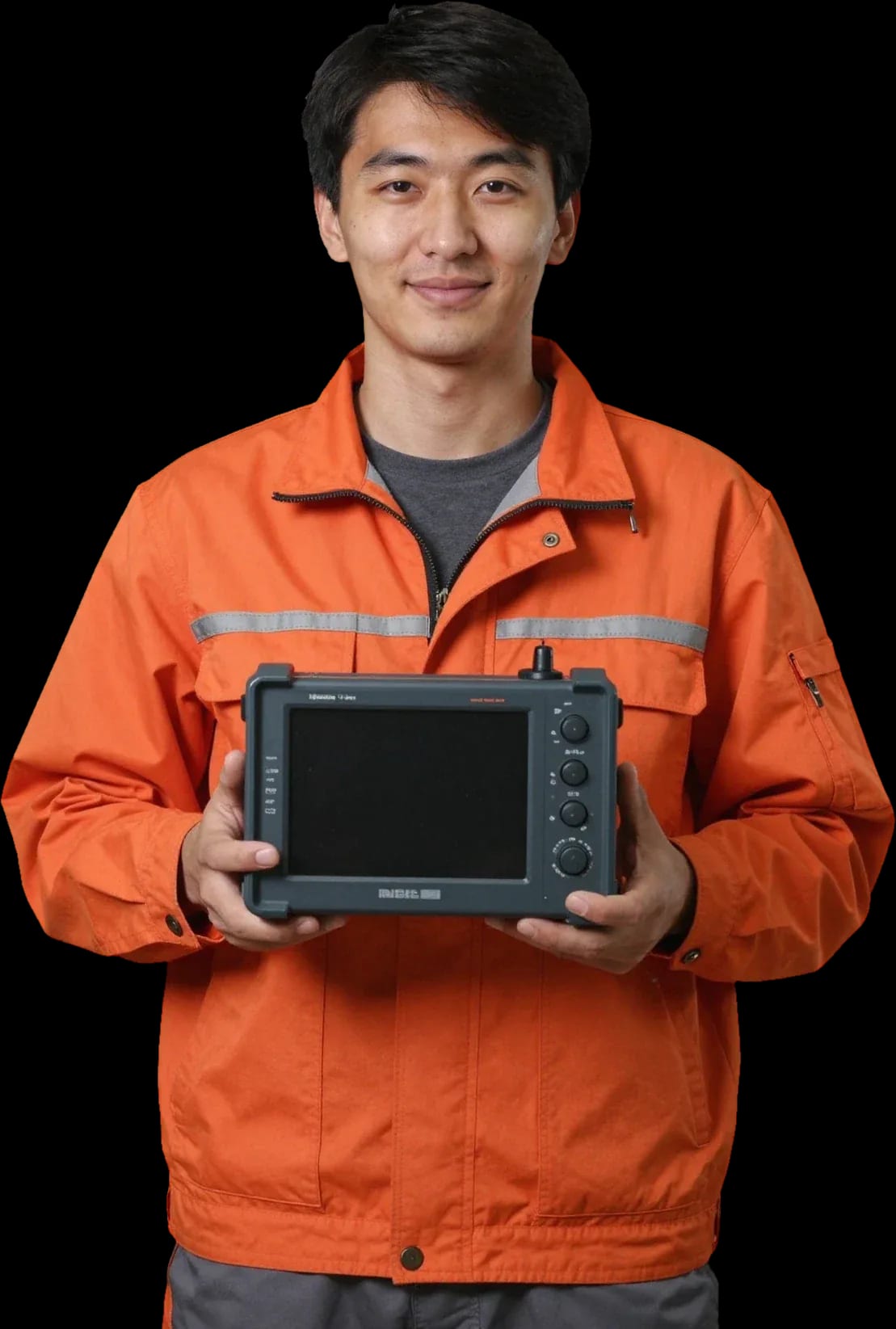
A technician arrives within 60 minutes anywhere in the city. Diagnostics are free — the technician identifies the cause and gives you the price.
Our own technicians4 to 20 years of experience




Repair prices
Below are typical symptoms and their likely causes. The technician will pinpoint the exact cause after diagnostics.
discharged battery, corrosion, fuse
from2 500 ₸
cable break, connector, firmware glitch
from5 500 ₸
dirty transducer, mounting, interference
from4 000 ₸
backlight, ribbon cable, board
from5 000 ₸
worn battery, charger, controller
from5 000 ₸
loose connector, corrosion, vibration
from3 000 ₸
motor interference, grounding, cable
from5 500 ₸
the code points to a specific component
from4 500 ₸

Five steps from request to final check.
Describe the symptom and model — the technician will clarify details and schedule a visit.
The technician brings tools and a tester; you'll need to provide the model and symptom for the visit.
The technician checks power, screen, and transducer connection, and records the result in the request.
You approve the scope of work, and the technician performs the repair and replaces parts.
They check power-on, transducer connection, and depth readings; ask about the acceptance conditions.
We reply during working hours
Leave a request — a technician will arrive within 60 minutes anywhere in the city. Diagnostics are free: they'll identify the cause and give you the price. 1-year warranty on labor and parts.

Warranty question? Call us
+7 (778) 046 88 53 experience7 years
PC and network repair engineer
 experience11 years
Senior mobile computer technician
 experience10 years
Laptop repair technician
 experience9 years
Motherboard repair technician
 experience16 years
Printer repair technician
 experience12 years
Computer repair technician
 experience18 years
All-in-one computer repair technician
Tech Service repairs echosounders in Astana as a direct provider with its own technician. Diagnostics are free, the technician comes to your home within 60 minutes anywhere in the city or accepts the device at the service center. We provide a 1-year warranty on labor and parts, quote the price after diagnostics, and you can pay via Kaspi QR, Kaspi Red (instalments), bank card, cash, or bank transfer for companies.
An echosounder is a combination of power supply, transducer, screen, and control board. The symptom of the breakdown can help narrow down where to look for the cause even before diagnostics: it won't turn on, loses depth, or shows an error code.
Most often the culprit is a discharged or degraded battery, less often the control board or oxidized contacts in the battery compartment. Connectors and terminals are the first to suffer: moisture and condensation corrode the traces, and power doesn't reach the circuit even from a charged battery. The display may be fully functional — it just doesn't start without voltage. We begin by measuring voltage at the terminals and checking the charge controller, and only then look at the control board. Technicians with 4 to 20 years of experience can tell a dead battery from a blown board by symptoms faster than a visual inspection would show. If the device doesn't come back to life after a full charge, don't repeatedly press the power button — that can finish off the controller; it's better to send it for diagnostics right away.
The problem is almost always in the "transducer — cable — connector" path: signal loss, a worn cable, or oxidized contact cause jumps and false marks. The transducer sends depth and bottom structure signals to the screen, and any disruption along this path distorts the picture — the device "draws" fish where there are none or loses the bottom on flat ground. The transducer cable rubs against the side, gets pinched at bends, and connectors oxidize from moisture. We check the cable's integrity along its entire length, test the contacts, and test the transducer separately from the device so we don't replace a working component. A transducer that is shifted or set at the wrong angle gives the same symptoms as a faulty one, so before concluding there's a breakdown, we check its installation and mounting.
An echosounder works near and on the water, so moisture, condensation, and temperature changes are the main external enemies of the board, contacts, and screen. We explain what happens inside when water gets in, why failures often show up in spring, and how we get the device working again.
Moisture gets on the board and contacts, causing oxidation and short circuits, which lead to lines on the screen, unresponsive buttons, and unstable power. The housing and sealing protect the electronics only as long as the seals are intact: a microcrack or worn gasket lets water reach the connectors, and from there it spreads along the traces of the control board. The display suffers separately — moisture between layers causes spots and lines that don't go away after drying, and thin ribbon cables oxidize first and stop transmitting the signal. Board traces under a layer of oxide continue to deteriorate even without new contact with water. The sooner the device reaches a technician after water exposure, the less corrosion has time to spread. "Drying it on a radiator" usually only locks in the oxidation: heat accelerates the reaction, and the metal breaks down faster.
Condensation from temperature changes and saltwater speed up contact corrosion, and winter storage without recharging finishes off the battery. A device brought in from the cold into a warm room gets covered with moisture inside — it settles on connectors and the circuit board, and after a few seasons the contacts turn green. Saltwater is more dangerous than fresh water: salt crystallizes in the connectors and keeps eating away at the metal even after drying. We often see fish finders that 'worked fine in the fall' needing not board repair after winter but a battery replacement and contact cleaning — that's the first thing to check. A battery left discharged in the cold loses capacity irreversibly, and no recharging will bring it back. Seals stiffen over winter, so after the first trip out it's worth double-checking watertightness.
Not every part of a fish finder can be restored: some components are replaced entirely, and it helps the owner to know in advance where the technician can fix things and where the only option is installing a new part.
We often bring a frayed transducer cable back to life, but the transducer itself with an internal failure usually gets replaced — the sealed housing can't be opened without losing its performance. The cable runs along the boat or stretches from shore and rubs against the side, transom board, mounting hardware; most often the section right at the connector suffers. The technician tests the wires along the entire length, inspects contacts for oxidation and assesses the watertightness of the transducer housing. When the signal is lost due to the wire, we restore the soldering and replace the cable; if the failure is inside the transducer, we select a new part for the specific device model. In our experience, a good share of calls about a 'dead' transducer end up with just a cable replacement. Before installing a new part, it's worth checking the connector and the integrity of the wire along its entire length — half of such failures turn out to be a damaged cable.
If a fully charged device holds power for a couple of hours or drains quickly in the cold, the battery gets replaced with a fresh one. We open the compartment and connectors carefully: terminals often show oxidation after damp storage, and the cell itself loses capacity over a few seasons. The technician measures voltage under load, compares the device's behavior with the stated power specs and checks whether energy is leaking around the cell. We install a source compatible in voltage and capacity, then run the fish finder at full screen and backlight load. Before this procedure, the technician checks the power circuit and charger — sometimes fast discharge is actually caused by a leak or an oxidized contact, and a fresh battery won't solve the problem.
| Component | What we check | Approach |
|---|---|---|
| Sensor (transducer) | signal, housing seal | replace if internal failure |
| Sensor cable | integrity along the entire length, connector | repair or replace |
| Battery | charge under load, power circuit | replace |
| Display and ribbon cable | lines, touch response | repair or replace |
| Control board | oxidation, traces, controller | repair |
| Buttons and panel | response, contacts | repair |
Each brand has its own design and weak points, so we approach each model individually rather than treating all fish finders the same — this determines what the technician checks.
With Humminbird, Lowrance, and Garmin, the battery, sensor connectors, and screen after moisture exposure are the most common issues; the control board fails less often. For Humminbird, it's often oxidized contacts in the sensor connector; for Lowrance, battery degradation after winter storage and moisture on display contacts; for Garmin, power failures and worn ribbon cables on the screen. In fixed-mount models with a GPS module, power failure often masquerades as a "map error": the chartplotter won't load the map, but the real cause is sagging input voltage. We check voltage and connectors first, then the board electronics. Our workshop services all three brands — Humminbird, Lowrance, and Garmin service starts with free diagnostics, not with opening the case. We repair fish finders of these brands with their design in mind. If the map stops opening on a Garmin or Lowrance, don't rush to reflash the device — in our experience, half of such cases end with replacing the power contact, not working with memory.
If your Deeper won't connect to your phone via Wi-Fi, we first rule out settings and the app, and only then consider repairing the module or battery. A wireless fish finder connects to your smartphone over its own channel, and the issue is more often reconnection, an outdated app version, or a discharged battery than the module itself. The technician checks the charge, tries connecting to another phone, and only then opens the case. Some Deeper "breakdowns" are solved by reconnecting and updating the app — that's why diagnostics come before disassembly, not after. If the battery has lost capacity or the module doesn't communicate at all, we take the device in for repair: such work comes with a 1-year warranty on labor and parts.
We service ice fishing flashers and Raymarine models with the same logic — power, sensor, screen, board — but adjusted for their design. Ice flashers have a compact body and tight layout, so moisture and condensation affect contacts faster than on boat stations. Raymarine adds sea salt: crystals on sensor connectors and the power connector destroy contacts. Winter models suffer more from condensation when moving from cold to warm, so it's worth drying them before turning them on in a warm place. We accept such devices for diagnostics and service in Astana — the technician comes to your home or picks up the fish finder for service, and quotes the cost after a free check.
We repair fish finders at your home or in our service center — the choice depends on the nature of the breakdown and whether it's convenient for you to transport the device across the city.
A technician arrives at your home within 60 minutes anywhere in the city, so you don't have to haul your fish finder across Astana or straight from the water. On site, we check the power, connectors, battery compartment contacts, and device settings — these causes account for a noticeable share of failures when the device won't turn on or loses connection with the sensor. Connectors oxidize from moisture, the battery contact group loosens from shaking on the waves, and settings knocked off after winter storage look like an electronics failure. The on-site technician brings tools, so he can handle some tasks right there in front of you. Complex control board repair requires disassembly and soldering under magnification — he'll point out such cases immediately and take the device to the service center instead of promising to fix it in your kitchen. Before the visit, describe the symptom over the phone: the description often makes it clear whether an on-site visit is enough or a workshop repair is needed.
Diagnostics are free, and the technician quotes the price after them — once it's clear what exactly needs fixing. First, the device is opened and the power, board, sensor, and cable are checked, then the found faults and options are listed — replacing a component or restoring a unit. Approval comes before any work: if a second fault is found after disassembly, it's also discussed in advance, not presented as a done deal on the bill. This order protects you from surprises — you understand what you're paying for and can decline any stage. Free diagnostics also reveal something else: sometimes the device is fine, and the problem is in the sensor or a cable that's pinched or worn at the plug. The technician shows the damaged area and explains why replacement is cheaper than restoration here. The cost depends on the unit and scope of work, so quoting it before opening the device is just guesswork.
Complex control board repair and unit replacement are done at the service center, and we provide a 1-year warranty on labor and parts. In the workshop, we can disassemble the housing, solder the board, replace connectors, and restore watertightness — operations that can't be done at home without risking damage to the housing. The parts warranty means that if a replaced unit fails again, it's repaired under warranty. This matters for fish finders used in water: moisture returns slowly, and a failure may not show up right away. After repair, the device is tested for power-on, sensor connection, and depth reading stability. You can pay via Kaspi QR, Kaspi Red, card, cash or bank transfer, and warranty cases are handled according to the warranty terms. Technicians with 4 to 20 years of experience know the typical weak spots of specific models and warn you what will fail next.
The market has plenty of ads and middlemen, and who actually holds the tools determines both the quality of work and how they'll act if the problem comes back.
Tech Service is a direct contractor with its own technician, not an aggregator or middleman, so we're responsible for the work, not a "request partner." Our service technician comes on-site himself and handles the device further if the case is complex. Our specialists have 4 to 20 years of experience with fish finders: one has more experience with sensors and cables, another with boards and displays. We provide a 1-year warranty on labor and parts, and it's not just a formality: if a failure recurs, we treat the device as a warranty case instead of opening a new request. A middleman between you and the technician has no warranty of his own on parts — if it breaks again, the conversation starts over with new diagnostics and a new bill. So before you call, ask who exactly will come and who will provide the warranty — the answer usually shows who you're dealing with.
Our technicians have 4 to 20 years of experience, and you can pay via Kaspi QR, Kaspi Red, bank card, cash, or bank transfer for companies. Different specialists' profiles let us assign work where it matters: a field technician handles on-site tasks — checks power, cable, sensor, and mounting — while complex electronics go to someone who works with them more often and knows the typical board failures of specific series. This saves time: no need to shuttle the device between contractors if the cause isn't confirmed on the first visit. A technician visit within the city takes 60 minutes, so inspection and initial checks happen in your usual conditions — by the water, in the garage, or at home. The technician quotes the price after free diagnostics, once the part and scope of work are clear. In my view, it's this distribution by profile, rather than a jack-of-all-trades, that gives predictable results on complex devices.
A fish finder fails in several typical scenarios, and correctly identifying the part determines what needs to be done with the device and how complex the job will be.
Tech Service technicians repair other appliances too — with the same 1-year warranty on labour and parts.
 Refrigerator Repair in Almatyfrom 3 000 ₸
 Washing Machine Repair in Almatyfrom 3 000 ₸
 Dishwasher Repair in Almatyfrom 3 500 ₸
 Oven Repair in Almatyfrom 3 000 ₸
 Cooktop Repair in Almatyfrom 3 500 ₸
 Air Conditioner Repair in Almatyfrom 3 500 ₸
 Boiler and Water Heater Repair in Almatyfrom 2 500 ₸
 Freezer Repair in Almatyfrom 6 000 ₸
 Tumble Dryer Repair in Almatyfrom 5 000 ₸
 Coffee Machine Repair in Almatyfrom 2 500 ₸
 Robot Vacuum Cleaner Repair in Almatyfrom 3 500 ₸
 Vacuum Cleaner Repair in Almatyfrom 1 500 ₸
 Microwave Oven Repair in Almatyfrom 2 000 ₸
 Hair Dryer Repair in Almatyfrom 1 500 ₸
 Iron Repair in Almatyfrom 3 000 ₸
 Electric Kettle Repair in Almatyfrom 2 500 ₸
 Mixer Repair in Almatyfrom 2 500 ₸
 Multicooker Repair in Almatyfrom 500 ₸

If your laptop screen is broken, turn the device off first, don't press on the display, and check the picture through an external monitor.
12 March 2026 · 11 minutes read
If your laptop freezes, the first thing to do is restart it and check Task Manager to see what's loading the CPU and memory.
25 January 2026 · 12 minutes read
If your computer won't turn on, start simple: check the outlet, power cable, switch on the power supply, and the power button.
19 January 2026 · 13 minutes read
If your laptop won't boot, first determine which of two states you're in: the device doesn't respond to the power button at all…
13 December 2025 · 12 minutes read








