Original
Original screen
- Compatibility
- Exactly by model and part number
- Price
- Higher, depends on supply
- Selection
- By part number or model
- When chosen
- You need a factory panel

We replace cracked and striped all-in-one screens: free diagnostics, technician at your door in 60 minutes anywhere in the city.
Our own technicians4 to 20 years of experience




1 yearwarranty on labor and parts
60 minutestechnician visit anywhere in the city
4 to 20 yearstechnician experience
5
Screens fail more often from a mechanical impact or pressure on the display than from wear. By the type of defect, the technician distinguishes panel damage from backlight and cable issues.
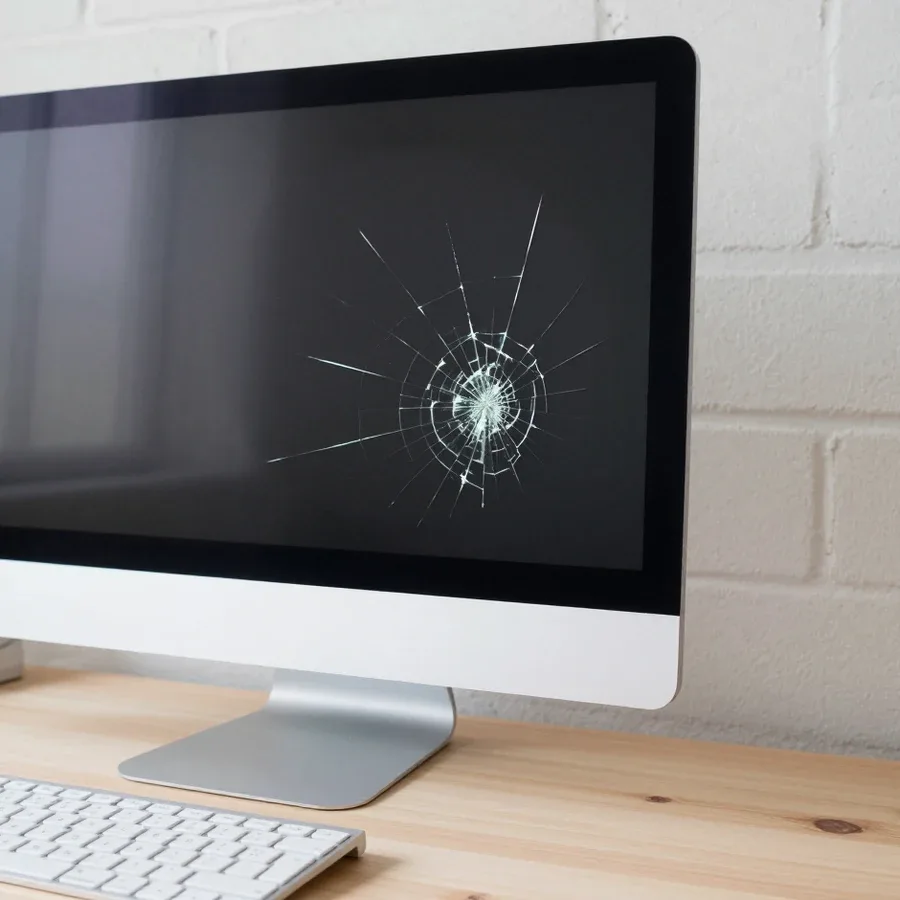
Cracks and spiderweb
Chips and spreading lines are typical signs of impact or pressure.
Stripes and artifacts
Vertical or horizontal stripes indicate panel damage.
Spots and bright areas
Dark or light spots appear after pinpoint pressure.
No image
The screen is dark but the all-in-one works — check the screen and cable.
Distorted colors
Incorrect color reproduction can happen with panel or contact damage.
Take a photo of the defect and note when the stripes or spots appear — this helps the technician identify the damaged area.
Describe the symptoms1 visittime
from 11 500 ₸cost
 BeforeAfter
We reply during working hours
Tell us your all-in-one model and the nature of the defect — the technician will agree on the panel option, original or compatible, before work begins.

Warranty question? Call us
+7 (778) 046 88 53 experience18 years
All-in-one computer repair technician
 experience7 years
PC and network repair engineer
 experience11 years
Senior mobile computer technician
 experience10 years
Laptop repair technician
 experience9 years
Motherboard repair technician

Author: Azamat Kh.,All-in-one computer repair technician
Published
Updated
Tech Service replaces iMac displays in Astana with a technician visit within 60 minutes across the city or at our service center. Diagnostics are free, you get a 1-year warranty on labor and parts, and our technicians have 4 to 20 years of experience. We quote the price after diagnostics and you can pay via Kaspi QR, Kaspi Red, bank card, cash, or bank transfer for companies.
An iMac display is an LCD panel that often comes as an assembly with the glass and frame. Taking apart this kind of body is harder than a laptop, so it's important to understand what exactly gets replaced in a specific model.
In most iMacs, the display comes as a module assembled with the glass and frame, not as a standalone panel. Inside this module, the LCD panel itself, the protective glass, the mounting elements, and the decorative frame around the perimeter are combined. That's why when the screen cracks, the whole unit is replaced rather than cutting glass to size. The iMac body stays in place — only the front part with the display is removed. If only the glass is cracked and the panel is intact, the technician still evaluates the module as a whole: it's more reliable and doesn't leave gaps in the body where dust and moisture build up over time. In my opinion, trying to install just a panel without glass almost always ends in distorted images and having to take it apart again.
An iMac display is larger, attaches to the device body, and is not compatible with a laptop display even if the diagonal is similar. A laptop panel is thin, has its own hinges and a cable under the lid, while an iMac display is part of the front assembly: different mounting dimensions, different connector, different thickness. iMacs, Asus, Lenovo, and HP all-in-ones differ from each other in cable placement, mounting shape, and number of glass layers. Selection is based on the exact iMac model, not the screen size — different lines have mismatched connectors and mounts, and there's no universal panel. Even neighboring models from the same brand sometimes get different modules. Before ordering a part, check the model number on the back of the body — that's how the display is matched, otherwise the new module simply won't fit into the mounting slots.
Not every image problem means a display replacement. Lines, spots, and flickering can come from the cable, backlight, or graphics card, and diagnostics help tell them apart.
We recommend turning off the iMac with a cracked screen and not turning it on until diagnostics, so you don't damage the backlight or crush the panel further. Pressing on the glass, trying to "fix" the image, and moving the device without packaging increase the damage area: a crack in the corner spreads to the center, and then the whole panel assembly gets replaced, not just a section. Data on the drive isn't affected by this, so your files and work documents stay safe. Diagnostics are free: a technician arrives within 60 minutes across the city, inspects the panel, and quotes the price after checking. While you wait, unplug the iMac from power and cover the screen with a soft cloth — that way shards don't spill out of the body.
iMac display replacement includes taking apart the body, agreeing on the work based on diagnostics, installing a new module, and checking the image. Let's go through the process step by step — from the first inspection to the final test.
Replacing the matrix of an all-in-one yourself is risky: the case is opened using clips and screws, and careless opening can easily damage the cable and backlight. The all-in-one is tightly packed—there's little room for tools, and one wrong move with a screwdriver can hit the glass or the cable traces. Even with successful disassembly, without calibration and image testing, it's easy to miss a defect in the new panel: a dead pixel or uneven backlight is only visible on test fills. If you need matrix replacement for an all-in-one in Astana, a technician comes to your home and performs all work on site. Data on the drive is not affected during matrix replacement—its safety does not depend on who replaces the panel. We provide a 1-year warranty on parts and on the replacement itself, while self-assembly offers no such protection.
An all-in-one is heavy and bulky, so the method of work is no less important than the replacement itself. Let's look at how replacement at home works and when it's more convenient to bring the device to our workshop.
We travel to the client within 60 minutes anywhere in the city, perform free diagnostics on site, and replace the matrix right at your home or at our workshop—whichever is more convenient. The technician arrives with his own tools, removes the back cover, disconnects the cable, inspects the condition of the panel and mounts, and quotes the scope of work only after inspection. Diagnostics are free, so you make your decision based on the inspection, not over the phone. We do on-site replacement when the matrix comes as a separate panel and the case can be disassembled without a stand. If a display module assembly with glass and frame is needed, the work requires more space and time for careful disassembly—it's safer to perform it in our workshop. Our advice: tell us the model in advance—the specialist will then know which option suits your device.
| Format | Selection condition | Technician's actions | Post-assembly check |
|---|---|---|---|
| On-site visit | You don't want to transport the device | Diagnostics and replacement on site | Image, frame gaps |
| Repair at the workshop | Complex disassembly, module assembly | Full disassembly and reassembly of the case | Image, mounts, play |
| Large case | Needs a table and good lighting | Careful glass fitting | Backlight uniformity |
Once the matrix is replaced, the owner needs to understand what happens if the defect recurs. Let's go over warranty obligations, payment procedure, and how we keep the process transparent.
We give a 1-year warranty on labor and parts, so if the matrix or assembly fails, we fix it at our own expense. The commitment covers both the panel itself and the quality of installation: some defects don't show up right away but appear after weeks of use — dead pixels along the edge, lines when the screen warms up, uneven backlighting. Right after installation, the technician checks the image on solid fills, gradients, and test patterns to catch any defect before the device goes back to its owner. If a failure does occur, just describe the symptom — we'll determine the cause and fix it under warranty, without arguing about whose fault it is. In my view, a year is a fair term precisely because hidden panel defects usually surface in the first weeks, not in the tenth month.
The technician quotes the price for this work after a free diagnostics, once it's clear whether the panel is replaced separately or as a complete module. The calculation includes the matrix type, the configuration — a display module with glass or just the LCD panel — and the labor for disassembling the case. We are the direct contractor, so there's no middleman markup in the estimate: the technician comes himself and is responsible for the result. We accept Kaspi QR, Kaspi Red, card, cash or transfer, and each customer chooses what works best. Comparing this service with buying a new all-in-one makes sense only after you have the diagnostic results: sometimes replacing just the module is enough rather than the whole device, and that changes the decision. In our practice, owners often come ready to buy a new machine, but during inspection it turns out the issue is in one component — then the costs are nowhere near a new device.
Here's the key information that determines the outcome of an all-in-one matrix replacement: from the module type to the warranty terms. Below is a quick summary of facts to keep in mind before contacting us.

If your laptop screen is broken, turn the device off first, don't press on the display, and check the picture through an external monitor.
12 March 2026 · 11 minutes read
If your laptop freezes, the first thing to do is restart it and check Task Manager to see what's loading the CPU and memory.
25 January 2026 · 12 minutes read
If your computer won't turn on, start simple: check the outlet, power cable, switch on the power supply, and the power button.
19 January 2026 · 13 minutes read
If your laptop won't boot, first determine which of two states you're in: the device doesn't respond to the power button at all…
13 December 2025 · 12 minutes read