Лариса О.Order No. 40021 · 19 April 2026
oursПришёл по совету коллеги, у него тут чинили ноут. Сергей Москоленко всё сделал при мне, за пятнадцать минут. Обращусь снова, если понадобится.

A technician arrives within 60 minutes anywhere in the city. Diagnostics are free.
Our own technicians4 to 20 years of experience




Below are typical symptoms and their likely causes. The technician identifies the exact cause after a free diagnostic.
motor wear, stretched belt, circuit board
from2 500 ₸
gear wear, bearing, mounting
from2 500 ₸
potentiometer, spring, wire
from2 500 ₸
USB port, cable, circuit board
from2 500 ₸
position sensor, encoder
from2 500 ₸
reduction gears, lubrication
from2 500 ₸
thickened lubricant, shaft misalignment, belt
from2 500 ₸
contacts, spring, wire
from2 500 ₸
1–2 hourstime
from 2,500 ₸cost
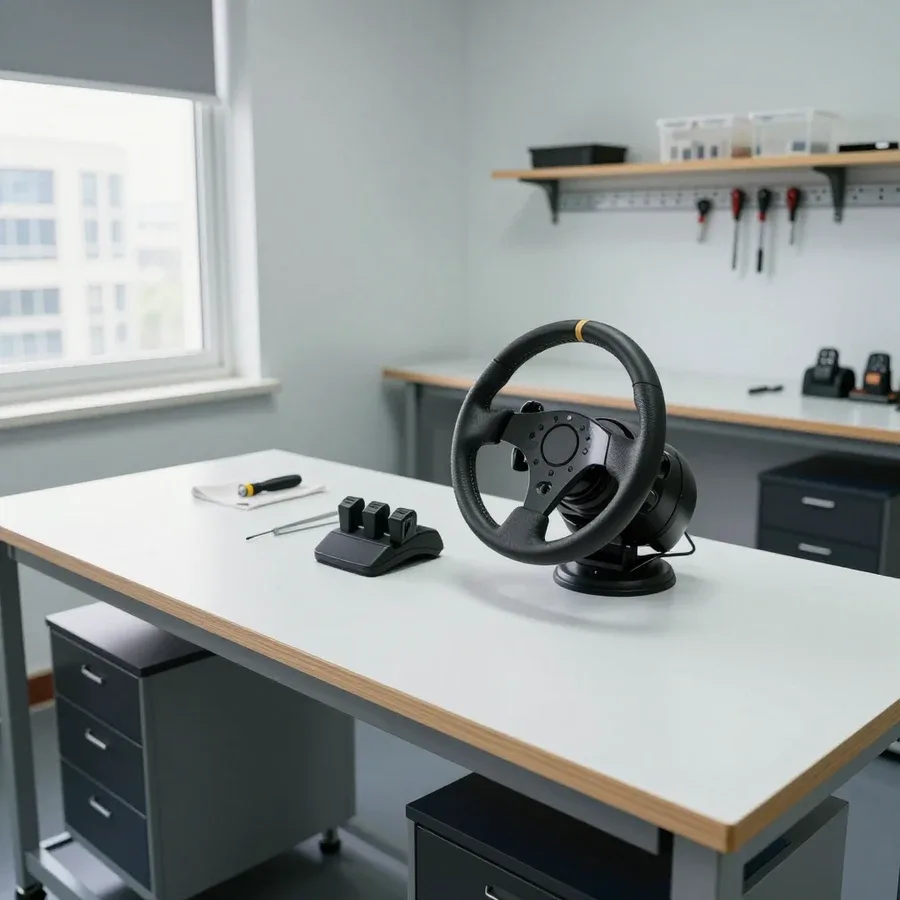 BeforeAfter

Five steps from request to testing the wheel in-game.
Describe the symptom and the wheel model — the technician will prepare for the visit.
The technician arrives anywhere in the city within 60 minutes after the request.
The technician checks the assembly against the catalog by model and part number to avoid installing an incompatible component.
If the price doesn't work for you, you can decline the repair or take time to decide.
The technician records the list of faults and what exactly will be restored so you understand the scope of the repair.
We reply during working hours
What to specify in the request: which symptoms appear in-game and at what stage — turning, pedal, shifter — so the technician brings the right tools.

Warranty question? Call us
+7 (778) 046 88 53 experience7 years
PC and network repair engineer
 experience11 years
Senior mobile computer technician
 experience10 years
Laptop repair technician
 experience9 years
Motherboard repair technician
 experience16 years
Printer repair technician
 experience12 years
Computer repair technician
 experience18 years
All-in-one computer repair technician
Tech Service repairs game steering wheels in Astana as a direct provider: our technician comes to your home within 60 minutes or takes the wheel to the service center. Diagnostics are free, there is a 1-year warranty on labor and parts, and our technicians have 4 to 20 years of experience. We fix force feedback, pedals, connectivity, and mechanics.
A game steering wheel is not just a wheel but a set of components: force feedback motors, gears, pedals, shifters. Here is what we typically receive and why this category requires a special approach.
We service both types of wheels, but on force feedback models the motors, gears, and drive belts are the most common failure points. In an FF design, torque is transmitted from the electric motor through the gearbox to the steering shaft, and this assembly takes the main load during sharp turns and drifts. Budget models without force feedback break more simply: the steering axis potentiometers wear out, ribbon cables tear, and the shaft mount loosens. Before disassembly, the technician checks the power supply to the FF unit and the integrity of the ribbon cable — if the wheel feels "empty" when turning, it is not always the motor. In our practice, replacing the motor without such a check does not solve the problem: the unit receives intermittent power, and the new motor behaves the same as the old one.
We repair pedals, shifters, and gear shifters as separate units — you can bring them with the wheel or separately if the problem is only with the press. In the pedal block, throttle, brake, and clutch work through potentiometers or pressure sensors, and springs provide the return. Pedal jerking is more often due to potentiometer wear rather than a "game glitch" — so the check starts with measuring the axis travel, not reinstalling drivers. The shifter and gear shifter suffer from play in the shifting mechanism and broken wires inside the handle. A separate issue is a bent pedal mounting bracket: it is straightened according to geometry, otherwise the pedal moves sideways when pressed. For the same reason, the axis travel gets misaligned even on new blocks — pedal acceptance after bracket straightening is done with a repeat measurement, not by eye.
| Brand | What we repair most often | Check specifics |
|---|---|---|
| Logitech | potentiometers, ribbon cables, pedals | axis test after assembly |
| Thrustmaster | force feedback, drive belts | checking force on the wheel |
| Fanatec | mechanics, sensors, connectors | precise calibration after repair |
| Other models | connectivity, power, play | checking compatibility with PC and console |
A game steering wheel failure almost always has a specific cause in a component, not a "failure of all electronics". Here are common scenarios so you understand what to check and what to tell the technician.
If the device is not visible to the system, the cause is usually in the USB cable, connection port, ribbon cable inside the case, or in drivers and firmware, not in the mechanics itself. A cable with a broken wire gives an intermittent contact: the device appears in the list, then disappears when the base is turned. The USB connector on the control board comes loose after sharp pulls on the wheel, and the ribbon cable between the board and buttons wears out at moving parts. On a PC, there is an added layer of drivers and compatibility mode — outdated firmware conflicts with an updated game even though the hardware is fine. On PlayStation, the picture is different: the console is stricter about port power and does not always accept the accessory through a USB hub. If a self-check does not help, game steering wheel repair in Astana starts with free diagnostics. Before disassembly, it is worth testing it on another device and in another USB port — this separates a software cause from a hardware one and saves diagnostic time.
Lost force feedback and stiff steering are different symptoms: the first is more often linked to the motors and power supply of the FF unit, the second to bearings, bushings, and thickened grease. When force feedback disappears completely, check the motor power, winding integrity, and connector contacts on the board—a break in one circuit shuts down the whole unit. Stiff steering and binding when turning point to worn bearings and shaft bushings, less often to a stretched drive belt or stripped gear teeth. The potentiometers still work at this point but already show jerky angle readings. Squeaking and play are not critical by themselves, but a worn bearing eventually causes axle runout and accelerates potentiometer wear—so putting off mechanical restoration is not cost-effective.
Gaming wheel diagnostics is not a quick look but a step-by-step check of connections, axes, force feedback, and pedals. It determines which unit is restored and whether intervention is needed at all.
Our diagnostics are free: the technician checks the connection, tests the axes, force feedback, and pedals, then names the cause and cost of work. First, the device is connected to a PC or console to see if the system detects it and how it behaves in the drivers. At this stage, it is clear whether the issue is hardware or firmware and compatibility mode—often the gadget is fine and a specific game setting is failing. Next, the technician runs the axes and pedals in a test utility and records deviations for each unit. In our practice, a noticeable portion of requests end with setup without replacing parts: reflashing and driver adjustments restore control. You should not agree to restoration before checking—sometimes a 'breakdown' turns out to be a compatibility mode setting or a driver, and then no technician intervention is needed.
When replacing a sensor, motor, or mechanical unit, we calibrate the device so that the center, extreme positions, and force match factory values. Potentiometers and Hall sensors give a shifted signal if not re-adjusted, and force feedback motors give uneven force at different angles. Calibration reduces these deviations to zero and re-writes the travel range in the firmware. Without it, even a working device may pull to one side or lose accuracy at small angles—this feels like 'crooked' handling in the game, even though the part is new. Therefore, we perform calibration at the end of each restoration rather than leaving it to the owner to set up. Check this step in advance: the technician should show how the rim behaves in the test utility with the center set.
Some breakdowns are fixed on-site, others require disassembly and workshop conditions. We explain how to choose the format for your issue and what to consider to avoid bringing the gaming wheel in vain.
At your home we handle connection and power, setup, compatibility checks, replacement of accessible components, and calibration — a technician arrives within 60 minutes anywhere in the city. Our service area covers both the left bank and the outskirts, so you don't have to haul your cockpit halfway across town. The specialist checks the cable, port, drivers, and device profile in the system, replaces external components if needed, and calibrates the axes and pedals based on the work performed. Diagnostics on-site are free, so you'll know right away whether the issue can be fixed on the spot or requires a workshop visit. On-site service is especially convenient when the device is mounted on a cockpit or desk — no need to remove the mount and readjust your seating position, and after calibration the force feedback responds to turns without delay again. The technician arrives with their own tools and a test laptop, so compatibility with your specific game and platform is checked right there — no transporting equipment or waiting in line.
We perform deep disassembly, board soldering, force feedback motor replacement, and liquid damage recovery in our workshop, where we have the conditions for precise assembly. The control board, force feedback motors, ribbon cables, and connectors require case disassembly, access to soldering, and careful assembly without misalignment — this kind of work can't be done properly at the client's desk. If the device has been spilled on or dropped, it's better to plan for in-shop service right away: such damage can't be fully assessed on-site, and turning it on again will make it worse. During inspection, the technician confirms whether disassembly is needed and takes the equipment, and you get it back with a 1-year warranty on labor and parts. Mechanical issues with play and squeaking are also handled in the workshop: bearings, bushings, and lubricant are replaced after complete disassembly of the assembly, otherwise the defect returns after a few races.
| Symptom | Where we fix it | What we check |
|---|---|---|
| Not detected by the system | on-site | cable, port, drivers |
| No force feedback | workshop | motors, drive, component power |
| Pedal jerking | on-site or workshop | pressure sensor, spring |
| Play and squeaking | workshop | bearings, bushings, lubricant |
| Spilled on or dropped | workshop | board, ribbon cables, case |
A warranty and clear results are what set repair apart from 'we tried and see what happens.' Here's what our commitments cover, when repair makes more sense than buying new, and why the direct contractor is responsible for the outcome.
We provide a 1-year warranty on labor and parts — if the problem returns in the same component after repair, we'll fix it under warranty. The warranty covers replaced potentiometers, Hall sensors, ribbon cables, connectors, and force feedback motors, as well as the assembly and calibration procedure itself. Free diagnostics show upfront which component has failed and whether it needs full replacement or can be restored. In our experience, repeat visits are more often due to wear on an adjacent element that was at the edge of normal at the time of repair, rather than a new breakdown. Our commitments apply only when the cause of the breakdown is clear, so diagnostics record which component was replaced and why — this simplifies the process if the symptom returns. The technician also checks related components so you don't have to open the case a month later because of a part that could have been replaced right away.
Repair is usually the better choice when the failure is local — a sensor, ribbon cable, pedal, or motor — and the casing and mechanics are intact; buying a new one makes sense if the board and casing are seriously damaged. Worn potentiometers and Hall sensors, a broken ribbon cable, worn connector contacts, and a tired feedback motor can all be fixed by replacing the specific component without touching the rest of the design. The control board is a different story: if the traces are burned or the controller is fried after a voltage spike, restoration requires microsoldering and doesn't always bring back the original response precision. Premium wheels are restored more often than entry-level ones — replacing a single unit preserves the familiar mechanics and settings, while a new model of the same class means getting used to the response all over again. Do the math ahead of time: if the price of a new device is comparable to restoring two or three units, buying no longer makes sense.
Tech Service is a direct provider: your wheel is serviced by our own technician, not a middleman, so we — not a third party — stand behind the result and the warranty. Our technicians have worked with gaming wheels for 4 to 20 years, know how force feedback is built, and are familiar with the typical weak spots of specific series. We're not an aggregator and we don't hand the device off to an outside contractor: diagnostics, repair, and calibration all happen with one provider, and the responsibility for labor and parts stays with us. When you go through a middleman, responsibility often gets blurred between contractors — a direct provider records who did what, which makes any warranty case simpler. For residents of the capital, this format saves both the time of shipping the device between links and the hassle of arguing over who's to blame if the fault comes back.
Booking service for a gaming wheel takes a couple of minutes: you describe the problem, a specialist agrees on a time, comes to you or picks up the device for the service center, and quotes the price after free diagnostics. Below is how to book, what the price is made of, and what to prepare for the visit.
You can book through the website or by contacting the service center — the technician will agree on a convenient time and arrive within 60 minutes anywhere in the city. The inspection is free, so it's done with no obligation: the device is connected, the axes, force feedback, and pedals are tested, and then you're told the cause and the scope of work. The visit works both for on-site repairs at your home and for cases when it's easier to bring the equipment to the service center — you choose the format. For the visit, have the device ready and describe the symptom in gaming terms — "pulls to one side," "no pedal response" — this speeds up the check and helps the technician bring the right parts. Our experience is 4 to 20 years across different units, so from your description the specialist often anticipates which components will be needed even before the visit.
The technician quotes the price after free diagnostics — it depends on the unit that failed and the scope of work, not on the wheel model as such. What turns out expensive is not the brand or the casing but the internals: pedal and rim potentiometers, feedback motors, the control board, and ribbon cables. The same symptom — pedal jerking or lost resistance — leads to different work on different devices: sometimes it's enough to replace a worn sensor, sometimes the board needs soldering or the motor needs replacing. The specialist identifies the fault during the check and only then gives you the price. Don't agree to "blind work" without a check — sometimes an expensive-sounding symptom is cured by replacing an inexpensive sensor, and diagnostics shows that before any work begins.
Fixing a gaming wheel comes down to finding the specific component and testing it properly before you start. Here's a quick summary to help you decide on the repair without second-guessing.
Tech Service technicians repair other appliances too — with the same 1-year warranty on labour and parts.
 Refrigerator Repair in Almatyfrom 3 000 ₸
 Washing Machine Repair in Almatyfrom 3 000 ₸
 Dishwasher Repair in Almatyfrom 3 500 ₸
 Oven Repair in Almatyfrom 3 000 ₸
 Cooktop Repair in Almatyfrom 3 500 ₸
 Air Conditioner Repair in Almatyfrom 3 500 ₸
 Boiler and Water Heater Repair in Almatyfrom 2 500 ₸
 Freezer Repair in Almatyfrom 6 000 ₸
 Tumble Dryer Repair in Almatyfrom 5 000 ₸
 Coffee Machine Repair in Almatyfrom 2 500 ₸
 Robot Vacuum Cleaner Repair in Almatyfrom 3 500 ₸
 Vacuum Cleaner Repair in Almatyfrom 1 500 ₸
 Microwave Oven Repair in Almatyfrom 2 000 ₸
 Hair Dryer Repair in Almatyfrom 1 500 ₸
 Iron Repair in Almatyfrom 3 000 ₸
 Electric Kettle Repair in Almatyfrom 2 500 ₸
 Mixer Repair in Almatyfrom 2 500 ₸
 Multicooker Repair in Almatyfrom 500 ₸

If your laptop screen is broken, turn the device off first, don't press on the display, and check the picture through an external monitor.
12 March 2026 · 11 minutes read
If your laptop freezes, the first thing to do is restart it and check Task Manager to see what's loading the CPU and memory.
25 January 2026 · 12 minutes read
If your computer won't turn on, start simple: check the outlet, power cable, switch on the power supply, and the power button.
19 January 2026 · 13 minutes read
If your laptop won't boot, first determine which of two states you're in: the device doesn't respond to the power button at all…
13 December 2025 · 12 minutes read








