Семён Ш.Order No. 2301-9115 · 18 August 2023
oursОбращаюсь сюда второй раз, впечатление не изменилось. Рекомендую, без пафоса.
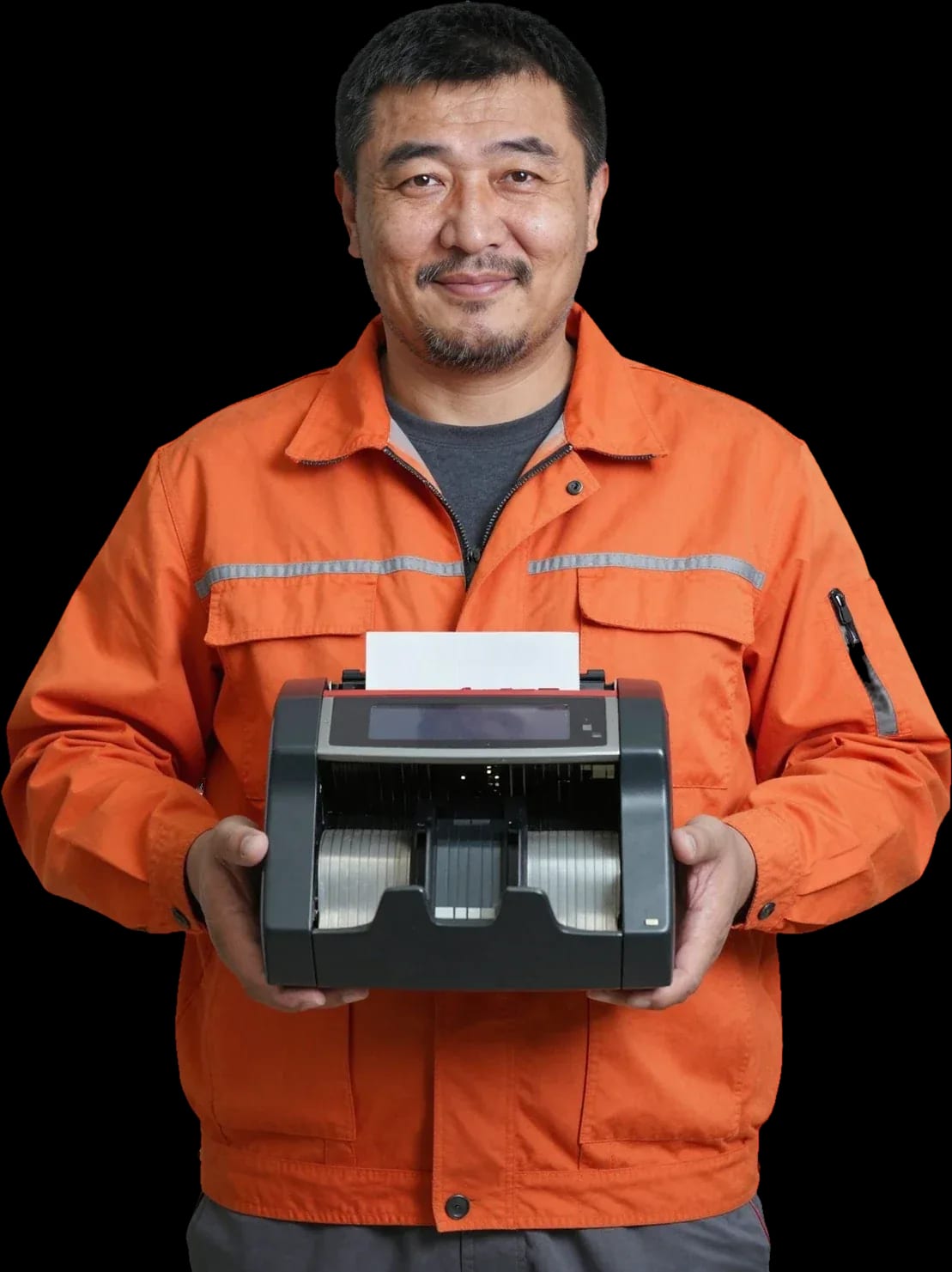
A technician arrives within 60 minutes anywhere in the city. Free diagnostics, 1-year warranty on labor and parts.
Our own technicians4 to 20 years of experience




Repair prices
Below are the usual causes a technician checks first.
Dust speeds up wear on moving parts
from2 500 ₸
Crumpled and dirty bills get jammed
from4 500 ₸
Voltage spikes damage electronics
from9 000 ₸
Violating loading and maintenance rules
from4 000 ₸
Parts lose their service life over time
from3 000 ₸
Dust and dirt distort sensor readings
from2 500 ₸
Poor ventilation speeds up component wear
from7 000 ₸
Cracks and deformation of plastic parts
from9 000 ₸
1 visittime
from 2,500 ₸cost
 BeforeAfter

Five steps from your call to checking the equipment after repair.
The technician agrees on access time and address so the visit goes smoothly.
The technician checks the model and serial number, inspects the installation site, and notes the symptoms.
The technician shows and explains the scope of work before repair and offers options to choose from.
The technician gives the price and performs the work after you approve.
The technician demonstrates the unit in operation and answers questions about further use.
We reply during working hours
Requests are accepted by call or message; the technician agrees on a convenient visit time and confirms it.

Warranty question? Call us
+7 (778) 096 59 61 experience7 years
PC and network repair engineer
 experience11 years
Senior mobile computer technician
 experience10 years
Laptop repair technician
 experience9 years
Motherboard repair technician
 experience16 years
Printer repair technician
 experience12 years
Computer repair technician
 experience18 years
All-in-one computer repair technician
Tech Service repairs bank equipment in Astana directly, without middlemen: our technician comes to your home or office within 60 minutes, or the equipment is repaired at our service center. Diagnostics are free, there is a 1-year warranty on labor and parts, and our technicians have 4 to 20 years of experience.
Most requests start with one of several typical symptoms. Let's break down what each one means and why a technician checks power and cables first instead of rushing to replace the board.
Most often, a device won't turn on because of a power supply or a loose cable, not a burnt-out control board — our technician starts by checking the power. First, he tests the power cable and connector, then measures the voltage at the power supply output and inspects the cables going to the board. If the power is fine but there's no indication, he checks the power supply itself for voltage drop under load: a working one delivers stable parameters, while a worn one drops when connected. The control board is the last thing he touches — its failure is less common than owners think. Before calling a technician, check the outlet and cable, especially if the device is plugged into a surge protector or extension cord — this saves diagnostic time and rules out an external cause right away.
Jamming is almost always due to worn feed rollers or a dirty paper path, and counting errors come from misaligned sensors; we clean the path and replace the rollers. Over time, rollers lose their elasticity and stop feeding bills evenly, causing them to skew and get stuck. The sensors that count bills get clogged with dust and paper residue — then the device either doesn't see the bill or counts it twice and shows an error code. The technician disassembles the paper path, blows out and wipes the optics, checks roller wear and replaces them if needed. Worn, glued, or damp bills speed up roller wear — if such bills are used constantly, cleaning will be needed more often than with smooth, dry money.
If the cards work but the terminal doesn't see them, the cause is the card reader or contacts; the technician checks the error code on the display against the model to avoid replacing a working unit. The card reader wears out from frequent insertions: spring contacts lose their tension, dust builds up inside, and the chip stops being read. Sometimes it's not the unit but a software glitch — a frozen payment module or lost connection settings. Before calling a technician, try another card and a reboot — this immediately shows whether it's a hardware failure or a software glitch. The technician distinguishes these cases by how the device behaves: if the terminal reads the card after a reboot, it's a software issue; if the error repeats with any card, he checks the card reader and cables.
The repair format depends on the nature of the fault. Some failures are fixed right on the spot, others require a workshop — let's look at the difference between on-site and in-service repair.
On-site, we fix what doesn't require bench disassembly: power, cables, cleaning the paper path, adjusting settings. A specialist arrives within 60 minutes anywhere in the city — whether it's a cash register in a store or a terminal in a bank branch. On-site service covers typical failures: the device won't turn on due to a power contact, the counter jams a bill due to a dirty paper path, the payment terminal loses connection due to misconfigured settings. Work is done at the point of use, without transporting the device. For a retail outlet or a bank branch, this format is more convenient because the cash register doesn't drop out of operation during transportation. But the specialist gives the final verdict after diagnostics — sometimes only the symptom is visible on-site, while the cause lies deeper.
Complex restoration of the control board or replacement of the bill acceptor is done at a service center where the unit is checked as a whole, not just at the point of failure. The control board is tested along the power chain and logic, the bill acceptor — for recognition of banknotes of different denominations, the mechanics of the path — for feeding under load. Such work requires disassembly and repeated runs, so the equipment is accepted at the workshop. If the equipment is still under the manufacturer's warranty, it is worth clarifying the terms — sometimes third-party intervention changes them. Our specialist will advise you on this before starting work so that you do not lose the factory warranty because of a formality. Our diagnostics are free in both formats — both on-site and at the service center. The technician determines which format is suitable for a specific unit and tells the client in advance so that they understand whether the equipment will be taken to the workshop or repaired on-site.
| Stage | What happens | Who is involved |
|---|---|---|
| Request | the client describes the symptom and model | client, dispatcher |
| On-site visit or intake | a specialist arrives or the equipment is accepted at the service center | on-site employee |
| Diagnostics | finding the cause, checking units | service engineer |
| Approval | the client approves the scope of work | client, engineer |
| Repair and check | replacing the unit, on-site test | service engineer |
Diagnostics is not just a quick look and a guess — it is a check of specific units: the power supply, board, bill acceptor, card reader. It determines which parts will be replaced and how much it will cost, so we perform it before any work.
Free diagnostics includes checking the power supply, control board, bill acceptor, card reader, and sensors — the specialist looks for the cause rather than simply stating the breakdown. On the test bench, the power circuit is checked for continuity, voltages are measured at test points, and the board's response to test commands is verified. The bill acceptor and card reader are tested with a reference card and a test banknote: this shows whether the device loses signal at the contacts or the issue is in the path mechanics. Presence and position sensors are checked separately — a stuck sensor produces the same error as a burned-out unit. If the cause turns out to be a software failure rather than hardware, this is also determined during diagnostics — and the client does not pay for replacing a working unit.
The specialist quotes the cost after free diagnostics — when it is already clear which unit is being replaced and what work is needed; before that, no one gives a figure. First the cause is identified, then an option is selected: part replacement, unit cleaning, or reflashing. The client receives a list of works and a specific amount, not a range "from and to". Approval before work begins protects against surprises: if the scope changes during the process — for example, after replacing the power supply it turns out that the board also cannot handle the load — the employee stops and discusses this with the client before continuing. In our practice, this procedure removes the main fear of a cash register owner: that the final bill will be significantly higher than quoted. No work begins without an approved amount.
The decision to repair or replace depends on which component has failed: replacing rollers or a unit is usually justified, but replacing the board on an older machine is worth doing only after diagnostics. Rollers are consumables in the feed path, they wear out predictably, and replacing them gets the machine back in service. The control board is an expensive component, and here not only its cost matters but also the condition of the rest of the mechanics: if the feed path and reader are already worn, investing in electronics may not pay off. During free diagnostics, a technician assesses the overall wear and tells you directly what makes sense to do. We accept Kaspi QR, Kaspi Red, card, cash or bank transfer for companies, so the payment format does not affect the choice between restoring and replacing — only the condition of the equipment decides.
For a store or a bank, a down cash register or terminal means halted sales and a queue at the counter. Here we explain what our warranty covers and what to do if the same error returns after service.
We provide a 1-year warranty on labor and parts — that is, both on the repair itself and on the installed component. This is the standard term for our service, and it applies to cash registers, bill and coin counters, and payment terminals. The warranty on labor means that if assembly or setup was done incorrectly and the component fails again, we fix the fault at our own expense. The warranty on parts works differently: if the same component fails again, it is replaced under warranty rather than sold anew. This also applies to mechanical parts — the feed mechanism, sensors, the control board. In my view, separating labor and parts removes the main point of dispute: the client knows in advance what is covered and what is not. Before handing over the equipment, ask which components were replaced — this record will be useful if you come back.
If the same error returns after service, the technician rechecks the component and the cause — sometimes the initial diagnostics point to a symptom rather than the source. An error code on the display often reflects a symptom: the counter shows a feed error although the position sensor is at fault, not the mechanism itself. A recurring error is often related not to the replaced part but to an adjacent component that was within normal range during the first diagnostics — the control board, optical sensor, or ribbon cable. That is why on a return visit we check the entire chain again, not just the element that was replaced. In our experience, this approach saves the client a second downtime: the cause is found on the first visit after the return. If the error appears again, do not disassemble the machine yourself — save the code on the display and describe which operation triggers it, this will speed up the search.
If the equipment is still under manufacturer warranty, it is worth checking its terms first — sometimes third-party intervention changes them, and this is important to know before work begins. Manufacturer warranty terms depend on the model and the seller — they should be clarified before work begins. The technician mentions this during free diagnostics so the client can decide what is more beneficial — keeping the manufacturer warranty or getting a faster repair without waiting for a warranty claim. We do not hide such nuances: if our work will void your factory warranty, you will hear it before approval, not after. From experience, for ATMs and terminals purchased recently, it is wiser to go through the manufacturer warranty first, while for equipment older than a few years — to repair directly. The decision is always yours, we just give you the full picture during diagnostics.
We work with the main categories of banking equipment — from cash registers to ATMs. Below we explain what exactly we repair and which components we inspect in each.
We service cash registers (fiscal recorders), banknote counters, and coin counters — the most common equipment in shops and offices in Astana. In cash registers, we check the power supply, thermal printer, and control board: if the device won't turn on or prints with streaks, the cause is almost always one of these three components. In cash counting machines, attention goes to the feed rollers and rollers, passage sensors, and optics — a dirty path causes false triggers and double counting. Coin models are disassembled from the feed path side: clogging and worn rollers stop coin acceptance at the entry. Banknote and coin machines have different feed paths, so cleaning and roller replacement differ — there is no universal procedure.
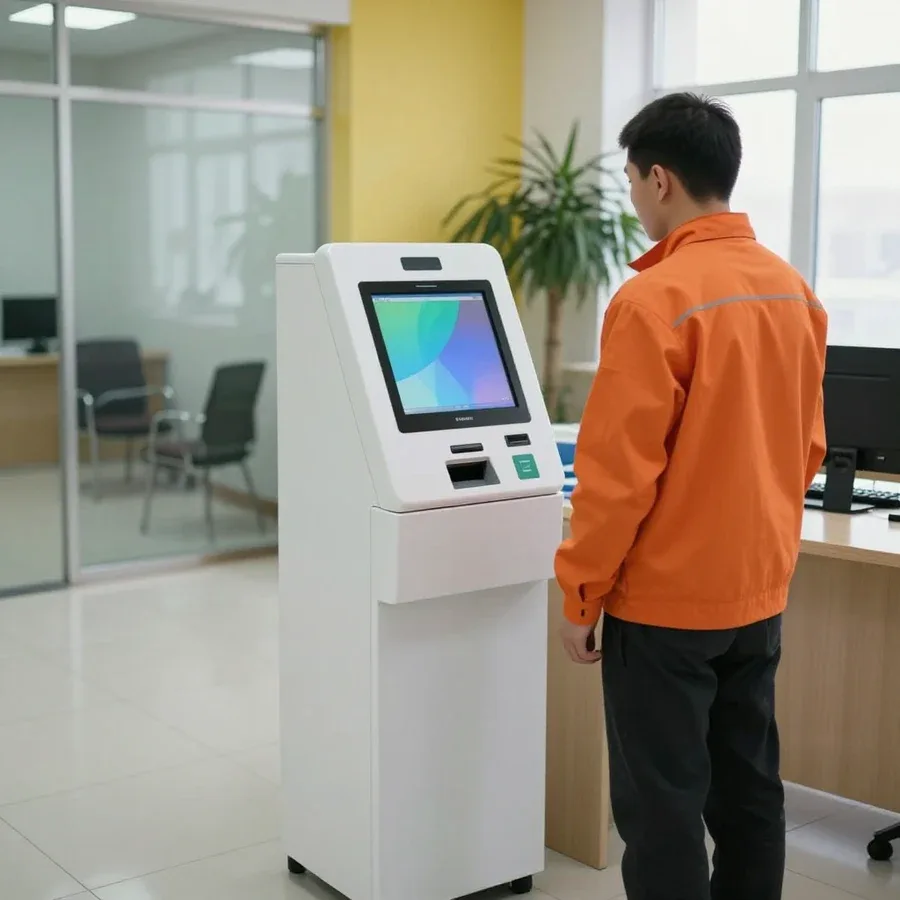
Besides cash registers, we take on payment terminals (POS terminals), ATMs, currency detectors, and banknote sorters — each has its own specific components. In POS terminals, the card reader and connectors are most often affected: the device doesn't read the card or loses connection with the cash register due to contacts and the card reader. In ATMs and sorters, the key component is the optical recognition module, and in currency detectors we separately check authenticity sensors and calibration. Repairing banking equipment in Astana requires different tooling for each of these classes: an ATM board and a sorter's path are fundamentally different from a cash register printer. The condition of the optics directly affects counting accuracy and cash acceptance, so it is cleaned and calibrated first.
| Category | What we check | Common cause of failure |
|---|---|---|
| Cash registers | power supply, thermal printer, board | power, printer wear |
| Banknote counters | rollers, sensors, optics | dirty path |
| Coin counters | feed path, sensors | clogging, worn rollers |
| Payment terminals | card reader, connectors | contacts, card reader |
| ATMs | recognition module, board | optics wear |
Some breakdowns are due to operating conditions, not defects. Let's look at the causes of failures and who exactly will come on a request and why working directly is more cost-effective.
The main causes are worn rollers, dust in the feed path, voltage surges, and poor condition of banknotes; all of these accelerate component failure. Rubber pickup rollers harden over time and stop pulling the banknote evenly, while dust and paper dust settle on optical sensors and distort the count. Voltage surges in the network damage the power supply and control board, and crumpled, stuck together, or wet banknotes jam in the path and take gears with them. Around the city, such failures more often occur at locations with heavy cash flow. In our practice, the technician first identifies the cause of the breakdown rather than just replacing a part — otherwise the same error returns a week later. Regular cleaning of the path and careful handling of banknotes extend the life of a counter more noticeably than any repair after a breakdown.
You can tell a breakdown from a software glitch by how the device behaves: if it turns on but calculates incorrectly or won't print a receipt, the cause is often a setting rather than hardware. When the device shows no signs of power, freezes on startup, or displays a mechanical error, it's usually a hardware fault—sensors, motor, thermal printer. The opposite picture—the device works but mixes up denominations, won't print a receipt, or loses connection with the cash module—points to corrupted parameters, outdated software, or incorrect sensor calibration. A technician distinguishes hardware failure from software glitch during diagnostics and doesn't replace working components just for the sake of replacement. A software glitch doesn't require parts replacement—first check settings and updates, and only then talk about repair.
Tech Service is a direct provider: our own technician arrives, not an intermediary who passes the request to a third party; arrival within 60 minutes anywhere in the city. This specialist performs free diagnostics, quotes the price after it, and does the work—the request doesn't pass between contractors. Technicians with 4 to 20 years of experience understand cash registers, bill and coin counters, payment terminals, and ATMs, so the cause is found on site, not in someone else's workshop. You can pay via Kaspi QR, Kaspi Red, bank card, cash, or bank transfer for companies. When the work is done by the one who diagnosed it, responsibility for the result isn't diluted between contractors—and the 1-year warranty backs this up, and under it we fix recurring issues without disputes over whose component it is.
The symptoms of banking equipment failure form a clear picture if you know which component is responsible for them and in what format the issue is resolved.
Tech Service technicians repair other appliances too — with the same 1-year warranty on labour and parts.
 Refrigerator Repair in Almatyfrom 3 000 ₸
 Washing Machine Repair in Almatyfrom 3 000 ₸
 Dishwasher Repair in Almatyfrom 3 500 ₸
 Oven Repair in Almatyfrom 3 000 ₸
 Cooktop Repair in Almatyfrom 3 500 ₸
 Air Conditioner Repair in Almatyfrom 3 500 ₸
 Boiler and Water Heater Repair in Almatyfrom 2 500 ₸
 Freezer Repair in Almatyfrom 6 000 ₸
 Tumble Dryer Repair in Almatyfrom 5 000 ₸
 Coffee Machine Repair in Almatyfrom 2 500 ₸
 Robot Vacuum Cleaner Repair in Almatyfrom 3 500 ₸
 Vacuum Cleaner Repair in Almatyfrom 1 500 ₸
 Microwave Oven Repair in Almatyfrom 2 000 ₸
 Hair Dryer Repair in Almatyfrom 1 500 ₸
 Iron Repair in Almatyfrom 3 000 ₸
 Electric Kettle Repair in Almatyfrom 2 500 ₸
 Mixer Repair in Almatyfrom 2 500 ₸
 Multicooker Repair in Almatyfrom 500 ₸

If your laptop screen is broken, turn the device off first, don't press on the display, and check the picture through an external monitor.
12 March 2026 · 11 minutes read
If your laptop freezes, the first thing to do is restart it and check Task Manager to see what's loading the CPU and memory.
25 January 2026 · 12 minutes read
If your computer won't turn on, start simple: check the outlet, power cable, switch on the power supply, and the power button.
19 January 2026 · 13 minutes read
If your laptop won't boot, first determine which of two states you're in: the device doesn't respond to the power button at all…
13 December 2025 · 12 minutes read








