Tech Service repairs all-in-one PCs of all brands in Astana: a technician arrives at your home within 60 minutes, or the work is done at our service center. Diagnostics are free, the technician gives you the price after diagnostics, and there is a 1-year warranty on labor and parts. We are a direct service provider with our own technician, not an intermediary.
What breaks in an all-in-one PC and how it shows up
An all-in-one PC combines the computer and monitor in a single case, so the symptoms look different from those of a regular desktop. We break down common owner complaints and what actually lies behind them.
Why an all-in-one PC won't turn on and what to check before the technician arrives
If an all-in-one PC won't turn on, the cause is more often the power supply or the motherboard, not the button. The power supply delivers energy to all components, and its failure stops startup entirely, while the power button rarely breaks and is usually replaced together with its cable. The motherboard fails after power surges, overheating, or moisture exposure, and then the device may show signs of life — blinking indicator, spinning fan — but won't boot. Connectors inside the case oxidize and heat up over time, causing intermittent failures: today it starts, tomorrow it doesn't. All-in-one PC repair in Astana begins with diagnostics that show which component is actually causing the failure. Before the technician arrives, check the outlet and cable — this rules out some false calls, but don't open the case yourself: without experience, it's easy to damage cables and mounts.
Lines and artifacts on the screen: when the matrix is at fault and when it's the graphics card
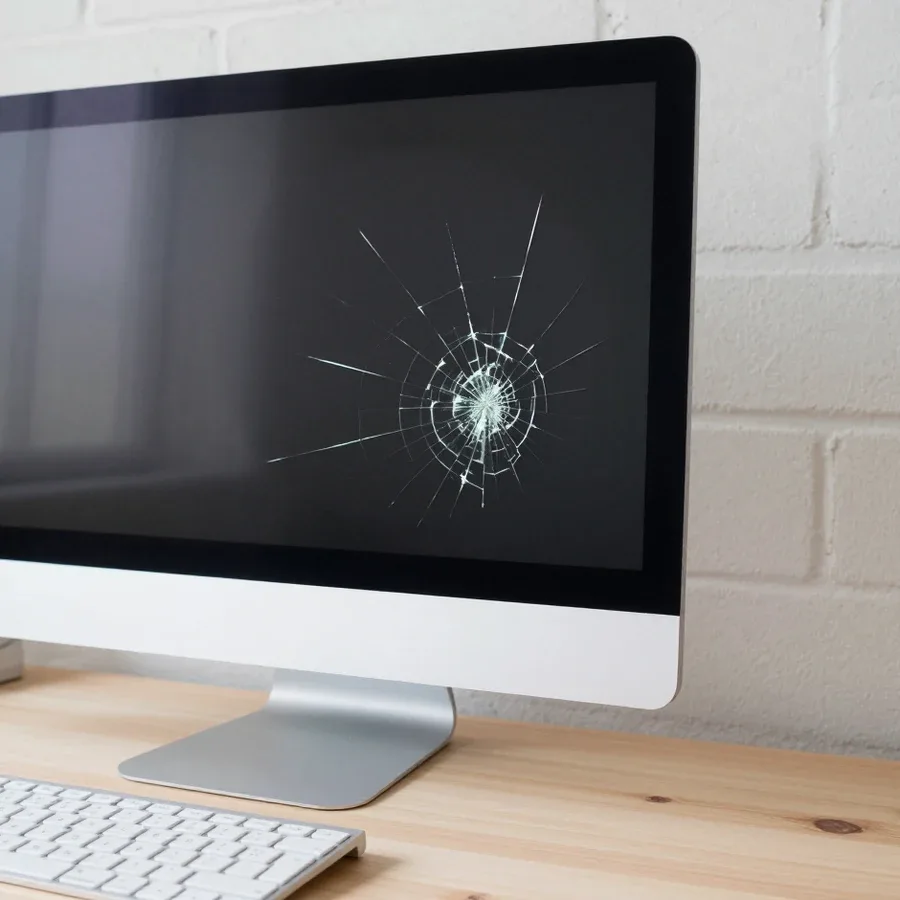
Lines and artifacts on an all-in-one PC screen point to the matrix with backlight or to the graphics card, and only diagnostics can tell them apart. The all-in-one matrix is the device's screen combined with the case, so its damage shows mechanical traces: cracks, dark spots, lines across the entire area or in one section. If the picture distorts only in games and under load, but stays clean at idle, the video path is at fault — the chip or its cooling. The backlight causes uniform dimming or flickering, but the image is still readable at an angle. Cracked glass and a distorted picture are different failures: in the first case, the matrix is replaced entirely; in the second, the video path and its airflow are checked. Artifacts that persist on the desktop and at idle more often point to the panel itself.
Overheating, noise, and liquid spills: what to do in the first hours
For overheating and noise, we check the cooling system and thermal paste; for liquid spills, the first thing is to unplug the all-in-one PC from the power. The cooling system in an all-in-one PC is squeezed into a compact case: a dust-clogged radiator and dried thermal paste drive temperatures up, the fan starts whining at high RPM, and the case gets noticeably hot near the top edge. A liquid spill requires immediate power disconnection — every minute under voltage expands the corrosion area on the board and adds new components to the damage list. In our practice, Tech Service technicians arrive within 60 minutes across the city, and diagnostics are free. The sooner the device is unplugged after a spill and handed to a technician, the fewer components suffer from moisture and corrosion, so don't put off the call until tomorrow.
How all-in-one PC repair differs from PC and laptop repair
An all-in-one PC is built differently from a desktop tower and a laptop: screen, board, and cooling are assembled in one case. This layout directly affects disassembly, diagnostics, and parts selection, so servicing these devices in Astana requires a different sequence of steps.
Why an all-in-one PC is harder to disassemble than a regular computer
An all-in-one combines the computer and monitor in a single case, and taking it apart is harder than a regular PC precisely because of how everything is packed inside the monitor housing. The motherboard, storage, and cooling sit behind the display panel rather than in a separate roomy box, so you can only reach them after removing the front panel and screen. Fasteners are often hidden under decorative covers, and the display and backlight cables run right next to metal edges. With a desktop tower, a technician removes the side panel and immediately sees every component — an all-in-one offers no such easy access. The internal parts sit behind the display, and careless disassembly easily damages the cables, so this work is left to a technician rather than done at home on the kitchen table.
How a technician diagnoses an all-in-one that won't turn on at all
If the all-in-one won't turn on, we start diagnostics with the power supply and motherboard circuits, not the screen. First we check the power adapter and input voltage, then test the standby power circuits on the board — those are what actually trigger startup. The screen and display panel are secondary at this stage: a black display with working hardware is less common than a power failure. Next, the technician checks the RAM and storage contacts, because oxidized modules can also cause a complete no-start. Diagnostics are free, so it makes sense to test the components before any replacements — that way you avoid unnecessary work. A Tech Service technician arrives at your home anywhere in the city within 60 minutes and identifies the cause on the spot, and if needed takes the device to the service center for repair.
What all-in-one, PC, and laptop repair have in common
- Storage: a hard drive or SSD is replaced by the same rules as in a laptop or desktop tower — with the system and data transferred.
- RAM: modules are checked at the contacts and replaced when there are boot failures or blue screens, just like in a regular PC.
- Cooling system: the heatsink and fan are cleaned of dust to restore normal operating temperatures and get rid of noise.
- Thermal paste: it's applied between the processor and the cooling system, and a dried-out layer is a common cause of overheating on all three types of devices.
- Diagnostic order: first rule out power and memory, then check the board and graphics — the logic is the same for any layout.
- Post-assembly check: a test boot and warm-up are done before returning the device, so any recurring defect is caught right away.
At-home repair or in the service center: what can realistically be done on-site
Not every job is equally convenient to do at home. It's important to know upfront whether a technician will come and fix it on the spot or whether the device will have to be taken to the service center.
What a technician can do at your home
- Diagnostics: the technician checks power, heating, and device response to find the cause of the breakdown before disassembly.
- Dust cleaning: we remove the cover, blow out the heatsinks and ventilation channels, and clear dust from the board.
- Thermal paste replacement: we renew the layer between the processor and the cooling system if it has dried out and the device is overheating.
- Storage work: we replace the drive, move it, or check its condition when the system won't boot.
- RAM: we add a module or replace a faulty one if the all-in-one is slow and won't start.
- Technician visit: we arrive within 60 minutes anywhere in the city, so diagnostics don't stretch into days of waiting.
When you can't do without the service center
Replacing the matrix and soldering the motherboard require a service center because you need access to internal cables and a full disassembly of the case. In an all-in-one, the display is glued to the front panel, and the board is mounted behind it: to reach the backlight connector, you have to remove the screen, disconnect the cables, and work with small components under magnification. There's no space or proper conditions for this on-site — on a kitchen table, it's easy to damage the fragile matrix or lose the mounting screws. Soldering is a separate challenge: the board traces are thin, and without a stable stand and even lighting, the solder doesn't lay evenly. If a technician on-site sees that the job is more complex, they'll honestly say so after diagnostics instead of rushing through it. This approach saves the client money on damaged parts.
How long matrix replacement and other complex jobs take
Matrix replacement and other complex jobs take more time than on-site diagnostics because they include disassembly, replacement, and testing. First, the case is carefully opened, the display and backlight cables are disconnected, the board mounts are removed, then the new component is installed and everything is reassembled. After assembly, the device is tested under load: they check for artifacts on the screen, whether it handles heat, and if the backlight works stably. Connectors and buttons are tested separately to ensure no contacts are left unplugged after assembly. Exact timelines depend on the model and part availability, so the technician gives them after diagnostics, not in advance over the phone. Our diagnostics are free, and based on the results, it's clear what work is needed and how to perform it — on-site or at the service center.
How the repair process works and how the cost is calculated
The process follows clear steps from request to testing, and at each stage the owner understands what's happening with the device. Below is how our process works.
Free diagnostics as the first step
Our diagnostics are free, and that's where the all-in-one technician determines the cause of the breakdown and the scope of work. At this stage, the case is opened, power is checked, the integrity of the matrix cables, the condition of the storage drive, and signs of overheating are examined, and test readings help distinguish a software glitch from a hardware issue. It becomes clear whether a power supply replacement is needed, work on the board, or just a system reinstall. The owner receives a conclusion with a list of faults, not a vague phrase like 'something burned out.' The backlight circuit is also tested separately, and the response to an external monitor is checked — this quickly shows whether the matrix is alive or the issue is with the video output. Free diagnostics benefit the customer: first you find out the cause, then you decide whether to proceed with the repair. Based on our specialists' experience ranging from 4 to 20 years, most often people bring in devices that won't turn on after a power surge — and checking the power supply immediately shows whether that's the only issue.
Approving the cost after diagnostics
The technician gives the cost after free diagnostics, when the cause and required parts are already clear. The calculation includes labor and the component for the specific model: power supply, matrix, board, or storage drive — component replacement is the main item, not 'diagnostics' as a separate line. We explain which work is mandatory and which can be postponed, and what the delay might lead to: for example, an overheated power supply without replacement can take the board with it. The owner approves the scope before work begins, so the final bill matches what was quoted. This approach protects against surprises in the invoice: you agree to the work knowing its scope, not blindly. If the sum seems high, at this same step we discuss whether a full replacement is needed or if a individual unit can be restored — the decision remains with the owner.
Replacement, assembly, and testing
- Component replacement: we install the agreed part and check that the cables seat properly to avoid misalignment and poor contact.
- All-in-one teardown: we open the case following the fastening pattern for the specific model, without forcing the plastic or glass.
- Reassembly and testing: after reassembly, we run the device under load, checking boot-up, heat, and image stability on the matrix.
- Result check: we make sure the reported fault is actually fixed, not just its outward symptom.
- On-site check with the owner: we power on the all-in-one together with you, show the system working, and explain what to watch for in the first few days.
Warranty and what to do if the fault comes back
A warranty is part of the service, not a formality at the end of the conversation. It matters for the buyer to understand what it covers, how long it lasts, and what to do if the problem returns after repair.
What the 1-year warranty covers
We provide a 1-year warranty on labor and parts, meaning both the technician's work and the installed components are covered. This term applies to replacement of the matrix, power supply, backlight controller, and other units the technician replaced during all-in-one servicing. A warranty on parts separate from labor is important: if a part fails, that is also the service center's responsibility, not your problem. The condition applies under normal use of the device — no impacts, liquid damage, or attempts at self-repair. Practical tip: keep the description of the work performed so that if you contact us, it's easier to match the fault with what has already been replaced. It's more convenient to plan a warranty claim in Astana in advance — that way it's easier to return to the same technician if a follow-up check is needed.
If the all-in-one won't turn on again after repair
If the all-in-one won't turn on again after repair, that's a reason to contact us under warranty, not to look for a new technician. A repeat fault within the warranty period is handled by the same service center, so it's important to stay in touch with the technician who did the work: they know exactly what was replaced and how the device behaved before servicing. Don't disassemble the case yourself or take the board to another service center — outside interference complicates the situation. Describe when the device stopped starting: after a power surge, a move, a system update. These details narrow down the causes before we even open it. The all-in-one technician will compare the current state with the previous diagnostics and determine whether the new issue is related to the work performed or is a separate defect in another unit.
Technician experience as part of repair reliability
Our technicians have 4 to 20 years of experience, and this directly affects the quality of all-in-one disassembly and diagnostics. An all-in-one is a dense construction with thin cables and a matrix glued to the case; careless opening can easily damage a connector or backlight cable, and then a new problem is added to the original fault. An experienced specialist is less likely to damage fragile cables during disassembly, which means less risk of a repeat visit. In practice, this shows in the pace of work: power and the startup circuit are checked first, then the matrix is removed, not the other way around. In my view, experience matters more than speed — an extra ten minutes for careful opening saves days of fixing the consequences. That's why for complex models we assign technicians with the most experience on that specific brand.
Which all-in-ones we repair and when it's easier to buy a new one
We work with devices from various brands, and the question of 'repair or buy new' is decided by the device's age, the type of fault, and parts availability. Below are the most common issues we see and where the line of reasonable restoration lies.
Brands and models we work with
| Brand | What we check most often | Service format |
|---|
| Apple iMac | display, cooling, storage | in-shop or on-site |
| Lenovo | power supply, motherboard | in-shop or on-site |
| Asus | storage, cooling system | in-shop or on-site |
| Acer | display, video path | in-shop or on-site |
| HP | power, overheating | in-shop or on-site |
| Dell | storage, cooling | in-shop or on-site |
When repair makes sense and when buying new is easier
- Local failure: one component fails — storage, power supply, or fan — and replacing it gets the device back up and running.
- Available part: the part for a specific model can actually be found, so the work doesn't drag on indefinitely.
- Combination of serious faults: cracked display, damaged board, and case — the investment is comparable to a new device.
- High age: the case and screen are worn, and the platform can't handle current tasks — replacing components gives no noticeable gain.
- Decision after diagnostics: the symptom can be misleading, and an all-in-one that looks "hopeless" sometimes gets fixed by replacing a single component.
Can an old all-in-one be upgraded
An old all-in-one can often be upgraded by adding an SSD and RAM if the case design allows replacing these components. An all-in-one combines the computer and monitor in one case, so access to internal components depends on the model: in some devices, storage and memory can be replaced without full disassembly, while others require removing the screen. Replacing a hard drive with a solid-state drive (SSD) speeds up system boot and app launches more noticeably than it might seem at first glance — a device with new memory and storage comfortably handles work tasks for several more years. In my view, an upgrade makes sense when the other components are in good shape: if the board or display is already questionable, investing in memory won't pay off.
All-in-one PC repair and what to keep in mind
The symptoms of a breakdown, the diagnostic format, and the course of action add up to a clear picture — below is a short summary that makes it easier to describe the problem to a technician.
- All-in-one design: the computer and monitor share one case, so disassembly is more complex than with a regular PC and requires care with fragile cables.
- Common causes: power supply, motherboard, display, overheating, and liquid damage — these components account for most requests.
- Service format: some operations are done on-site, while display replacement and soldering require shop conditions.
- Diagnostics and warranty: the price is quoted after a free check, and there is a 1-year warranty on labor and parts.
- Repair or replace: the choice depends on the device's age and the type of breakdown — symptoms and case condition make this clear during inspection.