Tech Service replaces laptop screens in Astana with a technician visit within 60 minutes across the city or at our service center. Diagnostics are free, the technician gives you the price after diagnostics, and there is a 1-year warranty on labor and parts. We work as a direct contractor, with no middlemen, and our technicians have 4 to 20 years of experience.
How to tell if it's the screen, not the cable or video chip
Stripes, a dark screen, and cracks don't always mean you need a new screen. Some of these cases are caused by the cable or the video chip, and that affects both the repair approach and the final estimate.
Symptoms that point to the screen itself
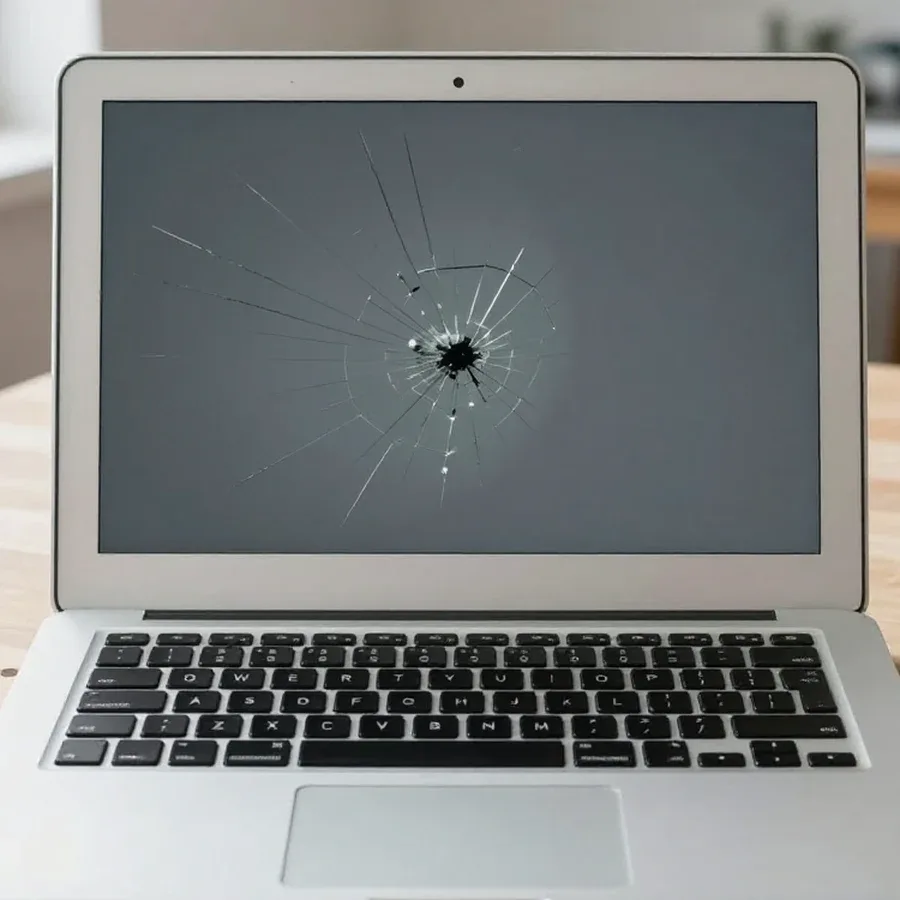
Cracks in the glass, dark spots, vertical and horizontal stripes across the entire area, and burned-out patches most often mean damage to the LCD or LED panel itself. Dead pixels — individual bright or black dots — are also considered screen defects, not laptop electronics issues. If the image is visible but has a pink or green tint across the whole area, that's a sign of backlight degradation or the panel itself. Local darkening at the edges of the display indicates damage to the layers after pressure on the lid. Smudges and rainbow spots in the corners appear when the liquid crystal layer under the glass is pressed. But if the stripes disappear when you tilt the lid, it's more likely the cable, not the panel — this symptom should be checked before ordering a part. The technician gives you the price for laptop screen replacement after free diagnostics, once they confirm the issue is with the panel.
A home test via HDMI and what it shows
We suggest a simple test: connect the laptop to an external monitor or TV via HDMI — if the image on the external screen is clean, the problem is in the screen or cable, not the video chip. The opposite picture — distortions on the external display as well — points to the video chip or drivers, and then installing a new panel won't solve the problem. It's worth checking the HDMI port on the case and the cable with another signal source to rule out the connection line itself: this eliminates a false conclusion about a faulty screen. The test doesn't require disassembly and takes a couple of minutes, but the final conclusion is made by the technician during free diagnostics — on site they check the cable and connector. After that, it's clear whether a new part is needed or just resoldering the contact is enough.
When replacement is really needed and when a repair will do
Not every screen defect requires a new screen. Sometimes it's enough to replace the cable or restore the backlight, and sometimes installing a whole module is more cost-effective than repairing part by part.
Repair or full replacement
We replace the screen entirely when the glass is damaged, there are cracks, or burned-out areas. Local repair of the backlight or glass is possible only in certain cases and is discussed after diagnostics. Damage to the controller board, liquid damage along the bottom edge, and delamination of the screen layers are considered unrepairable — only installing a new module helps here. Before work, Tech Service performs free diagnostics: the technician checks the image via the external output, inspects the cable, and assesses the backlight condition, and based on the results gives you the price and explains what exactly failed. A separate point is lines and stripes across the entire field: they more often indicate a failure of the panel itself rather than the cable contact, and then local resoldering won't help. If only the backlight is damaged and the screen itself is intact, installing the whole panel isn't always justified — the technician will suggest an option based on the check results.
When to replace the screen and when it's easier to buy a new laptop
- Healthy internals: the upgrade makes sense when the processor, memory, and storage are running without issues and the device handles work tasks confidently.
- Model type: on gaming laptops with a large screen and high resolution, finding the right module is harder due to rare connectors and high pixel density.
- Office devices: on models with a 14–15.6-inch screen and Full HD resolution, a compatible panel is easier to find than on compact flagships with a non-standard aspect ratio.
- Age of the device: on a laptop out of the manufacturer's warranty, screen installation doesn't affect other components — you just need to find a compatible part for the specific model and chassis revision.
How laptop screen replacement works with a technician visit
Laptop screen replacement in Astana is done in two ways — with a technician visiting your home or at the service center. The choice depends on the device model and what's convenient for the owner.
Technician visit within 60 minutes
We arrive within 60 minutes anywhere in the city: the technician performs free diagnostics on site and agrees on the work before disassembly begins. The mobile format covers requests for office models, ultrabooks, and gaming machines where access to mounts and the backlight cable is needed. On-site diagnostics show exactly what failed: the panel itself, the inverter, or the cable contact. The technician quotes the price after the free check, before disassembling the device. This option is convenient when you need the equipment daily and don't want to give it away for several days — most operations are done right at your home. Our specialists work with eDP and LVDS connectors, so the selected panel fits the original cable without adapters.
Service center repair and chassis condition record
- In-house replacement: some models require disassembly with access to mounting screws and the frame — we perform such work at the service center.
- Chassis inspection: before disassembly, the technician inspects the lid together with the client and records scratches to avoid disputes later.
- Post-repair check: we test the panel for dead pixels, backlight uniformity, and cable operation when opening and closing the lid.
- Warranty: we provide a 1-year warranty on labor and parts, and acceptance is based on the recorded chassis condition.
Panel compatibility by connector, resolution, and finish
Laptop panels differ in connector, image clarity, surface type, and size. A mistake in even one of these points means the display won't turn on or will show distorted images.
Panel specifications table
| Parameter | Options | What it affects |
|---|
| Connector | 30 pin / 40 pin | compatibility with the laptop board |
| Resolution | HD / Full HD and higher | image clarity |
| Finish | matte / glossy | glare and color perception |
| Diagonal | 11–17 inches | size and fit in the chassis |
What happens if you install a panel with different specifications
We select the screen strictly for the laptop model and agree on all parameters before ordering — a part with the wrong connector or different clarity may not work or may produce a distorted image. A 30-pin cable physically won't fit a 40-pin socket, and a module with fewer pixels will show stretched proportions and blurry fonts. Diagonal matters just as much: a 15.6-inch panel won't fit into a 14-inch chassis without modifying the mounts, and that's already a risk for the frame and hinges. Our technicians check the marking of the original module, the chassis model number, and the cable pinout — these three factors eliminate most errors at the selection stage. Sometimes a client wants a glossy surface instead of matte — this is possible if the connector and mounting dimensions match, but the technician confirms the specific model separately before work begins.
What the cost consists of and what warranty you get
The cost of a screen replacement includes the technician's labor and the panel itself, and the final price depends on the laptop model and screen specifications. The warranty covers both parts — the work performed and the installed part.
What makes up the price of a laptop screen replacement
The price consists of the panel itself and the technician's labor, and we give you the exact amount after a free diagnostics, once the model and display specifications are known. The diagonal, resolution, and coating type determine which part to match to a specific chassis: on gaming models with a large screen, finding the right option is harder than on compact office laptops. Free diagnostics removes the uncertainty — the technician opens the case, checks the markings, and only then quotes the final price. How much installing a new panel costs also depends on how carefully the disassembly goes: thin bezels and hidden screws take more time to disconnect the cable and mount. In my opinion, it's more honest to name the sum after inspection than to guess it over the phone.
1-year warranty and data safety
We provide a 1-year warranty on labor and on the part — the installed screen. When replacing the display, data on the drive is not affected: the technician works with the panel and cable, and the storage device remains untouched. A warranty on the part is no less important than on the work: if the purchased part behaves unstable, the issue is resolved within a single request, not at the customer's expense. In our practice, clients more often ask about the warranty period for the screen itself than for the case disassembly — and rightly so, since it's the first to fail. Before handing in your laptop, back up important files to an external drive: it's a habit that doesn't hurt even when only one part is being replaced.
When a laptop screen needs replacing
Here's the practical takeaway: what to check before ordering a replacement, what parameters are used to select a panel, and what conditions remove the risk of overpaying for a wrong diagnosis.
- Diagnostics before replacement: stripes and a dark screen don't always indicate the screen — first check the cable and video chip, including an HDMI test.
- Full panel replacement: justified for cracks and burned areas, while local backlight repair is possible only in some cases.
- Selection by parameters: the screen is chosen by connector, resolution, coating, and diagonal — a mismatch in any of them breaks compatibility.
- Service format: work is done either with a technician visiting your home or at the service center, with the case condition recorded before any manipulation.
- Terms without overpaying: warranty on the work and on the part together with free diagnostics eliminate paying for an incorrect diagnosis.