Original
Manufacturer's standard part
- Selection
- by part number or server model
- Compatibility
- standard for this platform
- Installation
- no modifications to case or connectors
- Price
- after diagnostics
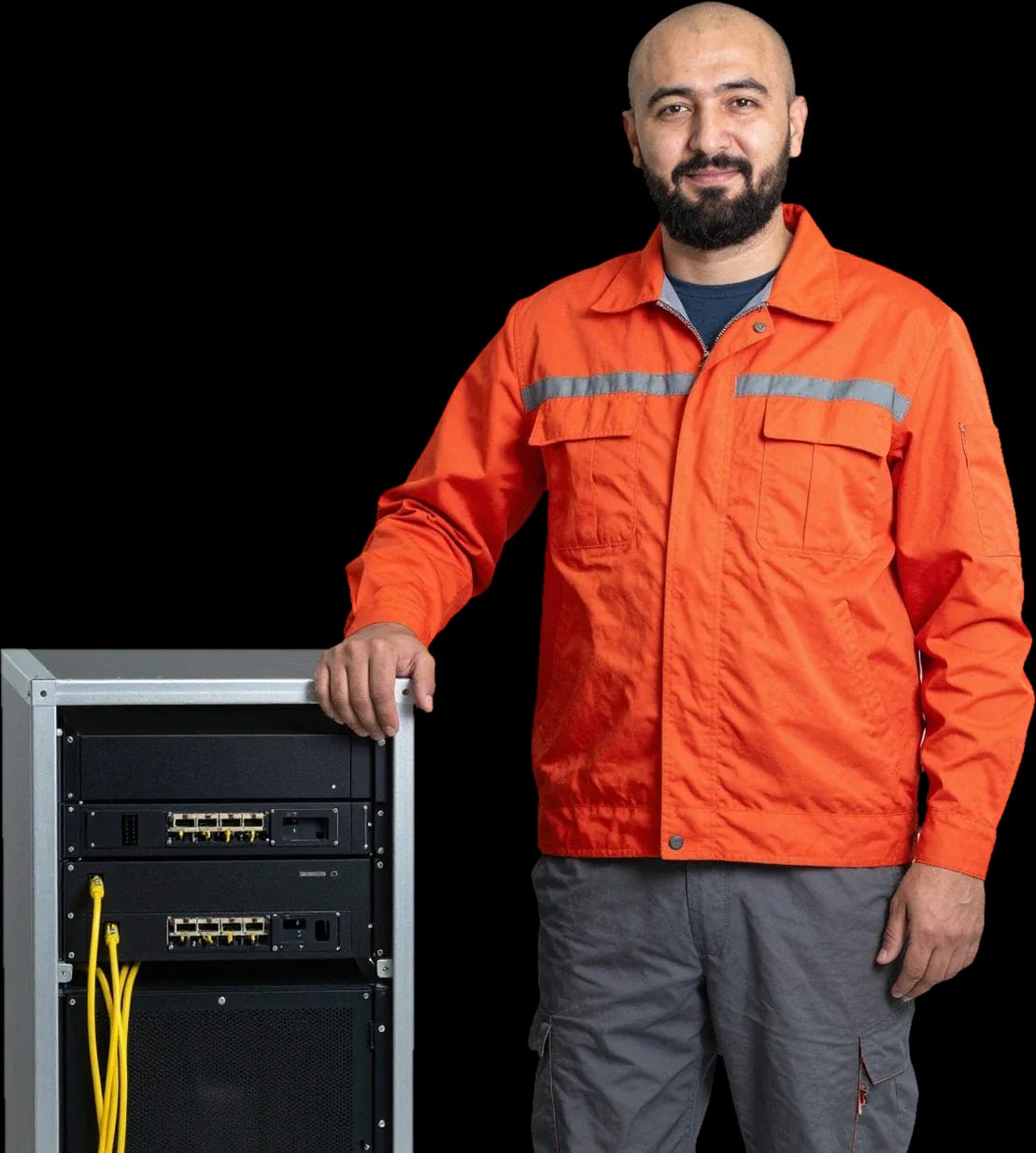
Preventive maintenance, cleaning, and replacement of server components with a technician visit and free diagnostics.
Our own technicians4 to 20 years of experience




60 minutestechnician visit anywhere in the city
freediagnostics
1 yearwarranty on labor and parts
5
Administrators notice five typical symptoms before failure: fan noise, rising temperature, reboots, log errors, and failure to power on. Each one helps narrow down the causes even before the technician arrives.
Fan noise
Coolers spin at high speed due to dust in heatsinks, dried thermal paste, or worn fan bearings.
Case overheating
The system detects the temperature threshold being exceeded, the processor throttles, and fans run at maximum.
Spontaneous reboot
The server reboots without an administrator command, including under load.
Display errors
A code or message on the panel points to a specific component: disk, memory, power, or RAID controller.
Server won't power on
Power, the button, and the power supply are checked: if indicators don't light up, the fault is sought in the power circuit.
Diagnostics reveal the exact cause: it's free and performed on-site.
Describe the symptomsWe reply during working hours
Leave a request: a technician will arrive within 60 minutes anywhere in the city, and diagnostics are free. We provide a 1-year warranty on labor and parts and you can pay via Kaspi QR, Kaspi Red (instalments), bank card, cash, or bank transfer for companies.

Warranty question? Call us
+7 (775) 774 18 08 experience7 years
PC and network repair engineer
 experience11 years
Senior mobile computer technician
 experience10 years
Laptop repair technician
 experience9 years
Motherboard repair technician
 experience16 years
Printer repair technician
 experience12 years
Computer repair technician
 experience18 years
All-in-one computer repair technician
Tech Service provides on-site server maintenance in Astana: a technician arrives at your office within 60 minutes anywhere in the city, diagnostics are free, and we give a 1-year warranty on labor and parts. We work as a direct contractor with our own technicians, without intermediaries or aggregators.
A server rarely fails suddenly—it usually gives signals in advance. Here's what counts as a reason to call a technician and what can wait until scheduled maintenance.
Our scheduled server maintenance covers preventive work—dust cleaning, thermal paste replacement, and drive checks—while one-time repair is needed when a breakdown has already occurred. We base scheduled work in Astana on the actual load: the denser the rack and the more active the applications, the faster heatsinks clog and thermal paste under the CPU dries out. Cleaning the server from dust restores fans to their normal speed, replacing thermal paste eliminates overheating under peak load, and checking disk health shows which hard drives should be replaced before failure. We handle one-time repairs when logs already show errors, array failures, or reboots—preventive maintenance won't fix that. In Astana's conditions with its dusty winds and dry air, dust accumulates faster than in mild climates, so it's better not to postpone maintenance until the first overheating.
Server maintenance is not a single operation but a set of checks and tasks. Here's what components the technician inspects and how any request begins.
| Component | How we check | Action based on results |
|---|---|---|
| Cooling system | Coolers, heatsinks, noise level | Dust cleaning, new thermal paste |
| Hard drives and RAID | Drive and array health | Install a working drive |
| Power supply | Load testing | Repair or replacement |
| RAM | Stability tests | Install a new module |
Our diagnostics are free: the technician arrives on-site, inspects the server, checks cooling, drives, and power, and only then quotes the cost of work. We start server maintenance in Astana with an inspection—it shows whether cleaning, fresh thermal paste, or a specific component replacement is needed. A specialist's visit takes up to 60 minutes anywhere in the city, so the check usually happens on the day you call. Our engineers have 4 to 20 years of experience, and during the inspection they rely on the state of the RAID array and power supply under load, not just the appearance of the case. You can pay via Kaspi QR, Kaspi Red, bank card, cash, or bank transfer for companies. In my opinion, the main value of this approach is that you don't pay for the inspection itself and know in advance what work you're paying for, rather than agreeing blindly.
You don't always need to bring equipment to the workshop — more often, the technician comes to you. Let's break down when on-site work is enough and when you can't do without repair at the service center.
The technician arrives within 60 minutes anywhere in the city, inspects the equipment right at your office, and starts with free diagnostics without taking it away. On-site server maintenance in Astana covers the entire city: the specialist arrives with their own tools and checks power, cooling system, drives, and error logs on the spot. Our experience shows that half of all requests are resolved without transportation — the cause is overheating, power failure, or settings that can be fixed in the office. If a part needs replacing, the technician tells you in advance which components are needed, and a 1-year warranty covers both labor and parts. On-site service saves not only the time spent on transportation — the equipment stays in its usual environment, and the specialist immediately sees how it performs under the real load of the office, not in isolation from the infrastructure.
Servers and regular computers are repaired differently, and confusing these tasks is a common mistake. Let's explain the difference and why a server needs a separate approach.
A server runs under constant load and must remain available, so cooling, drive reliability, and uptime come first — not the speed of launching programs. A regular computer idles between user sessions, while a rack or tower case keeps fans spinning and drives running without pauses. The cooling system here is designed for dense layout: multiple fans, CPU heatsinks, and dedicated airflow for the drive cage. A RAID controller with a battery and redundant power supplies add nodes that simply don't exist in a home PC — and each of them requires its own check. Due to continuous operation, dust and overheating accumulate faster on a server than on a home PC, so preventive maintenance is not a luxury but a condition for stable operation.
We service server equipment from various brands, including Dell, HP, Supermicro, and Lenovo, and we come on site rather than just consulting remotely. Each platform is designed differently: rack models provide front access to drives via sleds, tower cases have a different disassembly order, and heatsink mounting and airflow guides differ even within the same line. The technician looks at the specific case and selects tools for it rather than following a single scheme. Within the city, arrival takes up to 60 minutes, diagnostics are free, and a 1-year warranty covers the work performed and replaced parts. Different platforms differ in cooling layout and component mounting, so the technician selects tools and disassembly order for the specific case rather than following a single scheme.
When you entrust a server to a service center, warranty, transparent terms, and knowing exactly who will come on site are important. Let's break down these three points without general words and promises.
We provide a 1-year warranty on labor and parts and you can pay via Kaspi QR, Kaspi Red (instalments), bank card, cash, or bank transfer for companies. The technician gives you the price after a free diagnostics. First, the specialist identifies the issue, and only then explains the terms — no surprises on the bill. You can pay in any way your company accepts. The warranty covers both the work performed and the parts installed, so replacing a component remains our responsibility. In my opinion, it's the combination of free diagnostics plus a one-year warranty that removes the owner's main fear — overpaying for something that wasn't broken. A warranty on parts is just as important as on labor: if a part fails early, you're not left on your own — you go back to the same technician.
Tech Service is a direct contractor with its own technicians, each with 4 to 20 years of experience. So the person who arrives is the one who does the work, not someone who passes the job to third parties. Your request isn't resold: the person who ran the diagnostics is also responsible for the result. That experience means the specialist has seen various server rack configurations and understands how server hardware differs from a regular computer. In our practice, it shows in the conversation: the technician immediately asks about the server's role and load instead of starting with generalities. There's no chain of dispatcher — subcontractor — unknown contractor here. A direct contractor is fully responsible for the result — from diagnostics to warranty — and you don't have to sort things out between a middleman and a technician if something goes wrong.
To sum up: below are five guidelines to help server equipment owners spot a problem in time, understand the scope of work, and choose a contractor without unnecessary risks.

If your laptop screen is broken, turn the device off first, don't press on the display, and check the picture through an external monitor.
12 March 2026 · 11 minutes read
If your laptop freezes, the first thing to do is restart it and check Task Manager to see what's loading the CPU and memory.
25 January 2026 · 12 minutes read
If your computer won't turn on, start simple: check the outlet, power cable, switch on the power supply, and the power button.
19 January 2026 · 13 minutes read
If your laptop won't boot, first determine which of two states you're in: the device doesn't respond to the power button at all…
13 December 2025 · 12 minutes read
