Original
Factory battery
- Marking
- Part number and laptop model match the factory ones
- Capacity
- Matches the rated capacity for the specific model
- Compatibility
- Connector and mounts fit without modification
- Price
- Higher than compatible alternatives

We replace laptop batteries with on-site service across the city: free diagnostics, 1-year warranty on labor and parts.
Our own technicians4 to 20 years of experience




1 yearwarranty on labor and parts
60 minutestechnician visit across the city
Freediagnostics
5
A laptop battery is a consumable: capacity drops with every charge cycle. When runtime falls several times over or the battery case deforms, the part is replaced rather than "retrained" with software.
Laptop discharges quickly
Runtime has dropped several times compared to the first months of use.
Shuts down without charging
When the power adapter is unplugged, the laptop immediately turns off or restarts.
Charge doesn't reach maximum
The indicator stops at an incomplete level or shows "plugged in, not charging".
Battery case is swollen
The touchpad bulges, the bottom cover lifts — it's not safe to use such a laptop.
Charge fluctuates
The percentage may drop sharply or jump unexpectedly after turning on; this indicates a controller failure or cell degradation.
If you notice at least one sign, show the laptop to a technician: diagnostics are free.
Describe the symptoms1 visittime
from 7 000 ₸cost
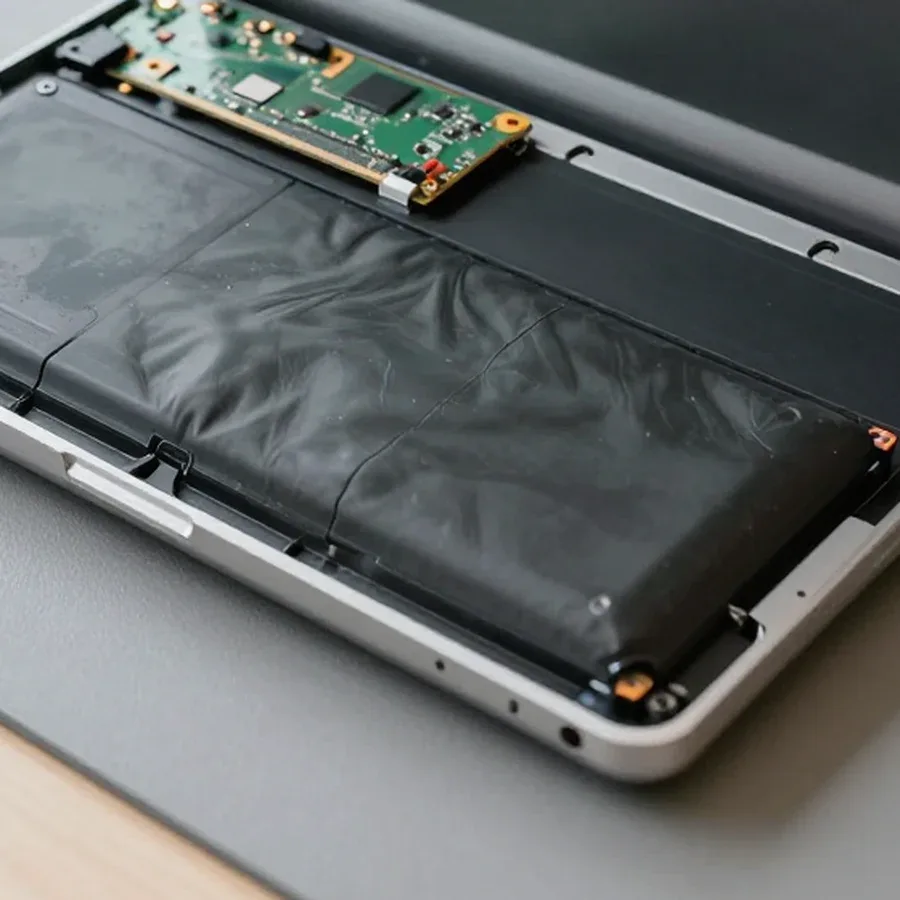
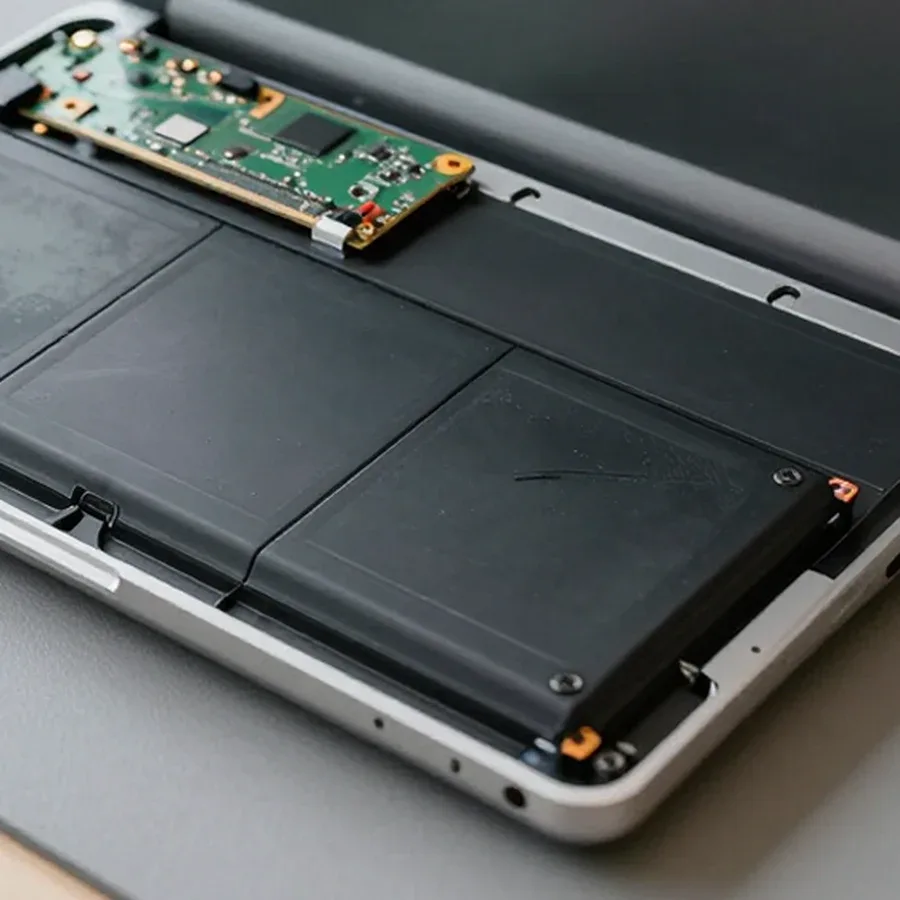 BeforeAfter
We reply during working hours
Describe your laptop model and the symptom in the request — the technician will bring the right battery and tools on the first visit. 1-year warranty on labor and parts.

Warranty question? Call us
+7 (778) 096 59 61 experience10 years
Laptop repair technician
 experience7 years
PC and network repair engineer
 experience11 years
Senior mobile computer technician
 experience9 years
Motherboard repair technician
 experience16 years
Printer repair technician

Author: Azim K.,Laptop repair technician
Published
Updated
Tech Service replaces laptop batteries in Astana: a mobile technician comes to your home within 60 minutes, or the work is done at our service center. Diagnostics are free, there's a 1-year warranty on labor and parts, and our technicians have 4 to 20 years of experience. The technician gives you the price after diagnostics.
A battery wears out gradually, and owners often blame the symptoms on an "old laptop." Here's how to tell that the battery itself is the issue, not something else.
We treat a swollen battery as an urgent case: it presses on the case and trackpad and, in the worst case, poses a risk to the electronics, so don't put off replacement. Swelling shows up as a bulging lid, a gap between the case halves, or a trackpad that no longer clicks evenly. Running only on AC power is another signal: the device starts when plugged in but won't charge. The cause isn't always the battery itself—during free diagnostics we also check the power circuit so we don't replace a working part. Our technicians have 4 to 20 years of experience, and battery replacement comes with a 1-year warranty on labor and parts. If the case is already deformed, don't wait for scheduled maintenance—swelling progresses and eventually affects nearby components.
Battery replacement looks different depending on whether it's removable or built-in. Here are both scenarios and what the free diagnostics before the work includes.
| Battery type | How we replace it | What we check | Risk |
|---|---|---|---|
| Removable | remove from the case without disassembly | contacts and mounting | minimal |
| Built-in | carefully disassemble the case | latches, cables, fasteners | damaging the case without experience |
| Hybrid | remove the cover and disconnect the cable | connector condition | medium |
Before replacement, we check battery wear and the power circuit for free to make sure it's the battery that needs replacing, not the connector or controller. The technician checks remaining capacity, charge cycles, and how the controller holds voltage under load. The power connector is inspected separately: oxidized contacts cause voltage drops that owners mistake for cell wear. On built-in models, we also check the case for swelling—a swollen cell presses on the trackpad and bottom cover, and that's noticeable even before opening. Based on the inspection, the technician explains which component failed and only then quotes the price. This approach saves money: sometimes the battery is fine and another fault causes the discharge—then a simple reinstall won't solve the problem, and you'd pay for an extra part.
Choosing between original and aftermarket affects battery life and behavior. Here's the difference between the options and habits that extend the life of a new battery.
An original battery is designed for a specific laptop model, while a quality aftermarket option is cheaper but may differ in capacity and lifespan — we help you choose the right option for your needs and budget. The original matches the factory specs: voltage, case dimensions, controller placement, and communication protocol with the motherboard, so the system reads the charge correctly and doesn't show errors. An aftermarket battery from a reputable manufacturer handles the same tasks, but its actual capacity is often 10–20% lower than stated, and its cycle life is shorter. For an old laptop used at home, an aftermarket battery is often the smarter choice, while for work machines with daily loads, it's worth considering the original — the difference will show up in lifespan, not in the first few weeks of use.
Warranty is the main factor when choosing a service provider. Here's what it covers and what to consider if your laptop is still under the manufacturer's warranty.
We provide a 1-year warranty on both labor and parts — we stand behind the quality of installation and the battery itself. In practice, if anything goes wrong, you won't have to prove whose defect it is: a Tech Service technician will determine what caused the issue. Our laptop battery replacement in Astana includes free diagnostics before the work, so the cause of the drain is identified before a new part is installed — if the problem isn't the battery, you'll know in advance. This approach saves time and hassle: you won't have to pay again for disassembly when it turns out the battery wasn't the culprit. This dual warranty matters: the cause of a failure isn't always obvious, and if the battery fails early, you won't be left to deal with it alone.
If your laptop is still under the manufacturer's warranty, having a third-party service center work on it may void it — it's worth checking before replacing the battery. Brands have different terms, and their wording about opening the case and replacing consumables varies, so check your warranty card or ask the seller first. Bringing the device to us or calling a technician to your home makes sense once the factory warranty has expired or if warranty repair is taking too long. Don't throw the old battery in regular trash after replacement: batteries are hazardous waste and should be taken to collection points. In Astana, such points are available at large electronics stores — check in advance whether they accept lithium cells so you don't make the trip for nothing.
How quickly a technician can come and a clear payment procedure often determine who you call for a battery replacement. Below is how we come to you and how we quote the cost of work.
Our technician arrives within 60 minutes anywhere in the city — at your home or office, or you can bring the device to our service center if you prefer. You call us, we confirm the laptop model and address, then assign the nearest available technician. They bring their tools, and the work can be done on-site or at the service center — no extra trips to the shop. This is convenient for those who don't want to part with their device for days: the laptop stays with you, and you control access to it. And we're the direct provider, not an aggregator: our own technician comes to you, so one company is responsible for the work and the warranty, not a middleman between you and the contractor.
The cost of laptop battery replacement depends on the model and the battery you choose, so the technician gives you the price after free diagnostics. First they check the laptop, confirm the wear, and show you which battery fits your specific model — original or compatible. You see the final price before any work starts and decide if it works for you. You can pay via Kaspi QR, Kaspi Red, bank card, cash, or bank transfer for companies, so you can pay however is convenient. Diagnostics are not billed as a separate line — they're free, and the price includes only the work itself and the new battery. This approach is straightforward: you pay for the actual work and part, not some blind 'average' rate — the total is clear before service begins.
Here are the key points to keep in mind before replacing a laptop battery — from the first signs of wear to warranty terms and payment.
If you ask, the technician will check other parts during the same visit.

If your laptop screen is broken, turn the device off first, don't press on the display, and check the picture through an external monitor.
12 March 2026 · 11 minutes read
If your laptop freezes, the first thing to do is restart it and check Task Manager to see what's loading the CPU and memory.
25 January 2026 · 12 minutes read
If your laptop won't boot, first determine which of two states you're in: the device doesn't respond to the power button at all…
13 December 2025 · 12 minutes read
If your computer won't turn on, start simple: check the outlet, power cable, switch on the power supply, and the power button.
19 January 2026 · 13 minutes read


