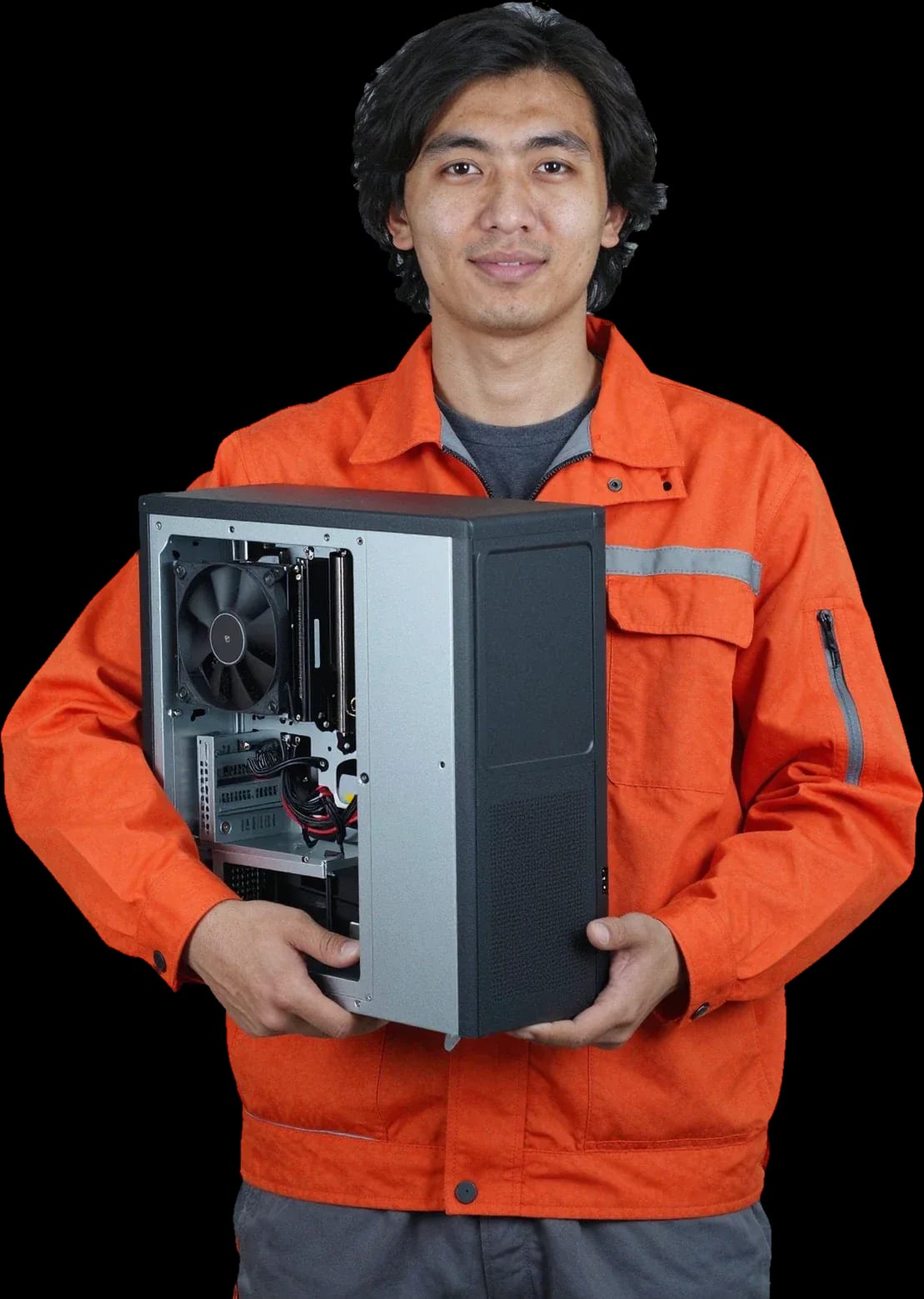
We blow out heatsinks, replace thermal paste, and clean coolers at your home. The technician runs diagnostics and quotes the price before any work starts.
Computer cleaning includes blowing out the heatsinks and case, replacing thermal paste, cleaning the CPU and graphics card coolers, and the power supply. Diagnostics are free, and there's a 1-year warranty on labor and parts.
01
Step 1during the service
Blowing out heatsinks and case
We use compressed air to blow dust out of the heatsink fins, ventilation grilles, and inner case panels.
02
Step 2during the service
Thermal paste replacement
We remove the cooler, clean off the dried paste from the CPU, and apply a fresh layer to restore heat transfer.
03
Step 3during the service
CPU cooler cleaning
We clean dust from the blades and bearing assembly and check that the fan spins freely.
04
Step 4during the service
Graphics card cooler cleaning
We blow out the heatsink and fans of the graphics adapter and remove the dust layer from the shroud.
05
Step 5during the service
Power supply cleaning
We blow dust out of the PSU fan and grille so it doesn't overheat under load.
Signs of a faultSigns of a faultTECH SERVICE03
When you need computer cleaning in Astana
5
Five common signs of dust buildup: noisy coolers, a hot case, shutdowns under load, slower performance, and a visible layer of dust on the vents. Any of these means it's time to check the cooling.
Noisy coolers
You can hear the fans from the next room, and the sound doesn't change when the computer is idle.
Overheating case
The case feels noticeably warmer around the power supply than it did in the first months of use.
Random shutdowns
The computer shuts down or restarts during games and rendering when the temperature hits the limit.
Visible layer of dust
A thick gray layer is visible on the ventilation grilles and filters, and airflow is reduced.
Dust around the case
Dust settles on the floor and desk near the case faster than usual.
Two or more signs mean it's time to show your system unit to a specialist.
Живу в Есиле, искал сервис, чтобы не тащиться через весь город. Не хотел везти, думал, проще новое взять. С чем обратился: не включается. Функционирует, тьфу-тьфу.
Repair: computer repair in
РФ
Регина Ф.Order No. ZK-2026-233 · 25 April 2026
ours
Computer Repair in
Раис Мирзахметов объяснял без умных слов, за это спасибо. Вытащили и показали: контакты. Прошивка та же, ничего не сбросили.
Repair: computer repair in
ЛЩ
Людмила Щ.Order No. ZK-2023-622 · 26 September 2023
ours
Computer Repair in
Хотел вызвать на дом, но в ЖК не пускают без пропуска. Нужен был ремонт блока питания компьютера. Причина обращения — выключается под нагрузкой. Оплату взяли после ремонта, а не вперёд. Отдал 33 500 и не жалею. Приговор — вентилятор. Пользуюсь и вспоминаю добрым словом.
Repair: computer repair in
ЗМ
Зоя М.Order No. 98970 · 14 May 2023
ours
Computer Repair in
Техника на балансе ТОО, нужен был чек и акт. Первое, что заметил: шумит. Внешне не видно, что разбирали
Repair: computer repair in
ОТ
Оксана Т.Order No. AS-9264 · 13 December 2017
ours
Computer Repair in
Сергей Архипов пообещал и сделал, без напоминаний. Оплату взяли после ремонта, а не вперёд. После ремонта — как новое.
Repair: computer repair in
ЕЛ
Елизавета Л.Order No. AST-1707-849 · 10 August 2017
ours
Computer Repair in
Выбирал между официальным и этим, выбрал этот. С чем обратился: не стартует. Сергей Москоленко показал старую деталь, всё прозрачно. Сейчас пашет без нареканий
Repair: computer repair in
КО
Константин О.Order No. 1704-8057 · 17 January 2017
ours
Computer Repair in
Заявку оставил через сайт вечером, утром перезвонили. Вечером включил — трещит. На ресепшене оформили за пару минут, выдали квитанцию. Сейчас пашет без нареканий
Repair: computer repair in
ВД
Валерий Д.Order No. AST-1609-829 · 19 July 2016
ours
Computer Repair in
С левого берега ехать далеко, поэтому искал поближе к дому. В работе было: системный блок. Симптом как на ладони: не стартует. Смета — 32 500, чек дали. Приговор — блок питания. Мастер вышел, послушал, сразу забрал в работу. Вернусь при необходимости. Работает, как будто и не ломалось!!
Repair: computer repair in
ВА
Валерия А.Order No. 1603-9070 · 14 July 2016
ours
Computer Repair in
Позвонил в четыре места, тут ответили по-человечески. Основная жалоба — не включается. Роман Мигунов не пропал после ремонта, помог с настройкой. Третий месяц — никаких проблем!!
Repair: computer repair in
ЭК
Эдуард К.Order No. TSA-27241 · 4 March 2016
ours
Computer Repair in
Дмитрий Радионов пообещал и сделал, без напоминаний. После ремонта — как новое.
What does a technician actually do when cleaning a computer?
The technician opens the case, blows dust out of the heatsinks and fans, cleans the power supply, and replaces the thermal paste on the CPU and GPU if needed. Blowing air without disassembly doesn't give the full effect, so cleaning includes servicing the cooling components.
Is it safe to disassemble a computer for cleaning yourself?
Yes, without experience it's easy to damage fragile mounts, hit the fans, or disrupt connections, and to reassemble the cooling system incorrectly. This can lead to overheating and component failure, so it's better to leave cleaning to a technician.
Is computer cleaning and laptop cleaning the same service or different?
They are different services: a laptop requires full disassembly of the case and careful cleaning of the compact cooling system, while a desktop tower is easier to blow out. The technician chooses the cleaning method depending on the device type.
What happens if you don't clean your computer for years?
Dust clogs the heatsinks, the computer overheats, gets noisy, and may shut down. Constant overheating accelerates wear on components and can lead to CPU or GPU failure.
Can I clean the desktop tower myself without experience to avoid breaking it?
You can, but there's a risk of damaging fragile elements or reassembling incorrectly. Without experience it's easy to hit the fans, break mounts, or forget to reconnect cables, so it's better to leave it to a technician.
Why has the computer become loud and hot?
Most often the cause is dust: it clogs the fans and heatsinks, and the cooling system can't cope. Dust cleaning and thermal paste replacement usually solve the problem.
Repair guideArticleTECH SERVICE08
Computer cleaning in Astana with a technician visit from Tech Service
Tech Service provides computer cleaning in Astana with a technician visiting your home within 60 minutes anywhere in the city. We clean desktop towers, laptops, and all-in-ones, replace thermal paste, offer free diagnostics, and provide a 1-year warranty on labor and parts. The technician gives you the price after free diagnostics.
Signs your computer needs cleaning
Dust builds up in the cooling system unnoticed, then shows up as symptoms that are easy to blame on viruses or normal wear. Here's how to tell that dust is the real cause.
Symptoms that point to dust buildup
Fan noise: the cooler runs at high speed even in a browser and office apps, where there's almost no load.
Hot case: the side panels and the area above the keyboard feel noticeably warm after 15–20 minutes of use.
Throttling: the CPU drops its frequency under load, so games and video editing stutter.
Performance drops: the system responds with a delay when switching windows and launching heavy apps.
Spontaneous shutdowns: the computer reboots or turns off without a blue screen during long loads.
Gray coating on the grille: you can see a layer on the exhaust vents, and the fan blades are covered with a dense mass of fine particles.
How overheating from dust differs from viruses and disk wear
Overheating from dust causes noise and heat under load, while viruses and a failing disk more often show up as freezes and errors without a temperature rise. A clogged heatsink reduces heat dissipation from the CPU, and it starts throttling—lowering its frequency to avoid burning out. Virus activity loads the CPU with background tasks, but the temperature stays normal as long as the cooling system keeps up. Storage wear shows up differently: a hard drive starts clicking and giving read errors, while an SSD loses write speed, and the case temperature doesn't change. In practice, when complaints are specifically about noise and a hot case, the cause is a clogged cooler nine times out of ten. If the computer hasn't been cleaned for years, the dirt alone won't break the hardware instantly, but constant overheating speeds up component wear.
What happens if you don't clean your computer for years
Without maintenance, dirt compacts in the heatsink and on the fan blades, so over time the computer heats up more, gets louder, and loses performance under load. The layer of stuck-on grime acts like a blanket: it blocks airflow between the heatsink fins, and heat stays inside the case. The fan tries to compensate with higher RPM, its bearing wears out, and eventually it starts humming and rattling. Constant overheating speeds up the degradation of thermal paste and components—the CPU and graphics card run at the limit of safe temperatures. Pet hair and tobacco residue form a dense layer that can't be blown out with a regular air blast without removing the cooler. That's why preventive computer cleaning in Astana extends component life more noticeably than replacing individual parts after overheating.
What cleaning includes and how it works
Cleaning is more than just removing dust. Here's a step-by-step look at what the specialist does and which parts are serviced in one visit, so you know what to expect.
What the technician does step by step
Free diagnostics: a technician checks temperatures, fan noise, and component condition before opening the case.
Case disassembly: side panels or the bottom cover of the laptop are removed to reach the heatsinks and fans.
Cleaning heatsinks and fans: compressed air blows dust out of the cooling fins and fan blades, where it compacts into a dense layer.
Thermal paste replacement: the old compound is removed from the CPU and heatsink, and a new layer is applied for proper heat dissipation.
Reassembly and testing: the computer is put back together, started up, and the technician compares temperatures under load and in normal operation.
Final consultation: you get an explanation of what was clogged the most and when to plan the next service.
Which components are serviced and what can be combined
Component
What we do
When it's needed
Cooling system
Blow out heatsinks, replace thermal paste
For overheating and noise
Power supply
Open, clean, inspect the board
For humming and dust smell
Graphics card
Clean, replace thermal paste and thermal pads
For artifacts and overheating
Case and filters
Clean, blow out mounting spots
Every routine cleaning
System
Setup, update, check startup items
Optional, can be combined
How long does at-home cleaning take
Our technician arrives within 60 minutes anywhere in the city, and the procedure itself—disassembly, dust removal, and thermal paste replacement—takes one visit without transporting the equipment. At-home computer cleaning in Astana takes the same time as at the service center, but without transporting the equipment. Disassembling the case at home is convenient: the desktop tower doesn't need to be packed and moved, and you see every step yourself. A laptop or all-in-one is opened on site, dust is blown out of the cooling system, and thermal paste is reapplied to the CPU. The warranty on labor and parts is 1 year, and diagnostics are free. Thermal paste between the CPU and heatsink loses its properties over time, so just blowing out dust without replacing it gives only partial results. If you combine the service with system setup, the visit takes longer, so it's best to discuss such work with the technician in advance by phone.
How often cleaning is needed and what it depends on
There's no single standard: frequency depends on the conditions the equipment operates in. Here's what to consider when choosing an interval and when to speed up the inspection.
What affects cleaning frequency
Dust and placement: a desktop tower near the baseboard or on the floor attracts dirt more actively than equipment on a desk or a wall shelf.
Pets in the home: fur settles on heatsinks and fan blades and, together with dust, forms a dense layer.
Carpets and textiles: fibers and microparticles rise into the air and settle inside the case.
Open windows: outdoor particles from the road and construction sites speed up contamination of fan blades and heatsink fins.
Load: gaming, video editing, and heavy programs run coolers at high RPM and draw in dirt more actively.
Symptoms matter more than the calendar: if the fans get noisy earlier than usual, don't wait for the "recommended" year.
Once a year or once every two years
We usually recommend servicing once a year, and more often if you have pets or the device sits on the floor. Clogged radiator fins and fan blades make the cooling system work harder, and components wear out sooner. In our experience, pet owners and people with carpets see noticeably more dirt build-up between inspections than those who keep their equipment on a desk in a lint-free room. Regular maintenance extends the life of coolers, thermal paste, and the processor. If the device is on the floor or in a room with pets, dust builds up faster, and it's better not to wait for noise before checking. In my opinion, watching for symptoms is more reliable than a calendar schedule: the equipment itself tells you when it needs help. The technician will tell you how much computer cleaning costs after a free diagnostic.
Cleaning desktop PCs, laptops, and all-in-ones
Desktop PCs, laptops, and all-in-ones are serviced differently: disassembly and access to the cooling system vary. Let's break down the differences and why they affect the result.
How servicing differs for desktop PCs, laptops, and all-in-ones
Equipment type
Disassembly feature
What we pay attention to
Desktop PC
Removable side panel, direct access
CPU cooler, case fans, dust filters
Laptop
Full case disassembly, keyboard removal
Cooling module, heat pipes, fan blades
All-in-one
Removing the back panel and display
Air ducts and compact heat exchanger
Can you clean it yourself, and what are the risks?
Removing dust yourself without experience is risky: it's easy to damage fan mounts, the socket, or cables when disassembling a laptop. Fragile case clips break if you remove the cover carelessly, and too much force on heat pipes can bend the thin fins of the cooling module. Even careful blowing without removing the fan blades doesn't remove dust from deep inside the heat exchanger, and incorrectly applied thermal paste impairs heat dissipation. The paste layer should be thin and even—excess squeezes onto contacts and acts as a thermal insulator. If you're wondering about PC cleaning prices, the technician will tell you after a free diagnostic. In such cases, we first perform a free diagnostic and show you where dust has accumulated and what condition the thermal interface is in. In my opinion, saving on disassembly leads to replacing a fan or motherboard—the risk is disproportionate to the amount of work.
How to get the service and what to look for when choosing
You can get cleaning in two ways—with a technician visiting your home or at the service center. Let's go over both scenarios and what to look for to avoid a middleman.
Home visit or service center repair
We arrive at your home within 60 minutes anywhere in the city, or if it's more convenient, you can bring the equipment to our service center. We work as a direct provider, not an aggregator: your order isn't passed to a third-party freelancer—it's handled by our technician. During a home visit, they perform a free diagnostic on-site, so the cost of the procedure is clear before work begins. At the service center, the equipment goes through the same procedure, but you need to bring it in—an option for those outside the home-visit area or combining servicing with repair. We visit homes across the city, including new residential areas where addresses appear faster than maps. In my opinion, a home visit is more convenient for a desktop PC: you don't have to move and pack the case. When requesting, specify whether you need one-time servicing or also thermal paste replacement, so the technician brings the necessary supplies.
Warranty and what to look for when choosing a service
Work warranty: we give 1 year on the cleaning itself and on any parts replaced during the job.
Technician experience: our specialists have 4 to 20 years of experience, so even rare all-in-one models don't stump them.
Direct contractor: ask who exactly will come — an in-house technician or a subcontractor; with a middleman, there's often no one to hold accountable for the result.
Payment: you can pay by Kaspi QR, Kaspi Red, card, cash or bank transfer, and you choose the method, not the service.
Diagnostics before work: a free on-site check shows whether cleaning is needed at all or the problem is in another component.
Why computers need regular cleaning
Here's the key things to keep in mind before you call: what determines whether the procedure is necessary and what to look for when choosing a technician.
Signs of dust buildup: fan noise, a hot case, and performance drops under load point to clogged radiators before the computer stops turning on.
It's not just a vacuum cleaner: blowing out the radiators and replacing thermal paste are part of the job, otherwise overheating returns within a few weeks.
Frequency depends on conditions: a good rule of thumb is once a year, but for Astana residents with pets or near construction sites, the interval should be shorter.
Disassembly complexity: a laptop and an all-in-one require more time and care than a desktop tower due to tight layouts.
Choosing a provider: look at the warranty and whether the technician comes directly or the order goes to a middleman.
Other servicesOther servicesTECH SERVICE09
Other services besides computer cleaning in Astana
If you ask, the technician will check other parts during the same visit.