Яна Э.Order No. 32691 · 16 October 2026
oursSpeaker Repair in
Сергей Архипов принял без вопросов, хотя был без записи. Приговор — аккумулятор. Сделали так, что и не придерёшься
Repair: speaker repair in

A technician arrives within 60 minutes anywhere in the city. Free diagnostics, technicians with 4 to 20 years of experience.
Our own technicians4 to 20 years of experience



Repair prices
Symptoms people most often come with. The technician will determine the exact cause during free diagnostics.
damaged cone, worn suspension
from10 000 ₸
power supply fault, broken circuit
from16 500 ₸
broken cable, amplifier fault
from5 500 ₸
oxidized connector, broken wire
from5 000 ₸
poor contact, shielding
from5 500 ₸
module failure, antenna damage
from3 500 ₸
worn connector, battery failure
from5 000 ₸
loose mounting, speaker defect
from6 000 ₸
1–2 daystime
from 10 500 ₸cost
 BeforeAfter

From request to sound check — five steps.
Leave a request, and the technician will clarify the model and symptoms.
The technician arrives anywhere in the city within an hour.
The technician lists the work in the request, and you approve it.
The technician performs the agreed scope of work on your speaker.
The technician explains the terms of the 1-year warranty on labor and parts, and you receive the documents.
We reply during working hours
Contact the technician in a way that suits you and choose a visit time. They will clarify the speaker model and symptoms to prepare for diagnostics.

Warranty question? Call us
+7 (778) 046 88 53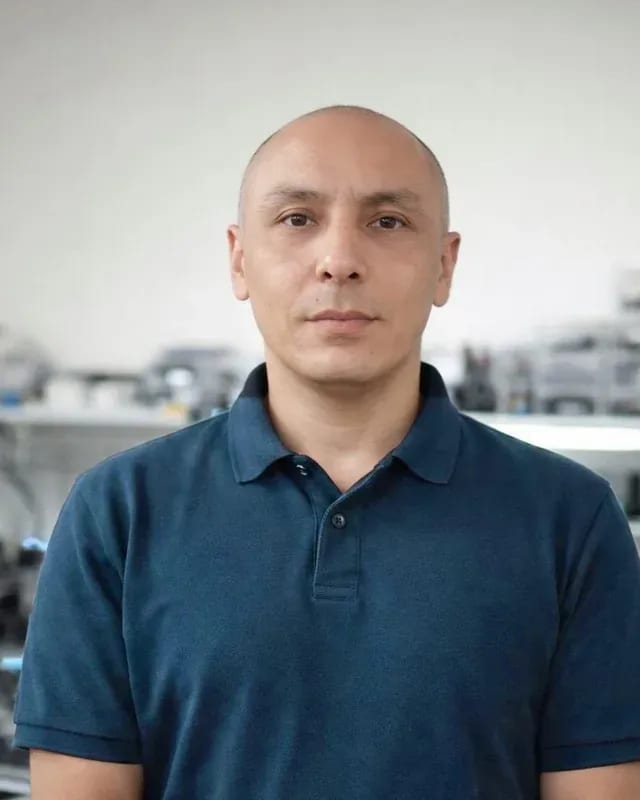 experience7 years
Lead electronics repair technician
 experience10 years
Mobile PC repair technician
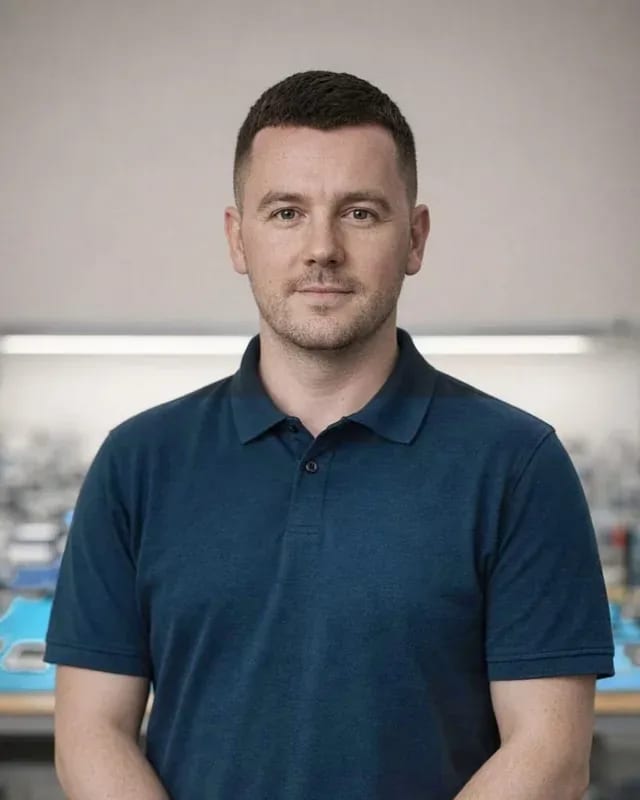 experience10 years
Laptop repair and assessment technician
 experience15 years
Digital device repair technician
 experience15 years
Laptop and all-in-one repair technician
 experience10 years
TV screen replacement technician
 experience9 years
Backlight replacement technician
Tech Service is a direct provider of speaker repair in Astana: our technician arrives at your home within 60 minutes or you can drop off your device at our service center. Diagnostics are free, we provide a 1-year warranty on labor and parts, and you can pay via Kaspi QR, Kaspi Red, bank card, cash or bank transfer for companies. We repair portable Bluetooth speakers, smart speakers, and audio systems.
Speakers come in all shapes and sizes, from portable pocket-sized models to home audio systems. Let's look at the types of devices we service and how the approach differs for each.
Most often we receive portable Bluetooth speakers—they run on a built-in battery and are more likely to be dropped, get wet, or drain to zero. Inside such a case there are few components: battery, charging board, power jack, USB port, speaker driver, and Bluetooth module. Due to the tight layout, moisture and dust reach the board faster than in stationary audio systems, and a drop can shift the battery and detach contacts. We start speaker repair in Astana by measuring the voltage on the battery and inspecting the charging jack under a magnifying glass. We also check whether the board holds charging under load: if there is a voltage drop under load, a new battery won't help until the controller defect is fixed. In portable models, half of all 'breakdowns' are deep discharge and oxidized contacts, so we start diagnostics from the power supply, not from disassembling the case.
We also service smart speakers and home audio systems—they have a different set of components: Wi-Fi module, microphone, power amplifier. Here, the audio path is supplemented by a control board that maintains connection with the router and recognizes voice, and in stereo systems—a tuner and inputs for various sources. A failed driver is immediately audible, but no response to commands or disappearance from the app often points to the Wi-Fi module or microphone. Therefore, in our practice such devices are checked block by block: first connection and response, then amplifier, and only then sound. For a smart speaker, 'not responding to commands' often means not a driver failure but a Wi-Fi module or microphone issue—we check those separately from the audio path.
| Speaker Type | What Breaks Most Often | Where We Repair | What We Check First |
|---|---|---|---|
| Portable Bluetooth | battery, charging jack, driver | on-site or in service center | power and charging |
| Smart Speaker | Wi-Fi module, microphone, board | in service center | connection and response |
| Audio System | amplifier, driver, power | in service center | amplifier and sound |
| Computer Speaker | jack, volume control, driver | on-site or in service center | cable and contact |
Based on the symptom, the technician already narrows down the causes during diagnostics: the nature of the complaint hints where to look—in power, audio path, or communication module. Let's go over the most common complaints and what usually lies behind them.
If the speaker won't turn on, we first check the battery and power circuits—in most cases the battery or charge controller is to blame. Fast discharge indicates battery wear: the cells lose capacity, and the device turns off before the indicator shows it. Another story is the controller on the control board: it may not supply current to the battery, and then a new cell won't help. Testing the board and power circuits shows where there is a break or voltage drop, and only after that does the technician name the part to replace. In our practice, restoring speakers in Astana more often starts with the battery than with the electronics. Distinguishing a worn battery from a faulty controller is only possible by testing the board, so the cause is never guessed 'by eye'.
When the speaker turns on but produces no sound or sounds distorted, we check the driver, diaphragm, and amplifier — these are two different repair scenarios. Distortion and low volume point to worn driver or diaphragm: the surround stiffens, the voice coil rubs against the frame, and crackling appears at higher volumes. Complete silence with the indicator on points to the power amplifier or control board, where a channel may have burned out. The technician opens the casing, inspects the surround, tests the coil continuity, and checks the amplifier output under load. We've handled both situations, and the difference is that the driver is replaced as a whole, while the board is soldered point by point. Distortion at high volume usually indicates worn diaphragm surround, while complete silence points to the amplifier or board, and confusing them during diagnostics is not acceptable.
Work starts not with a soldering iron but with finding the cause. We'll show how a specialist identifies the fault, what they replace based on the check, and how they confirm the device works again.
We provide diagnostics free of charge: the technician disassembles the casing, performs fault detection, and tests the board continuity to name the exact cause. First, the grille is removed and the drivers are inspected — tears, moisture marks, and overheating are visible on the diaphragm. Then, continuity testing of the power circuits shows whether the battery holds voltage under load and whether current reaches the board. The charging connector is checked separately: oxidation and play in the socket cause a break that looks like "won't turn on" from the outside. Another step is inspecting ribbon cables and button contacts: a crack in the solder shows up as an intermittent failure when the speaker works only sometimes. Disassembly during diagnostics is not "work started" but a way to see the actual condition of components, so the technician quotes the price only after it. In my opinion, it's better to disassemble once and see the full picture than to replace parts at random.
Based on diagnostic results, we replace the driver, battery, and power connector — these are the most common speaker repairs. The driver is replaced when the diaphragm is torn or the coil is burned out: sound becomes muffled, distorts at low frequencies, or disappears completely. The battery is replaced if after a full charge the speaker holds power noticeably less than usual and turns off spontaneously at medium volume. The power connector is resoldered when the socket is loose and contacts are oxidized — then charging becomes stable again. If distortion comes from a worn diaphragm, there's no need to replace the whole speaker — just replace the driver and leave the board. We install parts specific to the model, so before work the specialist verifies the driver marking and battery specifications. Another common operation is resoldering the wire on the power button: constant pressing breaks it at the base.
After the work, we reassemble the speaker and test sound, charging, and connectivity — the device is returned only after verification. The specialist plays a track at low, medium, and maximum volume and listens for any new casing rattle or drop in bass. Charging is checked separately: the speaker is put on charge and reaches capacity without overheating the connector. Bluetooth connection is tested during pairing and at a distance — this shows whether the signal drops due to the antenna. Testing with a test sound source at several volume levels reveals any remaining distortion that only appears under load. We provide a 1-year warranty on labor and parts, so final testing is a mandatory step, not a formality.
Not every speaker needs to go to the workshop: some issues a technician can fix right at your place. Let's break down what can be done on-site and when you can't do without in-shop service.
We arrive at your home within 60 minutes anywhere in the city and perform free diagnostics and standard repairs on-site — replacing the speaker, battery, or charging port. For a portable Bluetooth speaker, this is enough in most cases: the majority of requests are related to power and sound, not the board's electronics. The technician opens the case, checks the contacts, tests the charging connector, assesses the speaker's condition by ear and by resistance, then names the cause and the cost of work. You can pay via Kaspi QR, Kaspi Red, bank card, cash, or bank transfer for companies. It's also convenient that the device doesn't leave your home for long: you hear the result and take it right after reassembly. In my opinion, a home visit is especially justified when you need the device every day — on a walk, at the dacha, or on a trip. Before the visit, prepare the charging cable and describe under what conditions the symptom appeared — this speeds up troubleshooting.
Complex repairs of the control board, power amplifier, or a smart speaker with a Wi-Fi module are done in our service center — we have the conditions for soldering and testing circuits under magnification. On-site, it's not always possible to carefully resolder a chip or replace the charge controller: you need a workbench, lighting, and time to warm up the board. If we see on-site that the issue is deeper than a standard replacement, we'll tell you honestly rather than attempt a makeshift repair of a complex component. Then the device goes to the workshop, where electronics work is performed, and after reassembly it undergoes sound testing at different volume levels. This approach saves you stress: you know in advance that some work is only possible in-shop. At the same time, diagnostics remain free, and the warranty is 1 year on labor and parts.
When choosing a technician, not only the final cost matters but also who is responsible for the result. Let's explain what warranty we provide and how a direct contractor differs from an intermediary.
We provide a 1-year warranty on labor and replaced parts — this applies to the speaker, battery, and connectors. The term is the same for a portable Bluetooth speaker and for an acoustic system with a separate power supply: you get the same scope of obligations for the component that was replaced. The warranty covers both the part itself and the quality of its installation — that is, soldering, fitting the speaker into the case, connecting the ribbon cable. Our technicians have been working with this equipment for 4 to 20 years, so we are responsible for re-disassembly during a warranty claim, not a third-party workshop. The warranty on parts means that if the same component fails again, you won't have to pay for the part a second time — it is replaced under warranty.
Tech Service is the direct provider: your speaker is serviced by our own technician, not a third-party contractor found through a marketplace. You know in advance who will arrive, who will run the free diagnostics, and who will be accountable if the defect comes back. With an aggregator, responsibility is spread between the platform and the technician: the service takes the request, but the work is done by a contractor you didn't choose, and in a dispute each side points at the other. With a private technician advertising online, the warranty rests on his word — there's no way to verify it if he stops answering. A direct provider keeps diagnostics, repair, and warranty on one side, so a warranty claim doesn't turn into correspondence between two companies.
The decision to repair or replace depends on which component failed and how relevant the speaker still is in terms of features. If the problem is the driver, charging port, or battery, restoration is usually justified: these are replaceable parts, and the sound returns to normal. The control board is a different matter: if it's damaged on a rare or discontinued model, the part can take a long time to find, and compatible boards may not exist at all — then replacing the speaker makes more sense. The age and class of the device also matter: for a budget portable model, a major repair may be out of proportion to its residual value, while an acoustic system with good drivers is worth restoring. The technician quotes the price after free diagnostics — until then, the decision is the owner's, not the service's.
A couple of simple checks before calling a technician sometimes clear up the "breakdown" right away, and sometimes help you describe the symptom more accurately and save time on diagnostics.
Before calling a technician, check the cable, adapter, and other power source — some "not charging" cases are solved by replacing the cord. Inspect the power connector and USB port for dirt and oxidation, try another adapter with the correct voltage and a known-good cable, and leave a portable model charging for 20-30 minutes without turning it on. If the charge indicator doesn't light up with any cord, the issue may be the connector itself, the power controller, or the battery. Also check the outlet: plug in another device to rule out a lack of power. If the device charges from another accessory, the problem was the cord or adapter, not the device's connector — and then no repair is needed at all.
If the speaker won't connect to your phone or the smart model isn't responding, try pairing it again and reconnecting it to the network. Remove the device from the phone's Bluetooth list and add it again, check that it isn't occupied by another connected smartphone, and reboot the smart model and re-enter the home network password. Sometimes a factory reset helps — it erases the list of paired devices and network data, after which the connection usually comes back. A pairing failure often looks like a module breakdown, but after this procedure the connection returns without intervention; if the Bluetooth or Wi-Fi module still isn't visible to the phone, that's a reason for diagnostics.
Here's a quick summary on speaker repair: what the symptom tells you, what determines the scope of work, and what to look for when choosing a technician.
Tech Service technicians repair other appliances too — with the same 1-year warranty on labour and parts.
 Refrigerator Repair in Almatyfrom 3 000 ₸
 Washing Machine Repair in Almatyfrom 3 000 ₸
 Dishwasher Repair in Almatyfrom 3 500 ₸
 Oven Repair in Almatyfrom 3 000 ₸
 Cooktop Repair in Almatyfrom 3 500 ₸
 Air Conditioner Repair in Almatyfrom 3 500 ₸
 Boiler and Water Heater Repair in Almatyfrom 2 500 ₸
 Freezer Repair in Almatyfrom 6 000 ₸
 Tumble Dryer Repair in Almatyfrom 5 000 ₸
 Coffee Machine Repair in Almatyfrom 2 500 ₸
 Robot Vacuum Cleaner Repair in Almatyfrom 3 500 ₸
 Vacuum Cleaner Repair in Almatyfrom 1 500 ₸
 Microwave Oven Repair in Almatyfrom 2 000 ₸
 Hair Dryer Repair in Almatyfrom 1 500 ₸
 Iron Repair in Almatyfrom 3 000 ₸
 Electric Kettle Repair in Almatyfrom 2 500 ₸
 Mixer Repair in Almatyfrom 2 500 ₸
 Multicooker Repair in Almatyfrom 500 ₸

If your laptop screen is broken, turn the device off first, don't press on the display, and check the picture through an external monitor.
12 March 2026 · 11 minutes read
If your phone won't charge, start by checking the adapter, cable, and port, then the charging settings.
16 February 2026 · 12 minutes read
If your laptop freezes, the first thing to do is restart it and check Task Manager to see what's loading the CPU and memory.
25 January 2026 · 12 minutes read
If your phone falls in water, take it out right away, turn it off, and don't charge it.
19 January 2026 · 12 minutes read
If your phone camera isn't working, first check app permissions, clear the cache, and restart your phone — this fixes some software glitches.
24 December 2025 · 13 minutes read
If your laptop won't boot, first determine which of two states you're in: the device doesn't respond to the power button at all…
13 December 2025 · 12 minutes read