 experience10 years
Maksim S.
Graphics card repair technician

A technician arrives within 60 minutes anywhere in the city. Diagnostics are free.
Our own technicians4 to 20 years of experience




Repair prices
Below are frequent symptoms and their likely causes. The technician will pinpoint the exact cause after diagnostics.
power supply, button, board
from7 500 ₸
dust, cooler, thermal paste
from7 000 ₸
matrix, backlight, cable
from6 500 ₸
disk, memory, system
from7 000 ₸
overheating, power supply, board
from14 000 ₸
fan, bearing, mount
from6 000 ₸
cable, contacts, board
from6 500 ₸
graphics card, cable, matrix
from6 500 ₸
1–3 daystime
from 14 000 ₸cost
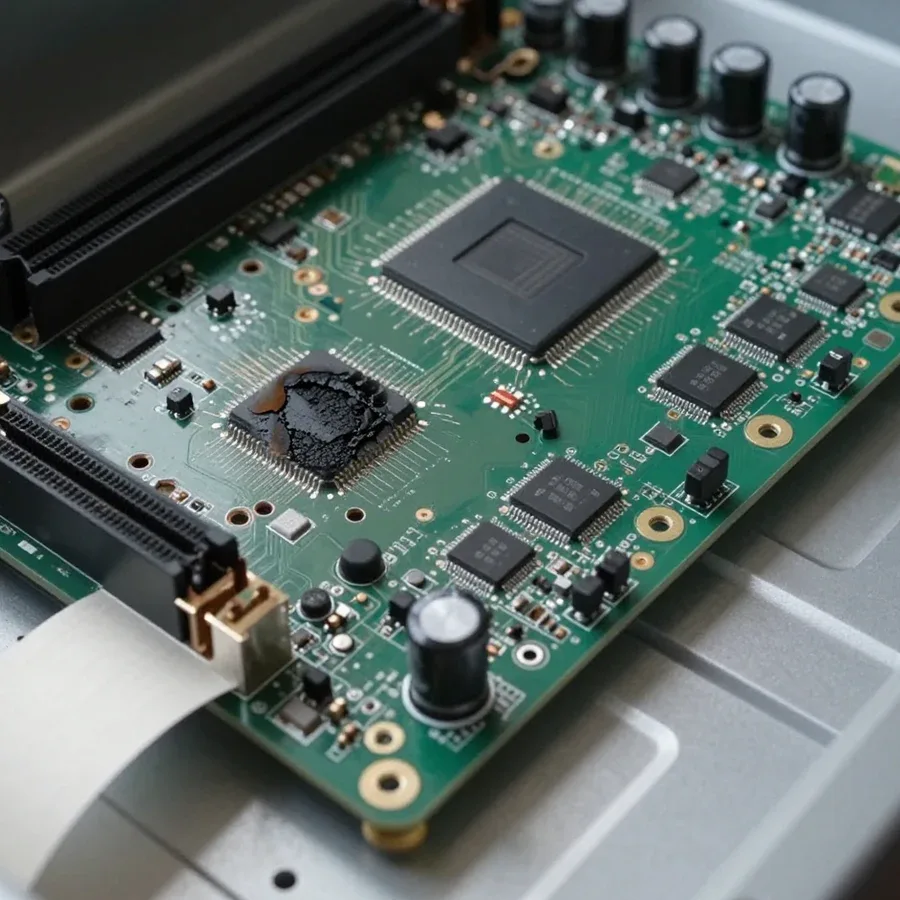
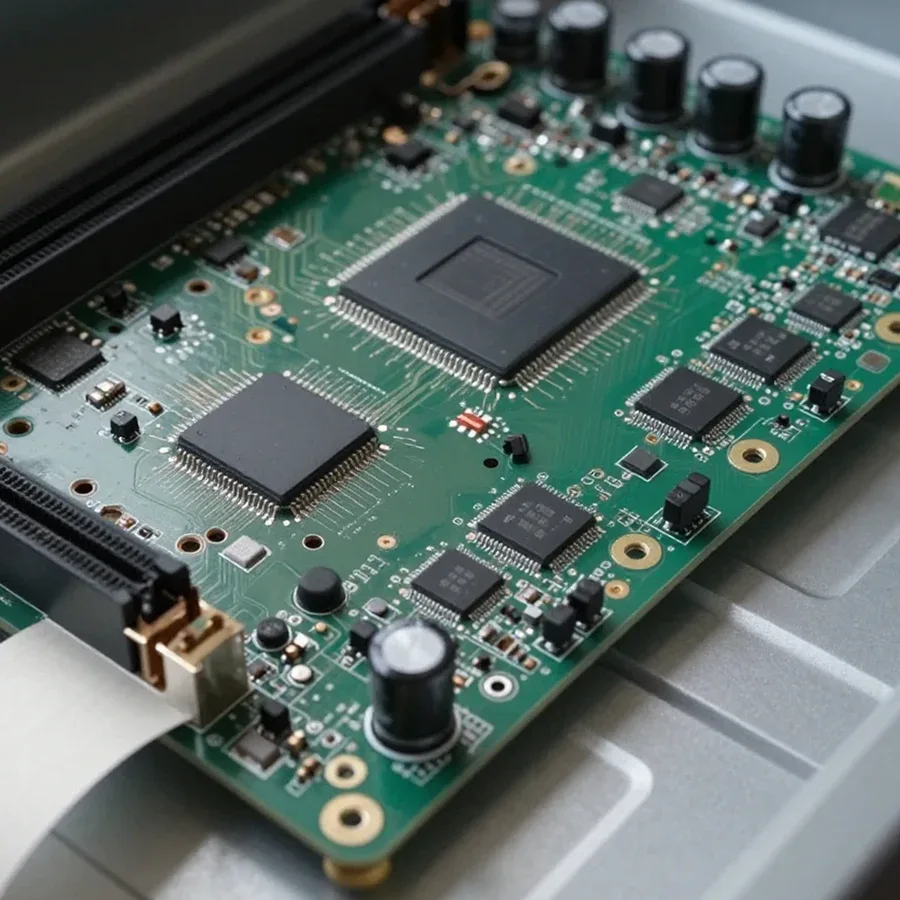 BeforeAfter

From request to final check — five steps.
Leave a request, and the technician will clarify the symptoms and arrange a visit.
The technician will come anywhere in the city to inspect the all-in-one on site.
Tell us the all-in-one model and symptoms so the technician can bring compatible parts.
The technician will approve the final estimate and list of replacement parts before starting work.
Check that it turns on and that the OS and main components work after repair.
The computer and laptop repair department in Almaty has 7 technicians with 6 to 15 years of experience.
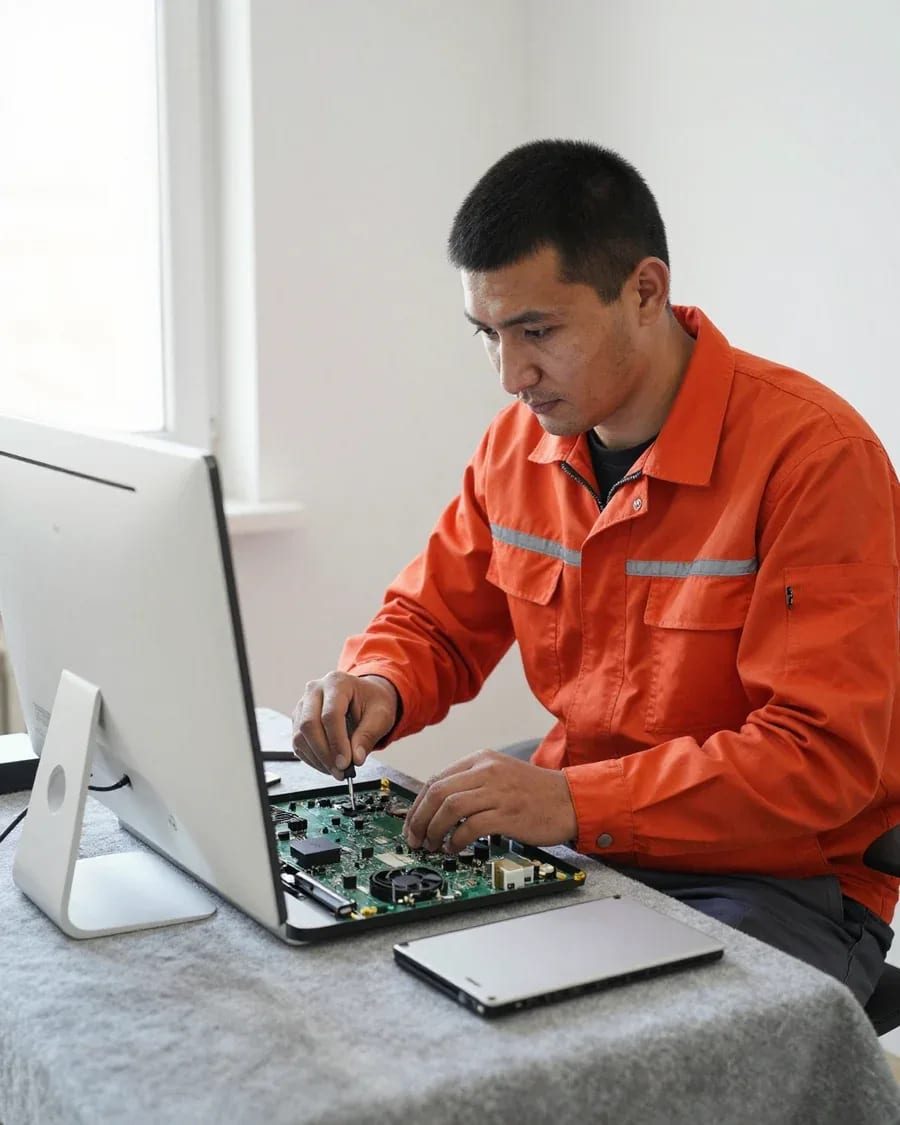
The department has 7 specializations — they are listed on the technicians' cards.
experience10 yearsGraphics card repair technician
 experience6 years
PC and laptop diagnostics technician
 experience8 years
Laptop repair engineer
 experience10 years
Software installation specialist
 experience7 years
PC and laptop repair technician
 experience13 years
Diagnostics and virus removal specialist
 experience15 years
Consultant
We reply during working hours
Leave a request by phone or through the website form, and the technician will arrange a convenient visit time.

Warranty question? Call us
+7 (778) 746 01 65Tech Service repairs HP all-in-ones in Almaty with a technician visiting your home within 60 minutes anywhere in the city, or at our service center. Diagnostics are free, the technician quotes the price after diagnostics, and we provide a 1-year warranty on labor and parts. Our technicians have 4 to 20 years of experience, and you can pay via Kaspi QR, Kaspi Red, bank card, cash, or bank transfer for companies.
An HP all-in-one isn't just a "big laptop." It comes apart differently, has a built-in power supply, and packs cooling into a tight case, so the work is done differently than on portable machines.
We service HP all-in-ones specifically and know that their case comes apart according to a different scheme than a laptop's, and that access to the panel and cooling is only opened after removing the back cover. We approach HP all-in-one repair in Almaty with this in mind. On portable models, it's enough to unscrew the bottom cover — on a desktop unit, the stand mounts, hinges, and cables run across the entire back plane, and the order of removing the panel depends on the series. The panel here is held by an adhesive frame and connected by a wide cable, not a separate module on two hinges like in a laptop. Treating such a machine "like a laptop" risks damaging the stand mounts and cables. During free diagnostics, we first check how the specific model is built and only then remove the panel — this minimizes the risk of chips and cable breaks.
HP all-in-ones have the power supply inside the case, so it's checked separately from an external adapter, and the cooling system is serviced more often due to the dense layout. This unit is connected directly to the motherboard, and if it fails, the device simply won't start — there's no external adapter here that can be swapped in a minute. The cooler in a tight case runs at its limit: a single fan blows through the CPU heatsink and the power section compartment at the same time. Overheating in this layout leads to freezes and shutdowns faster than in a portable machine. Don't put off cleaning and thermal paste replacement until noise appears: at an early stage it's preventive maintenance, later it's work involving disassembling the case, and a specialist comes to your home within 60 minutes anywhere in the city.
| Component | HP all-in-one | Laptop |
|---|---|---|
| Panel | replaced together with the backlight after disassembling the case | replaced as a separate module |
| Power supply | internal, checked inside the case | external adapter |
| Cooling | tight case, cleaning needed more often | easier access to the fan |
| Storage | checked when "disk not detected" | replaced separately |
By the symptom, you can roughly understand what happened and decide whether to wait for a technician or bring the all-in-one to the service center. Below are the most common device states and what to do about them.
If the indicator is lit but the screen is black, we check the power, motherboard, and backlight — most often the cause is one of these units, not a complete failure of the device. The internal unit of an HP all-in-one outputs several voltages at once, and if one of the lines drops, the indicator stays lit even though the system doesn't start. In this situation, the motherboard goes into protection, and the panel backlight doesn't start due to a separate inverter line. During free diagnostics, we rule out each unit one by one: measure the output voltage, check the backlight circuit, and the board's response to the power-on command. We also check the standby circuit separately — it's what responds to the button. Before the technician arrives, don't turn the all-in-one on and off repeatedly: this can worsen the board problem and add secondary damage to the breakdown.
We look into a black screen while the device is running, a freeze on the Windows logo, and an error code on the screen during free diagnostics, cross-checking the signal with the state of the drive and board. A freeze on the logo more often points to a corrupted boot area on the drive or a damaged file system, while a black screen with a humming fan points to the video chip or matrix cable. An error code on the screen of an HP all-in-one narrows the search to a specific subsystem: power, memory, or drive. We match the code with the actual behavior of the hardware and measurement readings—this way we rule out false leads and avoid replacing components at random. An error code is a hint, not a verdict: it points to the component that needs checking and saves diagnostic time, and sometimes the cost of parts.
Our HP all-in-one service follows clear steps—from request and visit to warranty. At every stage you understand what's happening and how long it will take.
Upon request, our technician arrives at your home within 60 minutes anywhere in the city and performs free diagnostics to pinpoint the cause of the breakdown. The visit service covers all districts of Almaty, including remote residential areas where courier services usually take longer. The technician checks power, peripheral connections, and how the device responds to being turned on right on the spot, without taking the equipment to the service center for an initial inspection. On-site diagnostics saves time: the specialist immediately sees the all-in-one in your environment—how it's connected to the power grid, what's next to it, which cables run to the outlet—and can check power and connections under real conditions, not on a workbench. If the breakdown requires bench testing, the technician will say so right during the inspection.
Based on the diagnostics, the technician quotes the cost of work, and only after you approve the scope do we start—at your home or at the service center, depending on the breakdown. At home, we usually handle tasks that don't require disassembling the case: setup, replacement of external modules, checking power and connections. If soldering, matrix replacement, or work on the internal power supply is needed, the all-in-one moves to the service center—there are conditions for carefully disassembling a tight case. Approval before work starts protects you from unexpected expenses: you see in advance which components will be replaced and which can be repaired, and you choose the option yourself. In my view, this step is more important than any other—this is where the client understands the real scope of work, rather than learning about it after the fact.
We provide a 1-year warranty on labor and parts, so if a problem with the same component arises after service, you can contact us again. The year covers both the procedure itself and the installed part—it's a single term, not two separate ones, which simplifies resolving any disputed situation. The warranty on a part is especially important when replacing the matrix or board: it confirms that the part was tested before installation and wasn't put into the case as is. In our practice, matrix replacement and board work are the components with the most expensive consequences, and extended coverage on them removes the main risk of repeated investment. The warranty period is the same for work at home and at the service center.
A desktop computer with a screen is hard to carry to a service center: the case requires careful transportation. That's why an on-site technician visit is a convenient format for the owner. Let's look at how it works and when a service center is still needed.
You can't just put an HP all-in-one in a bag, so our technician comes to your home within 60 minutes anywhere in the city and runs diagnostics and some of the work right there. An on-site visit removes the main hassle: you don't have to unplug the machine from your desk, pack the screen, and haul it across town. At your place, the specialist immediately sees your workspace, the connected peripherals, and how the device behaves in its usual environment. A unit with a 21.5 or 27-inch display weighs 5 to 10 kg when assembled — moving that without risking the screen is awkward. In our experience, a noticeable share of calls are about power and cables rather than the computer itself. At home it's easier to check how the device behaves with your outlet and peripherals — sometimes the cause is power, not hardware.
| Work | On-site | At the service center |
|---|---|---|
| Diagnostics | yes | yes |
| Cooling system cleaning | yes | yes |
| Storage replacement | yes | yes |
| Board repair | no | yes |
| Display replacement | no | yes |
We service the main components of an HP all-in-one, but sometimes it's more honest to say that replacing the device is the better deal. Here's the list of work and the criteria we use to make that call.
Restoration makes sense when the fault is local and the part is available, while replacing the device is worth considering for serious board damage on an older model. Local cases include the display, storage, connectors, and cooling system: these components can be replaced or restored without touching the board's logic. The motherboard is trickier — extensive trace damage, a lifted video chip on previous-generation models, or signs of liquid damage take a lot of time, and the result depends on the condition of the other components. Replacement also makes sense when the case and display are already worn and investing in the board won't pay off. It's best to decide after diagnostics, because outwardly identical faults can require different amounts of work. In my view, an honest refusal is more useful than restoring a device that will fail again in a month.
Sometimes instead of component-level repairs, an upgrade is enough — replacing the drive or memory — along with preventive cooling maintenance, so the all-in-one stops freezing and lagging. Slow boot, browser hangs, and fan noise are often caused not by a breakdown but by a worn-out hard drive, a clogged heatsink, or dried thermal paste. Installing an SSD speeds up system startup and program performance, adding memory helps with multiple open tabs and heavy editors. Cleaning the cooling system restores normal temperatures and eliminates sudden shutdowns under load. Preventive maintenance costs less than motherboard repair and extends the device's lifespan, especially in the tight all-in-one case. In our practice, such work often solves the problem the owner came to us with. The technician performs it on-site or at the service center, and a 1-year warranty covers both labor and parts.
HP all-in-ones fail in their own ways, and understanding these patterns helps you make the right decision about repairing the device faster. Below are brief takeaways on the whole topic.
Tech Service technicians repair other appliances too — with the same 1-year warranty on labour and parts.
 Refrigerator Repair in Almatyfrom 3 000 ₸
 Washing Machine Repair in Almatyfrom 3 000 ₸
 Dishwasher Repair in Almatyfrom 3 500 ₸
 Oven Repair in Almatyfrom 3 000 ₸
 Cooktop Repair in Almatyfrom 3 500 ₸
 Air Conditioner Repair in Almatyfrom 3 500 ₸
 Boiler and Water Heater Repair in Almatyfrom 2 500 ₸
 Freezer Repair in Almatyfrom 6 000 ₸
 Tumble Dryer Repair in Almatyfrom 5 000 ₸
 Coffee Machine Repair in Almatyfrom 2 500 ₸
 Robot Vacuum Cleaner Repair in Almatyfrom 3 500 ₸
 Vacuum Cleaner Repair in Almatyfrom 1 500 ₸
 Microwave Oven Repair in Almatyfrom 2 000 ₸
 Hair Dryer Repair in Almatyfrom 1 500 ₸
 Iron Repair in Almatyfrom 3 000 ₸
 Electric Kettle Repair in Almatyfrom 2 500 ₸
 Mixer Repair in Almatyfrom 2 500 ₸
 Multicooker Repair in Almatyfrom 500 ₸

If your laptop screen is broken, turn the device off first, don't press on the display, and check the picture through an external monitor.
12 March 2026 · 11 minutes read
If your laptop freezes, the first thing to do is restart it and check Task Manager to see what's loading the CPU and memory.
25 January 2026 · 12 minutes read
If your computer won't turn on, start simple: check the outlet, power cable, switch on the power supply, and the power button.
19 January 2026 · 13 minutes read
If your laptop won't boot, first determine which of two states you're in: the device doesn't respond to the power button at all…
13 December 2025 · 12 minutes read








