experience10 years
Vasiliy Z.
Senior TV repair technician

A technician arrives within 60 minutes anywhere in the city. Diagnostics are free.
Our own technicians4 to 20 years of experience




Repair prices
Below are typical symptoms and likely causes. The technician will pinpoint the exact cause during diagnostics.
power supply, fuse, or button
from9 500 ₸
amplifier, speakers, or input settings
from3 000 ₸
HDMI cable, ARC port, or settings
from3 000 ₸
damaged speaker, oxidized contacts
from8 500 ₸
batteries, IR receiver, or remote
from6 000 ₸
overheating, power supply protection
from9 500 ₸
firmware, port, or cable
from5 500 ₸
antenna, module, or pairing
from12 000 ₸
1–2 hourstime
from 6 000 ₸cost
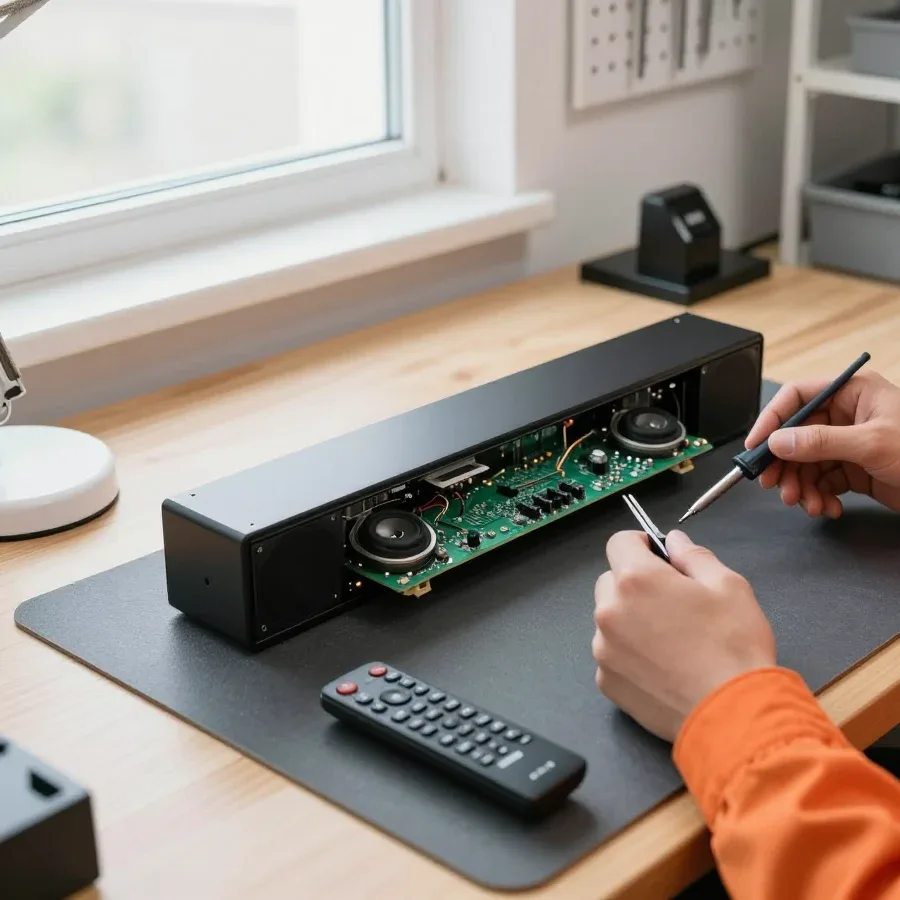 BeforeAfter

Five steps from request to performance check.
Describe the symptom and model — the technician will prepare for the visit.
Ask the technician which soundbar inputs are used in your TV and signal source setup.
The technician finds the cause and quotes the repair cost.
You approve the scope of work and parts, then the technician starts.
Agree on a convenient time and access to the equipment with the technician, and be present for the check.
The digital device repair department in Almaty has 7 technicians with 7 to 18 years of experience.

The department has 7 specializations — they are listed on the technicians' cards.
experience10 yearsSenior TV repair technician
 experience10 years
TV board repair technician
 experience10 years
Electromechanical technician
 experience13 years
Audio and DVD repair technician
 experience18 years
Smartphone repair technician
 experience8 years
Screen and battery replacement technician
 experience7 years
Game console repair technician
We reply during working hours
Choose a convenient visit time and contact method — the technician will coordinate the work with you. Ask the technician about payment methods and parts availability.

Warranty question? Call us
+7 (778) 021 13 16Tech Service repairs Denon soundbars in Almaty as a direct provider, without intermediaries. A technician arrives at your home within 60 minutes anywhere in the city or accepts the device at the service center. Diagnostics are free, we provide a 1-year warranty on labor and parts, and our technicians have 4 to 20 years of experience.
Denon soundbars break less often than you might think, but restoring them requires knowledge of specific components. We explain who in the city takes on such equipment and why going directly to the service provider is better than using an intermediary.
We service Denon soundbars of all lines, including models with wireless and wired subwoofers included, as well as home theater systems. We take in both compact TV solutions and multi-component sets where the main unit connects to a separate subwoofer via radio channel or cable. We start restoring such systems in Almaty by checking the entire chain: amplification, power supply, Bluetooth module, and the communication channel with the subwoofer. We conduct Denon soundbar repair in Almaty by checking power and component coordination, so we accept both simple models and multi-component sets. Such equipment is sensitive to power quality and coordination between components, so the symptom at the output does not always match the actual cause. The more complex the acoustic system, the more important it is to check the coordination of the main unit and subwoofer before replacing parts; otherwise, the fault will return.
Tech Service is a direct service provider: your soundbar is diagnosed and restored by our technician, not by a third-party organization to which an aggregator passed the request. In practice, this means one person is responsible for the equipment from inspection to return, and you don't need to retell the symptom to different people multiple times. The technician with on-site service comes to you, and for in-shop work, the same person handles the device at the service center. An intermediary works differently: one company takes the request and assigns the work to another, so the equipment passes through extra hands. With an intermediary, time is spent on forwarding, while with direct service, the technician immediately sees the cause and coordinates the work with you. Ask who exactly will handle the device at the request stage — this saves one round of approvals.
Failure to turn on is the most common reason to call a technician. We explain which components are checked first and how an error code can narrow down the fault search even before disassembling the case.
We start diagnostics with the soundbar's power supply, because it is responsible for turning the device on, and only then check the main board and protection circuits. In the switching power supply of a Denon soundbar, the technician checks the input fuse, varistor, diode bridge, primary winding capacitors, and PWM controller — failure of any element results in no response to the button. Denon soundbar repair in such cases begins with this check, even before disassembling the case. Then the secondary lines are tested, and the standby voltage is monitored at the mainboard input. Our diagnostics are free, so disassembly starts without preconditions or obligations. If the secondary power source is working and the device is silent, the cause is often a triggered mainboard protection, and replacing the speakers won't help.
After a power surge, the Denon soundbar's power supply is most often damaged, and sometimes the mainboard goes with it, so both units need to be checked. In such cases, the switching unit suffers a breakdown in the primary winding: the varistor, fuse, and power switch burn out, and along the secondary line, overvoltage reaches the mainboard and damages the regulators and processor. In our practice, after a thunderstorm or mains fluctuations, the damaged unit has to be restored rather than just replacing the fuse. You shouldn't turn the device back on to see if it works, because reapplying power to a damaged circuit can expand the damage. If the soundbar is silent after a thunderstorm or power surge, don't disassemble the case yourself: without checking the units, it's easy to damage the ribbon cables and make the fault worse. A technician on site will determine which unit is damaged and agree on the scope of repair with you.
Sound can disappear or become distorted for various reasons—from speakers to inputs. We explain how to tell a speaker failure from a subwoofer or connection channel issue.
Rasping and crackling at high volume usually mean damage to the soundbar's speakers or overload of the amplifier path, and at low volume such a defect may be unnoticeable. Speakers produce sound, and with mechanical wear of the cone or surround, they give characteristic overtones that intensify as the signal level rises. Amplifier overload manifests differently: distortion appears abruptly at peaks and is accompanied by heating of the case near the board. The mainboard in this chain is responsible for signal processing, and its failure sometimes causes crackling similar to acoustic noise. It's worth checking with several sources and volume levels, because if the rasping persists on any input, the cause is in the acoustics, not the signal.
If the subwoofer has lost sound, we first check the connection between the subwoofer and the main unit, and then the subwoofer itself, because the cause could be in the communication module or in the low-frequency driver. In wireless models, pairing relies on a separate radio channel, and its loss results in complete silence in the low frequencies while the main speakers still work. We check a wired subwoofer via the cable and connector: oxidized contacts or a broken wire give the same picture. The mainboard controls the crossover, and if it fails, low frequencies are cut off entirely. In wireless subwoofers, the problem is often in pairing, not a speaker breakdown, so don't jump to conclusions before checking the communication channel.
No sound from the optical input is usually caused by the source settings or the optical input itself, not the soundbar speakers. The optical input sends digital audio to the soundbar, and the signal passes through a receiver on the main board, so silence can occur anywhere along this chain. Inspect the optical cable for kinks and make sure the connectors are pushed in until they click: the fiber end is sensitive to dirt and can cause dropouts. On the TV, check that the output settings are set to the optical output, not the built-in speakers. Before calling a technician, check the output format on the TV, because a format mismatch causes silence even when the soundbar is fully functional. If the settings are correct but there is still no sound over optical, the technician will check the receiver on the main board and the integrity of the fiber itself. This check takes little time and immediately shows whether repair is needed or just a cable replacement.
Some soundbar complaints are not about a breakdown but about setup or the connection channel. We cover three common scenarios: when setup is enough and when a technician needs to step in.
If a Denon soundbar won't connect via Bluetooth, the cause may be the Bluetooth module or the pairing settings on the source device. The module provides wireless connection to a phone, tablet, or TV, and a failure here shows up in different ways: the device doesn't see the speaker in the list, pairing drops after a couple of seconds, or the sound is delayed. First, remove old entries from the source's memory and pair again by putting the device into search mode. It helps to test the connection from another device: if it connects, the module is fine and the issue is with the source, not the speaker. When no phone or tablet finds it in the list of available devices, the Bluetooth module needs attention—it is replaced or repaired by soldering on the board.
We first check for no sound over HDMI ARC as a setup issue, and only if the ARC/eARC port doesn't pass a signal with correct settings do we consider restoring the HDMI port. The HDMI ARC/eARC port sends sound from the TV to the soundbar over a single cable, and in half of the cases the problem is solved by switching the source in the TV menu, selecting the correct input, and enabling CEC control. In our practice, it's common for sound to disappear after changing the TV or updating the firmware—the port is fine, but the settings are off. The HDMI port fails more often with frequent cable reconnections under power, so it's better to disconnect the cable with the devices turned off. If the port doesn't pass a signal with correct settings on two different cables, the technician checks the connector and solder joints on the board.
If the soundbar doesn't respond to the remote or buttons, the cause may be the IR receiver, the control panel, or the remote itself. The IR receiver picks up the signal from the remote and sends the command to the board, while the control panel duplicates the main functions with buttons on the body. When both the remote and buttons don't work, the failure is more often in the panel or the control board; when the buttons work but the remote doesn't, the IR receiver or the remote is to blame. Check the remote with a phone camera: the invisible IR emitter will immediately show if the remote is alive before blaming the speaker. If the emitter doesn't light up, replace the batteries and contacts; if the remote is fine, the technician checks the IR receiver on the board.
Our process is the same for any symptom—from request to sound check. We break down the steps, explain what the warranty covers, and how the cost is calculated.
We provide a 1-year warranty on labor and parts, so if the issue returns within this period, we take care of fixing it again at no cost. The coverage also applies to replaced components — boards, modules, speakers: if they fail due to our work within a year, we resolve it without additional charge. The warranty starts from the moment you receive the device with verified sound. Based on our workshop's experience, most returns occur in the first weeks after the repair, and this period shows how well the soldering was done and the parts were selected. Keep records of which components were replaced — for any follow-up, the conversation will be specific and quick, and the technician will immediately see the device's history.
| What we check | Symptom | Repair format |
|---|---|---|
| Power supply | Won't turn on | In-service repair |
| Main board | Won't turn on, error codes | In-service repair |
| HDMI ARC/eARC port | No sound from TV | On-site or in-service |
| Bluetooth module | Won't connect | On-site or in-service |
| Speakers and subwoofer | Distortion, sound loss | On-site or in-service |
Here are the key points for a Denon soundbar owner to keep in mind before contacting a technician: what to base diagnostics on and why the order of checks matters.
Tech Service technicians repair other appliances too — with the same 1-year warranty on labour and parts.
 Refrigerator Repair in Almatyfrom 3 000 ₸
 Washing Machine Repair in Almatyfrom 3 000 ₸
 Dishwasher Repair in Almatyfrom 3 500 ₸
 Oven Repair in Almatyfrom 3 000 ₸
 Cooktop Repair in Almatyfrom 3 500 ₸
 Air Conditioner Repair in Almatyfrom 3 500 ₸
 Boiler and Water Heater Repair in Almatyfrom 2 500 ₸
 Freezer Repair in Almatyfrom 6 000 ₸
 Tumble Dryer Repair in Almatyfrom 5 000 ₸
 Coffee Machine Repair in Almatyfrom 2 500 ₸
 Robot Vacuum Cleaner Repair in Almatyfrom 3 500 ₸
 Vacuum Cleaner Repair in Almatyfrom 1 500 ₸
 Microwave Oven Repair in Almatyfrom 2 000 ₸
 Hair Dryer Repair in Almatyfrom 1 500 ₸
 Iron Repair in Almatyfrom 3 000 ₸
 Electric Kettle Repair in Almatyfrom 2 500 ₸
 Mixer Repair in Almatyfrom 2 500 ₸
 Multicooker Repair in Almatyfrom 500 ₸

If your laptop screen is broken, turn the device off first, don't press on the display, and check the picture through an external monitor.
12 March 2026 · 11 minutes read
If your phone won't charge, start by checking the adapter, cable, and port, then the charging settings.
16 February 2026 · 12 minutes read
If your laptop freezes, the first thing to do is restart it and check Task Manager to see what's loading the CPU and memory.
25 January 2026 · 12 minutes read
If your phone falls in water, take it out right away, turn it off, and don't charge it.
19 January 2026 · 12 minutes read
If your phone camera isn't working, first check app permissions, clear the cache, and restart your phone — this fixes some software glitches.
24 December 2025 · 13 minutes read
If your laptop won't boot, first determine which of two states you're in: the device doesn't respond to the power button at all…
13 December 2025 · 12 minutes read