 experience18 years
Nikolay K.
Smartphone repair technician

A technician arrives within 60 minutes anywhere in the city. Free diagnostics.
Our own technicians4 to 20 years of experience




Repair prices
Below are typical symptoms and likely causes. The technician will pinpoint the exact cause after free diagnostics.
deep discharge or controller failure
from5 500 ₸
dirty connector or worn flex cable
from5 500 ₸
cracks, spots, or partial touchscreen failure
from4 500 ₸
worn battery, background processes
from5 500 ₸
clogged grille, damaged flex cable
from7 500 ₸
clogged speaker, flex cable, or microphone
from3 500 ₸
damaged module, flex cable, or software glitch
from4 500 ₸
memory overload, firmware glitch
from5 500 ₸
1–2 hourstime
from 6 500 ₸cost
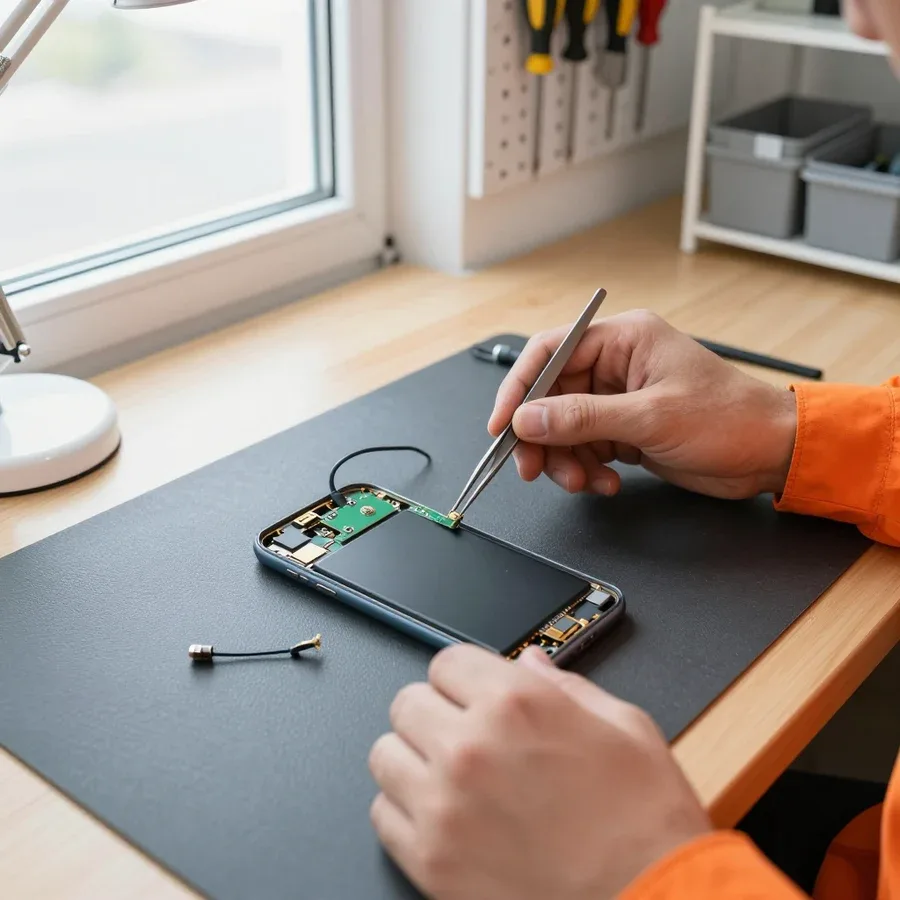 BeforeAfter

Five steps — from your call to checking the phone after repair.
Describe the problem over the phone or on WhatsApp so the technician can bring the right parts.
The technician will arrive anywhere in the city within 60 minutes after the request is confirmed.
The technician checks which part is needed for your model and whether it's in stock, so you can agree on the option before the visit.
You approve the cost, the technician performs the work and tests the phone.
The technician gives the removed part back to the owner so they can see what was replaced.
The digital device repair department in Almaty has 7 technicians with 7 to 18 years of experience.
The department has 7 specializations — they are listed on the technicians' cards.
experience18 yearsSmartphone repair technician
 experience10 years
Senior TV repair technician
 experience10 years
TV board repair technician
 experience10 years
Electromechanical technician
 experience13 years
Audio and DVD repair technician
We reply during working hours
Call or message us on WhatsApp — a technician arrives within 60 minutes anywhere in the city, diagnostics are free.

Warranty question? Call us
+7 (778) 096 52 04
Author: Nikolay K.,Smartphone repair technician
Published
Updated
Tech Service repairs Meizu smartphones in Almaty as a direct contractor: our technician comes to your home within 60 minutes or accepts the device at the service center. Diagnostics are free, 1-year warranty on labor and parts, you can pay with Kaspi QR, Kaspi Red, card, cash, or bank transfer. The technician quotes the price after free diagnostics.
Meizu phones break in recognizable patterns: some failures come from the brand's own components, others from the Flyme firmware. Here's what each symptom means and when it's time for diagnostics.
When a Meizu "won't turn on," it usually means one of three things: a deeply discharged battery, a failed power controller, or Flyme freezing due to a bad firmware update. On the Meizu Note 9 and other models with a non-removable body, the picture is the same: black screen, no indicator light, and the phone doesn't respond to the power button. The power controller fails from voltage spikes during charging or after moisture exposure, while a firmware glitch shows up as a freeze on the logo at startup. We tell these three causes apart during free diagnostics: we measure the battery voltage and check how the board responds when connected. If you need Meizu phone repair in Almaty, a technician will identify the cause and suggest a solution. Before visiting the service center, keep the phone on the charger for at least an hour and try a forced reboot — that rules out half of the software-related cases and saves time on diagnostics.
If a Meizu 16th gets hot and drains quickly, we first check the battery and the power controller — a swollen battery is dangerous and needs replacement, not "reconditioning." Heat near the camera during calls or charging, along with the battery percentage dropping within minutes, points to worn-out capacity: it holds less charge and releases energy in bursts. The second common culprit is the charging port: oxidized contacts cause poor connection, so the phone charges intermittently and heats up more than usual. We check the entire charging circuit — from the port to the controller — not just swap the battery. Never keep charging a swollen battery: at the slightest sign of a deformed case, turn the device off and bring it in for diagnostics instead of waiting for it to discharge on its own.
After water exposure, Meizu board contacts oxidize; after a drop, you get lines and spots on the display; and the Home button with the fingerprint scanner is a separate module that we replace as a whole. Oxidation is subtle at first: the phone works, but a few days later the network drops, the SIM tray fails, or the scanner stops reading your finger. Mechanical damage usually shows up as a cracked glass, dark spots on the matrix, and lines across the entire screen width. The Home button with the built-in scanner is a weak spot in the lineup: due to moisture and dust, it stops clicking or only works intermittently, and cleaning its contacts is pointless — only replacing the unit helps. Never dry a water-damaged Meizu with a hair dryer or on a radiator: heat pushes moisture deeper under the components, and oxidation continues even after the case looks dry.
Meizu released lines with different repairability — from budget M and Note to flagships 16–21. Here's what we service, how, and when it makes sense.
| Line | Common issues | What we check first |
|---|---|---|
| Meizu M / Note | charging port, battery, display | controller and power element |
| Meizu 16 / 17 / 18 | display module, overheating, battery drain | board and battery |
| Meizu 20 / 21 | display, Type-C port | flex cables and controller |
| Meizu Pro / MX | Home button, battery | repairability of the unit |
We take in the old Meizu M5 Note if the issue is local — battery, charging port, or display — and not related to the board as a whole. The port on budget M and Note lines wears out from constant plugging: contacts lose their springiness, and the device stops charging. The battery loses capacity from cycles and age, so replacing it restores battery life even on devices with high mileage. We replace the display module separately from the board when the matrix and touchscreen are mechanically damaged but the controller is intact. In our experience with older models, the year of manufacture matters less than the number of affected components at once: a single replacement is usually justified, a cascade of failures rarely is. If the device won't turn on after a drop, we check the board first and only then suggest replacing peripherals.
When replacing the display module, we preserve user data — the screen replacement itself doesn't affect memory if the board is working. Meizu phone repair in Almaty often starts with a cracked glass: the matrix and touchscreen are replaced as a unit, while flash memory, accounts, and apps stay in place. While the touchscreen is still partially responsive, we transfer files before disassembly so we don't depend on the touchscreen's condition. A damaged display flex cable doesn't affect repairability: it goes with the module, and the board and storage remain untouched. Cracked glass with a working touch response is a reason to back up in advance: after a complete failure, transferring data without a working touchscreen is noticeably harder, and recovery via the board requires a separate procedure.
Meizu is serviced differently from a 'regular Android': the glued back cover, the Home button with a scanner, and Flyme require a separate approach. We explain what this means in practice and why a universal scenario doesn't work here.
Most Meizu phones have a glued back cover, so we disassemble the body with heat and carefully to avoid damaging flex cables and deforming the panel. The adhesive around the perimeter holds the panel tightly, and prying it without heating means pulling the scanner and camera flex cables with it. Heat softens the adhesive, then the panel is removed with a smooth motion without chipping the edge. Next, the technician separates the flex cables from the board and works with the components without touching adjacent connectors. If disassembly was done carelessly, the cover sits unevenly or misaligned — this is visible by the gap, and we restore such a body separately. In my opinion, it's the glued assembly that most often suffers from third-party interference, and restoration takes more time than the part replacement itself.
The Home button with a scanner on Meizu is a single module, so if the scanner fails or is mechanically damaged, we replace the whole unit rather than 'fixing' the sensor piece by piece. The scanner, click mechanism, and flex cable are assembled in one housing, and soldering individual contacts inside such a unit is unreliable. When the scanner stops working but the button still clicks, the cause may be the flex cable or contacts, not the sensor itself — diagnostics will show what exactly to replace. In our practice, scanner failure is more often related to the flex cable after a drop or moisture exposure, not to sensor wear. Therefore, before replacing the unit, the technician checks the integrity of the traces and the connector fit: sometimes restoring contact is enough for the fingerprint to be read again.
We distinguish Flyme glitches after flashing from hardware failures during diagnostics — if the board and power are fine, the problem is solved in software. The shell is closely tied to the system partition, and a failed update or interrupted flashing causes a boot loop, freezing on the logo, or touchscreen failure. The technician checks power and the board's condition, and only then works with the firmware. If a Meizu won't turn on after flashing, don't reflash immediately — first check power and the board, otherwise you can make the glitch worse. In my opinion, half of the 'software' requests for this brand are resolved once the hardware cause is ruled out. The second common scenario is a conflict with a third-party theme or launcher: removing them restores system stability without reflashing.
Our Meizu repair starts with free diagnostics and ends with a device check. We show what the technician does at each step and why it matters.
During free diagnostics, we check the power, board, battery, and flex cables of the Meizu to find the cause, not just the symptom. The technician opens the device, tests the power circuit with a multimeter, and inspects the power controller—it's most often responsible for the phone not responding to charging. The battery under load and the flex cables are tested separately: Meizu flex cables are thin, and a microcrack from a drop can cause intermittent failures. We check the software via Flyme to rule out a firmware glitch before disassembly. Diagnostics before any intervention are important because the same symptom—"won't turn on"—can be caused by the battery, the power controller, or Flyme, and the work required differs. The check takes the technician the time needed for an accurate answer, but it rules out replacing a working component.
We fix the consequences of a failed intervention at another service—most often a poorly replaced charging port or damaged Meizu flex cables. After someone else's soldering, the board has overheated pads and shifted components, so the technician first removes the burnt residue, restores the traces, and only then installs a new port. Then comes the standard procedure: disassembly with heating the adhesive cover, replacing the component, reassembly, and testing. If the phone stopped charging after third-party work, it's worth showing the device for diagnostics before replacing the port again—sometimes the problem is in the soldering, not the port itself. Our technicians have been working with this brand for 4 to 20 years and know the typical mistakes of third-party services. This approach saves the part: a new port is installed only when the old one is truly faulty.
After the work, we check the device and state the cost—the technician gives it after free diagnostics, before work begins. The check includes charging under load, testing the fingerprint scanner in the Home button, running Flyme, and monitoring board heating during operation. How much a Meizu phone repair costs depends on which component is replaced and the condition of the board: two seemingly identical faults may require different amounts of work, so no one can honestly give a figure without diagnostics. We provide a 1-year warranty on labor and parts. If the same symptom appears after the device is returned, the technician will recheck the exact component that was replaced—so the warranty covers the specific defect, not the entire device.
Meizu repair can be done at home or at the service center—you choose. Here's how a specialist visit works and what the 1-year warranty on labor and parts covers.
An on-site technician arrives within 60 minutes anywhere in the city—Meizu service can be done at home, and if you need the service center, the device is accepted there. A Tech Service specialist brings tools and does the work on site: removes the adhesive back cover, takes off the Home button with the scanner, replaces the battery or charging port. Diagnostics are free, so first they check what exactly failed and only then start the work. Local repairs—battery, flex cable, or port replacement—are convenient to do at home: no need to take the device anywhere or wait. Complex board issues are sometimes more logical to handle at the service center, where there are conditions for soldering and circuit testing—the specialist will tell you this directly during diagnostics, without pushing extra work.
We give a 1-year warranty on labor and parts — this covers both the quality of installation and the component itself. If after replacing the battery or connector the phone starts acting up again, you come back to us instead of looking for a new technician. The warranty on the part matters separately from the warranty on the work: if the component fails, that shouldn't become your problem and a reason to pay twice. Our specialists have 4 to 20 years of experience, and over that time they've taken apart hundreds of devices of this brand, including the finicky Home buttons with a scanner. In my view, a year is enough time for a part to prove itself in real use, not just in the first days after installation.
Tech Service is a direct contractor, not an aggregator: our own technician does the work, so we're responsible for the result and accept payment via Kaspi QR, Kaspi Red, bank card, cash, or bank transfer for companies. There's no middleman between you and the technician who resells the request and adds a markup to the work. A middleman has no direct contact with the person holding the tools — in a warranty case that drags out the process, while with a direct contractor the issue is resolved directly: the same specialist who did the work handles the claim. The price is quoted after free diagnostics, when it's clear what needs to be replaced and to what extent. And one more thing: you can pay in a convenient way — cash, card, or transfer — without being tied to a single bank or payment form.
Putting the symptoms, model-specific features, and repair process together gives a Meizu owner a clear picture — from the first sign of a problem to checking the result.
Tech Service technicians repair other appliances too — with the same 1-year warranty on labour and parts.
 Refrigerator Repair in Almatyfrom 3 000 ₸
 Washing Machine Repair in Almatyfrom 3 000 ₸
 Dishwasher Repair in Almatyfrom 3 500 ₸
 Oven Repair in Almatyfrom 3 000 ₸
 Cooktop Repair in Almatyfrom 3 500 ₸
 Air Conditioner Repair in Almatyfrom 3 500 ₸
 Boiler and Water Heater Repair in Almatyfrom 2 500 ₸
 Freezer Repair in Almatyfrom 6 000 ₸
 Tumble Dryer Repair in Almatyfrom 5 000 ₸
 Coffee Machine Repair in Almatyfrom 2 500 ₸
 Robot Vacuum Cleaner Repair in Almatyfrom 3 500 ₸
 Vacuum Cleaner Repair in Almatyfrom 1 500 ₸
 Microwave Oven Repair in Almatyfrom 2 000 ₸
 Hair Dryer Repair in Almatyfrom 1 500 ₸
 Iron Repair in Almatyfrom 3 000 ₸
 Electric Kettle Repair in Almatyfrom 2 500 ₸
 Mixer Repair in Almatyfrom 2 500 ₸
 Multicooker Repair in Almatyfrom 500 ₸

If your phone won't charge, start by checking the adapter, cable, and port, then the charging settings.
16 February 2026 · 12 minutes read
If your phone falls in water, take it out right away, turn it off, and don't charge it.
19 January 2026 · 12 minutes read
If your phone camera isn't working, first check app permissions, clear the cache, and restart your phone — this fixes some software glitches.
24 December 2025 · 13 minutes read
If your phone won't turn on, first check the charging setup: try another cable, adapter, and port, leave the device on charge, and attempt a forced restart.
3 October 2025 · 12 minutes read
If your laptop screen is broken, turn the device off first, don't press on the display, and check the picture through an external monitor.
12 March 2026 · 11 minutes read
If your laptop freezes, the first thing to do is restart it and check Task Manager to see what's loading the CPU and memory.
25 January 2026 · 12 minutes read








