 experience18 years
Nikolay K.
Smartphone repair technician

Technician arrives within 60 minutes anywhere in the city. Free diagnostics.
Our own technicians4 to 20 years of experience




Repair prices
Below are frequent symptoms and likely causes. The technician will pinpoint the exact cause after free diagnostics.
discharged battery, power button, board
from5 500 ₸
cable, connector, battery
from5 500 ₸
glass, display, flex cable
from4 500 ₸
battery, board, charger
from5 500 ₸
corrosion, short circuit
from9 000 ₸
speaker, flex cable, settings
from7 500 ₸
module, glass, flex cable
from4 500 ₸
battery, background apps, board
from5 500 ₸
1–2 hourstime
from 5 500 ₸cost
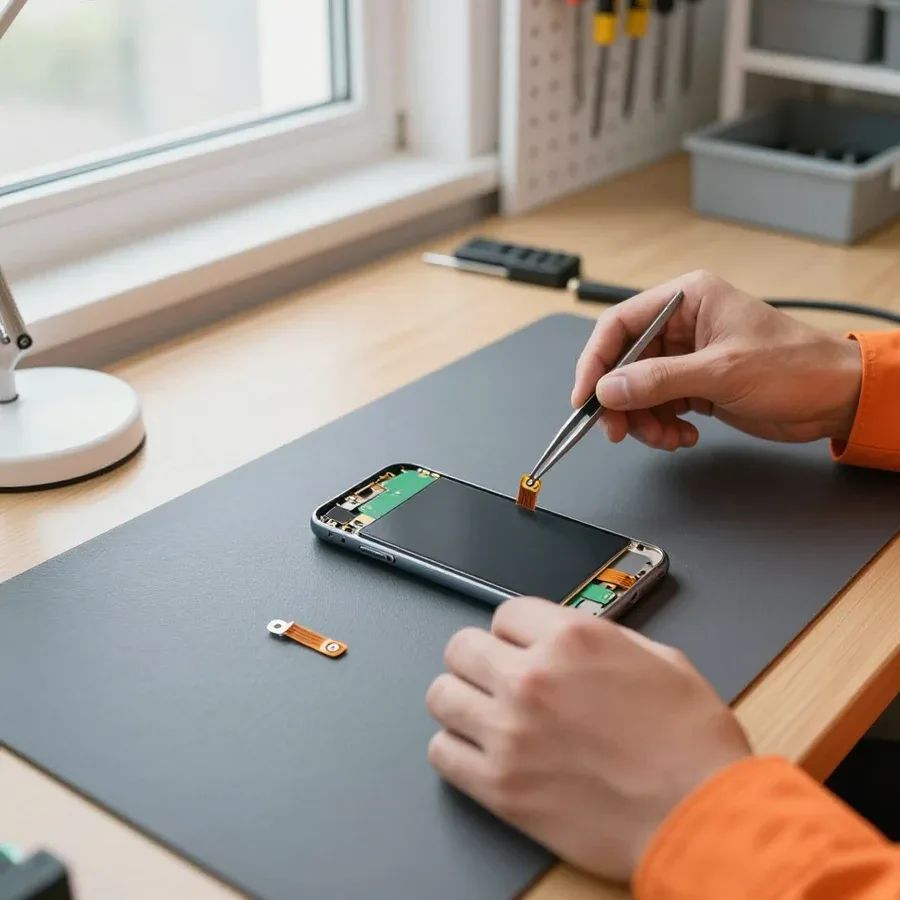 BeforeAfter

Five steps from your call to checking the repaired phone.
Describe the symptom by phone or WhatsApp so the technician brings the right tools.
The technician arrives anywhere in the city within an hour after the request is confirmed.
The technician checks the device and names the parts that need replacement or cleaning.
You approve the cause and the price, then the technician starts the repair.
Check the screen, sound, camera, and charging together with the technician before they leave.
The digital device repair department in Almaty has 7 technicians with 7 to 18 years of experience.
The department has 7 specializations — they are listed on the technicians' cards.
experience18 yearsSmartphone repair technician
 experience10 years
Senior TV repair technician
 experience10 years
TV board repair technician
 experience10 years
Electromechanical technician
 experience13 years
Audio and DVD repair technician
We reply during working hours
Describe the symptom and model — the technician will bring the needed part and come to you. Diagnostics are free, with a 1-year warranty on labor and parts. You can pay via Kaspi QR, Kaspi Red, bank card, cash, or bank transfer for companies.

Warranty question? Call us
+7 (778) 096 52 04
Author: Nikolay K.,Smartphone repair technician
Published
Updated
Tech Service repairs Huawei phones in Almaty: our technician comes to your home within 60 minutes or you can bring the device to our service center. Diagnostics are free, we approve the work after diagnostics, and provide a 1-year warranty on labor and parts. Technicians have 4 to 20 years of experience, and you can pay via Kaspi QR, Kaspi Red, card, cash or bank transfer.
Before contacting a service center, it helps to understand what's going on with your phone. We break down common Huawei symptoms and explain which fault they point to.
If your Huawei won't charge, the cause is usually the charging port or cable, while fast discharge during normal charging points to battery wear. Over time, the port loosens from frequent plugging, oxidizes from moisture and dust, and the contacts on the lower board lose conductivity. A battery holds its capacity for about two to three years of active use, after which it drains in a few hours even with light use. We start with free diagnostics: we check the port, contacts, and remaining battery capacity, and the technician gives you the price after inspection. This kind of Huawei phone repair in Almaty is done by our technicians once the cause is confirmed. It's easy to check — turn on the phone with the cable connected: if the charging indicator doesn't appear at all, it's the port or board; if it charges but drains in hours, the battery is worn. This test takes a minute and immediately narrows down the causes.
If your Huawei won't turn on after draining to zero, first leave it on the charger for at least 20 minutes, then hold the power button for 15 seconds. A deep discharge shuts off the power controller, and a short press isn't enough to start the board — the device needs current and time. Being stuck on the logo looks different: the phone shows signs of life, but the boot cycle stops at the same screen. The power and volume buttons aren't the issue here if resetting with a key combination doesn't change the behavior. Being stuck on the logo after a drop or moisture exposure almost always means board damage, not a firmware glitch, so trying to reflash the device at home only makes things worse — microcracks and oxidation spread under load, and restoring the traces becomes harder.
| Symptom | Likely cause | What to do before the technician arrives |
|---|---|---|
| No image, but sound works | Screen module or flex cable | Don't disassemble, turn off |
| Camera won't focus after a drop | Camera module | Don't shake, don't remove the module |
| No network after changing carriers | Settings or antenna | Check SIM and network settings |
| Microphone crackles on calls | Microphone or flex cable | Record your voice to test |
| Dropped in water, turned off | Board oxidation | Don't turn on, don't dry with a hair dryer |
Different Huawei lines have their own screen assemblies, batteries, and ports. We explain how servicing Nova, P, Mate, and Y differs and why the specific model matters more than the brand overall.
| Line | Common requests | What matters during repair |
|---|---|---|
| Nova | Screen, battery | Thin body, careful disassembly |
| P | Display assembly, camera | Glass separate from touchscreen |
| Mate | Battery, port | Large body, high-capacity battery |
| Y | Charging port, speaker | Budget parts, simple repair |
If the glass on a Huawei P is cracked but the touchscreen still responds, it may be possible to replace just the glass. If the display itself is damaged, the whole screen assembly is replaced. On the P series, the top layer is separate from the touchscreen, so the technician first checks whether the matrix is intact: when the pixels are alive and the touchscreen responds to touch, sometimes the glass alone can be replaced. On the Nova with its thin body, disassembly requires extra care — removing it incorrectly can damage the touchscreen flex cable, and then a new assembly is installed. The technician decides based on the free diagnostics: sometimes replacing the glass is more complicated and more expensive than replacing the whole assembly, and then it's more honest to install a new one right away. In my opinion, saving on glass is only justified when the matrix is truly intact and the touchscreen works.
When dropped, the Nova more often suffers screen damage, while the Mate more often has battery and connector issues, so diagnostics starts by checking these components. The Mate has a large body and a high-capacity battery: upon impact, the battery shifts and deforms, and the charging connector separates from the board — the technician checks the contacts and power integrity. If the phone has been in water, don't try to charge it before inspection — moisture inside under voltage causes board oxidation, and then a simple job turns into a complex one. When liquid gets in, we disassemble the device, remove oxidation from the board, and only then assess which components need replacement. In our experience, delaying after water damage costs more than the disassembly itself: oxidation can spread to neighboring board traces within a day.
The process is transparent — from request to warranty. We show every step so you understand what's happening with your phone and where the work stands.
We take your request and send a technician to your home — citywide visit within 60 minutes, or you can bring the phone to the service center. The mobile technician arrives with their own tools and does an initial inspection right at your place without taking the device away. This format is convenient when the problem is obvious: a cracked screen, a worn-out battery, a loose charging connector. The service technician notes the external condition of the device, clarifies under what conditions the defect appeared, and immediately names the cause. The mobile service works for the Nova series as well as for P, Mate, and Y — the inspection logic is the same, only the mounts and flex cables differ. It's more convenient to call a technician to your home for a clear problem — screen, battery, connector — while complex cases after water damage are better handled at the service center, where there are proper conditions for board diagnostics.
Diagnostics are free: the technician checks the phone, names the cause and scope of work, and quotes the price after diagnostics — before work begins. The check includes inspecting the board, connectors, flex cables, and power under load to distinguish mechanical damage from a controller failure. As a result, you get a clear picture: which component failed, whether it will be replaced entirely or repaired, and which components the work will affect. Approval before work protects you from unexpected extra charges: you know in advance what is being replaced and why, and you can decline if the scope doesn't suit you. In our experience, some requests end with a conversation about feasibility — sometimes it's wiser to replace the device, and we say so directly. This approach saves the client both time and money, and the Huawei service center accepts your phone without pushy services.
After replacing the component, the technician checks the entire phone — screen, sound, charging, and connectivity — to make sure the device works as it should. The check covers the touchscreen across its full area, cameras, speaker and microphone, network stability, and correct charge indication. We provide a 1-year warranty on labor and parts — it applies to both on-site work and in-service maintenance. Replacing components with post-repair testing is a single step, not two separate visits: the technician doesn't close the ticket until all tests are run. Testing after the work is done matters no less than the replacement itself: it reveals hidden damage that would show up a week later, already outside warranty. That's why for any request we run the full test cycle, not just the unit that was replaced.
Not every Huawei failure is hardware-related. Sometimes the firmware or an EMUI or HarmonyOS update is to blame — here's how to tell a software glitch from a hardware fault and what to do about it.
If your Huawei starts freezing right after an EMUI update, it's most likely a firmware issue rather than hardware, and it's fixed by restoring the software. EMUI and HarmonyOS are Huawei smartphone operating systems, and a failed update usually shows up as a reboot loop, freezing on the home screen, or apps refusing to open. Software recovery includes reflashing to a stable build, rolling back the failed update, and restoring system partitions via service mode. The problem more often occurs when an update was interrupted midway, there wasn't enough free storage, or a build with a bug for a specific model revision was installed. The technician checks the firmware version against the model and picks a compatible image to avoid another freeze loop and loss of user settings. Before flashing, it's worth backing up your data — software recovery can lose some information, so it's better to make a backup in advance.
Constant reboots, a black screen with sound still playing, and freezing on the logo can be either a software error or board damage. By outward signs these states are almost indistinguishable: a device with a failed power controller behaves the same as one with corrupted firmware. Software intervention — flashing and software recovery — helps only in the first case, while with a hardware fault reflashing doesn't fix the problem and can erase traces of factory tests. Telling one from the other at home is nearly impossible, so don't reflash the phone yourself — a failed flash on top of a hardware fault complicates further service. Diagnostics show whether the issue is in the software or in the board components, and only after that is a recovery method chosen. Mixing up these scenarios is risky: some devices are brought to workshops after DIY reflashing attempts, and this lengthens the path to a working state, and sometimes leads to loss of memory partitions beyond recovery.
When choosing a Huawei technician, warranty, transparent diagnostics, and who exactly performs the work matter. Here's what to look at so you don't pay twice.
We provide a 1-year warranty on labor and parts — if the same issue appears after service, we'll fix it under warranty. The term is the same for both the replaced component and the procedure itself: whether it's the display, battery, or power controller that failed, the claim follows the same line. Over four to twenty years of our technicians' practice, we've seen services split the terms: three months on a part, two weeks on labor, and if the part fails, they ask you to pay for it again. In my view, that scheme suits the provider, not the phone owner. If you need Huawei phone repair in Almaty, a single term for labor and parts is a sign that the service is confident in the result. Before handing over your device, ask to see the terms in writing: a single term for labor and parts is a sign that the service is confident in the result.
Tech Service is a direct contractor: our own technician comes to your home or works in the service center, so we are responsible for the result, not a third party. We accept payment via Kaspi QR, Kaspi Red (instalments), bank card, cash, or bank transfer for companies, and the technician quotes the price after free diagnostics—you pay nothing before that. A visit within the city takes up to 60 minutes, so diagnostics can be done at your home. When the same technician handles everything from diagnostics to final check, they see the full picture and don't shift responsibility for hidden defects to another contractor. In practice, this means: if a related issue comes up after a flex cable replacement, the person who had the device in their hands will deal with it, not an anonymous workshop on the other side of town.
We've gathered in one place what determines the outcome of a Huawei phone repair: from the exact symptom to the repair shop's warranty obligations, so you can make a decision without guesswork.
Tech Service technicians repair other appliances too — with the same 1-year warranty on labour and parts.
 Refrigerator Repair in Almatyfrom 3 000 ₸
 Washing Machine Repair in Almatyfrom 3 000 ₸
 Dishwasher Repair in Almatyfrom 3 500 ₸
 Oven Repair in Almatyfrom 3 000 ₸
 Cooktop Repair in Almatyfrom 3 500 ₸
 Air Conditioner Repair in Almatyfrom 3 500 ₸
 Boiler and Water Heater Repair in Almatyfrom 2 500 ₸
 Freezer Repair in Almatyfrom 6 000 ₸
 Tumble Dryer Repair in Almatyfrom 5 000 ₸
 Coffee Machine Repair in Almatyfrom 2 500 ₸
 Robot Vacuum Cleaner Repair in Almatyfrom 3 500 ₸
 Vacuum Cleaner Repair in Almatyfrom 1 500 ₸
 Microwave Oven Repair in Almatyfrom 2 000 ₸
 Hair Dryer Repair in Almatyfrom 1 500 ₸
 Iron Repair in Almatyfrom 3 000 ₸
 Electric Kettle Repair in Almatyfrom 2 500 ₸
 Mixer Repair in Almatyfrom 2 500 ₸
 Multicooker Repair in Almatyfrom 500 ₸

If your phone won't charge, start by checking the adapter, cable, and port, then the charging settings.
16 February 2026 · 12 minutes read
If your phone falls in water, take it out right away, turn it off, and don't charge it.
19 January 2026 · 12 minutes read
If your phone camera isn't working, first check app permissions, clear the cache, and restart your phone — this fixes some software glitches.
24 December 2025 · 13 minutes read
If your phone won't turn on, first check the charging setup: try another cable, adapter, and port, leave the device on charge, and attempt a forced restart.
3 October 2025 · 12 minutes read
If your laptop screen is broken, turn the device off first, don't press on the display, and check the picture through an external monitor.
12 March 2026 · 11 minutes read
If your laptop freezes, the first thing to do is restart it and check Task Manager to see what's loading the CPU and memory.
25 January 2026 · 12 minutes read








