 experience10 years
Maksim S.
Graphics card repair technician
A technician arrives within 60 minutes anywhere in the city. Free diagnostics.
Our own technicians4 to 20 years of experience




Repair prices
A vertical streak points to a roller or the cartridge, while a horizontal one points to the fuser unit or toner.
Transfer roller, drum unit, cartridge
from8 000 ₸
Fuser unit, toner, roller
from3 500 ₸
Worn drum unit or roller
from6 000 ₸
Dirty paper feed path
from4 500 ₸
Low-quality toner
from3 500 ₸
Damaged drum unit
from3 500 ₸
Clogged nozzles (inkjet)
from5 500 ₸
Remove and inspect for damage
from6 000 ₸on your own
1 daytime
from 5 500 ₸cost
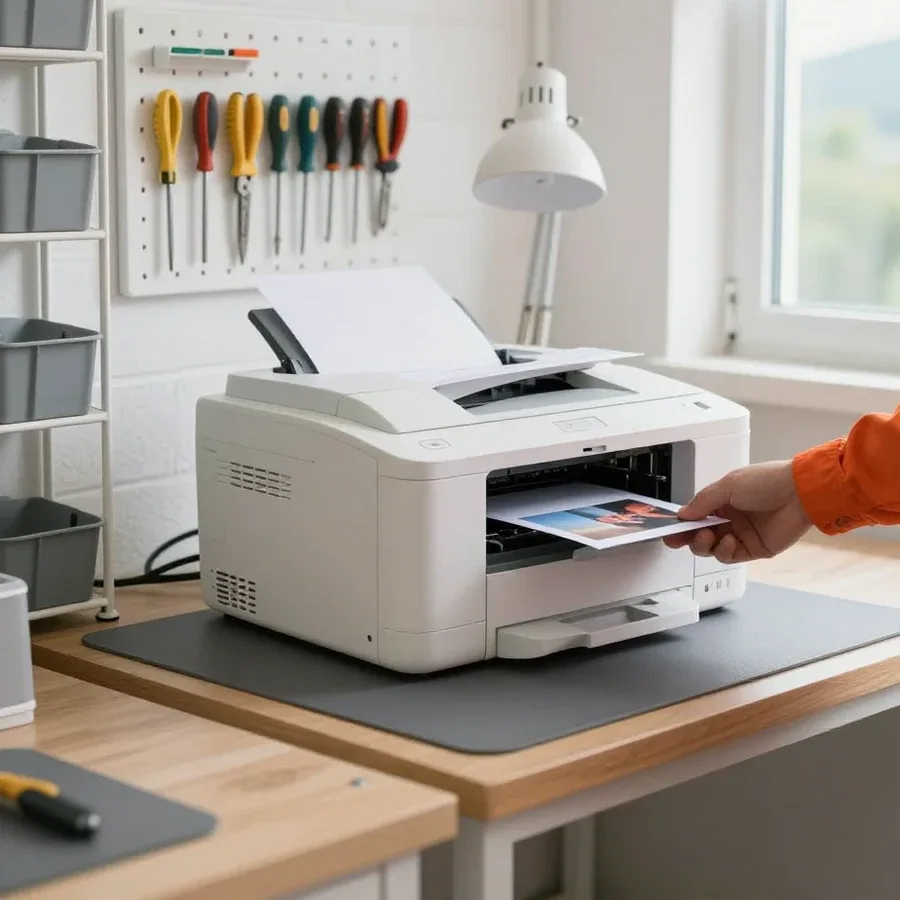 BeforeAfter

From request to final check — five steps, with free diagnostics.
Describe the symptom and your printer model so the technician brings the right tools.
The technician confirms the model and symptom by phone and brings compatible supplies.
The technician checks the components on site and shows the worn part to the owner.
The technician agrees on the list of work and parts with you before starting the repair.
The technician makes a test print and shows the result to the owner.
The computer and laptop repair department in Almaty has 7 technicians with 6 to 15 years of experience.

The department has 7 specializations — they are listed on the technicians' cards.
experience10 yearsGraphics card repair technician
 experience6 years
PC and laptop diagnostics technician
 experience8 years
Laptop repair engineer
 experience10 years
Software installation specialist
 experience7 years
PC and laptop repair technician
 experience13 years
Diagnostics and virus removal specialist
 experience15 years
Consultant
We reply during working hours
Describe the symptom and your printer model — a technician will arrive within 60 minutes anywhere in the city.

Warranty question? Call us
+7 (778) 096 59 70Tech Service repairs Samsung laser and inkjet printers and MFPs in Almaty. A technician arrives at your home within 60 minutes, or the repair is done at the service center. Diagnostics are free, and there's a 1-year warranty on labor and parts. The technician gives you the price after diagnostics, and you can pay any way you like.
Samsung printers tend to have the same failures over and over, and the symptom alone tells a technician which unit to check. Below we cover the most common cases — from paper feed to the control board.
When you get a "cartridge not detected" error, we start with the cartridge chip, and if the machine won't turn on, we check the power supply and control board. The chip is often replaced together with the consumable, but if the contact is oxidized, a new one won't be detected either, so contacts are checked before replacement. Based on our technicians' experience of 4 to 20 years, the chip fails more often after a sloppy refill than on its own: toner gets on the contact pad and disrupts reading. A separate case is when the machine is silent when turned on: here the power supply or control board is at fault, and Samsung printer diagnostics show which of the two units is dragging the rest down. We provide diagnostics free of charge, and based on its results the technician quotes the cost of work before starting the repair.
A message on the Samsung panel is a hint, not a verdict. Let's go over what typical errors mean and what gets checked for each.
| Panel message | What it usually means | What the technician checks |
|---|---|---|
| Paper feed error | the sheet didn't pass through the paper path | pickup roller, feed unit, sensor |
| Overheating or fuser unit error | fuser film failure | fuser film, Teflon roller |
| No cartridge or chip error | the printer doesn't see the consumable | cartridge chip, contacts |
| Power error | the printer won't start | power supply, control board |
We don't replace a unit based on the code alone — the technician matches the message with how the printer actually behaves and confirms the cause during diagnostics. The same code on different Samsung series can point to different units, so the interpretation is always tied to the symptom: whether the mechanism is noisy, whether paper feeds, whether the indicator blinks. If the panel shows a feed error and the pickup roller spins freely, the cause is in the feed unit; if paper jams at the output, the sensor and fuser film are checked. For the cartridge, contacts and chip are checked first — a faulty consumable and a board failure can look similar. If the code appears intermittently rather than constantly, it's more often a sensor or contact rather than the unit itself — replacing the part won't help here. If you need Samsung printer repair in Almaty, the technician confirms the cause during free diagnostics and only then quotes the scope of work.
After refilling, the printer doesn't always print like new: it's important to understand where the consumable's life ends and a unit failure begins. Let's look at the signs that tell them apart.
If printing is faint or has streaks across the whole page after refilling, we check the fuser unit first rather than sending the cartridge for another refill. A uniformly faint page across the entire area usually points to toner: there's not enough powder, it's low quality, or the metering blade is applying it unevenly. Repeating stripes with the same pitch indicate wear of the fuser film in the fuser unit, and refilling won't fix that. Spotty marks and black dots on the background come from a dirty drum or a damaged cleaning blade. The nature of the defect shows where to look first — this saves an extra refill cycle. During inspection, our technician immediately separates the consumable from the mechanics: if the defect repeats with a clear pitch, the problem is in the unit, not the powder.
Samsung printer repair in Almaty is done at your home or at the service center. Here's how the work is organized and what the specialist does during diagnostics.
A Tech Service technician arrives at your door within 60 minutes anywhere in the city, and your request can be handled right at your place. You can reach us by phone or in chat: describe the symptom — not grabbing paper, printing with streaks, not recognizing the cartridge — and tell us the model of your device. The more precisely you describe the symptom and model, the faster the specialist can pick the right parts and avoid unnecessary back-and-forth. The on-site technician brings a standard tool kit and consumables for your series so the equipment doesn't have to be shipped back and forth. On site, they inspect the printer, listen to how the mechanics sound, and check the unit indicated by the symptom. If the fault requires disassembly and board testing, they'll tell you right away — in that case the device goes to the service center rather than being repaired blindly.
Tech Service is a direct provider, not an intermediary, so the same person handles both diagnostics and repair, and they quote the price after free diagnostics. Your request isn't passed to a third party: the person who arrives is the one responsible for the result — we give a 1-year warranty on labor and parts. Directories and aggregators pass the request along, and over the phone they won't tell you which unit to check — that's only visible on site. Ask who exactly will do the repair and what's included in the inspection: if the answer is vague, the savings will turn into a second callout. In our experience, technicians have 4 to 20 years of service, and from your description of the symptom they know which series they're dealing with before they even arrive.
Samsung devices with different printing types break in different ways, and the technician looks at different units. Let's break down how servicing laser and inkjet equipment differs.
On Samsung laser devices, the fuser unit and paper feed are most often affected — the fuser film, Teflon roller, and pickup roller. The fuser film wears out and tears over time, causing sheets to come out with streaks or toner flaking off at the edge. The pickup roller hardens and stops grabbing paper — the device hums but the sheet stays in the tray. The Xpress, ProXpress, SL, and ML series are built on a similar design, so from the symptom the technician already knows which part to disassemble first. We service Samsung laser equipment with replacement of the fuser film, Teflon roller, and rollers, and after reassembly we run a test print. In my view, it's more cost-effective to replace the fuser film before it tears: a whole sheet with a defect at the edge almost always means the fuser unit is already due for replacement.
| Parameter | Samsung laser | Samsung inkjet and MFPs |
|---|---|---|
| Common print defect | streaks from the fuser film | clogged printhead |
| Paper feed | pickup roller, feed unit | pickup roller, feed unit |
| Additional unit | toner fusing unit | scanner module on MFPs |
Before work begins, it's important to know what commitments you can rely on: what we take on, how the price is agreed, and what terms apply. Here are the arrangements we follow on every order.
We provide a 1-year warranty on labor and parts, and it covers replaced components, not just the service itself. If the unit fails again, a technician returns to the device under this warranty—you don't pay twice for the same procedure. This applies to parts installed in place of failed ones as well. In our experience, some warranty claims are about the parts themselves rather than assembly quality: a new roller or gear only shows its behavior under load. A warranty on parts matters because print defects don't always appear right away—they can show up after several hundred pages, once the part starts working under real conditions. So a one-year term for a part isn't a formality; it's the time during which a hidden defect can surface.
The technician gives you the price after a free diagnostic, once the unit that needs attention is clear. Quoting a sum before that wouldn't be fair: the same symptom—streaks, faint print, or a paper jam—can point to the cartridge, the feed unit, or the transfer mechanism. The diagnostic is free and done on site: the technician checks the device, identifies the cause, and agrees on the scope of work before starting. Comparing with a new printer only makes sense after the check—sometimes just one unit needs replacing rather than the whole device, and a part replacement costs less than buying new equipment. In my view, agreeing before work removes the owner's main worry—that the final bill will be higher than expected.
Diagnosing a Samsung printer failure follows a simple logic: symptom, panel code, component check. Below are the takeaways that help equipment owners speak the same language as the technician.
Tech Service technicians repair other appliances too — with the same 1-year warranty on labour and parts.
 Refrigerator Repair in Almatyfrom 3 000 ₸
 Washing Machine Repair in Almatyfrom 3 000 ₸
 Dishwasher Repair in Almatyfrom 3 500 ₸
 Oven Repair in Almatyfrom 3 000 ₸
 Cooktop Repair in Almatyfrom 3 500 ₸
 Air Conditioner Repair in Almatyfrom 3 500 ₸
 Boiler and Water Heater Repair in Almatyfrom 2 500 ₸
 Freezer Repair in Almatyfrom 6 000 ₸
 Tumble Dryer Repair in Almatyfrom 5 000 ₸
 Coffee Machine Repair in Almatyfrom 2 500 ₸
 Robot Vacuum Cleaner Repair in Almatyfrom 3 500 ₸
 Vacuum Cleaner Repair in Almatyfrom 1 500 ₸
 Microwave Oven Repair in Almatyfrom 2 000 ₸
 Hair Dryer Repair in Almatyfrom 1 500 ₸
 Iron Repair in Almatyfrom 3 000 ₸
 Electric Kettle Repair in Almatyfrom 2 500 ₸
 Mixer Repair in Almatyfrom 2 500 ₸
 Multicooker Repair in Almatyfrom 500 ₸

If your laptop screen is broken, turn the device off first, don't press on the display, and check the picture through an external monitor.
12 March 2026 · 11 minutes read
If your laptop freezes, the first thing to do is restart it and check Task Manager to see what's loading the CPU and memory.
25 January 2026 · 12 minutes read
If your computer won't turn on, start simple: check the outlet, power cable, switch on the power supply, and the power button.
19 January 2026 · 13 minutes read
If your laptop won't boot, first determine which of two states you're in: the device doesn't respond to the power button at all…
13 December 2025 · 12 minutes read








