experience10 years
Vasiliy Z.
Senior TV repair technician

A technician arrives within 60 minutes anywhere in the city. Free diagnostics.
Our own technicians4 to 20 years of experience




Repair prices
Below are typical symptoms customers come to us with. The technician will pinpoint the exact cause after diagnostics.
dead battery, faulty connector or board
from5 000 ₸
worn connector, faulty cable, battery
from5 000 ₸
overload, loose mounting, driver
from13 500 ₸
firmware glitch, broken circuit, no signal
from3 500 ₸
pairing glitch, radio interference, module
from3 500 ₸
moisture inside, corrosion, short circuit
from5 500 ₸
overheating, worn battery, board glitch
from5 500 ₸
worn control, dirt, glitch
from6 000 ₸
1–2 hourstime
from 6 000 ₸cost
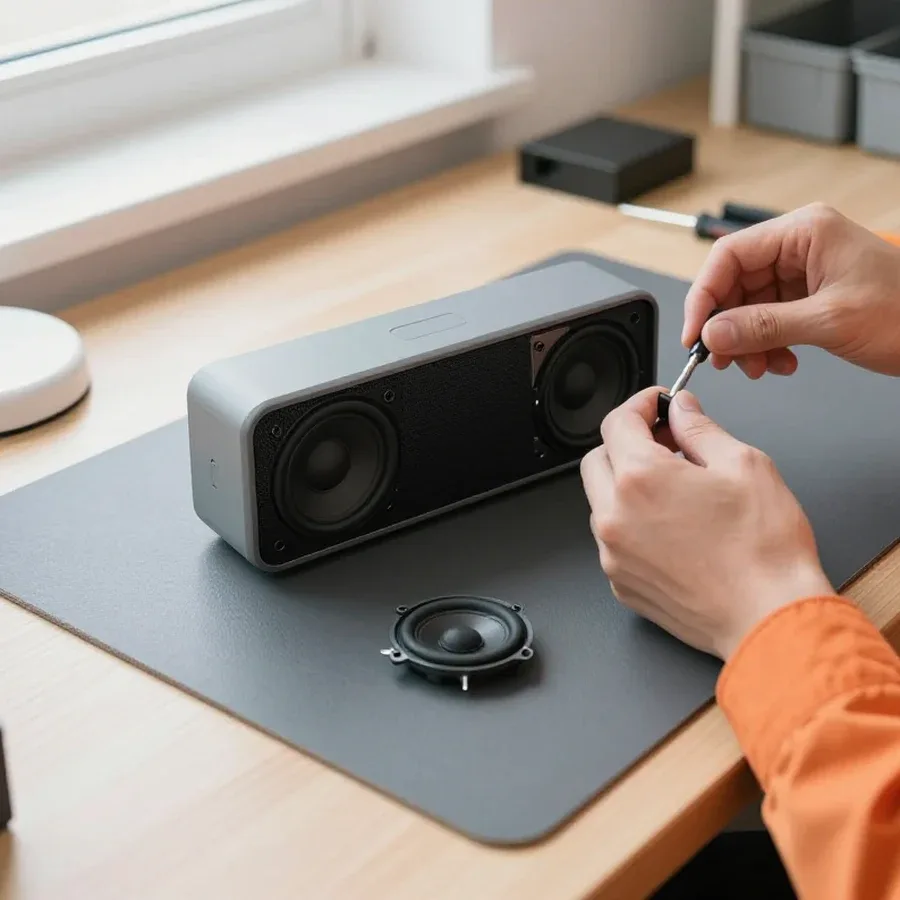 BeforeAfter

Five steps from request to checking the result.
Describe the symptom and your speaker model so the technician brings the right tools.
The technician will arrange a convenient time and place for the visit.
The technician finds the cause and gives you a repair quote before starting work.
You approve the scope of work and the price, then the technician gets started.
The technician provides warranty documents and explains how to care for the speaker after repair.
The digital device repair department in Almaty has 7 technicians with 7 to 18 years of experience.

The department has 7 specializations — they are listed on the technicians' cards.
experience10 yearsSenior TV repair technician
 experience10 years
TV board repair technician
 experience10 years
Electromechanical technician
 experience13 years
Audio and DVD repair technician
 experience18 years
Smartphone repair technician
 experience8 years
Screen and battery replacement technician
 experience7 years
Game console repair technician
We reply during working hours
Describe the fault with your Bose speaker and a convenient time — the technician will arrange the visit and outline the work. Ask about diagnostics and repair warranty terms.

Warranty question? Call us
+7 (778) 021 13 16Tech Service repairs Bose speakers in Almaty as a direct provider: our technician comes to your home or accepts audio equipment at the service center. Diagnostics are free, on-site visits within 60 minutes across the city, and a 1-year warranty on labor and parts. Technicians with 4 to 20 years of experience handle portable SoundLink, smart Home Speaker, and multiroom SoundTouch.
Most Bose repair requests come down to five recurring complaints. For each one, we explain what the technician checks and when the issue is actually a settings problem rather than a hardware failure.
Our technician first checks the power chain: the cable, adapter, and charging port, because in most cases "won't turn on" is a contact or discharge issue, not the control board. The charging port on portable models loosens from frequent plugging, and contact drops with the slightest movement of the plug. We test the adapter under load: a unit that looks fine may not deliver the required current, and the status lights simply don't come on. We check the control board and power button last — diagnosing them requires opening the case. If the indicator doesn't react at all when plugged in and the cable is known to work, the next step is checking the control board and power button — that's already a hardware fault, not a settings issue. Our Bose speaker repair in Almaty starts with free diagnostics to pinpoint the cause.
After moisture exposure, we restore the Bose speaker if the case and speaker grille are intact: we clean contacts, check the speaker and power amplifier, and inspect the control board for corrosion. Moisture and condensation settle on board traces and connectors, oxidize contacts, and eventually cause a short circuit. A drop damages the speaker mounts, magnet, and cone surround — even when the case isn't visibly cracked, the sound changes and rattling appears at high volume. We note mechanical damage to the grille and case separately: it doesn't affect the electronics but does affect the acoustics. Don't turn the speaker on right after water exposure — moisture and condensation under power finish off the board, and then restoration costs more than timely drying.
Indicator behavior and sound signals hint at where to look for the cause. Below are typical states that the technician clarifies over the phone before a visit so they can bring the right parts.
| Indicator behavior | What we check | Fault or setting |
|---|---|---|
| Does not light up when connected to power | Charging port, cable, power adapter | Usually a faulty port or board |
| Blinks but won't turn on | Control board, power circuit | Control board fault |
| Lights steady, no sound | Speaker, power amplifier | Speaker or amplifier fault |
| Fast blinking when pairing | Bluetooth module, firmware | Module or firmware failure |
| Single flashes at rest | Contacts, standby mode | Often a setting, not a fault |
Sound signals when turning on and attempting to pair show whether the speaker has reached connection mode: if there is a signal but the device isn't found, the cause is more often the Bluetooth module or the Bose app. At this stage, the Bose speaker either confirms readiness with a short melody or stays silent — then we look for where the startup breaks. The Bose app itself reports the firmware version and pairing status, so the technician compares its readings with the speaker's behavior. We also check whether the module is busy with another device: sometimes the speaker holds an old connection and doesn't enter search mode. The recorded sequence of signals helps the technician distinguish a firmware failure from a hardware fault — if the signals come in the wrong order, a firmware update rarely helps, and the Bluetooth module needs checking.
Bose lines break in different ways: portable SoundLink models have a weak spot in the battery and power jack, while smart Home Speaker and SoundTouch networked systems have issues with the Wi-Fi module and app connection.
In portable Bose SoundLink-class speakers, we most often replace the battery, power jack, and speaker, while in Bose soundbars we check the power amplifier and control board. In portable Bose Bluetooth speakers, the battery loses capacity over time, the charging contact loosens from frequent connections, and the driver suffers after drops and moisture exposure. Soundbars show a different picture: the power amplifier and control board come to the fore because the housing is stationary and there is less mechanical stress. Portable speakers are easier to repair at home: a technician arrives within 60 minutes anywhere in the city and performs free diagnostics on site, and the speaker is taken to the service center if a component needs replacement. Before the visit, specify which jack has failed — power or aux — this speeds up finding the right part.
For Bose Home Speaker smart speakers and SoundTouch network systems, we separately check the Wi-Fi module and the connection with the Bose app, because "not found in the app" is usually a network issue, not a speaker issue. Bose home smart speakers work over a wireless network, and if the router fails, the password changes, or there's a conflict between 2.4 and 5 GHz frequencies, the device disappears from the list even though the acoustics are fine. In Bose network systems, zone desynchronization adds to this: one unit plays, the other lags and stays silent. We troubleshoot such cases step by step—from network settings to the state of the Wi-Fi module. If the speaker plays via Bluetooth but disappears from the app and synchronization, the issue is in the module and network parameters, and it can be diagnosed without replacing the acoustics. Start checking with the router—half of the requests are resolved by reconfiguring the network.
| Bose class | Common jobs | Repair format |
|---|---|---|
| Portable SoundLink | Battery, power jack, speaker | On-site visit or service center |
| Home Speaker | Wi-Fi module, app connection | Diagnostics, network setup |
| SoundTouch network | Zone synchronization, Wi-Fi module | Setup, module replacement |
| Bose soundbars | Power amplifier, control board | Repair at service center |
The process has four steps: request, free diagnostics, price approval, restoration and testing. There are no hidden stages—at each step you know what's happening with the speaker.
We take your request and send our specialist to your home or office—on-site visit within 60 minutes across the city, no middlemen and no handing the speaker over to third parties. The specialist arrives with tools and a basic set of parts, so some jobs are done on the spot—most often power connectors, buttons, and speaker contacts. If the breakdown requires a component that isn't on hand, the device is taken to the service center, and the client knows in advance where the equipment will be and who to contact with questions. According to our technicians' experience, about half of requests for portable models are resolved on-site, while smart Home Speakers more often require in-shop disassembly. So when requesting, it's worth describing the model and the nature of the breakdown—the specialist will bring the necessary parts and won't have to come twice.
Diagnostics are free: the specialist finds the cause, explains it, and quotes the cost of work before starting, and the client decides whether to proceed. The price is quoted after diagnostics because the same complaint "won't turn on" can be due to either the charging connector or the control board—different work and different parts. They check the power circuit, charge controller, and battery condition, test speaker contacts, and inspect the board for signs of moisture and overheating. As a result, the person gets a clear explanation: what exactly failed, which components are being replaced, and why. If restoration isn't advisable, we say so directly—sometimes it's cheaper to replace the speaker than to look for a rare board. The decision is always up to the owner: work doesn't start without price approval.
Warranty and technician qualifications are what set direct service apart from a middleman. We break down both points and the question of whether to repair a device or replace it with a new one.
We provide a 1-year warranty on labor and parts: if after service your Bose speaker stops working again for the same reason, we take care of it under warranty. The term is the same for replacing the battery, soldering the charging port, or restoring the control board — the type of operation doesn't affect the warranty length. The warranty also covers the replaced component, so the client doesn't have to figure out separately what failed — the work or the part. In my view, that's the main point of a warranty: not shifting the dispute between "the technician did a poor job" and "the part was weak" onto the owner. People come to the Bose service center in Almaty for clear terms like these — so that after a repeat breakdown they don't have to pay for the same operation again. Before handing over your equipment, ask what exactly the warranty covers — that removes half the questions if you need to come back.
Our Bose speakers are serviced by technicians with 4 to 20 years of experience who work with the SoundLink, Home Speaker, and SoundTouch lines, not just a single model. Bose portable Bluetooth speakers, Bose home smart speakers, and Bose multiroom systems are built differently, so their issues don't match either: portable ones more often suffer from battery and charging port problems, while home ones have power and inter-speaker communication module issues. Experience across different Bose lines matters because the technician doesn't start troubleshooting from scratch and doesn't confuse a model's typical quirk with a fault. This also applies to disassembling the case: on some models the fasteners are hidden under the grille, and a failed attempt to open it leaves marks. A technician who specializes in Bose audio checks the indicator behavior and sound character first, and only then opens the case — that way there's less risk of damaging intact components.
Servicing an old Bose speaker makes sense when the case and driver grille are intact and the fault is local — battery, charging port, or driver; if the control board and power amplifier are damaged together, the decision is made after diagnostics. A local fault affects one component, and after replacing it the audio returns to its usual sound. Combined damage to the board and amplifier means a larger scope of work, and here what matters more is not the number of parts but whether it's still worth investing in a device with a worn case. Free diagnostics are exactly what you need to compare the scope of work with the value of the device, rather than replacing the speaker blindly. The technician quotes the price after inspection, when it's clear which components really need attention and which can still serve.
The troubleshooting scenarios and fault signs collected in this article help you understand in advance what the technician will be dealing with. Below is a short summary that guides the choice of repair strategy.
Tech Service technicians repair other appliances too — with the same 1-year warranty on labour and parts.
 Refrigerator Repair in Almatyfrom 3 000 ₸
 Washing Machine Repair in Almatyfrom 3 000 ₸
 Dishwasher Repair in Almatyfrom 3 500 ₸
 Oven Repair in Almatyfrom 3 000 ₸
 Cooktop Repair in Almatyfrom 3 500 ₸
 Air Conditioner Repair in Almatyfrom 3 500 ₸
 Boiler and Water Heater Repair in Almatyfrom 2 500 ₸
 Freezer Repair in Almatyfrom 6 000 ₸
 Tumble Dryer Repair in Almatyfrom 5 000 ₸
 Coffee Machine Repair in Almatyfrom 2 500 ₸
 Robot Vacuum Cleaner Repair in Almatyfrom 3 500 ₸
 Vacuum Cleaner Repair in Almatyfrom 1 500 ₸
 Microwave Oven Repair in Almatyfrom 2 000 ₸
 Hair Dryer Repair in Almatyfrom 1 500 ₸
 Iron Repair in Almatyfrom 3 000 ₸
 Electric Kettle Repair in Almatyfrom 2 500 ₸
 Mixer Repair in Almatyfrom 2 500 ₸
 Multicooker Repair in Almatyfrom 500 ₸

If your laptop screen is broken, turn the device off first, don't press on the display, and check the picture through an external monitor.
12 March 2026 · 11 minutes read
If your phone won't charge, start by checking the adapter, cable, and port, then the charging settings.
16 February 2026 · 12 minutes read
If your laptop freezes, the first thing to do is restart it and check Task Manager to see what's loading the CPU and memory.
25 January 2026 · 12 minutes read
If your phone falls in water, take it out right away, turn it off, and don't charge it.
19 January 2026 · 12 minutes read
If your phone camera isn't working, first check app permissions, clear the cache, and restart your phone — this fixes some software glitches.
24 December 2025 · 13 minutes read
If your laptop won't boot, first determine which of two states you're in: the device doesn't respond to the power button at all…
13 December 2025 · 12 minutes read