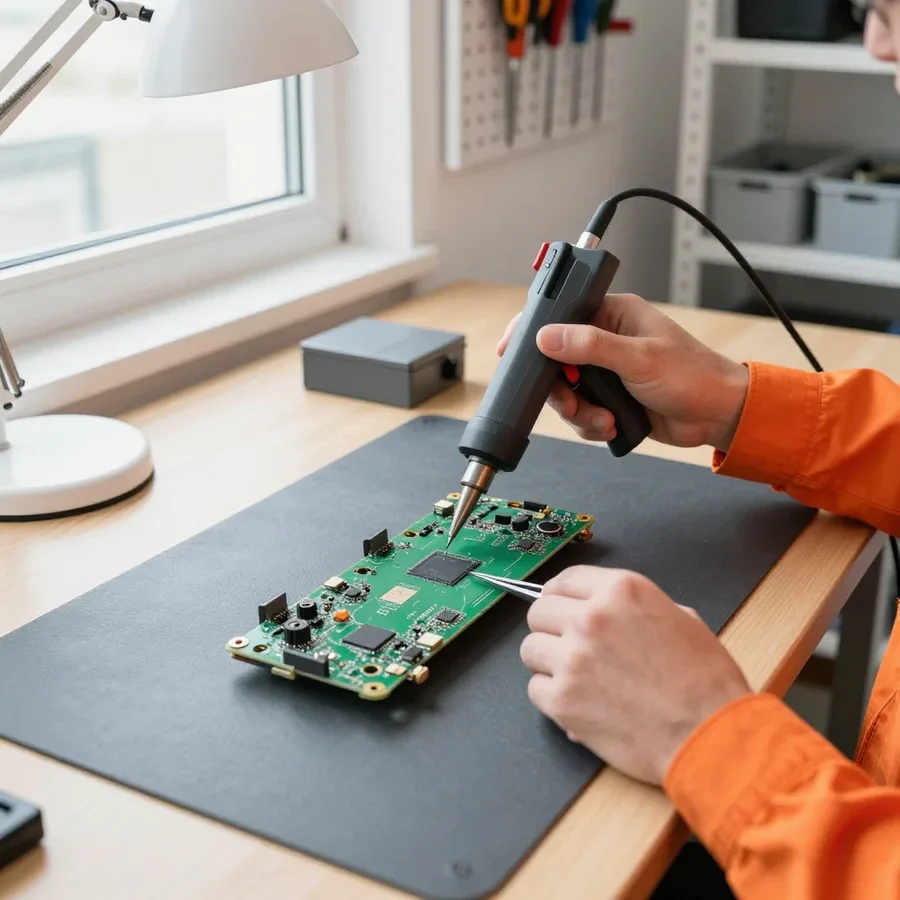
Tech Service repairs Sony and Sony Vaio laptops in Astana as a direct provider, with our own technicians who have 4 to 20 years of experience. Diagnostics are free, a technician arrives at your home within 60 minutes anywhere in the city, and we provide a 1-year warranty on labor and parts. We quote the price after diagnostics.
Do We Repair Sony Vaio Laptops and What About Parts
The Vaio line was discontinued long ago, but that's not a death sentence: we explain which components can be restored and how we handle the issue of parts.
Do We Repair Sony Vaio Laptops After Discontinuation
We restore Sony Vaio laptops even though the line is discontinued — most typical components can be restored. The matrix, keyboard, and power connector are replaced with compatible components, while the motherboard and charging circuits are restored at the component level. Our technicians have been working with Sony equipment for 4 to 20 years, so they can immediately spot where to look for a fault on the board and power supply rather than replacing components at random. Discontinuation affects not the fault itself but the availability of parts: the rarer the component, the more important it is to accurately determine the fault first so as not to replace working components. That's why we provide free diagnostics and only after that quote the scope of work — so you don't pay for replacing something that works.
Which Sony Laptop Components Can Be Replaced or Repaired
| Component | What we do | What we check before work |
|---|
| Matrix and display | Replacement | Integrity of the cable and backlight |
| Keyboard | Replacement | Key response and cable contacts |
| Power connector | Repair or replacement | Power supply to the board |
| Battery | Diagnostics and replacement | Charge and battery controller |
| Motherboard | Component-level repair | Power and charging circuits |
| Cooling system | Cleaning and thermal paste replacement | Temperature and fan operation |
Is It Worth Restoring an Old Sony Laptop or Better to Buy a New One
- Replaceable component: matrix, keyboard, or power connector — restoration is predictable and does not require board soldering.
- Board and power: a complex task that requires precise diagnostics before a final decision.
- Part availability: a rare component lengthens and complicates restoration even with a clear cause of failure.
- Nature of the fault: liquid damage and overheating require checking several components at once, not just one.
- Upgrade: SSD and memory extend the life of a working laptop if other components are functional.
Common Sony Laptop Failures and Symptom-Based Diagnostics
We explain what each symptom means and how a technician goes from complaint to cause. The logic is simple: first we check the component that most often fails, and only then we tackle the board.
Why a Sony Laptop Won't Turn On and What to Check First
We start by checking the power supply: the power adapter, connector, and battery, and only then move on to the motherboard. The connector is responsible for supplying voltage to the board, so an oxidized or loose contact results in complete silence when pressing the button — the indicator doesn't light up, the fan doesn't start. We test the adapter under load: a working one delivers the specified voltage, while a faulty one may show it at no load and drop when connected. We test the battery separately — with a deep discharge or failure of one of the cells, the device doesn't respond to the button even with a working adapter. No response to the button is more often related to the power circuit than to the board, so diagnostics always go from simple to complex. If the laptop won't turn on, Sony laptop repair in Astana begins with exactly this step-by-step check of the power circuit.
Overheating, Fan Noise, and Shutdowns of a Sony Laptop
We clean the cooling system and replace the thermal paste if the device heats up and shuts down under load. The cooling system includes the fan and the thermal paste, and a failure of either component produces its own scenario: a radiator clogged with dust raises the temperature gradually, while dried-out paste causes a sharp rise during a short load spike. Fan noise at high speeds indicates that the automatic system is trying to reduce the temperature, but heat is not leaving the radiator. Shutting down after a few minutes of operation points to the processor's overheating protection kicking in. It is also worth ruling out clogged air ducts and worn fan bearings: a worn bearing hums even at low speeds, and clogged channels prevent airflow from escaping. If heating persists after replacing the thermal paste, the cause may be in the fan's operation or in heat distribution across the board, rather than in the paste itself.
Liquid damage, no image, and charging issues
- Liquid damage: immediately disconnect the laptop from power and do not try to turn it on before diagnostics, until the board is dried and cleaned.
- No image: check the matrix, the ribbon cable, and the screen backlight — often the problem is in the ribbon cable contact, not the display itself.
- Not charging: distinguish between battery, connector, and power supply issues by testing each component in turn.
- Blue screen: read the code and check the memory and storage before concluding that the motherboard is at fault.
- Freezes: check heating and the condition of the cooling system, because overheating often masquerades as a system failure.
- After liquid damage: it is important not to turn the device on again — applying voltage to a wet board expands the damage area.
Error codes and boot signals on Sony laptops
Boot signals are a hint for the technician, not a verdict. We explain how to read on-screen messages and beep sequences to understand which component to look at first.
What Sony Vaio laptop error codes mean
Boot error codes point to a specific component — memory, storage, power, or video — and are decoded by the signal and the on-screen message. Sony Vaio laptops emit beep sequences through the built-in speaker when the screen does not start: short and long beeps alternate in a specific order and encode the subsystem where the self-test is stuck. On models with a working display, the message is shown as text or a blinking indicator next to the power button. During self-testing, the motherboard polls memory, storage, and the video chip in turn — the error is recorded at the first component that does not respond correctly. The same code can appear for different reasons, so decoding sets the direction for testing, not a ready diagnosis.
How boot signals help find the cause of a breakdown
We read boot signals and compare them with the condition of the components so we don't replace working parts. During free diagnostics, the technician listens to the beep sequence, observes the reaction of the screen, fan, and power button, and then checks memory, storage, and power separately. The combination of signal and laptop behavior — screen, fan, response to the button — narrows down the causes faster than a single code. If there is sound but the screen is black, we check the video chip and ribbon cable; if the fan is silent, we start with the power circuit. Our technicians have 4 to 20 years of experience, and in practice a beep sequence without visual confirmation rarely gives an accurate answer on its own. That's why we verify every signal with a measurement and component test, not just by ear.
Why a Sony laptop heats up even after replacing the thermal paste
If the overheating continues after replacing the thermal paste, the cause may not be the paste but the fan, heat distribution, or load on the motherboard. A clogged fan moves less air, the heatsink gets dust between the fins, and the thermal pads on the GPU and chipset stay old and don't dissipate heat. The cooling system works as a single chain: fresh paste on the CPU doesn't make up for a worn fan bearing or dried-out pads. The motherboard heats up more under load if the heatsink doesn't make proper contact with the die due to uneven mounting. Replacing thermal paste fixes one cause of overheating, but it doesn't replace checking the entire cooling system — start by blowing out the heatsink and checking fan speed, and change the paste last.
How Sony laptop repair works and what about the warranty
We show the path from your request to the warranty and explain what goes into the cost. This section describes each step so you understand what happens to your device.
How free diagnostics for a Sony laptop works
Diagnostics are free: a technician checks the laptop, finds the cause, and only then quotes the repair cost. First we inspect the case and ports, then check the power supply, charge controller, and power-on circuit — on Vaio models, the power section most often suffers after voltage spikes. Next we test the motherboard, RAM, and storage, and if there are signs of overheating, we remove the cooling system and assess the thermal interface. Sony laptop repair in Astana starts with exactly this kind of inspection, so the cause is identified before any work begins. The technician records the results and explains which parts need replacement and which just need cleaning or re-soldering. You learn the cost of parts and the work itself before we start, so you decide based on the actual fault, not a guess. In my view, this step most often saves money: without an accurate cause, it's easy to replace a working part and still not fix the problem.
The workflow from diagnostics to warranty
- Diagnostics: we identify the cause of the breakdown for free and show which parts have failed.
- Approval: we discuss the scope of work and the cost before repairs begin, with no hidden charges along the way.
- Repair: our technicians with 4 to 20 years of experience do the job.
- Warranty: 1 year on labor and parts, so the result is protected after pickup.
- Payment: we accept Kaspi QR, Kaspi Red, card, cash or bank transfer convenient for the customer.
What warranty should Sony laptop repair have
We provide a 1-year warranty on labor and parts, so the result of the service is protected even after you take the laptop home. The year covers both the technician's work and the installed part: if the part fails again due to our fault, we sort it out without extra conditions. In practice, this matters for motherboards and power circuits — soldering and component replacement need time to reveal a weak spot. The warranty on labor and on parts doesn't split responsibility, so the customer doesn't have to prove what broke again. A year makes sense when it covers both the work and the installed part: otherwise a repeat failure of the part is left unprotected. Before handing over your device, ask exactly what the warranty covers — the entire repair or just a specific part.
On-site technician visits and upgrading an old Sony laptop
Two options for a Sony owner — call a technician to your home or extend the life of your device with an upgrade. We explain when an on-site visit solves the problem and when a trip to the service center is needed.
How to call a Sony laptop technician to your home in Astana
We come to your home anywhere in the city within 60 minutes to diagnose your Sony laptop on the spot. The technician brings tools to check the power supply, charging circuit, and run basic board diagnostics, so some faults are already visible at your address. Diagnostics are free — you don't pay just for the inspection; the specialist gives you the cost of work only after identifying the cause. We accept Kaspi QR, Kaspi Red, card, cash or bank transfer convenient for you. A home visit is handy when it's hard to bring the device to the service center or the problem is obvious right away: the device won't turn on, won't charge, or the fan is noisy. If major repair is needed, the technician will discuss the next steps — sometimes it's faster to take the device to the service center than to wait for a second visit. This format saves the owner travel and waiting in line. If you need a Sony service center for laptop repair, the technician will tell you how to hand over the device.
Service center or home visit
| Format | When it fits | What the technician does |
|---|
| Home visit | Simple diagnostics and part replacement | Arrives within 60 minutes and checks on site |
| Repair at the service center | Complex major repair | Takes the device and works at the service center |
| Diagnostics | Any breakdown | Identifies the cause for free |
Is it worth upgrading an old Sony Vaio laptop
Upgrading the SSD and RAM makes sense if the device works but has become slow and the other components are fine. Replacing the drive with a solid-state one speeds up system boot and program operation, and adding memory helps when you have several tabs open and run heavy applications. Sony Vaio models are designed to be disassembled, and in many series the memory and drive are accessible without soldering — this makes the upgrade realistic even for discontinued devices. But such modernization doesn't fix overheating or power issues: if the device shuts down under load or won't hold a charge, you need diagnostics first, not a new drive. So before upgrading, make sure the machine is otherwise healthy — otherwise the investment won't pay off. In our practice, owners who first check power and cooling and only then replace the drive come out ahead.
When a Sony laptop repair pays off
In short, what determines the outcome of restoring a Sony laptop: the very possibility of bringing the device back to life, the accuracy of finding the cause, and a transparent workflow from inspection to warranty.
- Sony Vaio is repairable: being discontinued affects parts availability, not the possibility of restoring the laptop.
- The symptom sets the direction: won't turn on, overheats, or won't charge — each complaint points to its own component, not a universal replacement.
- Error codes are a hint: they narrow down the causes but require checking specific components; they aren't a ready-made diagnosis.
- Order matters: free diagnostics and agreeing on the scope before work begins give you control over the process and details.
- Warranty and format: protection for labor and parts plus a choice between a home visit and service at the center.