Денис Л.Order No. TSA-68955 · 25 April 2026
oursLaptop Repair in
Раис Мирзахметов разрулил всё быстро. Внешне не видно, что разбирали. Ни разу не пожалел.
Repair: laptop repair in
Technician arrives within 60 minutes anywhere in the city. Free diagnostics.
Our own technicians4 to 20 years of experience




Repair prices
Below are typical symptoms of Lenovo laptop failures. Compare them with what you notice on your device to describe the problem more accurately to the technician.
impact, pressure on the lid, drop
from6 500 ₸
discharged battery, power failure, board issue
from8 000 ₸
liquid, worn mechanism, dirt
from12 500 ₸
battery wear, controller, connector
from8 000 ₸
loosened by connections, break
from8 000 ₸
clogged heatsink, thermal paste, fan
from5 000 ₸
dust, worn bearing, deformation
from4 500 ₸
video chip overheating, cable, memory
from6 500 ₸
1–2 daystime
from 23 000 ₸cost
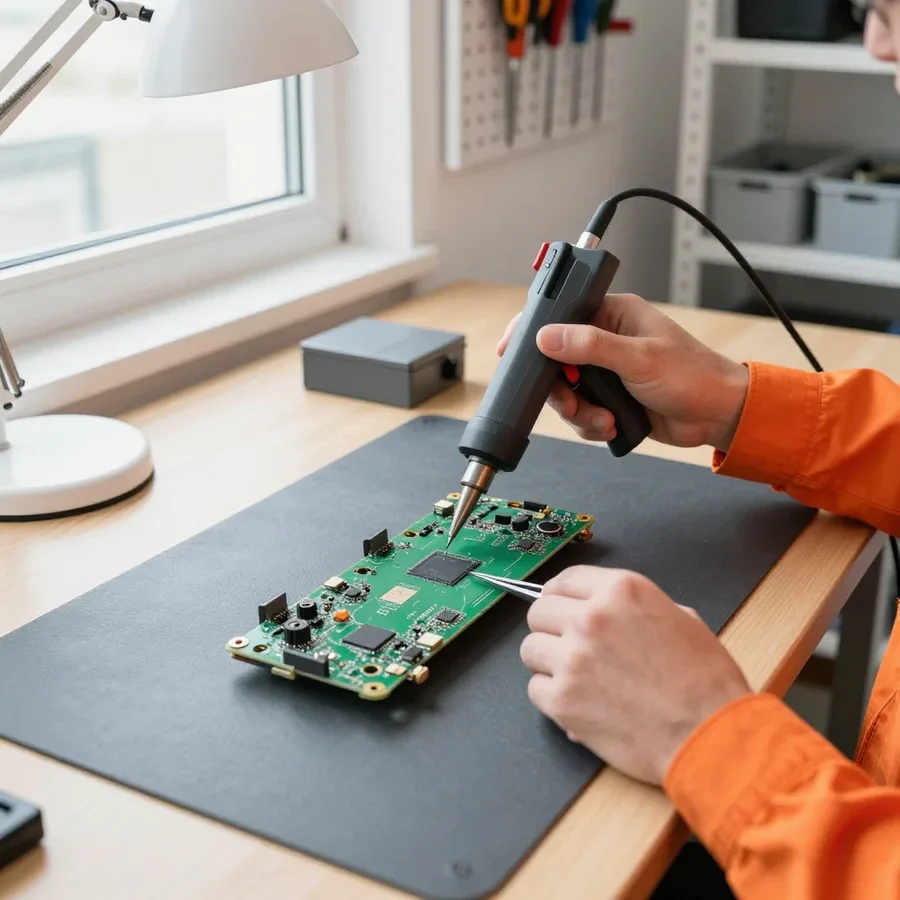 BeforeAfter

Five steps from request to checking the laptop after repair.
You describe the symptom, the technician clarifies the model and arranges a visit.
The technician comes anywhere in the city and inspects the laptop on site.
Tell us the model and symptom so the technician brings the right tools.
You learn the cost and scope of work; after approval the technician starts.
The report records the condition and work performed; ask what was checked and what warranties apply.
We reply during working hours
Have your laptop model, a description of the symptom, and a convenient visit time ready — the technician will confirm the arrival and inspect the device on site.

Warranty question? Call us
+7 (778) 096 59 61 experience10 years
Laptop repair technician
 experience7 years
PC and network repair engineer
 experience11 years
Senior mobile computer technician
 experience9 years
Motherboard repair technician
 experience16 years
Printer repair technician

Author: Azim K.,Laptop repair technician
Published
Updated
Tech Service repairs Lenovo laptops in Astana: a technician arrives at your home within 60 minutes or accepts the device at the service center. Diagnostics are free, the technician quotes the price after diagnostics, and there is a 1-year warranty on labor and parts. We work with IdeaPad, ThinkPad, ThinkBook, Legion, Yoga, and Essential.
Lenovo laptop failures fall into hardware and software categories. Let's look at what occurs most often by product line and how to tell one from the other before disassembly.
Most often, a Lenovo laptop won't turn on due to power supply or motherboard issues, and error codes during boot point to a specific component, which we check first. During free diagnostics, we measure the input voltage, inspect the adapter connectors for oxidation and looseness, and test the standby mode circuits. A Lenovo error code at startup is a hint about the subsystem: power, memory, graphics core, or storage. A single code can't tell you whether the PWM controller burned out or a connector contact came loose—disassembly and circuit testing under load are needed. Lenovo laptop repair in Astana starts with exactly this kind of power and circuit check to avoid replacing components at random. An error code is not a verdict—it narrows the search, but the final conclusion comes from disassembly and circuit testing, so the cost of work is not quoted based on a single code.
Overheating and spontaneous shutdowns in Legion and IdeaPad are more often linked to a clogged cooling system and dried thermal paste rather than a board failure. Dust compacts between the radiator fins, the fan blows air past the fins, and the processor throttles or shuts down abruptly. In Legion with two fans and heat pipes, each circuit gets clogged separately, so one fan may be louder than the other. We remove the cooling system, blow out the radiator, replace thermal paste on the CPU and GPU, and update thermal pads if necessary. We also check the radiator mounting to the die: uneven pressure causes local overheating even after cleaning. If the laptop shuts down only under load, cleaning and thermal paste replacement solve the problem before it reaches the board.
Measuring input voltage and checking power circuits during free diagnostics helps distinguish a motherboard failure from a power supply failure. We test the original adapter under load separately and measure voltage drop, then check the connectors on the motherboard and charging circuits. If the adapter delivers the specified parameters but the laptop doesn't start, we look for a fault in the standby circuits and, if confirmed, perform component-level repair—replacing the specific element, not the whole unit. A separate check is the condition of the power connector on the case: a loose contact causes voltage drop under load and mimics a board failure. A faulty power supply often masquerades as a board failure, so replacing an expensive unit without checking the power supply is not acceptable.
Let's go step by step through the process from request to device return and at what stage the specialist quotes the price. The procedure is the same for both home visits and service center work.
Diagnostics are free at our service, and only after that does a technician quote the cost of repairing a Lenovo laptop and agree on the scope of work with the owner. First, they check the power supply, the condition of the board, and the integrity of the cables to separate a software glitch from a hardware failure. At this stage, it also becomes clear whether a component needs replacing or whether chip-level restoration is enough. The engineer explains which part failed, what options are available, and how long each will take. The client gets a clear picture before the case is taken apart further and decides whether to proceed. Agreeing before any work starts protects against surprises in the bill — if the person disagrees, the device is returned without disassembly or extra charges. Lenovo laptop repair in Astana starts with exactly this kind of agreement, so the client knows upfront what they are paying for.
| Stage | What happens | Who is involved |
|---|---|---|
| Request | on-site visit within 60 minutes or delivery of the device to the service center | owner, on-site technician |
| Diagnostics | finding the cause, checking power and the board | technician |
| Agreement | cost and scope of work are quoted | technician, owner |
| Repair | replacing components or component-level board repair | technician |
| Pickup | performance check and 1-year warranty | technician, owner |
If the laptop won't turn on again after service, we re-examine the case under warranty and check whether a hidden cause has surfaced. Often the first symptom masks a second fault: the restored power circuit works, but the charge controller or an oxidized contact after a liquid spill lets it down. The repeat diagnostics follow the same principle — from power to board, without rushing and without replacing components at random. Experience shows that a hidden cause tends to appear after the first power-on under load, so it's important to record the circumstances of the failure right away. The warranty covers 1 year on labor and parts, so the owner doesn't need to look for another technician or pay for a second disassembly. Warranty claims are free for the client, so it's best not to open the case yourself — that makes it harder to find the cause and muddies the picture for the engineer.
A service warranty and a factory warranty are different things with different scopes of responsibility. Here's what each covers and why a Lenovo laptop can be repaired even after the seller's warranty expires.
We provide a 1-year warranty on labor and parts, meaning we stand behind both the quality of the work performed and the installed components. If the device won't turn on again for the same reason a month later or a replaced component fails, that's our warranty case: the technician disassembles the device again and fixes the problem without charging for new work. The obligations apply specifically to the area we worked on — the replaced board, power connector, cable, or cooling system — not to the entire internals of the laptop. In my experience, poor solder joints and cheap compatible components are the most common causes of failure — that's why we install parts we're prepared to stand behind for the full year. A note on parts: a defective component doesn't show up immediately but after weeks of use, when signs of intervention are less obvious, which is exactly why the parts warranty period matters. The technician quotes the cost of Lenovo laptop repair after free diagnostics, and the warranty on labor and parts then locks in exactly what obligations the service center takes on.
We service Lenovo laptops after the manufacturer's warranty ends and those bought outside Kazakhstan just like any other. The factory warranty usually lasts one to two years and isn't extended after a third-party technician has worked on the device — but that's not a limitation for us: we work with any age of device and with units brought from other countries. Equipment from abroad can have non-standard configurations: a different keyboard, a different power supply, a rare motherboard for a specific region. For such machines, it's important to tell the technician about the non-standard configuration in advance so they bring the right parts. We accept requests throughout the city, a technician arrives within 60 minutes, and free diagnostics will show whether restoring a particular unit is worth it at all.
The factory warranty covers manufacturing defects from the seller, while the service warranty covers the specific work performed and parts installed. The first applies to a new laptop and ends by time or after the case has been opened by a third-party technician; the second starts from the moment the work is done and is tied to the list of what was actually done. A factory case is an assembly defect acknowledged by the manufacturer; a service warranty case is a recurrence of an already fixed fault or a failure of a replaced component. The owner should keep records of service: this speeds up verification on a repeat visit and confirms that the case is covered. There's also a difference in who you contact: the factory warranty is claimed from the seller or vendor, the service warranty directly from whoever did the work, and this noticeably shortens the path from request to re-inspection.
Some laptop breakdowns can be fixed right at home, while others require service center conditions. Let's look at when to call a technician and when to bring the device in.
On-site, the technician performs diagnostics, dust cleaning with thermal paste replacement, and replaces the battery, keyboard, and simple components. The on-site specialist brings tools and typical parts for IdeaPad and Legion, so most requests for overheating and key wear are resolved in one visit — without the owner having to go anywhere. Diagnostics are free: the technician opens the case, checks the cooling system, contact condition, and component wear, then names the cause and scope of work. A 60-minute arrival throughout the city helps when the laptop is needed urgently. But if during disassembly it turns out the issue is the board, not dust or the battery, such work is moved to the service center — it's not done on-site.
Component soldering of the motherboard, recovery after liquid damage, and screen replacement require a service center with conditions for precise work. A board after liquid needs washing, drying, and circuit testing under magnification, and the matrix is replaced on a stand with fixation — you can't do that on a kitchen table. This also includes soldering power connectors and restoring traces after mechanical damage. If the on-site technician sees that the case is complex, they will honestly say so and suggest bringing the device in, rather than fixing it blindly at home. For the owner, this means one thing: don't insist on an on-site visit when it's a liquid-damaged or non-booting laptop — an accurate diagnosis will come from disassembly at the service center.
Tech Service is a direct provider with its own technicians, so the person who does the work is responsible for it, not an intermediary. A technician aggregator only passes the request to a contractor: the owner doesn't know in advance who will arrive or what equipment they use. With us, the technician comes themselves, performs diagnostics, and handles the work through to handover, and the 1-year warranty on labor and parts is issued by the service center, not the platform. When you go through an aggregator, the intermediary confirms warranty and quality, while going direct means the service center itself is responsible — this is easier to claim if a defect is found after the work. Our experience is from 4 to 20 years on various models, and you can pay via Kaspi QR, Kaspi Red, bank card, cash, or bank transfer for companies.
The first steps you take after a breakdown determine whether the laptop and the data on its drive can be saved. Let's go over urgent scenarios and how to choose a repair specialist.
If a laptop gets spilled on, turn it off immediately, disconnect the power, and don't try to turn it back on until it's been diagnosed. If the device is still running, shut it down and cut the power rather than waiting for it to turn off by itself. Flip the case keyboard-down so liquid drains from under the keys, and blot visible droplets with a napkin. Don't charge the device or plug in peripherals: moisture inside the case shorts the board contacts as soon as voltage is applied. The sooner the laptop is disassembled and the board cleaned of residue, the better the chances of recovery after a spill. Drying it with a hairdryer or trying to turn it on "on luck" speeds up corrosion, and getting the device working again becomes harder — in the first hours, cutting the power and handing it to a technician matters most.
If an IdeaPad won't turn on, first check the power adapter and charging port, and only then conclude the board is faulty. Plug in the charger and watch the indicator: no reaction often points to the adapter itself, the cable, or the power jack rather than the motherboard. Try another power adapter with a matching connector and voltage if you have one on hand. Hold the power button for 15–20 seconds: this drains residual charge that can keep the controller from starting the system. A hardware failure is told apart from a software glitch by how the backlight and fan behave — a technician checks this during free diagnostics. The charging indicator and the response to the power button give the first clues even before the laptop is disassembled.
When choosing a service center, look at the warranty, transparent diagnostics, and how the technician treats the data on your drive. Our diagnostics are free, and there's a 1-year warranty on labor and parts — this is fixed before work begins so the terms don't change mid-repair. Ask whether the storage drive will be removed: an SSD and hard drive store files separately from the board, and when the controller or connector is replaced, the data stays in place. Our technicians have 4 to 20 years of experience and clarify what important information is on the drive before any work. Before the repair, it's worth confirming that your data won't be affected, and it's better to copy important files in advance if the laptop still turns on.
The facts gathered about breakdowns, diagnostics, and warranty add up to a short summary that helps a Lenovo laptop owner decide on a repair.
Tech Service technicians repair other appliances too — with the same 1-year warranty on labour and parts.
 Refrigerator Repair in Almatyfrom 3 000 ₸
 Washing Machine Repair in Almatyfrom 3 000 ₸
 Dishwasher Repair in Almatyfrom 3 500 ₸
 Oven Repair in Almatyfrom 3 000 ₸
 Cooktop Repair in Almatyfrom 3 500 ₸
 Air Conditioner Repair in Almatyfrom 3 500 ₸
 Boiler and Water Heater Repair in Almatyfrom 2 500 ₸
 Freezer Repair in Almatyfrom 6 000 ₸
 Tumble Dryer Repair in Almatyfrom 5 000 ₸
 Coffee Machine Repair in Almatyfrom 2 500 ₸
 Robot Vacuum Cleaner Repair in Almatyfrom 3 500 ₸
 Vacuum Cleaner Repair in Almatyfrom 1 500 ₸
 Microwave Oven Repair in Almatyfrom 2 000 ₸
 Hair Dryer Repair in Almatyfrom 1 500 ₸
 Iron Repair in Almatyfrom 3 000 ₸
 Electric Kettle Repair in Almatyfrom 2 500 ₸
 Mixer Repair in Almatyfrom 2 500 ₸
 Multicooker Repair in Almatyfrom 500 ₸

If your laptop screen is broken, turn the device off first, don't press on the display, and check the picture through an external monitor.
12 March 2026 · 11 minutes read
If your laptop freezes, the first thing to do is restart it and check Task Manager to see what's loading the CPU and memory.
25 January 2026 · 12 minutes read
If your laptop won't boot, first determine which of two states you're in: the device doesn't respond to the power button at all…
13 December 2025 · 12 minutes read
If your computer won't turn on, start simple: check the outlet, power cable, switch on the power supply, and the power button.
19 January 2026 · 13 minutes read








