Виолетта Д.Order No. 2608-2474 · 23 July 2026
oursLaptop Repair in
Сергей Архипов не пропал после ремонта, помог с настройкой. Работает, как будто и не ломалось.
Repair: laptop repair in
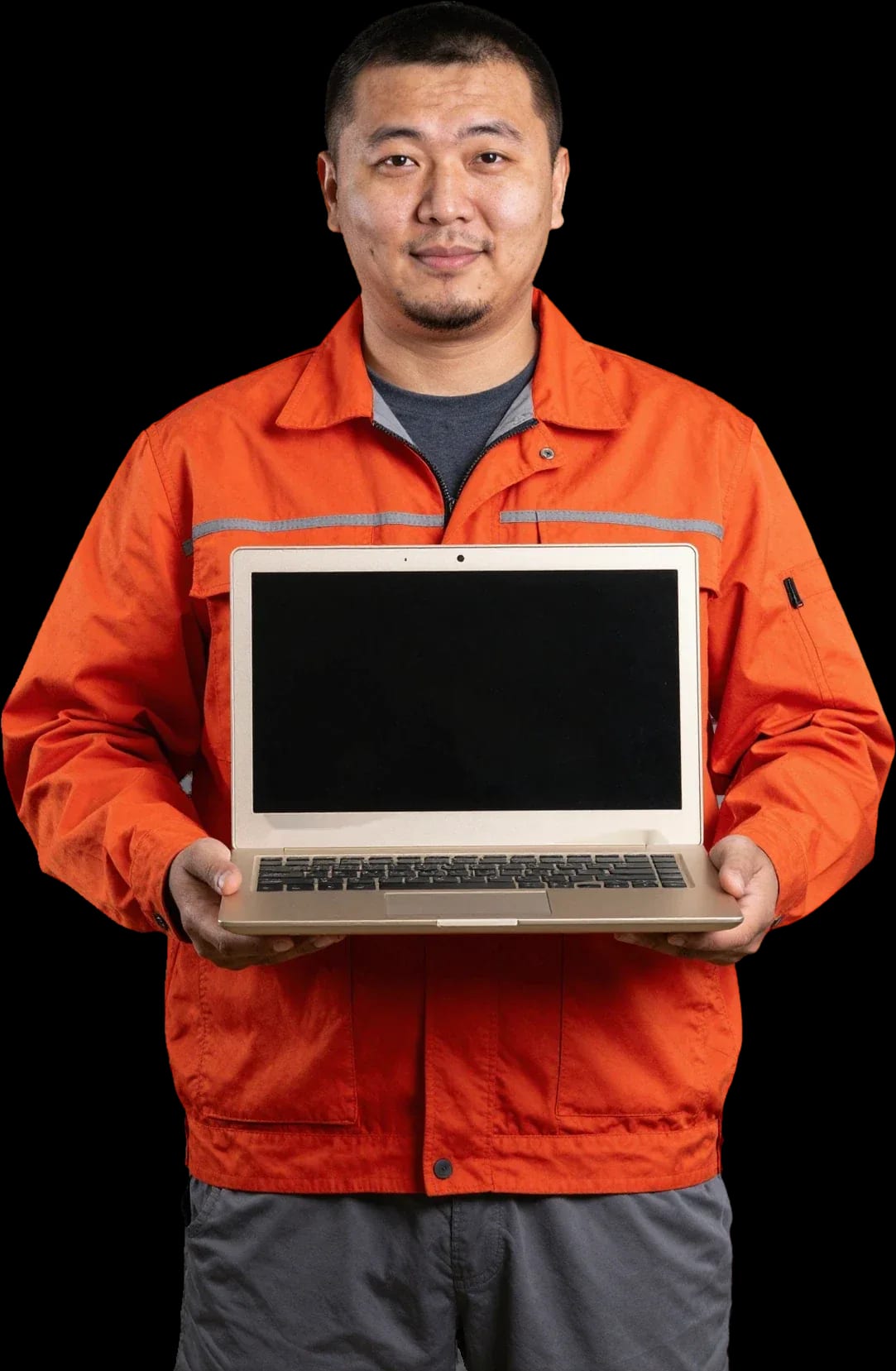
We come to you for Toshiba laptop diagnostics and repair. Free diagnostics, 1-year warranty on labor and parts.
Our own technicians4 to 20 years of experience




Repair prices
Symptoms that Toshiba laptop owners most often report. The technician names the exact cause and price after diagnostics.
discharged battery, power supply failure
from8 000 ₸
dust in cooling system, dried thermal paste
from5 000 ₸
stuck keys, broken ribbon cable
from6 500 ₸
signs of liquid damage, chip failure
from12 500 ₸
worn battery cells, high load
from8 000 ₸
overheating, power failure
from8 000 ₸
broken ribbon cable, damaged matrix
from6 500 ₸
clogged radiator, old thermal paste
from5 000 ₸
1 visittime
from 6 500 ₸cost
 BeforeAfter

Five steps from request to checking the laptop after repair.
Describe the symptom and your Toshiba laptop model so the technician brings the right tools and parts.
The technician arrives within 60 minutes anywhere in the city: they come to you and inspect the device on site.
The technician inspects the Toshiba laptop on site: checks the ports, power button, and case.
You approve the scope of work and parts, then the technician starts repairing the laptop.
You get a working laptop with checked components and warranty documents in hand.
We reply during working hours
Describe the fault and your Toshiba laptop model — the technician will bring the right tools and parts. Ask the technician about a convenient time and payment method.

Warranty question? Call us
+7 (778) 096 59 61 experience10 years
Laptop repair technician
 experience7 years
PC and network repair engineer
 experience11 years
Senior mobile computer technician
 experience9 years
Motherboard repair technician
 experience16 years
Printer repair technician

Author: Azim K.,Laptop repair technician
Published
Updated
Tech Service repairs Toshiba laptops in Astana: our technician comes to your home within 60 minutes or takes the laptop in for repair at the service center. Diagnostics are free, there's a 1-year warranty on labor and parts, and our technicians have 4 to 20 years of experience. The technician gives you the price after diagnostics.
Toshiba laptops rarely get attention from service centers in the capital, even though the Satellite, Tecra, and Portégé lines are still in use by their owners. Here's what we take on and how servicing Toshiba differs from other brands.
We service Toshiba laptops across all lines — Satellite, Tecra, and Portégé, including models that have long been discontinued. The first is a mass-market home series, the second is a corporate class with a reinforced chassis, and the third is thin ultrabooks with tight internal layout. Each line has its own disassembly: Portégé has less internal space, so the technician works more carefully with latches and ribbon cables, while Tecra has easier access to the drive and memory. Older machines come in more often — they stay with owners longer and need attention to hinges, the cooler, and power connectors. Toshiba laptop repair in Astana covers all these lines, including discontinued models. For discontinued models, some parts can't be bought new, so the technician first checks the failed component and offers a working solution instead of replacing the whole unit.
Toshiba has its own chassis layout, power connectors, and hinges, so the technician approaches disassembly and fasteners based on the specific line, not a generic template. On Satellite and Tecra, the chassis latches are positioned differently than on most modern models: some fasteners are hidden under rubber plugs, and without a diagram it's easy to break the plastic. Toshiba power connectors are often on a separate board rather than soldered to the motherboard — this changes the order of work when replacing the charging port. The matrix is connected via a ribbon cable with a tight connector, and careless removal of the lid can easily damage the contacts. On older Satellites, hinges and the matrix ribbon cable often suffer, and this changes the disassembly order — first remove the lid, then disconnect the cable so it doesn't tear.
We take apart the old Toshiba laptop and look for what can be restored or replaced with a compatible component before saying it can't be fixed. For discontinued models, original boards and ribbon cables aren't supplied, but some components can be restored at the component level: capacitors and connectors are replaced, board traces are repaired. Keyboards, hinges, and chassis parts are matched by mounting dimensions and connector, not by model number — compatibility is checked on site. If an original part isn't available, the technician offers a working analog based on specifications — it's important to agree on this before work starts so you don't pay for disassembly twice. Diagnostics are free, and the results show whether the laptop needs a part replacement or just restoration of the existing one.
Toshiba laptops have characteristic symptoms — from no response to the power button to errors on screen during boot. Here's what they mean and when it's time to call a technician.
Most often the cause is the power supply, charging connector, or battery, but if the indicator doesn't respond at all, the technician checks the circuit and motherboard. We look at the port separately: on Satellite and Tecra models it's placed on the corner of the chassis and suffers from cable yanks — the contact comes loose, charging stops, and the device seems dead. The battery in this case may be fine, but without a working port it won't charge, and the owner wrongly blames the battery. Diagnostics are free: Tech Service tests the adapter under load, checks the circuit, and only then quotes the scope of work. If the indicator doesn't light up at all, the issue is no longer charging but board protection or the standby power circuit. Before calling a technician, try another adapter and outlet — this eliminates half of false calls and saves time.
Overheating and noise almost always mean a dust-clogged cooling system and dried-out thermal paste, and this is fixed by cleaning, not by replacing the laptop. Dust compacts between the radiator fins, air can't pass through, the fan spins at maximum and hums — the case gets hot around the keyboard and underneath. Thermal paste loses its properties in a couple of years, the processor hits the temperature threshold and throttles, which causes slowdowns even in simple tasks. We clean the cooling system from dust and replace the thermal paste, and also check if the bearing is loose. If the laptop is noisy even during simple tasks, don't put off cleaning — overheating accelerates fan wear and can lead to motherboard failure.
It's important not to turn on a liquid-damaged Toshiba before inspection — the technician disassembles the case, cleans the board from liquid and checks the affected components; boot errors on screen more often point to the disk or system. Liquid leaves corrosion on contacts and traces, and trying to power it on finishes off what could still be saved. Messages during startup — like no boot device or read errors — usually lead to the hard drive, damaged sectors or corrupted Windows. We restore a Toshiba laptop after liquid damage: remove oxidation, check the circuit, and test the drive separately. If the laptop was flooded and hasn't turned on for a week, the chance to save the board is lower but not zero — the technician first assesses the corrosion and then names the scope of work.
Our Toshiba laptop repair follows clear steps — from free diagnostics to a check before pickup. Below is how each stage works and what exactly the one-year warranty means.
Diagnostics are free — the technician finds the cause, explains it and names the repair cost before work begins. During the inspection, we check the power circuit, charge controller, condition of the thermal paste and fan bearing, and on Satellite and Tecra models also the matrix cable, which often causes image distortion. After disassembly you get a clear explanation: which component failed, why it happened and what repair options are available. Approving the scope before work starts protects you from surprises: if disassembly reveals the need for another part, the technician first asks for consent rather than doing it silently. So the final amount matches what was quoted during the inspection — no extra charges appear 'after the fact'.
The time depends on the nature of the breakdown and availability of the needed component; if it has to be ordered, the technician gives an estimate after inspection and agrees it with you. Cleaning dust with thermal paste replacement and reinstalling the system take less time than soldering the power circuit or replacing a connector. When the required element isn't on hand — for example, a cable or case hinge for a discontinued line — the component is ordered separately, and you know in advance how long to wait. It's impossible to give an exact time without inspection — a promise of 'in an hour' without checking usually means the part will still have to be waited for. In our practice, an honest estimate after diagnostics is more convenient for the client than a quick answer over the phone.
We provide a 1-year warranty on labor and parts — if the defect returns within this period, the technician accepts the laptop under warranty and investigates again. The condition applies equally to matrix replacement, cooling system cleaning, and board soldering: a repeat inspection shows whether the previous defect returned or a new one appeared. The warranty covers matrix replacement just like cleaning and soldering — keep the work record, as it makes it easier to confirm the case. If after service the laptop behaves strangely again — heats up, makes noise or won't wake from sleep — don't disassemble it yourself: that loses the ability to confirm the defect is related to our work.
It's not always clear whether a Toshiba laptop can be fixed on-site or has to be taken to a service center. We break down both scenarios and what determines the choice.
On-site, a visiting specialist performs work that doesn't require a bench or disassembly down to the board: diagnostics, cooling system cleaning, battery, keyboard, power supply, and simple component replacement. Diagnostics are free, so the inspection immediately shows whether a surface-level fix is enough or the case needs to be opened down to the motherboard. Cleaning the heatsink and replacing thermal paste eliminates overheating that makes the fan hum and the case get hot under load. The battery and keyboard are replaced without a bench—they're modular parts that can be removed and installed on-site. The power supply is tested under load and replaced with a new one if needed. If diagnostics reveal that complex board work is required, the visiting technician takes the laptop to the service center and coordinates this with you before leaving—so you know in advance why the device is being taken in.
Motherboard repair, post-liquid-damage work, and matrix replacement require disassembly and testing at a stationary facility, so these tasks are done at the service center. The board is checked along power circuits and under a microscope: after liquid damage, oxidation eats away the traces, and without cleaning and continuity testing the board won't start even with new parts. The matrix is replaced with full disassembly of the lid and checking the cable—this can't be done on-site because it requires a level table and lighting. Replacing the power connector and soldering the controller are also stationary jobs. The specialist doesn't take the laptop to the service center 'just in case'—they first explain why the work can't be done on-site and only then suggest transporting it. You approve the transport and further work in advance.
The specialist arrives within 60 minutes anywhere in the city—from Saryarka and Esil to Almaty and Baikonur. The on-site format also covers the 'technician near me' request: you don't need to look for a service center in your area; the technician comes to you. On the way, they bring diagnostic tools and typical components for your model. If you're not sure whether your address is within the service area, tell us the district when you call—the specialist will give you a time estimate instead of figuring it out on the way. For stationary work, the laptop is accepted at the service center, and afterward you get a 1-year warranty on labor and parts. This procedure also applies to discontinued models: the technician first assesses what can realistically be done on-site.
Below are the Toshiba laptop jobs we do most often and how they differ in approach. The table will help you understand which jobs are replacements and which are repairs.
We replace the matrix and keyboard on Toshiba as a whole unit if repairing individual elements is unreliable, and we give a 1-year warranty on the replacement. The screen is replaced for cracks, dead pixels, lines, and edge backlight bleeding—we select the panel for the specific diagonal and connector, not by eye. With the keyboard it's different: if some keys don't work, the culprit isn't always the block itself but the cable or oxidized contacts on the board after a liquid spill. The technician first tests the cable and checks the connector seating, and only then suggests replacing the unit. A partially working keyboard often means damage to the cable, not the keyboard itself—checking the cable before ordering a part saves the owner both time and money.
If your Toshiba laptop takes forever to boot, the technician checks the drive and the system separately — often the problem is the hard drive, and swapping it for an SSD fixes it faster than reinstalling Windows. We look at SMART attributes, run a surface test, and watch how Windows behaves during startup: if the system crashes at the same operations every time, the drive is the culprit, not the software. After moving your data to a solid-state drive, the laptop starts up noticeably faster, and you can keep the old drive as external storage. At the same time, we clean dust out of the cooling system and refresh the thermal paste — a clogged heatsink and dried-out paste cause overheating even when the fan is working fine. Cleaning dust and replacing thermal paste should be done as preventive maintenance, not just when the laptop already gets noisy — this extends the fan's life and reduces wear on other components.
| Work | Type | What we check before starting |
|---|---|---|
| Screen replacement | replacement | cable and hinge mounts |
| Keyboard replacement | replacement | cable and board contacts |
| HDD to SSD upgrade | replacement | drive and system condition |
| Battery replacement | replacement | power circuit and connector |
| Dust cleaning | preventive maintenance | fan and thermal paste condition |
| Motherboard repair | repair | power circuit and signs of liquid damage |
Here are the key points a Toshiba laptop owner should keep in mind before going to a service center — from setting the task to checking the result.
Tech Service technicians repair other appliances too — with the same 1-year warranty on labour and parts.
 Refrigerator Repair in Almatyfrom 3 000 ₸
 Washing Machine Repair in Almatyfrom 3 000 ₸
 Dishwasher Repair in Almatyfrom 3 500 ₸
 Oven Repair in Almatyfrom 3 000 ₸
 Cooktop Repair in Almatyfrom 3 500 ₸
 Air Conditioner Repair in Almatyfrom 3 500 ₸
 Boiler and Water Heater Repair in Almatyfrom 2 500 ₸
 Freezer Repair in Almatyfrom 6 000 ₸
 Tumble Dryer Repair in Almatyfrom 5 000 ₸
 Coffee Machine Repair in Almatyfrom 2 500 ₸
 Robot Vacuum Cleaner Repair in Almatyfrom 3 500 ₸
 Vacuum Cleaner Repair in Almatyfrom 1 500 ₸
 Microwave Oven Repair in Almatyfrom 2 000 ₸
 Hair Dryer Repair in Almatyfrom 1 500 ₸
 Iron Repair in Almatyfrom 3 000 ₸
 Electric Kettle Repair in Almatyfrom 2 500 ₸
 Mixer Repair in Almatyfrom 2 500 ₸
 Multicooker Repair in Almatyfrom 500 ₸

If your laptop screen is broken, turn the device off first, don't press on the display, and check the picture through an external monitor.
12 March 2026 · 11 minutes read
If your laptop freezes, the first thing to do is restart it and check Task Manager to see what's loading the CPU and memory.
25 January 2026 · 12 minutes read
If your laptop won't boot, first determine which of two states you're in: the device doesn't respond to the power button at all…
13 December 2025 · 12 minutes read
If your computer won't turn on, start simple: check the outlet, power cable, switch on the power supply, and the power button.
19 January 2026 · 13 minutes read








