Валерий Д.Order No. TSA-47684 · 30 October 2025
oursTablet Repair in
Основная жалоба — выгорела плата. Дамир М разобрался в редкой модели. Тихо, ровно, без сюрпризов.
Repair: tablet repair in

Tablet won't turn on, won't charge, or has a cracked screen? A technician will arrive within 60 minutes anywhere in the city.
Our own technicians4 to 20 years of experience




Repair prices
Below are the groups of causes that a technician identifies during inspection. The exact cause will be determined during free diagnostics.
Impact, drop, bent casing
from5 500 ₸
Oxidation of contacts and board
from9 000 ₸
Loosening and contamination
from8 000 ₸
Loss of travel and contact
from5 000 ₸
Firmware errors and freezes
from6 500 ₸
Forgotten password or Apple ID
from6 500 ₸
Reduced capacity and fast drain
from8 000 ₸
Cracks, lines, no image
from9 000 ₸
1–2 hourstime
from 7 000 ₸cost
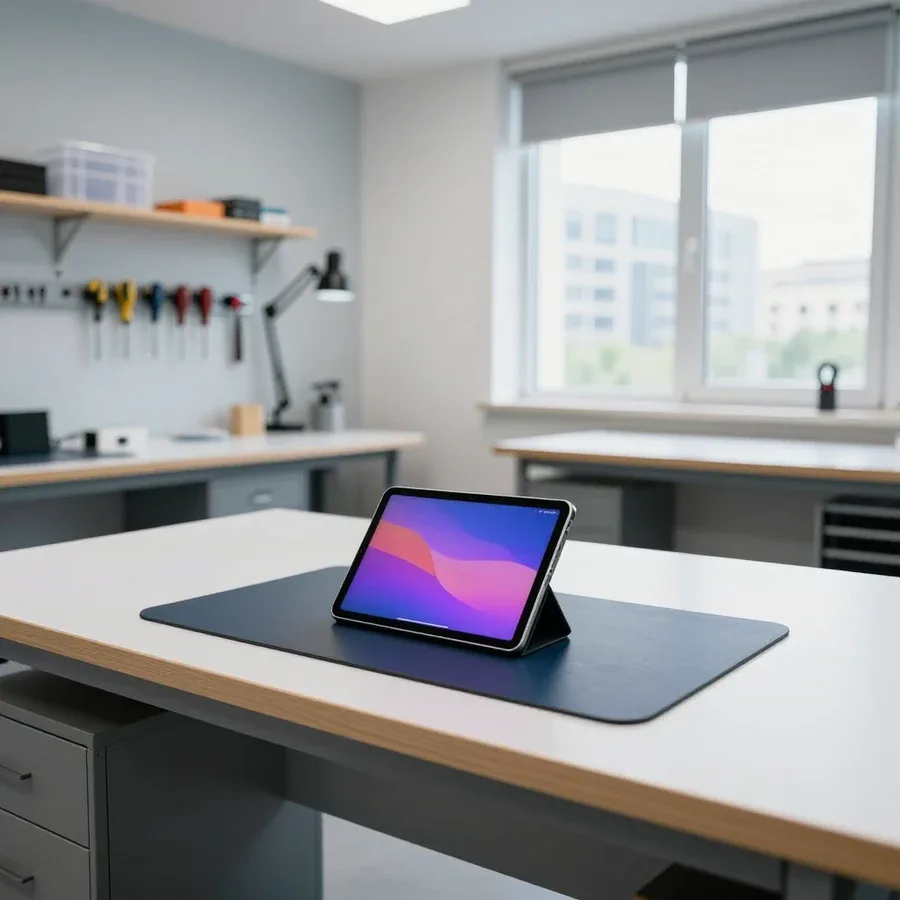 BeforeAfter

Five steps from request to checking the tablet's performance.
Describe the symptom and tablet model — the technician will clarify details and arrange a visit.
The technician comes anywhere in the city and inspects the device on site.
The technician records the scope of work and payment terms in the request; you confirm the terms before repair begins.
Work starts only after you agree with the cause and cost.
Check charging, touch across the entire screen, buttons, and camera together with the technician.
We reply during working hours
Leave a request — the technician will arrive within 60 minutes anywhere in the city. Describe the symptom and tablet model to clarify details.

Warranty question? Call us
+7 (778) 096 59 61 experience12 years
iPad repair technician
 experience11 years
Lead iPhone repair technician
 experience17 years
Mobile iPhone repair technician
 experience15 years
Apple device diagnostic technician
 experience16 years
MacBook upgrade specialist

Author: Amanat Zh.,iPad repair technician
Published
Updated
Tech Service repairs iPads in Astana as a direct provider: our technician arrives at your home within 60 minutes anywhere in the city or works at our service center. Diagnostics are free, there's a 1-year warranty on labor and parts, and our technicians have 4 to 20 years of experience. The technician gives you the price after diagnostics.
An iPad malfunction isn't always visible from the outside. Here's a look at the most common symptoms and error codes and where to start troubleshooting.
An iPad that won't turn on is most often caused by a deeply discharged battery or a faulty charging port, not the logic board. A tablet left without power for months enters a protective mode: the controller stops current from reaching the battery, and the screen stays black even after you plug it in. The second most common culprit is a Lightning port with oxidized or bent contacts: the cable stays in, but no charge goes through. Less often, the cause is the battery flex cable or a power circuit on the board, and then you can't avoid opening it up. We start with free diagnostics—it shows whether the battery is alive and whether current passes through the port. If you're already wondering how much iPad repair costs, the technician will give you the price after free diagnostics. Before taking your tablet to a service center, leave it on the charger longer and try a different cable—that way you rule out simple causes and save time on diagnostics.
Error 4013 when flashing an iPad indicates a failure in data exchange between the tablet and the computer, while error 9 means the recovery was interrupted—and neither always points to a hardware failure. Code 4013 pops up when the USB connection drops during device verification: the cable, the computer port, or a damaged connector on the tablet itself may be to blame. Code 9 appears when there's a power failure or the controller drops out during firmware writing. In such cases, software repair starts with a clean computer, a different cable, and recovery in DFU mode. If the error repeats on different cables and computers, it's already a hardware issue—then software repair won't help and you need hardware diagnostics.
| Symptom | Likely Cause | What to Check First |
|---|---|---|
| Stuck on Apple logo | Firmware failure or logic board | Recovery via computer |
| Drains fast and heats up | Battery wear | Battery condition |
| Won't charge | Lightning port or battery | Cable, then port |
| Home button sticks | Button mechanism or flex cable | Button travel and response |
| Won't turn on | Deep discharge or port | Long charge, different cable |
A cracked screen doesn't always mean replacing the whole module. Here's when replacing just the top layer is enough, when you need the entire display module, and how to tell by how the image behaves and how touches respond.
We replace only the top layer when there's a crack but the image and touchscreen work without spots, lines, or dead zones. The owner usually comes in with a shattered surface, but the picture stays clear and touches register across the entire area. The glass covers only the touch layer, so replacing it doesn't affect the matrix and keeps the original screen. This option works for chips on the edge, a spiderweb from a corner, and single cracks, as long as there are no dark smudges underneath. On models with a laminated screen, the top layer is replaced together with the touch layer, and the technician assesses whether the panel still displays an image after the impact. It's easy to check—run your finger across the entire area and look at a white background: if the response is even and there are no dark spots, the matrix is most likely intact.
We replace the display module if you see lines on the screen, dark spots, part of the touchscreen doesn't work, or the matrix under the top layer is damaged. The display module includes both the glass and the matrix, so it's replaced as a whole — you can't separate the panel from this unit. Signs of damage are obvious right away: rainbow streaks, green or white lines, black blobs in the corners, areas where your finger leaves no trace. On IPS screens, after a strong impact, the backlight sometimes delaminates, and the image becomes blurry even if the top layer is intact. If the touchscreen doesn't respond in some areas after a drop, replacing just the top layer is pointless — the bottom layer is damaged, and the defect will reappear. This service costs more, but it fixes all damage at once.
| What's damaged | What we replace | When it's suitable |
|---|---|---|
| Only glass, touchscreen intact | Glass or touchscreen | Crack without spots or lines |
| Matrix or part of touchscreen | Display module | Lines, spots, dead zones |
| Glass and matrix together | Display module | Strong impact, delamination |
Water exposure is the most unpredictable case. We explain what to do in the first hours after contact with liquid and when restoration is still worthwhile.
Right after contact with liquid, turn off the iPad, don't charge it, and don't dry it with a hairdryer — these three actions increase the chances of recovery. Then proceed step by step: blot the outside of the case, place the tablet in a dry place, and don't disassemble it yourself to avoid damaging the flex cables. Don't try to turn the device on again before diagnostics and don't connect the cable — moisture and electricity together accelerate board corrosion. Hot air from a hairdryer spreads droplets deeper, to connectors and microchips, so drying with heat only makes things worse. Moisture under the screen and on the board keeps working even when the outside of the case is already dry, so the sooner the tablet gets to diagnostics, the lower the risk of irreversible changes.
Such work makes sense if the tablet reaches the service center in the first hours and moisture hasn't yet caused board corrosion. During free diagnostics, we check the board, charging connector, and flex cables to understand the extent of damage and quote the cost of work. The 1-year warranty on labor and parts also covers these cases — provided the technician saw the device before any attempts at self-repair. Even if the iPad turns on after drying, it's worth showing it to a specialist: hidden corrosion often shows up weeks later as failures of buttons, connector, and touchscreen. Our technicians have 4 to 20 years of experience, and by the board's condition they distinguish surface traces from deep oxidation, when replacing individual components can still bring the device back to life.
iPad repair in Astana can be done at home or at the service center. We show how the process works and what the specialist does on site.
Our work goes step by step: request, technician arrival within 60 minutes anywhere in the city, free diagnostics, agreement on the scope, and the replacement itself with a 1-year warranty. We take requests based on your description of the symptom — the specialist clarifies details by phone to bring the right part. Then they come to your home and determine the cause of the failure and the list of operations on site. You find out how much iPad repair costs after the check: the price is quoted before replacement starts, so you know upfront what you're paying for and can decline further work. This saves time — you don't need to take the tablet to the service center and leave it for several days if the issue is modular. Diagnostics are free, so the check adds no cost, and the warranty covers both labor and installed parts.
During an on-site visit, our technician runs diagnostics and replaces modular components — glass, battery, connector, button — while complex board-level repair is done at the service center. The on-site format covers most everyday breakdowns: a cracked screen, a worn-out battery, a loose charging connector. If the check shows that board soldering is needed, the technician will tell you right away instead of taking the tablet apart at your home for nothing. This scenario is more common after liquid damage or when failures can't be fixed by replacing a component. The decision is yours — continue the work at the service center or take the device back. On-site visits within the city are free as part of diagnostics, and we accept Kaspi QR, Kaspi Red, card, cash or bank transfer, including card and cash. Technicians with 4 to 20 years of experience decide which component needs replacing and where soldering is required.
| Repair type | What's done | When it's needed |
|---|---|---|
| Modular | Replace the whole component | Glass, battery, connector, button |
| Component | Soldering the board and chips | Board failure, traces of water |
| Software | Flashing and reset | Freezes, iTunes errors |
Warranty is the main guideline when choosing a service center. We explain what it covers, why its wording matters, and how to tell a direct provider from an intermediary.
Our 1-year warranty applies to both labor and parts, meaning it covers the quality of the replacement and the installed component itself. Over twelve months, a new part goes through a full cycle of daily stress: charging, temperature changes, drops from table height, operation in frost and heat. If during this time the replacement of glass, battery, or display module fails, the customer doesn't pay for the repeat restoration under our warranty. The condition applies both on-site and at the service center — the location doesn't affect the wording. Separately about prices: the technician quotes them after free diagnostics, when it's clear which component has failed and which part will be replaced. For iPad repair, the technician also quotes prices after free diagnostics, and the warranty covers the work itself and the installed part. A warranty on parts separate from labor is rare, so ask about this point in advance: without it, if the part fails, you may be asked to pay for the work again.
The durability of the result depends on the quality of the part and the precision of installation, not just on the nature of the breakdown. An original component withstands several years of daily use, while a low-grade compatible analog lasts from a few weeks to a few months. When replacing glass on an iPad, a one-millimeter error during edge gluing leads to peeling after just a couple of weeks of use, and an incorrectly set charge controller accelerates the degradation of a new battery. The difference in flex cable fit or touchscreen calibration doesn't show up immediately but after hundreds of press cycles. A cheap part without a warranty often ends up costing more: a repeat replacement a few months later means paying for two jobs instead of one, and the second is at the owner's expense.
We service both old and current iPad models, and when choosing a service center, we recommend looking for a direct provider, free diagnostics, and a warranty on parts. Technicians with 4 to 20 years of experience know the design of connectors and flex cables across generations, so they also take on models that are out of production. A direct provider with its own technicians is responsible for the result itself, whereas an intermediary passes the tablet to a third party, making it harder to get a warranty. Servicing an old iPad is often more cost-effective than replacing it: the body and screen of previous generations are sturdier, and a new battery brings the device back to a working pace for years to come. Before handing over your tablet, ask who exactly will do the work — their own technician or a contractor.
Diagnosing tablet issues comes down to a few practical takeaways — from recognizing symptoms to understanding the role of warranty on installed parts. Below are the key points to keep in mind before visiting a technician.
Tech Service technicians repair other appliances too — with the same 1-year warranty on labour and parts.
 Refrigerator Repair in Almatyfrom 3 000 ₸
 Washing Machine Repair in Almatyfrom 3 000 ₸
 Dishwasher Repair in Almatyfrom 3 500 ₸
 Oven Repair in Almatyfrom 3 000 ₸
 Cooktop Repair in Almatyfrom 3 500 ₸
 Air Conditioner Repair in Almatyfrom 3 500 ₸
 Boiler and Water Heater Repair in Almatyfrom 2 500 ₸
 Freezer Repair in Almatyfrom 6 000 ₸
 Tumble Dryer Repair in Almatyfrom 5 000 ₸
 Coffee Machine Repair in Almatyfrom 2 500 ₸
 Robot Vacuum Cleaner Repair in Almatyfrom 3 500 ₸
 Vacuum Cleaner Repair in Almatyfrom 1 500 ₸
 Microwave Oven Repair in Almatyfrom 2 000 ₸
 Hair Dryer Repair in Almatyfrom 1 500 ₸
 Iron Repair in Almatyfrom 3 000 ₸
 Electric Kettle Repair in Almatyfrom 2 500 ₸
 Mixer Repair in Almatyfrom 2 500 ₸
 Multicooker Repair in Almatyfrom 500 ₸

If your phone won't charge, start by checking the adapter, cable, and port, then the charging settings.
16 February 2026 · 12 minutes read
If your phone falls in water, take it out right away, turn it off, and don't charge it.
19 January 2026 · 12 minutes read
If your phone camera isn't working, first check app permissions, clear the cache, and restart your phone — this fixes some software glitches.
24 December 2025 · 13 minutes read
If your phone won't turn on, first check the charging setup: try another cable, adapter, and port, leave the device on charge, and attempt a forced restart.
3 October 2025 · 12 minutes read
If your laptop screen is broken, turn the device off first, don't press on the display, and check the picture through an external monitor.
12 March 2026 · 11 minutes read
If your laptop freezes, the first thing to do is restart it and check Task Manager to see what's loading the CPU and memory.
25 January 2026 · 12 minutes read