Олег Х.Order No. AS-8488 · 11 May 2026
oursPhone Repair in
Дамир М принял без вопросов, хотя был без записи. Ответили в мессенджере, потом созвонились. Прошивка та же, ничего не сбросили!!
Repair: phone repair in

We'll be there within 60 minutes anywhere in the city. Diagnostics are free — the technician will identify the issue and give you the price.
Our own technicians4 to 20 years of experience




Repair prices
Below are common symptoms of Meizu phone issues. The exact cause will be determined by a technician during free diagnostics.
discharged battery, controller, flex cable
from5 000 ₸
charging port, cable, battery
from4 500 ₸
glass, display module, touchscreen
from5 500 ₸
camera module, flex cable, software
from4 000 ₸
speaker, microphone, flex cable
from4 000 ₸
oxidation, short circuit, corrosion
from8 000 ₸
antenna, flex cable, communication controller
from12 000 ₸
battery wear, controller, software
from5 000 ₸
1–2 daystime
from 8 000 ₸cost
 BeforeAfter

Five steps from request to quality check. Diagnostics are free.
Leave a request — we'll clarify the model, symptoms, and when they started.
The technician brings tools and parts for your symptom: screen, battery, flex cables.
We'll discuss part options and alternative repair scenarios, and you choose the best one.
After your approval, the technician performs the repair.
The technician will show what was done, explain care, and answer any usage questions.
We reply during working hours
Leave a request — the technician will arrive within 60 minutes anywhere in the city. Tell us the phone model, symptoms, and when they started. Have your charger and cable ready.

Warranty question? Call us
+7 (778) 096 52 04 experience19 years
Lead smartphone repair technician
 experience7 years
Phone flashing specialist
 experience10 years
Phone repair technician
 experience18 years
Phone microsoldering technician
 experience5 years
On-site phone technician
 experience12 years
Smartphone repair technician
Tech Service repairs Meizu phones in Astana: our own technicians with 4 to 20 years of experience, free diagnostics, and a 1-year warranty on labor and parts. A technician can come to your home within 60 minutes anywhere in the city, or you can drop off your phone at our service center. The technician gives you the price after free diagnostics.
Meizu phones most often come to us with symptoms like "won't turn on," "stuck on the logo," "won't charge," or "overheating." Here's what's behind these issues and how our technician handles them.
When a device comes in with the "won't turn on" symptom, it first goes through free diagnostics — the technician distinguishes a firmware failure from a hardware issue with the board or battery. On the bench, we check the current draw: if the device pulls stable values and responds to the button, the cause is more often software, while spikes and short circuits point to the board. Reflashing restores boot when the hardware is intact and the failure occurred after an update or a failed restart. If the power controller is damaged or a battery contact has come loose, software won't help — soldering is needed. Meizu phone repair in Astana starts with exactly this kind of diagnostics, so the owner knows upfront what they're dealing with. We do diagnostics before any work, so the owner knows upfront what they're dealing with. If the phone is stuck on the logo after an update, don't restart it repeatedly — repeated cycles can make the power controller failure worse, and then a simple reflash won't be enough.
We check the chain "charging port → flex cable → battery": with Meizu, the Type-C port and a worn-out battery are most often to blame, and heating during charging points to a controller issue. The port gets clogged with dust and lint, contacts oxidize, and the phone stops drawing current or only charges with the plug in a certain position. A worn-out battery holds less and less charge and may shut the device down in cold or under load. The charging flex cable connects the port to the board and cracks at the base with frequent plugging. During free diagnostics, the technician tests each section and tells you exactly what to replace — the port, flex cable, or battery. If the phone heats up specifically around the port rather than across the whole back cover, it's almost always the port contact, not the battery — replacing the battery won't help here.
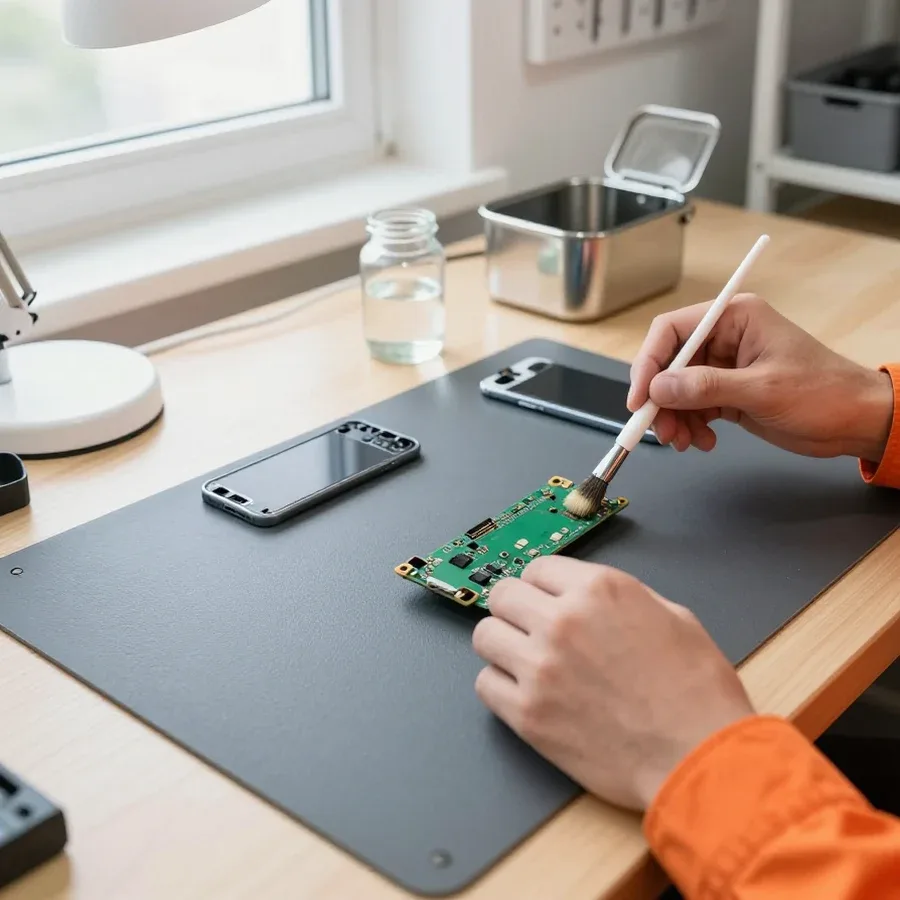
After water exposure, we first disconnect power and disassemble the board — the sooner the device reaches a technician, the higher the chance of saving the board and restoring the network. Moisture triggers corrosion of contacts and traces, and under voltage the damage progresses faster, so delay costs more than any repair. After a drop, the display module, touchscreen, and touchscreen flex cable suffer: the sensor stops responding on part of the screen or across the entire area, the image flickers, and lines appear. The technician disassembles the device, cleans the board from moisture and corrosion traces, checks the integrity of the flex cables, and replaces the display module if necessary. We provide a warranty on labor and parts for water damage recovery and board soldering. Don't try to dry your Meizu with a hair dryer or on a radiator — heat drives moisture deeper under the board's shielding covers, and corrosion starts exactly where you can't see it.
An error code during Meizu flashing is not a death sentence — it's a hint at which stage the failure occurred. Here's how our technician reads these codes and when reflashing won't help.
An error code during Meizu flashing points to the stage where the process stopped — connection to the computer, verification of the firmware image, or writing to memory partitions. The technician distinguishes three groups of failures: a failure at the connection stage indicates a cable, USB port, or driver issue; an image verification error points to a corrupted or incompatible firmware file; and a partition write failure suggests problems with the board's flash memory. Software recovery begins with recording the exact code: it shows whether the device reached data writing or stopped earlier. On devices with an unlocked bootloader, there is an added risk of using the wrong image version — firmware from a different board revision causes an error even with working hardware. The same code can mean either a cable or a memory failure — so you shouldn't order a board based on the code alone; first check the cable, port, and image integrity. If the code repeats, the owner may want to know how much Meizu phone repair costs — the technician provides the price after free diagnostics.
We don't flash phones blindly: if a Meizu still hangs on the logo after reflashing, the technician looks for the cause in the board's memory or power controller. We compare the device's behavior before and after writing the image: a recurring failure at the same stage with a known-good cable and a verified file points to hardware. Then component-level board repair begins — diagnostics of power circuits, checking capacitors and chips, and soldering damaged elements if necessary. Software recovery in such a case gives only a temporary result: the system boots, but the failure returns under the first load. Repeated reflashing "on a whim" erases user data and doesn't fix the hardware cause — it's better to back up data before the first recovery attempt.
| Symptom | What we check first | Common cause |
|---|---|---|
| Won't turn on, stuck on logo | Firmware, power controller, board memory | Software failure or board |
| Heats up while charging, drains quickly | Charging port, flex cable, battery | Port contact or battery |
| Unresponsive to touch | Touchscreen, touchscreen flex cable | Flex cable or glass |
| Doesn't detect SIM card | Tray, contacts, controller | Tray or board |
| No network after moisture | Board, antenna module | Corrosion on the board |
We follow a single workflow for Meizu phone service: diagnostics, approval, technician's work, inspection, and warranty. We show each step and what it gives the owner.
We start with free diagnostics, then agree on the scope, and only then does the technician begin the repair — so the owner knows in advance what is being replaced and why. Our Meizu phone repair in Astana is structured so that each stage is clear to the owner. Technicians with 4 to 20 years of experience work on the specific Meizu model rather than following a generic template: Note, M-series, and Pro-series have different disassembly and different weak points. During inspection, they check power, board, flex cables, and screen to separate a software failure from a hardware breakdown. Then the owner receives a list of tasks and a decision on what to replace. Approval before starting is not a formality: if the technician opens the phone and finds a second fault, the scope and cost are discussed again rather than added after the fact.
Our 1-year warranty covers both the technician's labor and the installed part — it's a single term, not separate conditions for different types of work. After a new display module or battery is installed, the owner gets one warranty for the whole result, not two papers with different dates. This makes things simpler if the phone acts up again: you don't have to figure out whether the claim relates to the labor or the part. A warranty on a part only makes sense together with a warranty on labor: if the part fails due to an installation error, the owner won't have to prove whose fault it is. Before handing over the phone, the technician checks it thoroughly — charge, screen, touch, connectivity — and only then gives the device back.
The technician quotes the price after free diagnostics: it depends on the type of breakdown, the Meizu model, and whether the part is replaced entirely or the board is repaired. Replacing just the glass, installing a complete module, and soldering the board are three different scopes of work with different labor intensity, and they can't be lumped into one sum. Note, M-series, and Pro-series models have different body designs and component mounting, so the same breakdown is handled differently. The same "screen replacement" can mean different scopes — replacing just the glass or the entire display module; so quoting a price before opening the phone would be inaccurate. You can pay via Kaspi QR, Kaspi Red, card, cash or bank transfer, and the technician states the price before starting so the owner can decide.
| Work | When it applies | What is replaced |
|---|---|---|
| Glass replacement only | Glass is cracked, image and touch work fine | Only the touch glass |
| Display module replacement | Screen is shattered, there are lines or no image | The entire module |
| Touchscreen flex cable replacement | Image is present, touch doesn't work | Touchscreen flex cable |
You don't have to bring your Meizu to the service center: a technician can come to your home or office anywhere in the city. Let's look at when a visit is convenient and when it's better to use the walk-in workshop.
We come to you within 60 minutes anywhere in the city: the technician brings tools and does diagnostics on site, and handles simple replacements right at your place. You can request a visit by phone or messenger, specifying the Meizu model and the symptom — won't turn on, won't charge, cracked screen. Diagnostics are free, so an at-home inspection costs nothing, and based on its results the technician immediately quotes the price. How much a Meizu phone repair costs, the technician will tell you after free on-site diagnostics. Replacing the screen, battery, or charging port on most Meizu models doesn't require complex equipment and can be done on a visit. Our technician brings common parts for your specific model, so a typical replacement doesn't have to be postponed to a second visit. A visit is convenient if you need the phone here and now — but if diagnostics show that component-level board repair is needed, the device is still taken to the service center where there are proper conditions for soldering.
Our service center handles what can't be done at home: component-level board repair, water damage recovery, and jobs that require disassembly with heating. A Meizu board after liquid exposure needs ultrasonic cleaning and controlled-temperature drying — conditions you don't have on-site. Broken traces, lifted contacts under the processor, power controller replacement — that's soldering under a microscope with profile heating, and such operations are only done in a stationary workshop. If a technician offers to reflow the board right on your kitchen table, that's a red flag: without proper conditions, soldering leaves hidden cracks, and the phone comes back with the same fault. It's also worth bringing the device in when the symptom is intermittent and needs a repeat stress test. The 1-year warranty on labor and parts covers in-workshop service just as it does on-site visits.
In Astana, Meizu repair is offered by aggregators, independent technicians, and service centers with their own staff. Here's how a direct provider differs and why it matters for your warranty.
We are a direct provider: the work is done by our own specialist, not a contractor from a platform, so the 1-year warranty is backed by us, not by 'someone you won't be able to find later.' The same service that performed the work stands behind it — our technicians have 4 to 20 years of experience, and every Meizu device goes through them without being outsourced. An aggregator collects requests and distributes them among contractors without getting involved in the process. In that scheme, there's a platform between you and the technician: if there's a dispute about work quality, there's no one to file a claim against — the platform has no responsibility for the result. In my view, that's the main risk: the phone comes back with the same fault, and you have to deal with the party that merely took the request. Our diagnostics are free, and they're done by the same person who will later work on the device. Check who will actually be holding the soldering iron — that determines who you go to with a warranty claim.
We accept Meizu devices bought outside Kazakhstan: Note, M-series, and Pro-series models are serviced based on the fault, not the country of purchase. Devices come from China and other countries — what matters to a specialist is not the receipt but the specific board revision and how the device behaves under load. Free diagnostics show what has failed, and only after that do we quote the scope of work. For 'gray-market' Meizu phones, the difficulty isn't the repair itself but sourcing a part for the specific board revision — that's why diagnostics before ordering a spare part is essential. Without it, it's easy to buy a screen or flex cable from a neighboring modification that looks compatible but doesn't work. Practical tip: keep the exact model designation from the box or settings — it helps the specialist identify compatible components faster.
A quick summary on Meizu repair — five points that help an owner make a decision without unnecessary details and marketing.
Tech Service technicians repair other appliances too — with the same 1-year warranty on labour and parts.
 Refrigerator Repair in Almatyfrom 3 000 ₸
 Washing Machine Repair in Almatyfrom 3 000 ₸
 Dishwasher Repair in Almatyfrom 3 500 ₸
 Oven Repair in Almatyfrom 3 000 ₸
 Cooktop Repair in Almatyfrom 3 500 ₸
 Air Conditioner Repair in Almatyfrom 3 500 ₸
 Boiler and Water Heater Repair in Almatyfrom 2 500 ₸
 Freezer Repair in Almatyfrom 6 000 ₸
 Tumble Dryer Repair in Almatyfrom 5 000 ₸
 Coffee Machine Repair in Almatyfrom 2 500 ₸
 Robot Vacuum Cleaner Repair in Almatyfrom 3 500 ₸
 Vacuum Cleaner Repair in Almatyfrom 1 500 ₸
 Microwave Oven Repair in Almatyfrom 2 000 ₸
 Hair Dryer Repair in Almatyfrom 1 500 ₸
 Iron Repair in Almatyfrom 3 000 ₸
 Electric Kettle Repair in Almatyfrom 2 500 ₸
 Mixer Repair in Almatyfrom 2 500 ₸
 Multicooker Repair in Almatyfrom 500 ₸

If your phone won't charge, start by checking the adapter, cable, and port, then the charging settings.
16 February 2026 · 12 minutes read
If your phone falls in water, take it out right away, turn it off, and don't charge it.
19 January 2026 · 12 minutes read
If your phone camera isn't working, first check app permissions, clear the cache, and restart your phone — this fixes some software glitches.
24 December 2025 · 13 minutes read
If your phone won't turn on, first check the charging setup: try another cable, adapter, and port, leave the device on charge, and attempt a forced restart.
3 October 2025 · 12 minutes read